
MZEIBO 50W Sound Bar
4.4Editor score
50W four-speaker system
Compact 17-inch footprint
Bluetooth 5.3 and ARC
Our guide compares the best soundbar for Vizio TV options, covering connectivity, channel layouts, bass, dialogue clarity, and ease of setup.
A Vizio TV can deliver an excellent picture, but its built-in speakers may not provide the dialogue clarity, bass response, or room-filling sound that modern movies, shows, and games deserve. A compatible soundbar can make the viewing experience feel much more immersive while remaining far simpler than a full surround-speaker system.
We compared all ten models using the information published in their product listings, focusing on connection options, speaker configuration, wireless or wired subwoofer support, surround and height effects, dialogue features, physical size, included accessories, and overall suitability for a Vizio television.
The list covers everything from compact all-in-one designs to systems with wireless subwoofers and surround speakers. The top choices highlight different priorities, including balanced performance, complete home-theater capability, and value. Product prices and availability can change, so confirm current details before purchasing.
4.4Editor score

4.3Editor score

4.4Editor score
This side-by-side comparison highlights each soundbar's channel configuration, subwoofer arrangement, supported connections, and standout audio technologies, making it easier to match a model to a Vizio TV, room size, and viewing habits.


The Bose TV Speaker is a compact all-in-one model designed primarily to clarify speech and improve the sound from a television. Its 4.3 rating reflects a generally well-regarded approach that favors simplicity, useful controls, and a narrow profile. Two angled full-range drivers are positioned to create a wider, more natural presentation than the small speakers built into many televisions.
We may earn a commission when you buy through this link, at no additional cost to you.
A key strength is the product's focus on dialogue. Angled drivers deliver the sound outward rather than straight toward one seating position, while the included remote provides a dedicated dialogue mode and a bass boost. Connections include HDMI ARC, optical input, AUX, and Bluetooth, giving a Vizio TV owner several ways to route sound while also allowing music and podcast streaming.
The main limitation is its modest audio architecture. There is no included subwoofer or dedicated surround-speaker system, and the Bose Bass Module 500 or 700 requires an additional module and appropriate connection cable. Wall brackets are also sold separately. Those limitations make the TV speaker less suitable for someone seeking intense home-theater effects but reasonable for a bedroom, office, apartment, or dialogue-focused living room.
It is easiest to recommend to Vizio owners who want clearer voices and a tidy setup without a complicated network of cables and speakers. The included optical cable and straightforward remote reduce the learning curve, while the optional bass-module connection allows the system to grow if deeper impact is desired later.
The soundbar's angled drivers and dedicated dialogue mode make it a practical upgrade for news, interviews, and scripted television. Voice-focused listening can reduce the need to raise the overall volume to uncomfortable levels when the show is quiet.
HDMI ARC offers a streamlined digital connection to a compatible Vizio TV, while optical and AUX provide useful alternatives. The optional Bose Bass Module connection gives buyers a path to more low-end output without replacing the entire soundbar.
We may earn a commission when you buy through this link, at no additional cost to you.
The Samsung HW-B400F combines a 2.0-channel soundbar with a built-in subwoofer and carries a 4.0 rating. Its main appeal is straightforward: it adds more bass and clearer speech than a television's built-in speakers while avoiding a separate subwoofer box. That makes it an appealing option for renters, smaller rooms, and anyone who values a clean installation.
We may earn a commission when you buy through this link, at no additional cost to you.
Surround Sound Expansion projects audio across the listening area, and Voice Enhance Mode brings dialogue forward for programs where speech needs greater definition. The included low-volume mode reduces bass and minimizes disturbances, which is useful for late-night viewing. A Samsung TV remote can handle key functions such as power, volume, and sound effects, although that does not guarantee full control of every menu available on the soundbar.
Its trade-offs are tied to the all-in-one format. With only two channels and an integrated woofer, it cannot create the same sense of rear immersion as a 5.1 system with separate wireless surrounds. The product information also does not list Dolby Atmos, DTS:X, a calibration routine, or app-based controls, so buyers should treat it as a clear, convenient upgrade rather than a fully featured cinematic system.
This model is well suited to someone who wants the Vizio TV's own speakers replaced by a more substantial sound without taking over the room. It is especially attractive for everyday television, gaming, and moderate music listening, where voice clarity and the presence of bass matter more than overhead or rear-speaker effects.
The integrated subwoofer produces the most obvious upgrade over a slim all-in-one bar. It is particularly helpful for action films, sports, and music, while avoiding the extra floor space and cable required by a separate subwoofer.
Voice Enhance Mode helps speech stand out during busy scenes, while the late-night mode lowers volume and minimizes bass. Together, they can make late viewing more discreet without requiring frequent manual adjustments.
We may earn a commission when you buy through this link, at no additional cost to you.
The TCL S55H is a 2.1-channel system with a wireless subwoofer, Dolby Atmos, DTS Virtual:X, and up to 220W of stated output. Its 4.4 rating and extensive feature set make it a strong all-around choice for a Vizio TV, particularly when the goal is movie-theater-style immersion without adding rear speakers to every side of the room.
We may earn a commission when you buy through this link, at no additional cost to you.
The wireless subwoofer is designed to handle low-frequency effects while the main bar focuses on crisp dialogue and detailed mids. AI Sonic Auto Room Calibration adjusts the output for the room and listening position through the TCL app. This is particularly valuable because furniture, walls, and room dimensions can materially change how a soundbar's balance is perceived.
Connection options are extensive: HDMI eARC or ARC, optical, Bluetooth, and AUX. The box includes an HDMI cable, power cord, remote with batteries, and wall-mount kit. The limitation is that the 2.1 layout virtualizes surround rather than providing discrete rear channels. Buyers seeking genuine speakers behind the seating area would need to step up to a 5.1 system, although the S55H already delivers more spatial processing and deeper bass than a basic 2.0 bar.
It is a strong recommendation for a dedicated entertainment room, larger television, action movies, and console gaming. The room-calibration app also gives it an advantage for buyers who do not want to manually fine-tune a basic soundbar, while the included installation accessories simplify setup.
The included wireless subwoofer handles bass independently, freeing the main bar to concentrate on voices and midrange detail. AI Sonic calibration then adjusts that output to the room, reducing the chance that furniture or walls make the soundstage uneven.
HDMI eARC/ARC is the preferred route for compatible Vizio televisions, with optical, AUX, and Bluetooth available for other devices. An HDMI cable, remote, power cord, and mounting kit are included, so the core installation requires few additional purchases.
We may earn a commission when you buy through this link, at no additional cost to you.
This 90W soundbar stands out through a detachable two-in-one construction and a broad selection of source connections. Its 4.1 rating reflects a versatile feature set that includes automatic sound enhancement, volume boost, and separate Movie, Music, and Dialogue modes. It can serve a Vizio television while also functioning with a PC, projector, phone, or tablet.
We may earn a commission when you buy through this link, at no additional cost to you.
Bluetooth 5.0, ARC, optical, and AUX cover most common listening arrangements, and ARC operation allows the soundbar to be controlled with a compatible TV remote. The detachable format may be useful for people who want to rearrange the speakers or place the two sections independently, although the listing does not specify exactly how they should be positioned for best results.
Its limitations are the absence of an included subwoofer and any listed height or rear-channel processing. That means it cannot match the TCL S65K for true surround placement or the TCL S55H for its larger subwoofer. Its generic product identity may also make direct comparisons with established audio brands less informative.
The soundbar is best recommended to a buyer seeking many connection options, flexible placement, and simple preset controls in a modest room. It suits gaming and general entertainment particularly well, provided the expectation is a fuller and more adjustable presentation than a television's built-in speakers rather than a full cinematic speaker array.
The combination of Bluetooth, optical, ARC, and AUX makes this model useful well beyond a living room. PC games, projected content, and music can share the same system without requiring a dedicated speaker setup for each source.
Movie, Music, and Dialogue modes make the system approachable without requiring deep menu navigation. Automatic sound enhancement adjusts output based on the content, while ARC remote control helps reduce the number of remotes needed during everyday viewing.
We may earn a commission when you buy through this link, at no additional cost to you.
The TCL S45H is a compact 2.0 soundbar that combines up to 100W of stated output with Dolby Atmos, DTS Virtual:X, and AI Sonic Auto Room Calibration. Its 4.3 rating reflects a well-rounded package, particularly for apartments, bedrooms, and small-to-medium living rooms where adding a large subwoofer or rear speakers would be inconvenient.
We may earn a commission when you buy through this link, at no additional cost to you.
The virtual processing expands the apparent soundstage and simulates height and surround effects without separate satellite speakers. AI Sonic calibration through the TCL app adjusts the sound to the room and listening position. HDMI eARC/ARC, optical, Bluetooth, and AUX allow the bar to work with a Vizio television, projector, gaming system, or other source.
Because it is a 2.0 model, the S45H cannot deliver the physical bass impact of the TCL S55H or the discrete rear audio of the S65K. Dolby Atmos and DTS Virtual:X are processing technologies rather than a guarantee of overhead speakers, so expectations should remain grounded in a virtualized presentation. The slim enclosure also means it can sit neatly below a television.
It is a strong recommendation for buyers who want a polished feature set without a subwoofer. The included HDMI cable, power cord, remote with batteries, and wall-mount kit simplify installation, while app-based calibration adds a refinement often missing from simpler models.
The combination of AI Sonic calibration and virtual surround processing helps a compact bar create a more convincing presentation. It is especially useful in rooms where dedicated rear or height speakers are not practical.
A stated output of up to 100W gives the S45H more headroom than a typical entry-level all-in-one speaker. It does not reproduce the same low-end depth as a system with a physical subwoofer, but it can be a complete one-piece solution.
We may earn a commission when you buy through this link, at no additional cost to you.
The MZEIBO 50W Sound Bar is a compact four-speaker system with a 4.4 rating and a 17-inch design. It targets buyers who want more volume, clarity, and bass than a television provides without committing to a larger system with a separate subwoofer. Its small footprint also makes it suitable for a desk, shelf, study, or apartment.
We may earn a commission when you buy through this link, at no additional cost to you.
Four speakers and a built-in bass system are combined to create a wider, room-filling presentation. Music, Movie, and News modes tailor the output to different types of content. Bluetooth 5.3, HDMI ARC, optical, and AUX provide a generous range of connections, allowing the bar to serve a Vizio TV, laptop, tablet, phone, or projector.
The trade-off is that it offers no listed external-subwoofer option, room calibration, object-based audio, or surround speakers. The 50W figure also belongs to a more compact class than the 90W and 120W systems on this list, so buyers seeking high-volume cinematic impact may need to consider those alternatives. Even so, the product's four-speaker layout is a meaningful improvement over a typical compact TV speaker.
This is a practical recommendation for someone seeking a simple, compact audio upgrade with modern wireless connectivity. It works especially well as a secondary speaker for a bedroom or office, or as a discreet main soundbar in a small viewing area where larger equipment would dominate the space.
The 17-inch enclosure is easy to position beneath a television or on a narrow shelf. Four speakers help distribute high and low frequencies more effectively than a single compact driver, helping the system sound less restricted.
Music, Movie, and News presets simplify the main listening choices. Bluetooth 5.3 supports convenient wireless playback, while ARC, optical, and AUX cover televisions and other wired sources.
We may earn a commission when you buy through this link, at no additional cost to you.
The 120W Sound Bar System pairs a detachable soundbar with an included wired subwoofer and carries the highest rating on the list at 4.6. It is a substantial home-theater package for viewers who want clear dialogue, detailed highs, and more noticeable bass than a compact all-in-one speaker can provide.
We may earn a commission when you buy through this link, at no additional cost to you.
The included subwoofer handles explosions, music beats, and cinematic effects, while its wired connection is designed to maintain stable audio transmission and synchronization with the picture. Bluetooth 5.3, ARC, optical, and AUX support smart TVs, PCs, projectors, smartphones, and tablets. A remote controls volume, input, and playback settings, and mounting hardware allows either wall installation or placement on a stand.
Its primary compromise is the wired subwoofer. A cable must run between the subwoofer and soundbar, which is less tidy than a wireless link but can provide a stable connection. The product information does not list Dolby Atmos, DTS:X, height effects, room calibration, or an app, so its advantage lies in straightforward output and dedicated bass rather than advanced virtual processing.
It is recommended for buyers who place importance on low-frequency impact and want a complete subwoofer package at a moderate system level. A Vizio TV owner can connect through ARC or optical, while the additional inputs make the system useful for mixed entertainment setups.
The separate subwoofer gives the system more low-frequency headroom than a soundbar with an integrated driver. That extra capacity can make action scenes and bass-heavy music feel fuller without forcing the main bar to reproduce the deepest effects.
A wired link removes uncertainty about wireless latency or intermittent pairing. The tradeoff is placement flexibility, since the subwoofer must remain connected by cable, but the sound can remain consistently synchronized with on-screen action.
We may earn a commission when you buy through this link, at no additional cost to you.
The TCL S65K S Series is the most complete system in this guide, using a 5.1-channel configuration with a wireless subwoofer, wireless surround speakers, Dolby Atmos, DTS:X, and AI Sonic Auto Room Calibration. Its 4.4 rating reflects a feature set aimed at viewers who want genuine rear-speaker immersion rather than only a simulated surround effect.
We may earn a commission when you buy through this link, at no additional cost to you.
The soundbar includes a built-in center channel for dialogue and a center-channel tweeter for high-frequency detail. Ray Danz technology expands the soundstage, while the surround speakers extend audio behind the listening area. The wireless subwoofer uses a 6.5-inch driver and Bass Boost to provide deep tones, and ChoruSound is designed to coordinate the TV speakers with the external system for a wider presentation.
The obvious trade-off is complexity. A complete 5.1 arrangement requires room for a subwoofer and two wireless surrounds, and each component must be placed thoughtfully. A single-HDMI-cable setup is advertised, but that does not remove the physical planning required to achieve good surround coverage. It is also more equipment than a buyer needs for news, basic streaming, or a small bedroom.
For a large-screen Vizio TV in a dedicated living room, the S65K offers the most convincing reason to move beyond built-in television audio. It is the premium recommendation for movies, major action sequences, gaming, and multichannel content, while simpler listeners may receive more value from a 2.1 system.
The wireless rear speakers provide discrete channels behind the viewing area, making effects more directional than virtual surround processing. Their placement gives the system a genuine advantage in a properly arranged home-theater room.
A built-in center channel focuses voices in the middle of the soundstage, which helps during crowded action scenes. The 6.5-inch wireless subwoofer and Bass Boost handle deep effects, providing a more complete balance across the frequency range.
We may earn a commission when you buy through this link, at no additional cost to you.
The Samsung HW-B550F is a 2.1-channel soundbar with an included wireless subwoofer, DTS Virtual:X, Adaptive Sound, Voice Enhance Mode, and Bass Boost. Its 4.3 rating reflects a well-equipped model that offers more spatial processing than a basic stereo bar without reaching the component count of a true surround system.
We may earn a commission when you buy through this link, at no additional cost to you.
Adaptive Sound is designed to recognize the type of content and adjust the output for clear voices and detailed effects. Virtual surround processing moves audio around the listener, while the wireless subwoofer supplies low-end impact without a connecting cable. Voice Enhance Mode makes speech easier to follow, and Bass Boost offers an additional emphasis for music, beats, and action effects.
The most notable limitation is that the virtual presentation is not the same as discrete rear speakers. The system can later connect with optional wireless rear speakers to create a true surround arrangement, but those accessories are not included. The product information also does not list Dolby Atmos, so buyers who specifically require that format should verify compatibility before purchasing.
This is a strong recommendation for a Vizio TV owner who wants a complete 2.1 package, adaptive features, and the option to expand into surround sound. It suits medium rooms and mixed content, offering a practical middle ground between a compact soundbar and a multi-component home-theater installation.
Adaptive Sound automatically adjusts settings according to the content, aiming to balance voices and effects. This can be particularly useful across a mixed viewing schedule that includes news, sitcoms, sports, games, and films.
Although the included 2.1 configuration is virtualized, the system supports optional wireless rear speakers. That gives buyers a way to create a more physical surround presentation later if their room and viewing habits justify the expansion.
We may earn a commission when you buy through this link, at no additional cost to you.
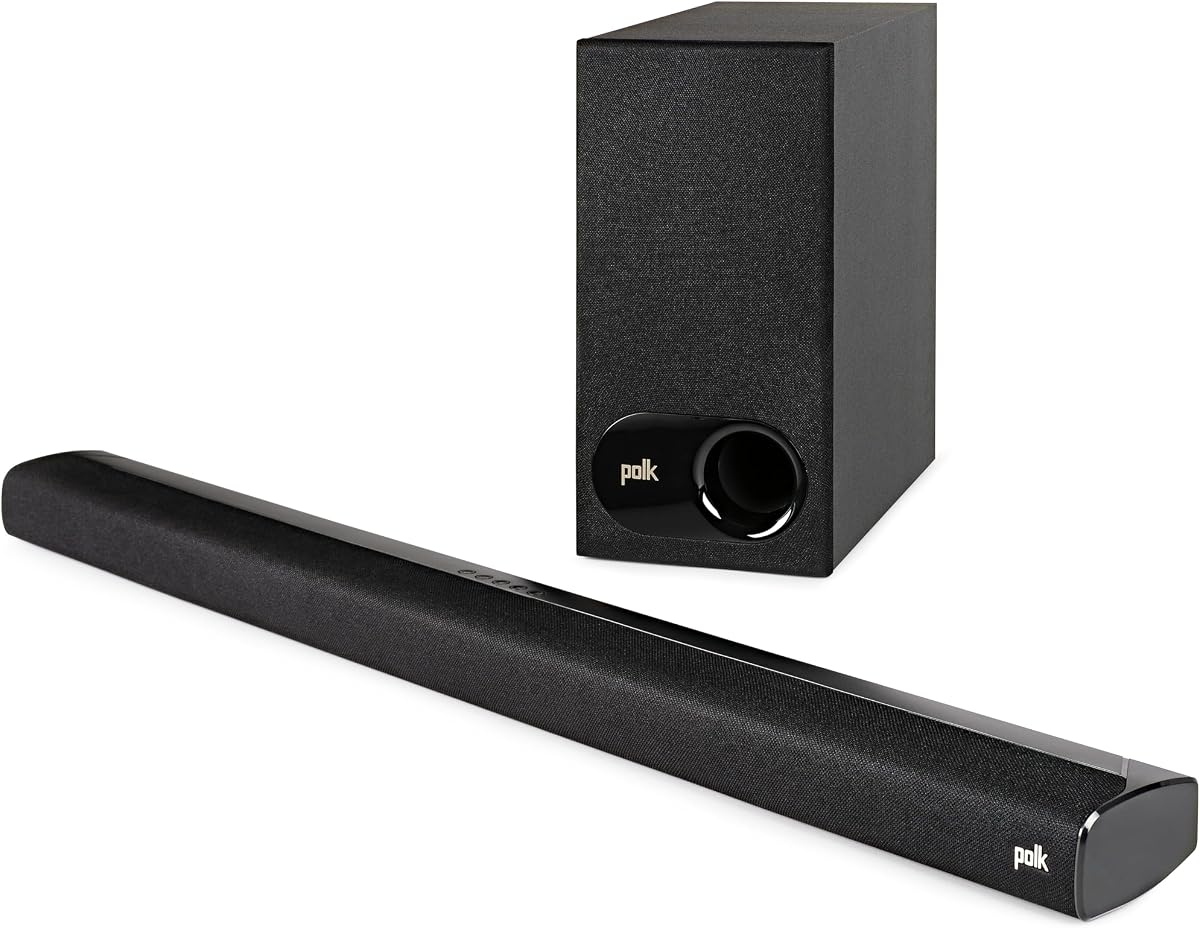
The Polk Audio Signa S2 combines an ultra-slim soundbar with a wireless subwoofer and carries a 4.4 rating. Its main attraction is a full five-driver array in a bar only slightly taller than two inches, delivering richer sound than a compact single-driver speaker while avoiding a large cabinet in front of the television.
We may earn a commission when you buy through this link, at no additional cost to you.
Polk's VoiceAdjust technology prioritizes voice clarity, while Dolby Digital decoding processes compatible television audio. Five full-range drivers handle the main soundtrack, and the included wireless subwoofer adds the low-end depth that the slim enclosure cannot provide. Bluetooth permits wireless music streaming from a phone, tablet, or other compatible device, while HDMI, ARC optical input, and AUX cover wired sources.
The system is limited to a conventional soundbar-plus-subwoofer layout. It does not list height effects, discrete rear speakers, automatic room calibration, or an app, so it cannot provide the spatial breadth of the TCL S65K or the virtual processing of the Samsung HW-B550F. Its main compensation is the elegant low-profile design and full driver count.
This model is most appropriate for someone who wants a slim bar and wireless subwoofer without a dense array of separate components. It fits particularly well with a wall-mounted Vizio television, where an overly tall speaker could block part of the screen or interfere with the television's remote sensor.
Using five full-range drivers allows the soundbar to distribute sound across a wider front stage than a basic compact bar. The slim enclosure makes that capability useful when the television is mounted or placed on a narrow console.
The included wireless subwoofer provides dedicated bass without a cable between components. VoiceAdjust emphasizes dialogue, making the setup a strong candidate for viewers who often struggle to hear speech clearly.
We may earn a commission when you buy through this link, at no additional cost to you.
The right soundbar depends on the television's available connections, room dimensions, content habits, and tolerance for separate components. Reviewing these factors before buying helps prevent an underpowered choice, an oversized setup, or a connection mismatch.
Check which audio outputs your particular Vizio television provides. Most models are well suited to a soundbar through HDMI ARC or eARC, optical audio, or an analog connection, but the exact port and supported features can vary by TV series. HDMI ARC is generally the most convenient option because it carries digital audio and may allow the television remote to control basic soundbar functions.
Match the soundbar's supported input rather than assuming every model is interchangeable. Also check the television's audio-output settings, because some models require the built-in speakers to be disabled or have their volume reduced before the soundbar is active.
A 2.0 soundbar uses two main channels and is best for dialogue, news, and uncomplicated TV viewing. A 2.1 layout adds a subwoofer for deeper effects, while a 5.1 system includes rear channels for more directional home-theater immersion. Virtual surround processing can make a compact bar sound wider, but it cannot fully reproduce the placement of physical speakers behind the listener.
Select the layout that matches both your room and your expectations. A small bedroom may not benefit from a full surround array, while a large living room can make the added low-frequency and rear-channel capability more apparent.
Decide whether the soundbar should be entirely self-contained or include a subwoofer. Integrated woofers offer a compact installation and can add useful weight to dialogue and music. A separate subwoofer usually provides deeper, more distinct low-frequency effects, but it requires additional floor space and either a wired connection or a reliable wireless link.
For a Vizio TV in a compact room, an integrated-bass model may be more convenient. In a dedicated media room, a wireless subwoofer can deliver greater impact with minimal cable clutter, while a wired unit may be preferable when consistent synchronization is the priority.
Much of television viewing involves speech, so dialogue enhancement can matter more than maximum output. Look for a dedicated dialogue or voice mode, a dedicated center channel, or automatic content adaptation. These features can make quiet dialogue easier to hear without pushing the entire soundtrack to an uncomfortable level.
Keep in mind that aggressive voice processing can sometimes sound artificial. If you are sensitive to that effect, a soundbar with balanced natural tuning may be preferable to one that relies primarily on aggressive dialogue boosting.
Virtual surround, Dolby Atmos, and DTS Virtual:X can simulate a wider or taller soundstage from a limited number of drivers. They are useful in apartments and smaller rooms, but the effect depends on processing quality and correct placement. A 5.1 system with wireless rear speakers creates a more literal surround presentation and generally requires more setup space.
Think about whether you want the sound to feel expansive immediately or whether you are willing to position and maintain additional speakers. Reading about a headline processing feature should not replace checking the number of real channels and drivers.
Measure the television stand before choosing a soundbar, and check whether the model's height could cover part of the screen. An ultra-slim model is especially useful beneath a wall-mounted television or beside a compact console. A detachable or modular design can provide more placement flexibility, although it may require additional thought when arranging the pieces.
Also consider the subwoofer and surround speakers. A specification sheet may describe the bar's dimensions without showing how much total floor area the complete system needs.
Every soundbar needs reliable volume and input control, but the experience improves when a included remote, TV-remote integration, or app is available. Remote-control support through HDMI ARC is convenient for Vizio owners who want fewer remotes on the coffee table. App control is useful for soundbars with room calibration, surround configuration, or multiple sound modes.
Check the box contents before ordering. A model that includes an HDMI cable, optical cable, remote, batteries, and mounting hardware can be set up without a separate accessory purchase, while some wall brackets or expansion modules may cost extra.
Room calibration measures or models how sound reflects within a space and adjusts the output for more consistent results. It is particularly beneficial in rooms with hard surfaces, unusual furniture arrangements, or speakers placed away from the main seating position. Models such as the TCL S45H, S55H, and S65K use AI Sonic Auto Room Calibration for this purpose.
Calibration does not replace correct placement, but it can make setup easier and help a soundbar sound more balanced. Consider whether the room is large or acoustically complex enough to justify a model with an app-based adjustment routine.
Begin by placing the soundbar in front of or beneath the Vizio TV, making sure it does not block the screen or the television's infrared sensor. If the system includes a subwoofer and rear speakers, position the subwoofer near a wall or corner and place the surrounds behind and slightly to the sides of the main seating area. Follow the manufacturer's placement guidance for each component.
Connect the bar to the television using HDMI ARC or eARC when both devices support it, then select the appropriate television audio output. Use optical or AUX only when HDMI is unavailable or a particular source requires it. Power on the soundbar, lower the television's built-in-speaker volume if necessary, and test each input before arranging cables. Use the included remote or the TCL app to complete room calibration or select an initial sound mode.
For daily care, dust the grille gently with a soft, dry cloth and keep liquids away from the electronics. Do not place the soundbar in a confined cabinet if it needs ventilation, and avoid leaving subwoofers or rear speakers where they can be knocked over. Check firmware and app updates when offered, and reconnect wireless components occasionally to maintain a stable link. If the television loses ARC control, cycling power on both devices usually restores the connection.
Most soundbars can connect to a Vizio television, but compatibility depends on the outputs your TV supports. HDMI ARC or eARC is the preferred digital connection, while many models also include optical, AUX, or Bluetooth. Confirm that the soundbar has an input matching your television's available ports and check whether ARC remote control is supported.
No special Vizio-branded soundbar is generally required. A standard soundbar with HDMI ARC, optical, or another compatible output can improve television audio. The best choice depends more on room size, connection availability, bass preference, and the level of surround immersion you want than on the television brand alone.
HDMI ARC is usually the more convenient option because it carries digital audio and may let the Vizio remote control basic soundbar functions. Optical audio is a reliable alternative, especially if the television does not support the desired HDMI feature. The best choice also depends on the soundbar's supported formats and whether eARC is available.
A subwoofer is not required for dialogue. Compact models such as the Bose TV Speaker emphasize speech and use angled drivers to improve the overall soundstage. A subwoofer can add impact to movies and music, but dedicated voice modes or a center channel may be more directly relevant to intelligibility.
A 5.1 system can provide more convincing rear and surround effects, but it requires more components and careful placement. A 2.1 model is easier to install and may be better suited to an apartment, bedroom, or compact living room. The TCL S65K is the strongest 5.1 option here, while the TCL S55H and Samsung HW-B550F offer simpler 2.1 configurations.
The soundbar will connect and play through the television, but the Vizio's built-in speakers may also remain audible if they are not disabled or their volume is not reduced. Depending on the television's menu and the connection used, changing the audio output or lowering the built-in-speaker level should give the soundbar full control of playback.
The best size is one that fits the available stand space without blocking the screen or the television's remote sensor. A compact 17-inch model works well in smaller spaces, while a roughly 23- to 32-inch bar can look more balanced beneath a larger television. The subwoofer and surround-speaker footprint should also be considered.
Room calibration is useful because walls, furniture, and room shape can change perceived sound balance. It cannot create better speakers or fix poor placement, but it can help a well-positioned system distribute output more evenly. The TCL S45H, S55H, and S65K include AI Sonic Auto Room Calibration through their app-based setup.
The Bose TV Speaker is the most balanced overall recommendation because it is compact, easy to connect, focused on dialogue, and capable of expansion. The MZEIBO 50W model stands out as a compact budget-oriented choice, while the TCL S65K S Series is the premium option for buyers who want a subwoofer, genuine rear speakers, Dolby Atmos, and DTS:X.
For most Vizio owners, prioritize the connection that matches the television, a speaker layout that suits the room, and features that improve everyday viewing. Dialogue enhancement and automatic calibration can provide more practical value than headline power alone, while a subwoofer is essential only if deeper bass and stronger cinematic effects are important.
Before ordering, verify the Vizio model's outputs, measure the available space, review the included cables and mounting hardware, and compare the complete system's footprint. Prices, bundles, and availability can change, so check current retailer listings and product details at the time of purchase.