
360-Degree Rotating Tablet Bracket
4.7Editor score
Swivels through 360 degrees
Supports numerous tablet sizes
Adds tilt for flexible viewing
A Lenovo Tab One wall mount can turn a tablet into a convenient fixed display for a kitchen, office, reception area, classroom, or retail space. The right mount should match the tablet’s dimensions, support its weight, permit useful viewing angles, and provide a secure installation suited to the location.
This guide compares ten wall-mount solutions using the supplied compatibility claims, materials, adjustment mechanisms, installation methods, and customer ratings. The list includes a Lenovo-specific floating frame, universal adjustable brackets, anti-theft kiosks, adhesive docks, and articulating arms for different needs.
Each pick highlights a distinct approach, from dedicated model support to broad device compatibility and high-traffic security. Ratings reflect the supplied marketplace feedback, while product details and availability can change over time. Always verify dimensions, port access, and wall conditions before purchasing.
4.7Editor score

4.7Editor score

4.3Editor score
As an Amazon Associate we earn from qualifying purchases.
The comparison covers dedicated Lenovo support, universal sizing, anti-theft features, mounting style, rotation, and device thickness limits, helping readers identify the most appropriate option for home, office, or public environments.




This is the most purpose-specific option in the list, with compatibility expressly listed for the Lenovo TAB M11, TAB K11, and Idea TAB 11. Its 4.7 rating reflects a strong customer impression, while the frameless acrylic design gives the tablet a clean, wall-mounted appearance. It is particularly attractive for users who want the device to resemble a fixed information panel rather than a visible tablet in a bulky cradle.
We may earn a commission when you buy through this link, at no additional cost to you.
The supplied specification gives the mount dimensions of 316 by 202.4 by 30mm and a weight of 0.8 pounds without the tablet. It uses 8mm acrylic with metal standoff hardware, and the package includes screws plus a 90-degree USB-C adapter. That adapter is particularly relevant for wall installations because it helps route charging access away from a flat surface. The stated uses include a picture frame, time clock, point-of-sale display, kiosk, store display, and trade-show display.
The main limitation is model specificity. Although the title and specifications identify several Lenovo tablets, this is not a universal holder for every screen size or thickness. It also offers less repositioning than a ball-joint or articulating arm, making it better for a permanent display position than for users who frequently change orientation. Buyers should still compare the exact Lenovo model and physical dimensions with the listed fit.
This is the strongest recommendation for someone whose tablet is one of the named Lenovo models and whose goal is a polished fixed display. It combines model-specific guidance, a minimalist appearance, and a useful charging accessory. Choose it over broader universal mounts when dedicated fit and a frameless presentation matter more than extensive repositioning.
The floating frame is designed to make the Lenovo tablet the visual focus rather than the support hardware. It works especially well for dashboards, menus, schedules, and information displays in offices, retail areas, and exhibition spaces.
The included 90-degree USB-C adapter is a practical addition for permanent installations. It can help maintain cable access while the tablet sits close to the wall, subject to the tablet and adapter being used as intended.
We may earn a commission when you buy through this link, at no additional cost to you.
This universal holder offers a broad fit for 4.7 to 13-inch phones and tablets, making it a flexible option for a Lenovo Tab that falls within the stated range. It has a 4.5 rating and combines an aluminium-alloy base and arm with an ABS bracket clamp. A metal swivel ballhead provides 360-degree rotation, while the wall arm can move through 180 degrees.
We may earn a commission when you buy through this link, at no additional cost to you.
That range of movement is useful in practical environments. A kitchen user may want the tablet angled toward a cooking area, while an office might need a display moved closer to a seated viewer. The holder also supports portrait and landscape orientation, reducing the need to remount the device whenever its content changes format. The description specifically recommends using the included hexagonal screws to lock the three shafts for improved stability.
Installation is less convenient than an adhesive dock because drilling and basic tools are required. The supplied information mentions marking the holes, inserting expansion screws, tightening the main screws, and using an Allen wrench to adjust the stance. Wall type and anchor selection therefore matter. A broad compatibility claim also does not replace checking the clamp’s physical opening and the Lenovo tablet’s dimensions.
This holder suits buyers who want one adjustable mount for several devices or expect to change the tablet’s position regularly. It is less visually specialized than the dedicated floating display, but the stronger articulation and wider device range make it a practical general-purpose choice for home, office, classroom, and workshop use.
The 360-degree swivel and 180-degree arm adjustment allow the screen to be repositioned without removing the tablet. This flexibility is valuable in rooms where the best viewing position may change throughout the day.
The adjustable clamp and 360-degree rotation make the mount suitable for changing portrait and landscape layouts. Confirm that the Lenovo model fits the clamp and that its buttons or ports remain accessible before installation.
We may earn a commission when you buy through this link, at no additional cost to you.
This steel bracket earns the highest supplied rating at 5.0 and is a practical choice for a 7 to 13-inch Lenovo tablet. It explicitly lists Lenovo Tab among the supported device families and accommodates screens with a maximum thickness of 2.1 centimeters. Its adjustable length extends from 177 to 317 millimeters, giving buyers room to match a range of tablet sizes.
We may earn a commission when you buy through this link, at no additional cost to you.
The case-friendly design is one of its most useful features. Rather than requiring repeated removal of a protective cover, the bracket can hold compatible devices up to 2.1 centimeters thick. Its slim construction also suits tighter spaces such as kitchens, offices, bedrooms, and gyms, where a deeper frame could make the installation look bulky.
The trade-off is that the mounting system is less articulated than several swivel or articulating options. It is primarily an adjustable-length wall bracket, so users who expect to pull the tablet closer, move it around a corner, or tilt it dynamically may prefer another design. The broad compatibility statement is also constrained by both screen size and physical thickness, so precise measurements remain important.
This is an attractive selection for a household or office that wants a clean, compact, screw-mounted solution without repeatedly removing a tablet case. Its 5.0 rating makes it a strong contender in this comparison, although the absence of rich movement makes it better for a fixed viewing position than for a frequently reoriented interactive tablet.
The 177 to 317mm adjustment range is generous, but the Lenovo tablet must still fall within the size and 2.1cm thickness limits. Measure the device and any protective case before installation.
The slim profile keeps the tablet close to the wall while retaining a case. It is especially useful in kitchens, offices, and other organized spaces where a protruding bracket would be inconvenient.
We may earn a commission when you buy through this link, at no additional cost to you.
This Mount-It mount is built for situations in which a Lenovo Tab would be left unattended. Its lockable, tamper-resistant design targets retail stores, offices, hotels, and trade shows. The adjustable clamps fit 7.9 to 11-inch tablets, and the supplied rating is 4.3, reflecting a solid but not universally enthusiastic customer score.
We may earn a commission when you buy through this link, at no additional cost to you.
Movement is the standout feature. The swing arm tilts through plus or minus 15 degrees, swivels through plus or minus 90 degrees, rotates 180 degrees, and extends from 3.5 to 16.1 inches. The rotating enclosure allows portrait and landscape positioning, making the mount useful for digital signage, point-of-sale use, or smart-home control. A 75x75mm VESA pattern adds installation compatibility.
This model is less universal than the mounts that cover very large screens, because its stated range stops at 11 inches. It is also a more involved system than a simple bracket, with locking hardware, clamps, an arm, and a VESA plate. Buyers must ensure the Lenovo tablet falls within the clamp dimensions and consider whether the extension is needed or merely makes the setup protrude unnecessarily.
For a public lobby, hotel, store, or office where theft deterrence is a priority, this is the most relevant recommendation in the list. It also provides enough movement to optimize an interactive display. It is less suitable for a larger Lenovo model or a minimalist home installation where a simple fixed support would be more appropriate.
The lockable enclosure helps prevent casual removal in busy or public-facing locations. This makes the mount more appropriate than a basic open cradle when the device cannot be supervised.
The arm’s tilt, swivel, rotation, and extension let installers set a comfortable angle after considering the room layout. Portrait and landscape rotation also supports different forms of displayed content.
We may earn a commission when you buy through this link, at no additional cost to you.
The AboveTEK kiosk is the most explicitly commercial premium option here, with a 4.3 rating and a design centered on public-facing tablet security. It supports tablets from 9.7 to 13 inches and adjusts for devices up to 12mm thick. A Lenovo Tab One within those physical limits may fit, although the listing does not name the model directly.
We may earn a commission when you buy through this link, at no additional cost to you.
Its security system uses a unique tamper-resistant screw rather than a conventional key, and the wrench is included. The enclosure combines a sleek aluminium faceplate with a reinforced steel base. A standard 100x100mm VESA pattern supports the wall installation, while supplied protective pads help reduce the risk of scratches during contact with the mount.
Viewing flexibility is another benefit. The mount rotates through 360 degrees, tilts from minus 30 to plus 30 degrees, and swivels to help reduce glare and accommodate different viewer positions. That makes it suitable for retail displays, lobbies, events, schools, restaurants, and showrooms where users may approach from different directions.
The main constraints are its lower size threshold and substantial construction. A Lenovo tablet smaller than 9.7 inches is outside the stated range, and even a 12mm device needs careful measurement. Its weight and locking hardware also call for secure wall anchoring. For business installations where anti-theft performance is worth added complexity, this is the strongest premium-style pick.
The tamper-resistant screw system and locking enclosure add meaningful protection in high-traffic areas. It is a better fit for unattended business use than a simple open holder.
Full rotation and a 60-degree total tilt range make the kiosk easy to approach from different positions. The result is more flexible than a fixed display and more interactive than a static frame.
We may earn a commission when you buy through this link, at no additional cost to you.
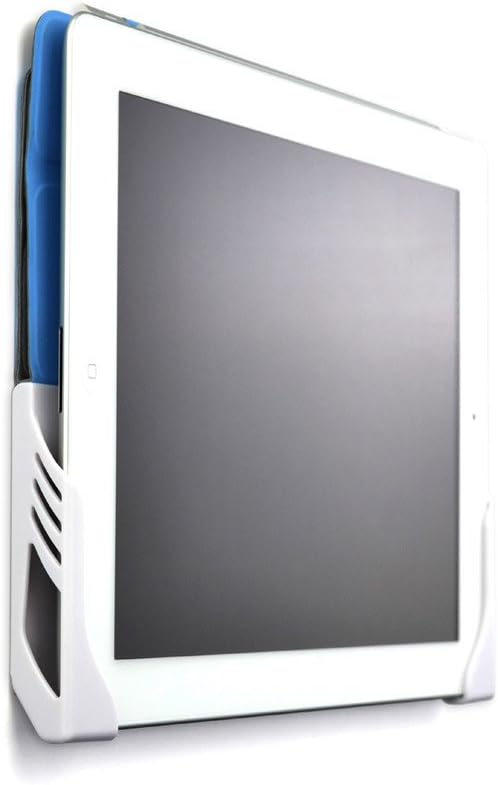
The Dockem Koala is the simplest installation method in this guide, using included 3M Command adhesive strips rather than screws. The product claims an installation time of less than two minutes and holds devices in portrait or landscape orientation. Its 4.4 rating indicates generally favorable feedback, and the white finish gives it a less industrial appearance than many metal brackets.
We may earn a commission when you buy through this link, at no additional cost to you.
Two separate brackets can be positioned at different distances, allowing the mount to accommodate various device widths. Devices up to 11mm thick can be used, including many tablets with protective cases, as long as the combined measurement remains within that limit. Built-in cord clips help keep charging cables organized, and the dock releases easily when the tablet needs to be removed.
Compatibility still requires attention. The supplied description warns that the supports can block ports or buttons between 1.5 and 3.75 inches above the bottom on smaller 7 to 8-inch devices. Command strips also perform best on smooth, flat surfaces, and the product guidance advises against high-heat or moist locations. Wallpaper and textured surfaces may not hold the adhesive reliably, while the strips are not reusable after removal.
This dock is ideal for a renter, a smooth cabinet, or a temporary display that should not require holes. It is less appropriate for a humid bathroom, a textured wall, or a device where every side port must remain accessible. Among the listed options, it offers the least permanent installation and the most convenient relocation.
The included adhesive strips make this one of the easiest ways to mount a tablet without tools or wall holes. The approach is particularly convenient in rental spaces and on smooth cabinets.
Adhesive performance depends on a smooth, flat surface and suitable conditions. Avoid textured walls, wallpaper, excessive heat, and moisture, and follow the manufacturer’s strength-testing guidance before mounting.
We may earn a commission when you buy through this link, at no additional cost to you.
This black universal mount provides a sturdy middle ground for 7 to 13-inch tablets. Its 4.4 rating reflects solid customer reception, and the product description emphasizes an aluminium-alloy bracket with an iron base. The clamp is adjustable, while two sponge pads cushion the device and help it remain firmly gripped.
We may earn a commission when you buy through this link, at no additional cost to you.
Adjustment is one of the main benefits. The flat stand rotates through 360 degrees, and a three-axis system allows movement beyond a single hinge. The holder can also be adjusted in height and angle, which is useful when placing a Lenovo tablet in a kitchen, office, workshop, or vehicle. Mounting hardware, an adjustment wrench, caps, screws, washers, and sponge pads are included.
The fit rules deserve attention. The description states that 7 to 10-inch tablets can be positioned horizontally or vertically, while 10 to 13-inch tablets can only be fixed vertically. This distinction may be decisive for users who want a large Lenovo tablet in landscape orientation. The mount is also offered for certain cars, light trucks, and minivans, but excludes sports cars, off-road vehicles, and convertibles.
This is a good selection for a workshop, office, or shared household that values a metal construction and broad articulation more than a minimalist display. It offers more adjustment than a fixed bracket and a more substantial structure than an adhesive dock. Verify the tablet size, intended orientation, and wall or vehicle surface before choosing.
The aluminium-alloy bracket and iron base provide a stable structure for regular wall use. Sponge pads add a protective interface between the mount and the tablet.
The three-axis design provides useful movement, but larger tablets are limited to vertical positioning. Measure the Lenovo model and decide on orientation before installation.
We may earn a commission when you buy through this link, at no additional cost to you.
This mount stands out for an unusually wide stated compatibility range of 4.7 to 17.3 inches. That makes it one of the most future-proof choices for users who may replace a Lenovo tablet with a different device later. The supplied rating is 4.6, placing it among the strongest customer-rated options in the guide.
We may earn a commission when you buy through this link, at no additional cost to you.
Construction combines an aluminium base with an ABS plastic clip. A four-hole base provides multiple screw positions, and two sets of screws are included. The 360-degree rotation ball allows the tablet to be angled in different directions, while anti-slip rubber pads help protect against scratches and reduce sliding. The product can be mounted on walls, cabinets, glass, or other flat surfaces when the correct anchors are used.
Installation still requires preparation because a drill is not included and the mount must be attached with screws. Its very broad size range should not be interpreted as universal fit for every shape: the clamp dimensions and device thickness also need to accommodate the Lenovo tablet. The ABS clip is lighter and less rigid than an all-metal holder, although the aluminium base supplies the principal wall-side strength.
This is a smart selection for a household, classroom, office, or kitchen that wants a swiveling mount and may use different tablets over time. It combines a wide size envelope with straightforward screw attachment and a high supplied rating. It is less convenient than the adhesive dock and less specialized than the dedicated Lenovo floating display.
The 4.7 to 17.3-inch compatibility range creates flexibility for future tablet upgrades. It is a practical option when the household does not want to replace the wall mount whenever the device size changes.
Anti-slip rubber pads help keep the tablet stable while reducing the chance of scratches. The padded contact is useful for a display that remains installed for long periods.
We may earn a commission when you buy through this link, at no additional cost to you.
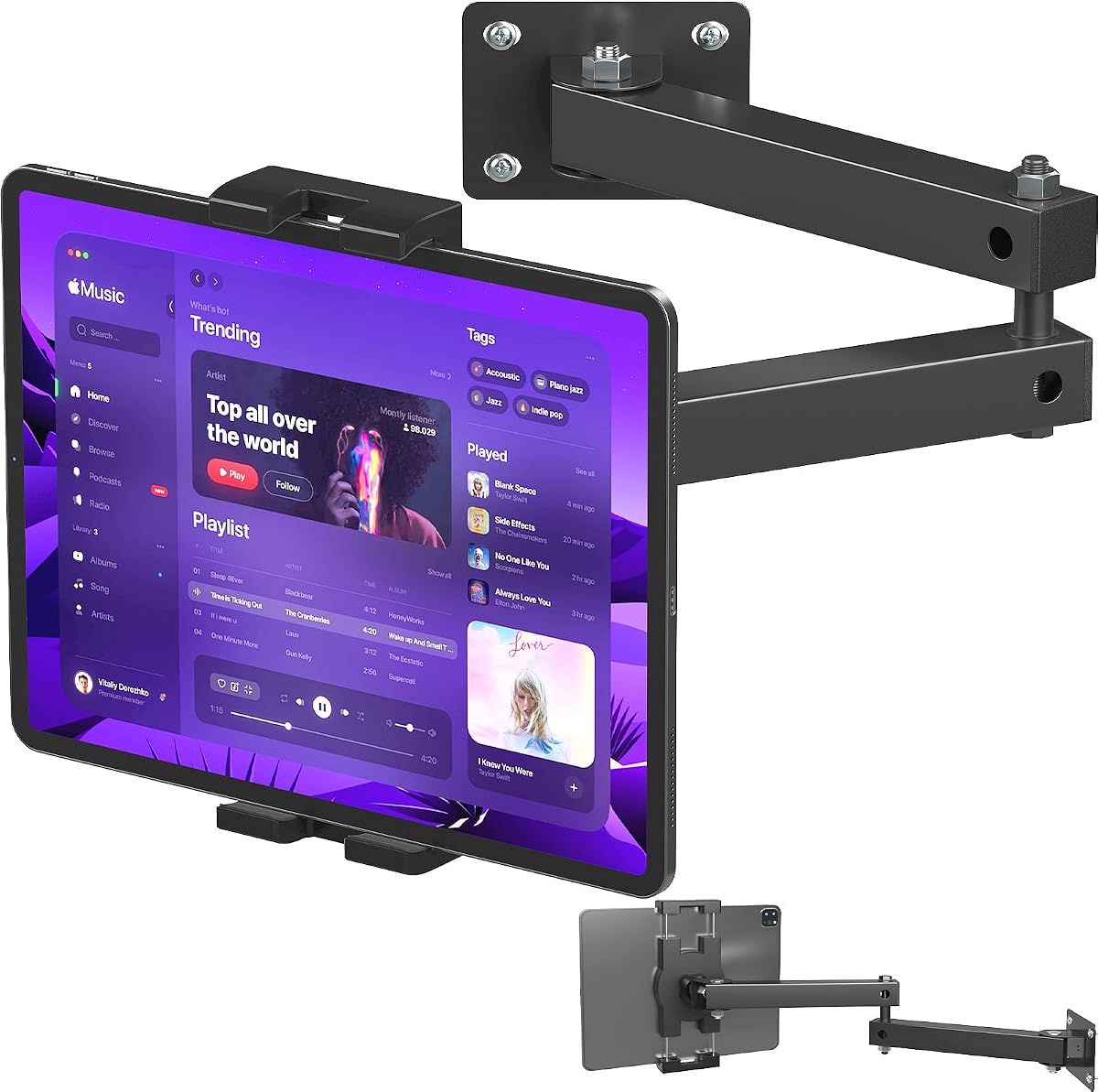
The Mippko arm combines a clean folded position with the flexibility of a two-stage articulating design. Its 4.7 rating is among the strongest in the comparison, and the aluminium-alloy arms are described as anti-rust and anti-corrosion. The wall base includes four screw holes, with screws, screw tubes, and a screwdriver included.
We may earn a commission when you buy through this link, at no additional cost to you.
Both arms can fold to the side, which helps conserve room when the tablet is not in use. When extended, the first arm rotates 180 degrees, the second offers 360-degree horizontal movement, and the ball head adds another 360 degrees of adjustment. Together, these joints let users bring a Lenovo tablet close for interaction or push it away for viewing.
The listed load capacity is 1.5 kilograms, or 3.3 pounds. The clamp supports 7 to 12.9-inch tablets and cases up to 1.5 centimeters thick. That range should cover many Lenovo tablets, but the combined device and case measurement must be checked. The heavier structure also makes this more noticeable than a small fixed plate and potentially more demanding to anchor.
This is the most adaptable pick for offices, conference rooms, classrooms, warehouses, healthcare spaces, restaurants, studios, and shops. It is especially useful when the wall position must accommodate different tasks or when the device should disappear neatly between uses. For the most mobile-looking Lenovo setup, this articulating arm is the clear choice.
The foldable two-stage arm can be tucked away when the tablet is not needed. This keeps the wall neater than a permanently extended display mount.
Multiple rotating joints allow the screen to move toward the viewer, away from the wall, and into portrait or landscape positions. The result is useful for both hands-on interaction and passive viewing.
We may earn a commission when you buy through this link, at no additional cost to you.
The Koala dock returns as a compact, non-permanent solution for users who want a Lenovo tablet accessible without leaving holes in the wall. It has a 4.4 rating, supports portrait and landscape docking, and uses two adjustable brackets to accommodate different device widths. Devices up to 11mm thick can remain in compatible cases.
We may earn a commission when you buy through this link, at no additional cost to you.
The mounting process is its central benefit. Included 3M Command strips attach to a smooth, flat surface, allowing the dock to be installed without screws or drilling. The tablet can then be slipped into or removed from the brackets as needed. Built-in cord clips help organize charging leads, while the wide compatibility makes the dock useful beyond a single tablet model.
The same simplicity creates limitations. Adhesive strips are not recommended for bathrooms, other high-moisture areas, or locations exposed to significant heat. They may also perform poorly on textured walls and some wallpapers, and the instructions advise a strength test. Because the brackets can obstruct ports on smaller tablets, a Lenovo device with side-mounted connections needs careful planning.
This is a good final recommendation for temporary displays, smooth kitchen cabinets, rental apartments, and users who value easy removal. It is not the best choice for a permanent commercial kiosk or a public space where tamper resistance is important. It remains one of the simplest ways to keep a compatible Lenovo tablet organized and visible without a drill.
The adhesive dock can be installed quickly and removed when the display is no longer required. That makes it useful for changing rooms, temporary events, and leased surfaces.
The support geometry can block some ports on smaller devices. Review the Lenovo tablet’s connector locations in both orientations before applying the adhesive strips.
We may earn a commission when you buy through this link, at no additional cost to you.
Choosing a Lenovo Tab One wall mount involves balancing the exact device fit, mounting permanence, adjustability, security needs, and available space. Measure first, then match those requirements to the type of installation and level of daily use.
The most important starting point is the exact Lenovo Tab One model, screen size, dimensions, and thickness. Some mounts in this guide are explicitly compatible with the Lenovo TAB M11, TAB K11, and Idea TAB 11, while others accept broad categories of devices. A stated screen-size range is only the beginning: the clamp opening, device length, and case thickness must also accommodate the tablet and any protective cover. Products with maximum thickness limits near 11mm or 12mm are less forgiving than open or adjustable frames.
Measure both the bare tablet and the installed case. Record the width, height, and depth, then compare them with the manufacturer’s dimensions and compatibility notes. Check where charging, audio, and accessory ports are located so the mounting arms do not block them. If the listing names the Lenovo model directly, that is a stronger starting point than a generic screen-size claim.
Screw-mounted brackets are the most dependable option for permanent installations, provided the wall is solid and the correct anchors are used. They support heavier hardware, resist accidental movement, and are better suited to offices, retail areas, and public kiosks. Adhesive mounts offer a quick, damage-free alternative on smooth surfaces, but holding strength depends on surface texture, heat, moisture, and how often the tablet is removed. A glass cabinet or smooth wall can be convenient, while textured paint and wallpaper require more caution.
Choose based on permanence rather than convenience alone. Renters and temporary users may prefer adhesive strips, while businesses typically benefit from anchored hardware. Anyone using screws should confirm whether the wall is drywall, wood, concrete, or brick and select anchors accordingly. A suitable surface contributes as much to stability as the mount itself.
A fixed bracket is sufficient when the Lenovo tablet will display a dashboard, schedule, menu, recipe, or artwork from one stable location. Swivel and articulating mounts are more useful when the viewer moves, when the screen must alternate between portrait and landscape, or when users need to pull the device closer for interaction. A 360-degree ball joint offers broad directional adjustment, while a foldable arm can also be stored close to the wall.
More movement introduces greater complexity and typically more projection from the wall. Consider the room’s traffic patterns, nearby furniture, and whether a protruding arm could be bumped. For frequently touched or public-facing devices, verify that the movement remains stable after adjustment. For passive displays, simpler positioning can look cleaner and reduce potential wobble.
Home and office use may not require a locking enclosure, but a public-facing tablet should be treated differently. Anti-theft mounts use locking screws, clamps, or enclosed faces to make casual removal difficult. The Mount-It and AboveTEK options are the strongest choices in this list for retail stores, lobbies, hotels, clinics, and trade shows. A locking model should still be anchored to a solid wall so the security hardware is not defeated by poor mounting.
Security is separate from physical durability. Heavy-duty aluminium and steel construction can prevent bending, but it does not stop a determined user from removing an unlocked tablet. Consider whether the Lenovo device contains sensitive information, customer data, or valuable hardware. If so, pair a suitable mount with screen locks, device management, and restricted system access.
Slim fixed brackets keep the device close to the wall and suit compact rooms, but they offer less interaction. Deep swivel and articulating arms provide reach and flexibility at the cost of visual bulk. The dedicated acrylic floating display takes a different approach: it removes the appearance of a conventional tablet cradle and is intended for a polished picture-frame, clock, point-of-sale, or information-panel presentation.
Think about how the Lenovo tablet will be viewed. A frameless display works well when the screen is the main visual element. An open cradle may be more practical when users need to touch the device, remove it frequently, or access ports. In either case, check the mount’s depth against furniture and passageways.
A wall-mounted tablet still needs power, and a flat wall can make a straight charging cable difficult to use. The dedicated acrylic mount includes a 90-degree USB-C adapter, which may simplify cable routing for compatible Lenovo models. Other mounts may leave more room around the device or permit the screen to rotate away from the wall. Cord clips can help keep charging leads organized, though the listing details vary.
Check whether the Lenovo tablet charges through the port that remains accessible in the intended orientation. Plan the cable route before drilling or applying adhesive, and avoid sharp bends. Include a suitable charging adapter and cable if they are not already available. Good power access prevents a visually attractive mount from becoming frustrating in daily use.
The quality and completeness of included hardware can make installation much easier. Some products supply screws, anchors, washers, a screwdriver, or an adjustment wrench. Others include an instruction manual or adhesive strips. However, a drill and wall-specific anchors are often still required, and a basic tool set may not cover every wall material. Check the package list before assuming everything needed is included.
Installation instructions should be followed carefully because tightening screws excessively can put stress on the tablet. Use the provided pads and adjustment tools where supplied. For adhesive systems, clean the surface and allow the strips to set as directed. For hinged systems, tighten locking shafts only after the final viewing position has been established.
A temporary recipe display, an interactive office controller, and a retail information panel create different demands. A lightweight dock is convenient when the tablet is removed often, while a fixed frame is better when it functions as permanent signage. An articulating arm suits shared spaces where the angle changes, and a locking kiosk is appropriate when the device remains exposed to the public. Consider charging method, access frequency, cleaning, and the likelihood of repositioning.
Choose the simplest design that satisfies those needs. Extra security and movement are useful features, but they are not automatically better for every location. A home user may value a clean adhesive setup more than a commercial-grade enclosure, while a business user may need both. The most suitable mount is the one that matches the tablet, the wall, and the way the display will actually be used.
Before installation, identify the wall material, inspect the mount hardware, and measure the Lenovo tablet with its case. Mark the intended position while checking cable access, viewing height, nearby doors, and furniture. Install anchors appropriate to the surface, tighten the base evenly, and keep the tablet disconnected from the wall during initial adjustment.
Attach the device only after the mount’s position is established. Set the clamp or frame so the screen sits securely without pressing against buttons, speakers, or ports. Tighten adjustment screws gradually and test portrait and landscape movement if the model supports it. Connect the charging cable without creating a sharp bend, then confirm that the Lenovo Tab remains stable under light touch.
For routine care, wipe the mount and tablet with a soft, dry or lightly dampened cloth, avoiding harsh chemicals and excess liquid around openings. Inspect screws and joints periodically, particularly on articulating models. Adhesive mounts should be checked for edge lifting, while lockable commercial mounts should be inspected for loosened fasteners or worn protective pads.
The dedicated acrylic floating display is the most direct match because its supplied compatibility information specifically names the Lenovo TAB M11. It also provides a frameless appearance and includes a 90-degree USB-C adapter. Universal mounts can also work if the exact tablet dimensions, case thickness, and port locations meet their specifications.
It may, provided the screen size and physical dimensions fall within the mount’s stated range. A universal mount should also accommodate the thickness of the tablet and protective case. Measure width, height, depth, and port placement before ordering, because a screen-size label alone does not guarantee a proper fit.
The Dockem Koala dock uses included 3M Command adhesive strips and does not require drilling. It is best on smooth, flat surfaces and should not be used in high-heat or high-moisture areas. Textured paint and some wallpapers may not provide reliable adhesion, so a strength test is advisable.
The AboveTEK and Mount-It options provide the strongest security features for unattended use. They add locking or tamper-resistant hardware and more robust mounting structures. A public installation should also use suitable wall anchors and device security protections because a secure enclosure does not replace account locking or system-level access controls.
Most can be installed with a charging cable, but cable access depends on the mount and tablet orientation. The dedicated acrylic mount includes a 90-degree USB-C adapter, while swivel and articulating designs may provide more clearance around the charging port. Confirm connector placement and plan the cable route before installation.
Several mounts in this guide support 360-degree swivel, 180-degree rotation, or a rotating ball head, allowing portrait and landscape positioning. Some size-specific models impose orientation limits, particularly for larger tablets. Check the product specifications and confirm that the clamp can physically rotate without blocking ports or touching the wall.
It depends on the mount’s thickness rating. The universal steel bracket supports cases up to 2.1cm thick, while the Koala dock supports devices up to 11mm with compatible cases. If the case exceeds the limit, remove it or select a more spacious mount. A snug fit is important, but the clamp should not press forcefully on the display.
Choose a fixed mount for a permanent dashboard, menu, clock, or artwork viewed from one direction. Choose an articulating mount for interactive use, changing viewing positions, portrait-to-landscape rotation, or occasional close access. An articulating arm offers more flexibility but projects farther from the wall and should be checked against nearby traffic and furniture.
The acrylic floating display is the most direct recommendation for a supported Lenovo TAB M11, K11, or Idea TAB 11 because it combines model-specific fit, a clean frameless presentation, and a 90-degree USB-C adapter. The universal steel bracket is an excellent fixed alternative with a 5.0 supplied rating, broad device support, and a case-friendly slim profile.
Prioritize the requirements that cannot be changed after installation: physical fit, wall condition, port access, charging arrangement, and security. Choose the Dockem Koala for a simple adhesive setup, the Mippko arm for flexible fold-away positioning, and the Mount-It or AboveTEK kiosk for an unattended public display. Measure the tablet and its case before deciding.
Ratings, product details, and availability can change, so check the current listing and compatibility information before purchasing. Compare the Lenovo model against the mount’s stated dimensions rather than relying on a general device category, and ensure the installation method suits the wall and intended environment.