
Lamicall Adjustable iPad Stand
4.6Editor score
Folds to 0.59 inches
Offers full 360-degree rotation
Fits devices with cases
A Square Stand for iPad can turn a compatible tablet into a focused point-of-sale workstation, self-service kiosk, or customer-facing display. The best model balances secure device support, smooth adjustment, cable management, charging access, and compatibility with the way your business handles transactions and serves customers.
This guide compares ten stands designed for iPad use, including the official Square countertop and mount versions, adjustable desktop models, and commercial anti-theft kiosks. We evaluated the supplied specifications for device fit, payment-reader access, rotation, viewing angles, security, installation requirements, and practical business applications.
Each pick highlights a different balance of features, from a highly portable aluminum stand to a lockable floor kiosk for high-traffic spaces. Ratings and product details reflect the information available for this guide, while availability and pricing can change, so readers should confirm current specifications before ordering.
4.6Editor score

4.7Editor score

4.4Editor score
As an Amazon Associate we earn from qualifying purchases.
The comparison below organizes all ten stands by form factor, compatibility, adjustment, security, and business functionality, helping separate purpose-built Square systems from general-purpose desktop and commercial mounts.




The Square Stand Countertop for iPad is the most complete choice for a business that wants a dedicated Square payment station without assembling a separate tablet holder and reader. It carries a 4.7 rating and integrates directly with Square's business ecosystem, allowing a supported iPad to handle payments alongside Square tools such as websites and daily reporting.
We may earn a commission when you buy through this link, at no additional cost to you.
The standout benefit is built-in payment hardware. That removes the need for an additional reader, reduces the number of cables around the counter, and creates a more deliberate checkout station. The stand also supports offline payments, with transactions uploaded after connectivity returns within the stated 24-hour window, while its iPad-powered mode can maintain operation if power is unplugged or lost.
Compatibility is the main limitation. Square specifically lists iPad 10th generation, 11-inch iPad Pro generations one through four, iPad Air generations four and five, and the 11-inch iPad Air M2. The product is therefore best suited to buyers who already know their iPad model and want an official Square-focused countertop experience rather than a universal mounting solution.
This is the strongest general recommendation for a countertop Square setup. It combines tablet support, payment processing, offline resilience, and simple setup in one purpose-built product. Buyers should verify their iPad against the compatibility list before ordering and confirm that the intended Square workflow fits their operating requirements.
Because payments are built into the stand, a business can keep the counter visually uncluttered without adding a separate Square reader. The iPad becomes the primary interface for checkout and other Square functions in one connected setup.
Offline payment support and iPad-powered operation make the station more resilient during outages. Users should still review the applicable terms and keep the supported iPad charged for dependable continuation.
We may earn a commission when you buy through this link, at no additional cost to you.
The AboveTEK Rotating White Stand is a flexible general-purpose option for shops, offices, reception areas, kitchens, and service counters. Its 4.5 rating reflects a practical design built around rotation, folding articulation, and broad device support rather than proprietary payment functions.
We may earn a commission when you buy through this link, at no additional cost to you.
The 360-degree base lets a user turn an iPad between a cashier and a customer, while the folding arm supports changes between portrait and landscape orientation. Its bracket accommodates screens from 6 to 13 inches and includes padded contact points, making it useful for organizations that may cycle through different tablets or want a shared counter station.
The limitations are important. This is a mounting stand, not a Square payment system, so businesses must arrange their own Square hardware and app setup. The two clips fit cases under 0.5 inches thick, and the fit depends on both the relevant screen and device dimensions rather than a single size label alone.
Choose this model when effortless sharing and broad adjustment matter more than integrated payment hardware. It is a strong fit for a customer-facing iPad, staff scheduling display, order confirmation screen, or demonstration tablet that must move between orientations throughout the day.
Smooth rotation makes it practical to show an order, enter information, or turn the screen toward another person. The weighted base and rigid folding arm help maintain a stable position during frequent movement.
The range of supported screen sizes allows the same platform to serve retail, restaurant, office, and reception functions. Its detachable holder also makes it easier to carry the iPad between uses.
We may earn a commission when you buy through this link, at no additional cost to you.
The Square Stand Mount for iPad is designed for businesses that want a permanent or semi-permanent self-service ordering station. With a 4.4 rating, it extends the familiar Square experience into a kiosk format where customers can configure orders and pay directly.
We may earn a commission when you buy through this link, at no additional cost to you.
Its flexibility comes from the available mounting configurations. The product can be attached to a wall, placed on a countertop, or fitted to a 100-by-100-millimeter VESA-compatible mount, and the box includes installation hardware. Buyers do not need a separate Square Reader for the standard tap, dip, or swipe methods described for the product.
Compared with a standard desktop stand, the mount version makes the iPad a more prominent customer interface. The guiding LED lights help direct attention during checkout, while the Square Kiosk app gives customers a structured ordering flow. The tradeoff is that it is purpose-built and less flexible for ordinary desk viewing.
This is the most relevant choice for restaurants, quick-service counters, and retail locations investing in customer self-service. Prospective buyers should plan the physical installation, confirm iPad compatibility, and review the Square Kiosk subscription and transaction requirements before purchase.
Mounting the system at a customer-facing location creates a defined ordering and payment station. This helps reduce back-and-forth and lets guests complete more of the transaction independently.
Wall, countertop, and VESA-compatible configurations allow the kiosk to suit different service flows. Included hardware simplifies installation, although site planning remains essential.
We may earn a commission when you buy through this link, at no additional cost to you.
The black AboveTEK Rotating Stand offers the same core mechanics as the white version in a darker finish suited to many retail and professional environments. It holds a 4.5 rating and focuses on stable support, broad adjustment, and quick movement between staff and customers.
We may earn a commission when you buy through this link, at no additional cost to you.
A 360-degree rotating base, folding arm, and two padded bracket sizes allow the iPad to be turned, tilted, and positioned in portrait or landscape mode. The quick-release mechanism lets a user remove the device with a simple button press, which can be useful for portable deployments or when another device needs to use the base.
It does not provide a built-in card reader or Square-specific hardware. Device cases must remain under 0.5 inches thick, and the fit depends on whether the tablet's width or height falls within the stated 6.6-to-9.6-inch range. A business can still use it with a supported iPad and separate payment arrangement.
This stand is a good value-oriented option for shops and service businesses seeking an adjustable iPad counter mount. Choose it over the official Square products when you need broader positioning control and potentially a less permanent setup, not when integrated payment processing is the main requirement.
The swivel and folding components make it simple to alternate between a working angle and a presentation angle. This is particularly useful at shared service counters where the display is needed by both employees and guests.
A weighted base and rigid arm provide a stable foundation for touchscreen use. The padded clips help protect the device and reduce slipping during repeated adjustments.
We may earn a commission when you buy through this link, at no additional cost to you.
The Lamicall Multi-Angle Stand leads this group with a 4.8 rating and provides a straightforward desktop solution for a supported iPad. It is designed for light, frequent positioning changes involving reading, typing, media viewing, calls, recording, and other common tablet tasks.
We may earn a commission when you buy through this link, at no additional cost to you.
Its construction combines spaceflight Al-Ti alloy with high-strength alloy steel, balancing rigidity and low weight. The holder supports vertical and horizontal viewing, while rubber pads and feet help protect the device and desktop from scratches and sliding. Its stated device range extends from 4 to 13 inches.
The important dimensional limit is the 18-millimeter hook width. A tablet with a case must remain within that thickness. For larger tablets that feel less stable in portrait orientation, the manufacturer recommends horizontal placement, which offers a wider support relationship with the base.
This is an excellent general-purpose desktop stand for home offices, creative work, calls, and presentations. It is not a secure retail kiosk and does not include card-reader functionality, so a business needing payment hardware or theft protection should consider a dedicated commercial alternative.
The alloy structure gives the stand a professional appearance without the bulk of a large kiosk base. That makes it convenient to reposition while preserving solid support for everyday tablet work.
Vertical and horizontal positioning makes the holder useful across different tasks. Users should check the total thickness of their iPad and case before relying on the 18-millimeter specification.
We may earn a commission when you buy through this link, at no additional cost to you.
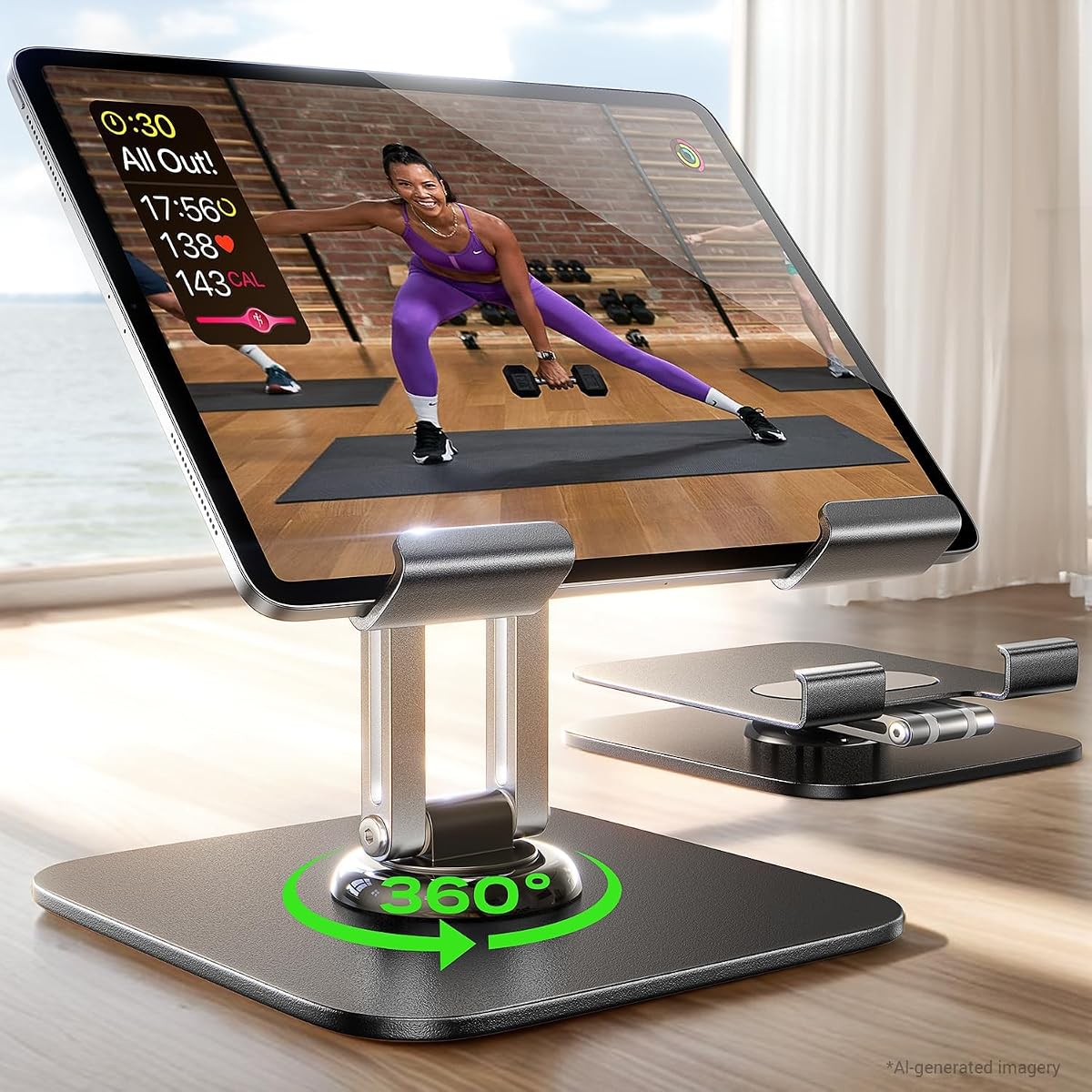
The Lamicall Foldable Rotating Stand is a compelling portable choice for people who need their iPad stand at a desk, in a meeting, and on the move. It earns a 4.6 rating and distinguishes itself with a folding thickness of just 0.59 inches.
We may earn a commission when you buy through this link, at no additional cost to you.
The base rotates through 360 degrees, allowing a screen to be shared without relocating the entire stand. Two adjustable hinges control tilt and height, while an included wrench allows hinge tension to be set for the user's device and preferences. A weighted metal base and high-strength connecting rod support the stated no-tip design.
Device compatibility is broad, covering listed iPads and other tablets from 4.7 to 13 inches. The widened hooks accommodate cases up to 0.75 inches thick, which is useful for users who prefer not to remove protective covers. The first unfolding may require firm force because the high-strength alloy and tight hinges are designed to resist wobble.
This is the strongest budget pick for a portable desktop stand, particularly for hybrid workers, students, and meeting participants. It offers enough adjustment and stability for daily use but should not be treated as a secure kiosk or a dedicated Square payment station.
The 0.59-inch folded profile fits easily into a backpack, laptop bag, or carry-on. That portability allows one stand to support work in multiple locations without adding much bulk.
A full 360-degree rotating base lets colleagues or clients see the display from another side of a desk. Adjustable hinges let the user tune the final viewing angle for each setting.
We may earn a commission when you buy through this link, at no additional cost to you.
The AboveTEK Anti-Theft Stand is built for busy commercial locations where a customer-facing iPad needs stronger protection. Its 4.2 rating reflects a practical security-oriented design featuring a lockable enclosure, anti-theft screw, heavy-duty construction, and a base that can be bolted down.
We may earn a commission when you buy through this link, at no additional cost to you.
Rotation through 360 degrees and a tilt range of negative 90 to positive 90 degrees allow the screen to face employees, customers, or another part of the counter. Its height adjusts from 8.3 to 13.4 inches, giving users more ergonomic positioning than a basic fixed desktop stand.
The enclosure and permanent-mounting option add protection but also make the setup less portable. Compatibility covers listed iPads and tablets from 9.7 to 13 inches, so buyers should confirm dimensions rather than assuming every larger tablet fits comfortably. Hidden cable management keeps charging leads organized and the counter looking professional.
This is a strong choice for retail counters, showrooms, service desks, trade shows, and other high-traffic areas. Select it when device security is more important than portability, and use a general desktop stand for a temporary or frequently changing iPad setup.
The lockable enclosure and anti-theft screw make the stand more appropriate for unattended customer interaction. Optional bolting adds another layer of stability for permanent installations.
Hidden cable management routes charging wires away from the working area. This helps preserve a clean presentation while keeping the iPad's power connection in place.
We may earn a commission when you buy through this link, at no additional cost to you.
The LISEN Aluminum Tablet Stand is a sturdy adjustable desktop option with a 4.5 rating. It uses a metal frame, a wider weighted base, silicone non-slip surfaces, and a tri-fold design to support iPads and other compatible tablets in office, home, and travel settings.
We may earn a commission when you buy through this link, at no additional cost to you.
Its 360-degree base allows smooth rotation for sharing a display, while the locking mechanism helps hold the chosen position. A bridge screw and truss-rod adjustment system let users modify the stability and tightness of the extended structure, which is useful if the default tension does not suit a particular device.
The holder supports devices from 4.7 to 12.9 inches and folds down for transport. One specific limitation is that a smartphone is supported in landscape mode but not portrait mode. The all-metal design also occupies more space than an ultra-slim folding stand when set up for active use.
This model works well for users who value sturdy adjustment over minimal weight. It can handle video calls, online education, streaming, drawing, and general office tasks, but it is not a lockable kiosk or a Square-specific payment terminal.
The bridge screw and truss rod allow the user to tune the extended support rather than accepting a one-size setting. This can improve stability across different device sizes and desk conditions.
The folding construction makes the stand easier to carry between a home, office, or business trip. Once unfolded, the broader base and silicone contact areas provide a steady desktop foundation.
We may earn a commission when you buy through this link, at no additional cost to you.
The Mount-It Anti-Theft Floor Stand is the most specialized option in the guide. Its 4.2 rating accompanies a freestanding steel kiosk designed for retail, hospitality, healthcare check-in, offices, and trade shows where a floor-standing customer interface needs a larger footprint.
We may earn a commission when you buy through this link, at no additional cost to you.
A keyed locking clamp secures the tablet, while the pole adjusts in height with the device mounted. The stand rotates 360 degrees and tilts plus or minus 90 degrees, allowing portrait or landscape use for checkout, sign-in, loyalty registration, menus, demonstrations, and shared interaction.
Its open clamp design keeps the tablet's audio jack accessible, which supports Square, PayPal Here, and other audio-jack card readers. However, the stand requires a bare tablet and does not support cases, so buyers should check the device's width, height, and port arrangement carefully before purchasing.
This is the right choice for a permanent or semi-permanent freestanding kiosk with theft resistance and reader access. Its triangular steel base can remain freestanding or be bolted to the floor through pre-drilled holes for demanding high-interaction environments.
Unlike a fully enclosed kiosk, the open clamp leaves the audio-jack area accessible. This makes the stand more useful when a business depends on a card reader connected through that port.
The adjustable pole supports comfortable viewing for standing and seated users. A wide triangular steel base provides freestanding stability, while pre-drilled holes allow permanent anchoring when needed.
We may earn a commission when you buy through this link, at no additional cost to you.
The CTA Digital Desktop Anti-Theft Stand is a secure countertop kiosk with a 4.4 rating. Its locking aluminum enclosure, included stylus and tether, and front-to-back flipping design are aimed at retail and business environments that need a protected customer-facing iPad.
We may earn a commission when you buy through this link, at no additional cost to you.
The enclosure can flip fully from front to back, making it possible to alternate between the customer side and register side. A 360-degree rotating base adds further positioning freedom, and the display can operate in either portrait or landscape orientation for different workflows.
The product is specifically listed for iPad 11th generation A16 11-inch, iPad Air 11-inch M2, iPad Pro 11-inch M4, iPad 10th generation 10.9-inch, and iPad Air generations four and five. It also supports listed headphone-jack card readers, while access to ports, cameras, buttons, and the headphone jack is preserved.
This is a compelling choice for a protected counter where employees need occasional access to the register side of an iPad. Confirm the exact model before ordering, since the enclosure is tied to specific dimensions rather than every iPad generation.
The flip-forward enclosure lets a user move the screen between customer-facing and employee-facing positions. This is useful for order entry, review, and other workflows that require the same iPad on both sides of a counter.
The lock and key system helps protect the iPad while preserving access to essential ports and controls. An optional metal home-button cover can further secure that part of the device.
We may earn a commission when you buy through this link, at no additional cost to you.
The most suitable stand depends on whether you need a portable desktop accessory, an integrated Square payment terminal, a self-service kiosk, or a security-focused commercial mount. Compatibility and intended workflow should be evaluated before appearance or secondary adjustments.
Start with the exact iPad model, its dimensions, connector arrangement, and case thickness. The official Square countertop product supports a defined list of USB-C models, while other stands use screen-size or device-width ranges. A nominal screen size does not guarantee a fit, so check the manufacturer's stated width, height, and thickness specifications against your tablet.
Choose a stand only when your iPad appears in its compatibility list. Pay particular attention to models with different dimensions, headphone-jack readers, and protective cases.
A countertop Square Stand is designed around a dedicated payment workflow, including built-in processing. A self-service mount can support Square Kiosk ordering, while general desktop stands require separate payment hardware. Security-oriented enclosures serve different needs again, particularly where theft or tampering is a concern.
Map the stand to the actual task: employee checkout, customer ordering, shared presentations, or a portable workstation. This prevents paying for unnecessary protection or missing required payment functionality.
Rotation matters when staff and customers need to view the same display, while tilt and height adjustment improve ergonomics and reduce glare. Swivel bases, folding arms, and adjustable hinges provide different degrees of control. A rotating base alone may not change the viewing angle, so consider the entire movement system rather than one component.
Prioritize smooth movement and a positive lock for shared counters. For portable stands, also test how compact the model becomes when folded.
Lockable enclosures, anti-theft screws, keyed clamps, and optional base bolting create different levels of protection. A lock may be essential in an unattended retail location, hotel lobby, trade show, or self-service station. It is less important for an office desk where the iPad remains under direct supervision.
Consider whether the stand needs to deter casual removal, resist tampering, or serve as a fixed installation. Match that requirement to the enclosure and mounting features.
Some stands leave the iPad's headphone jack or other ports accessible, allowing a compatible audio-jack card reader to remain connected. Fully enclosed designs may limit access unless the manufacturer specifically supports the reader. Integrated Square stands reduce this concern because the payment hardware is built in.
Identify your card-reader connection method before buying a third-party mount. Verify port clearance, cable routing, and whether the reader can remain attached during daily use.
A reliable stand should support continuous charging without leaving a loose cable across the counter or floor. Look for dedicated cord space, hidden cable management, or accessible charging ports. The official Square countertop model can also operate from a full iPad battery in iPad-powered mode, offering additional resilience during outages.
Plan the cable path according to the stand's mounting style. Desktop models need a manageable desktop loop, while floor kiosks require a longer, more secure route along the pole.
Portable stands should be thin when folded, light to carry, and stable when unfolded. Permanent kiosks can offer greater height range, stronger structures, lockable access, and base-bolt options. A business that moves the iPad between several counters needs portability more than a heavy fixed enclosure.
Think about how often the tablet will be removed and where it will be stored. Choose a folding desktop model for frequent mobility and a mounted kiosk for a fixed customer interaction point.
The Square mount includes installation hardware and supports wall, countertop, and VESA-compatible configurations. Commercial anti-theft products may offer optional bolting for permanent setups, while desktop stands are usually ready for immediate placement. Confirm whether drilling is appropriate for the chosen surface before installation.
Also check the claimed device dimensions against the stand's maximum width and height. Proper planning reduces the risk of discovering an incompatibility after the hardware has been installed.
Before installing any stand, confirm the iPad model, case thickness, cable requirements, and intended orientation. For a desktop model, place the base on a level surface and widen or position the supports before inserting the iPad. For a mounted kiosk, secure the designated surface according to the included instructions and keep the charging cable routed away from customer movement areas.
After attaching the iPad, install the necessary Square app and connect the appropriate business account. A Square countertop stand can support payments without a separate reader, whereas a general-purpose stand needs an appropriate reader connected through a compatible method. Test the viewing angle, rotation, cable reach, card-reader clearance, and touch interaction before opening the station to customers.
For daily care, wipe the holder and base with a soft, dry or lightly damp cloth, avoiding harsh chemicals and excessive moisture around ports or electronic accessories. Periodically check that joints remain tight, the tablet is seated securely, and charging cables show no damage. Locked commercial stands should be secured when the station is unattended and inspected for looseness as the mounting hardware ages.
A Square Stand is designed specifically around a Square transaction workflow and may include built-in payment hardware, Square app support, and business-service integration. A regular iPad stand primarily holds and positions the device, so the business must arrange compatible payment hardware and software separately. Choose the official Square products for a more integrated setup and general stands for flexible viewing or shared use.
The countertop Square Stand includes built-in payments and does not require an additional reader for its supported transaction functions. The mounted Square Kiosk version also provides built-in payment capability, although an additional Square Reader is needed for magstripe use. Users should still review current Square requirements and local payment needs.
That depends on the model and installation method. The official Square countertop stand requires a compatible supported iPad, so the exact case and fit should be checked against the current compatibility information. Third-party stands vary widely: some support thick cases, while the Mount-It floor stand specifically requires a bare tablet and is not compatible with cases.
The supplied product information lists iPad 10th generation, 11-inch iPad Pro generations one through four, iPad Air generations four and five, and the 11-inch iPad Air M2. Compatibility is limited to the listed USB-C models, so buyers should identify their exact iPad before ordering and reconfirm the manufacturer's current support list.
The Lamicall Foldable Rotating Stand is designed around portability, folding to a stated thickness of 0.59 inches while offering full 360-degree base rotation and adjustable hinges. It supports listed devices from 4.7 to 13 inches and cases up to 0.75 inches thick. Its first unfolding may require firm force because the hinges are intentionally tight for stability.
A lockable or anti-theft model is sensible when the iPad remains accessible to customers in a high-traffic area. Options range from a lockable desktop enclosure to a keyed floor kiosk with optional permanent bolting. If the tablet stays in staff control, a lighter adjustable stand may provide adequate function with less bulk.
It can if the stand leaves the required port, connector, and cable space accessible. The Mount-It floor stand specifically keeps the audio jack available for Square and other compatible readers, while other enclosed models may restrict access. Check the reader's connection method and the stand's port clearance before purchasing.
A wall-mounted configuration is useful when floor and counter space are limited or when a permanent self-service ordering station is desired. A countertop stand is more accessible, easier to reposition, and often better for employee-operated checkout. The best choice depends on customer flow, installation permissions, and how frequently the station needs to move.
The Square Stand Countertop for iPad is the leading choice for a dedicated business checkout because it combines official Square payment functionality, a 4.7 rating, offline support, and continued operation from a charged iPad when power is unavailable. For a self-service ordering system, the Square Stand Mount adds wall, countertop, and VESA-compatible installation options.
Prioritize compatibility, intended workflow, and security before choosing among the alternatives. A rotating desktop stand offers flexible everyday positioning, while lockable enclosures and floor kiosks are better suited to public, unattended, or high-traffic environments. Portable users should prioritize folding size, case clearance, and stable hinges rather than added payment features.
Before purchasing, confirm the exact iPad model and review the manufacturer's latest compatibility, installation, and payment requirements. Product ratings, configurations, availability, and pricing can change, so checking current listing details will help ensure the selected stand fits both the device and the intended business workflow.
