
MiaEpic Z3
4.5Editor score
280,000 RPM motor speed
LCD battery and speed display
Four nozzles with two brushes
Compare the best air compressors for electronics cleaning, including airflow, speed controls, attachments, runtime, portability, and safety features.
Air compressors for electronics cleaning help remove dust, crumbs, and trapped debris from keyboards, computer cases, fans, ports, cameras, consoles, and other delicate equipment. The most useful models offer adjustable airflow, focused nozzles, cordless convenience, and enough control to avoid directing excessive force at sensitive components.
This guide compares ten rechargeable electric air dusters based on motor speed, airflow claims, speed settings, attachment options, runtime, charging, portability, lighting, and protective features. It covers general-purpose options for electronics as well as specialized models for workstation cleaning, vehicle detailing, photography, and other tasks requiring a precise stream of air.
Each review explains the product's strongest benefits, practical limitations, and ideal user, while the comparison table provides a quick overview. RPM figures and other specifications come from the supplied product information, and actual performance can vary with attachments, battery level, and debris. Current prices and availability change frequently, so check the linked listing before buying.
4.5Editor score

4.6Editor score
4.5Editor score
The following comparison highlights the key differences among ten electric air dusters, including claimed motor speed, speed controls, accessories, runtime, and portability. Review the specifications alongside your device type and cleaning habits to identify the most appropriate balance of airflow, control, and convenience.


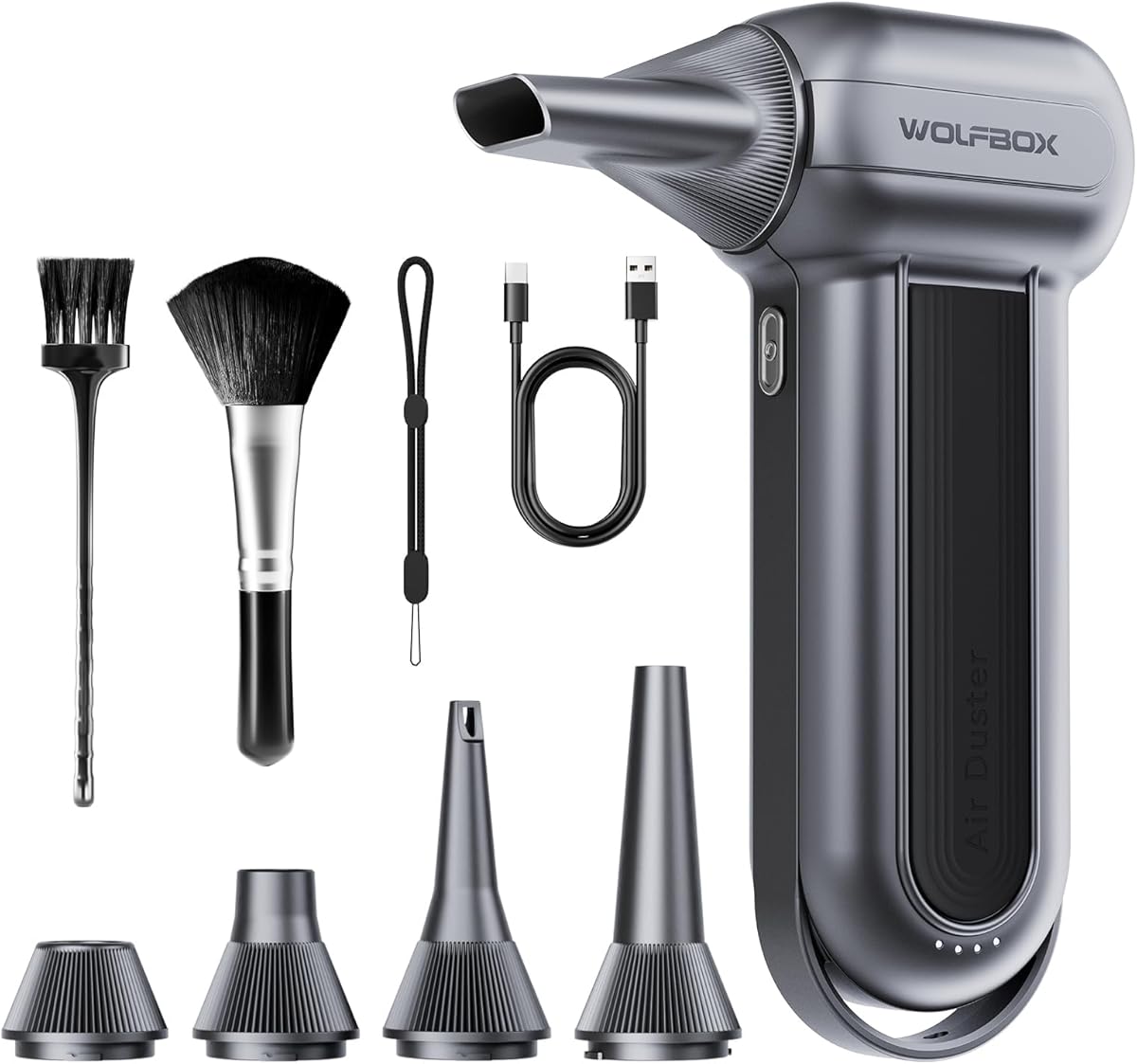

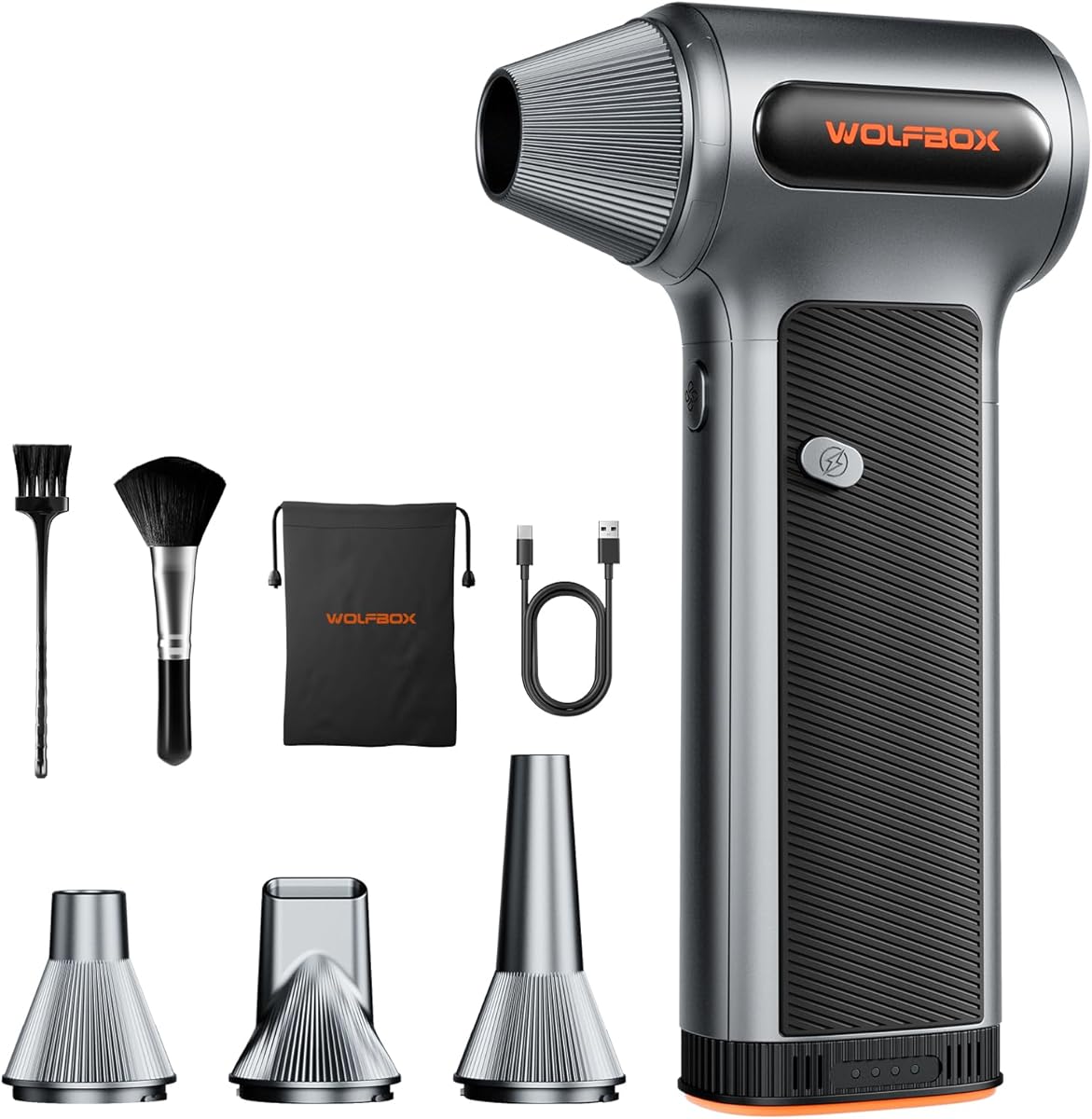
The WOLFBOX MegaFlow 50 is a compact rechargeable air duster built for electronics care, household cleanup, and light vehicle detailing. Its 4.6 rating reflects a favorable balance of features, and the most appealing specification is the combination of up to 110,000 RPM performance with three speed settings. That range makes it practical for both light dust on a desktop and more persistent debris trapped around keyboard gaps.
We may earn a commission when you buy through this link, at no additional cost to you.
The lowest speed should be used for exposed computer components, while the higher gears provide additional force for dust collected in cases, fans, vents, and narrow crevices. Four included nozzles let you direct the air more precisely, reducing the need to improvise with household tools. Its 0.45-pound weight and included lanyard also make it easier to maneuver around a PC case or carry between a workbench and travel bag.
Charging takes approximately 3.5 hours over Type-C, while the battery can provide up to 240 minutes of use on the lowest setting. That endurance is particularly helpful if you prefer to clean several devices in one session. The tradeoff is the absence of a visible battery gauge or speed display, so estimating remaining capacity and checking the selected gear requires more attention than on models with LCD screens.
This is our top overall recommendation for readers who want a capable, lightweight, and uncomplicated electronics cleaner. It suits keyboard owners, PC builders, laptop users, and anyone who wants a reusable alternative to short-lived canned air. Choose it when adjustable power, portability, and a generous attachment set matter more than a built-in display.
Three gears provide a practical way to match airflow intensity to the task. Gentle bursts work well for keyboards, ports, and dusty surfaces, while higher settings help dislodge debris in computer cases and radiator areas.
The 0.45-pound body minimizes hand fatigue, while the rechargeable battery removes the need to seek an outlet during a quick cleanup. Four nozzles also broaden its usefulness beyond PCs and keyboards.
We may earn a commission when you buy through this link, at no additional cost to you.
The FRESMOL Compressed Air Duster is a detailed-cleaning tool with a 4.4 rating and a strong emphasis on visibility and control. Its motor reaches up to 100,000 RPM and offers three airflow levels, making it suitable for PC towers, keyboard switches, laptop ports, vehicle vents, camera equipment, and other spaces that need careful access.
We may earn a commission when you buy through this link, at no additional cost to you.
The smart LED display is one of its most useful distinguishing features. It shows the selected speed mode and battery level, reducing the guesswork involved with cordless cleaning. A separate built-in light illuminates dust in dark areas, while five nozzles and three brushes provide several ways to reach debris or direct the air into confined locations.
Its performance specification is lower than some competing products that claim 260,000 or 280,000 RPM. However, maximum RPM alone does not reveal every aspect of real-world cleaning performance, and the FRESMOL's combination of visual feedback, attachments, and three levels is well suited to maintenance tasks. The supplied information does not provide a definite runtime figure, which is the main specification shoppers cannot verify from this listing summary.
This model is a strong fit for detail-oriented users who often work inside dark computer cases or clean ports, camera gear, and narrow keyboard gaps. It is less compelling for someone whose sole priority is the highest published motor speed, but it may be a better choice when attachments, a display, and illumination lead the buying decision.
The display and work light make the tool easier to manage during close inspection. You can confirm the operating mode, monitor battery status, and illuminate dust that would otherwise remain hidden inside a case or behind a connector.
Five nozzles and three brushes cover both broad blowing and narrow detailing. This is useful for users who regularly clean more than one kind of electronic device without wanting to assemble separate tools.
We may earn a commission when you buy through this link, at no additional cost to you.
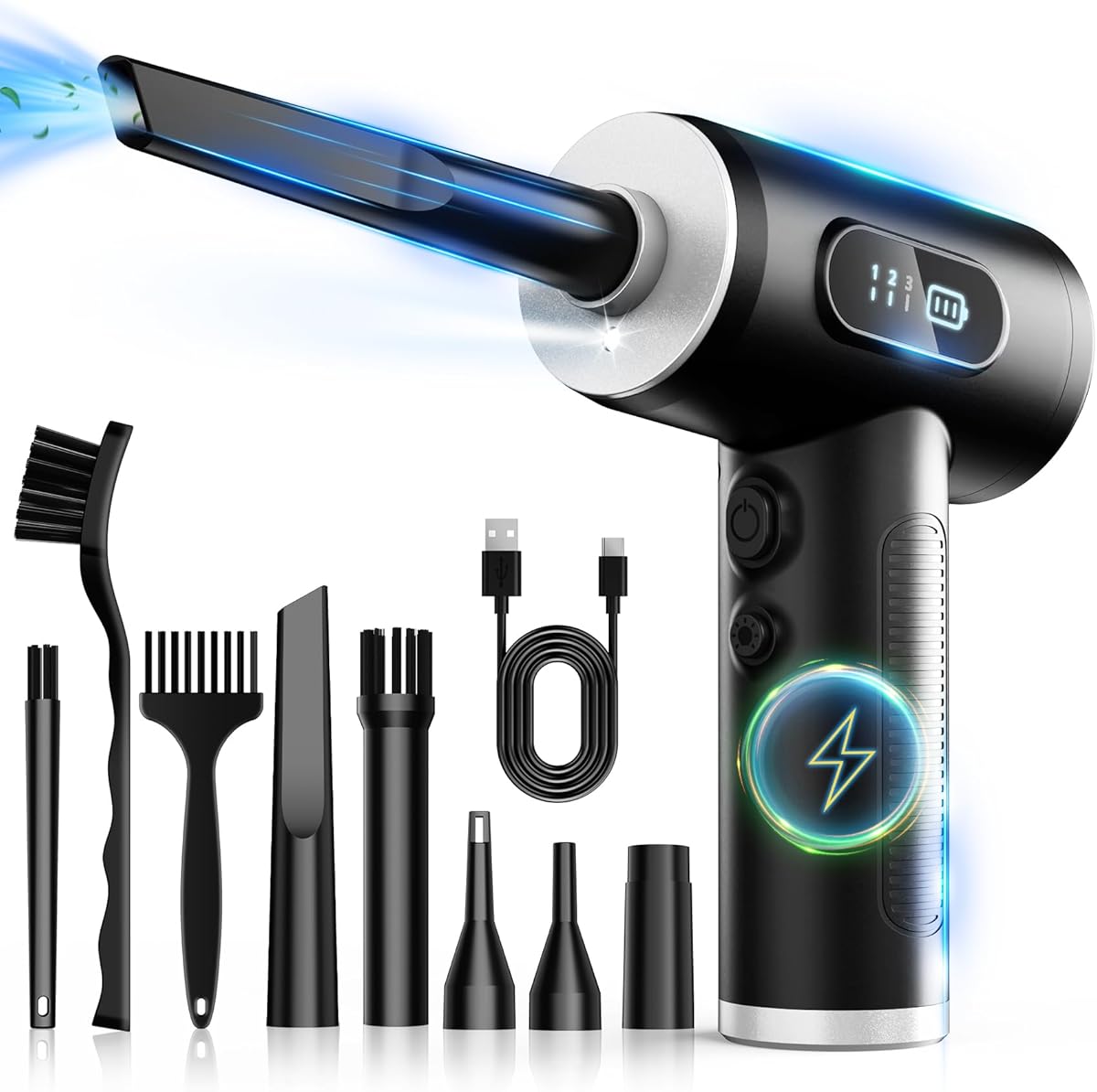
The MiaEpic Z3 combines a high claimed motor speed with useful status information and a broad accessory set. Its 4.5 rating and four selectable speeds make it appealing for PC cleaning, while the LCD display and integrated LED light improve visibility and control. The brushless motor is listed as reaching up to 280,000 RPM.
We may earn a commission when you buy through this link, at no additional cost to you.
For electronics, the extra speed setting provides more granularity than many three-speed competitors. Users can begin with a lower level around sensitive components and increase airflow for stubborn debris in computer cases, keyboards, consoles, and other equipment. Four precision nozzles and two brushes help reach vents, narrow gaps, and delicate surfaces, while the LED illuminates otherwise dark work areas.
The listed runtime is 90 to 150 minutes depending on use, and Type-C charging takes about 2.5 to three hours. That makes the tool suitable for a planned cleaning session rather than uninterrupted all-day operation. The headline 280,000 RPM figure represents the maximum claimed speed, so it should not be treated as the output available in every attachment or at every setting.
This is the best budget-focused recommendation in the list for readers who value LCD feedback, multiple gear options, and a high published motor speed. It is especially relevant to gamers and PC enthusiasts who plan to maintain several electronic devices. The main limitation is its less consistent runtime specification, but the feature set makes it a versatile value-oriented choice.
The four-level adjustment range is useful when moving from a delicate keyboard to a dustier cooling assembly. This gives users more opportunity to select an appropriate stream than a simple low-and-high design.
The LCD reports battery status and speed level, while the LED reveals dust in dark areas. These additions improve usability without changing the basic cordless format.
We may earn a commission when you buy through this link, at no additional cost to you.
This 130,000 RPM Electric Air Duster earns a 4.6 rating and stands out for an unusually extensive collection of attachments. It includes six nozzles and ten detail brushes, along with a storage bag and lanyard. That makes it a practical choice for users who clean everything from keyboard switches and delicate electronics to car detailing and household surfaces.
We may earn a commission when you buy through this link, at no additional cost to you.
Four speed settings provide distinct levels for gentle dusting, precision cleaning, routine maintenance, and heavy-duty debris. Holding the control activates storm mode for maximum airflow. The motor is described as delivering 52 m/s, and the supplied information states that it can remove accumulated keyboard dust in approximately ten seconds under the model's stated conditions.
Its 8000mAh battery is listed as providing 120 minutes of runtime on speed one, with Type-C charging taking about 2.5 hours. An upgraded control chip adds overcharge and overheat protection. The body weighs 0.62 pounds, which remains portable, although the large assortment of nozzles and brushes may require using the storage bag to keep everything organized.
The product is best for meticulous users who want specialized brushes as much as strong airflow. It works particularly well for workstations containing several electronic devices because the attachment range can handle narrow ports, larger surfaces, and delicate components. Buy it if the extensive kit matters more than having the smallest possible number of accessories.
Six nozzles and ten brushes give the user considerable flexibility. Different shapes can direct air around switches, into narrow vents, or across larger dusty surfaces without relying on improvised tools.
Overcharge and overheat protection add practical safeguards, while the 8000mAh battery supports longer low-speed cleaning sessions. A storage bag helps keep the numerous pieces together.
We may earn a commission when you buy through this link, at no additional cost to you.
The WOLFBOX MF60 is designed around a clear three-speed structure, making it easy to match output to a cleaning job. It has a 4.5 rating, reaches up to 110,000 RPM in third gear, and weighs only 0.5 pounds. The result is a straightforward cordless duster for computers, keyboards, electronics, vehicles, and outdoor tasks.
We may earn a commission when you buy through this link, at no additional cost to you.
Gear 1 operates at 25,000 RPM for delicate electronics, Gear 2 reaches 60,000 RPM for everyday dust, and Gear 3 reaches 110,000 RPM for more persistent debris. This explicit scale is easier to understand than a small set of vague power labels. Five included nozzles cover flat surfaces, deep narrow spaces, general blowing, and inflation-related tasks.
The product uses two 2500mAh batteries and claims a maximum of 240 minutes on the first gear. Charging takes approximately 3.5 hours. Because the longest runtime applies to the lowest setting, users working on heavy debris will need to recharge more often, and the lack of a battery display means remaining capacity is not immediately visible.
The MF60 suits people who want an uncomplicated tool with a useful low-speed endurance figure and clear control levels. It is especially appealing for repeated keyboard cleaning, maintenance of a home office, and light vehicle detailing. Its maximum speed is below the most aggressively advertised models, but the range and accessories make it a balanced selection.
The three listed RPM levels make it straightforward to begin gently and increase power gradually. That control is valuable around exposed electronics, where a single maximum setting can be harder to manage.
The claimed 240-minute first-gear runtime supports extended maintenance with less interruption. This is particularly useful for routine dusting that does not require maximum airflow.
We may earn a commission when you buy through this link, at no additional cost to you.
The VASSON Compressed Air Duster is a cordless tool that extends beyond PC maintenance into vehicle care, household cleanup, outdoor inflation, and other practical tasks. It has a 4.3 rating, three adjustable speeds, and a claimed maximum motor speed of 260,000 RPM. Its primary electronics applications include keyboard crevices, computer interiors, and other dust-filled equipment.
We may earn a commission when you buy through this link, at no additional cost to you.
The supplied accessories consist of five nozzles, a brush attachment, and a storage bag. These support car windows, mirrors, vents, sofas, and electronics. The tool can also serve as a cooling fan or inflate air mattresses and pool floats, although those broader functions should not distract from checking that the selected attachment is appropriate for the task.
Type-C charging takes approximately three hours, and the battery provides up to 150 minutes on the lowest setting. The charger is not included, and the product should not be operated while charging. Its silicone handle includes overheat protection, and the listed safe operating temperature range is -10°C to +45°C. A hold-to-power control helps reduce accidental activation.
This model is most attractive to buyers who want one cordless blower for electronics, a car, and occasional household or outdoor jobs. Its 1.1-pound weight remains portable, although it is heavier than several leading compact options. It is not the first choice for a display-equipped or status-focused purchase, but its broad application set and high claimed speed add flexibility.
The wide range of nozzles supports electronics, car detailing, furniture, and inflation tasks. That versatility can justify the slightly larger body if one blower will serve an entire household.
Overheat protection and a hold-to-power button help manage safe operation. Keeping the device away from charging and incompatible chargers is essential to preserve those protections.
We may earn a commission when you buy through this link, at no additional cost to you.
The 110,000RPM Electric Blower is a general cordless duster with clear relevance to PC and PS5 maintenance. Its 4.4 rating, 110,000 RPM maximum speed, and three adjustable settings make it a capable choice for keyboards, laptops, cameras, consoles, car vents, sofas, and window tracks. It aims to combine electronics care with common household and inflation tasks.
We may earn a commission when you buy through this link, at no additional cost to you.
Five nozzles and four brushes create a versatile accessory set for both concentrated and broad cleaning. The integrated LED is useful when illuminating dust inside a console, beneath components, or within a cramped workstation. Its lightweight cordless body avoids tethering the user to a wall outlet, and the ergonomic grip supports one-handed use.
The rechargeable battery supports Type-C charging, but the supplied product data does not state a specific runtime. The maximum 110,000 RPM specification is also lower than the claims associated with several higher-ranked alternatives. That does not make it inadequate; rather, it means its strongest case rests on accessory variety, compact handling, and dedicated console use rather than leading headline performance.
This is a good selection for gamers and owners of a PlayStation 5 who want a reusable blower for the console, controllers, keyboards, and nearby electronics. It also makes sense for travel or camping because no power cord is required. Those who prioritize a numeric battery-runtime estimate or the highest motor-speed claim should compare those specifications more carefully.
The product is explicitly positioned for PS5 and PC care, two areas where accumulated dust can affect airflow and appearance. A brush can dislodge debris while a narrow nozzle directs air into restricted openings.
The LED work light helps reveal hidden dust, and cordless operation allows cleaning wherever the device is positioned. This is useful in entertainment centers where an outlet may not be nearby.
We may earn a commission when you buy through this link, at no additional cost to you.
The WOLFBOX MF100 is a high-output electric duster with a 4.5 rating, a claimed 150,000 RPM maximum speed, and airflow of up to 45 m/s. Three speed settings allow the user to scale the output for PCs, keyboards, electronics, home surfaces, cars, and outdoor gear. It is a strong option when substantial, concentrated airflow is the priority.
We may earn a commission when you buy through this link, at no additional cost to you.
The accessory package includes five nozzles and two brushes, which is broad enough for both narrow electronic passages and larger cleaning tasks. The product can also be used for inflating equipment or managing campfires, provided those uses are appropriate and safe for the surrounding environment. At 0.66 pounds, it remains portable enough for a camera backpack or travel kit.
Type-C charging takes approximately 2.5 hours, and the first gear provides up to 100 minutes of operation. That runtime is shorter than the 150-to-240-minute figures cited by several nearby models, and there is no screen for checking the battery. Users who complete many short cleaning tasks may not notice, while heavy users may prefer a spare battery or longer low-speed runtime.
The MF100 is best for owners of powerful desktops, gaming PCs, or electronics that collect substantial dust and need a strong blast. It also provides a sophisticated appearance and four charging options according to the supplied information. Choose it when output speed and airflow take priority over extended runtime and at-a-glance battery monitoring.
The 150,000 RPM turbo fan and 45 m/s airflow claim target stubborn debris in vents, cases, and keyboards. The highest setting should be used carefully around delicate exposed components.
A 0.66-pound body, lanyard, and five nozzles support use in photography, travel, and vehicle-cleaning contexts. Fast Type-C charging reduces downtime between sessions.
We may earn a commission when you buy through this link, at no additional cost to you.
The WOLFBOX MF200 is the premium option in this guide because its swappable battery system goes beyond the usual rechargeable format. It carries a 4.5 rating, produces claimed jet airflow of up to 87.5 m/s, and includes three precision speed settings. The removable 22.2Wh battery can be exchanged to continue cleaning without waiting for a full recharge.
We may earn a commission when you buy through this link, at no additional cost to you.
The tool or battery can be charged independently over Type-C, and a full charge takes approximately 2.5 hours. Lowest-speed operation is listed at up to 100 minutes. For workshops, professional studios, or frequent computer maintenance, this architecture can reduce interruptions once an additional compatible battery is available, although backup batteries are sold separately.
Four nozzles and two brushes support cleaning of gaming PCs, keyboards, laptops, household electronics, remote-controlled models, 3D printers, cameras, and picnic equipment. A storage pouch keeps the accessories organized. The 0.85-pound body is heavier than the most compact duster in the list, but it remains portable and is designed for regular use.
A 24-month warranty and round-the-clock support strengthen the premium positioning, and the listing states that the device can deliver more than 500 uses. The MF200 is best for committed users who clean frequently, maintain multiple systems, or want uninterrupted cordless operation. It is less compelling for occasional cleaning where a simpler model would meet the need.
The removable battery changes the workflow for intensive cleaning sessions. A charged replacement can restore operation while the first battery is recharging, making the system suitable for workshops and mobile technicians.
A 24-month warranty provides added confidence, while the included storage pouch keeps specialized nozzles and brushes together. Independent battery charging adds flexibility at travel or work locations.
We may earn a commission when you buy through this link, at no additional cost to you.
The JVSCAM X3 is a compact air duster with a 4.4 rating, a 130,000 RPM brushless motor, and three adjustable speeds. It is designed for keyboards, air-conditioning vents, vehicle seats, electronic products, inflation, and cooling. Its small dimensions and 0.45-pound weight make it one of the more portable options in the comparison.
We may earn a commission when you buy through this link, at no additional cost to you.
The motor is listed as delivering 180 G of blowing force and a maximum wind speed of more than 45 m/s, with a super-typhoon mode reaching 51.0 m/s. Four differently sized nozzles help users direct the stream for broad surfaces or narrow openings. The absence of a display or light makes it a simpler tool, but it can still handle routine PC, laptop, camera, and car maintenance.
Its dual 2500mAh battery is rated for up to 240 minutes on the first gear, an attractive endurance figure for routine low-speed cleaning. Type-C charging is supported and the cable is included. The listing recommends a 5V 2A adapter, so charging speed and reliability may depend on using a compatible power supply.
This model is best for buyers who prioritize a small body, long low-speed runtime, and straightforward nozzle-based cleaning. It fits readily into a toolbox, tote bag, or pocket and is useful for travel. It is less attractive for dark interiors because it has no work light, but its portability and recharge cycle make it a practical everyday maintenance tool.
The 5.1 by 3.3 by 1.4-inch size and 0.45-pound weight make the X3 easy to carry and store. A technician or traveler can keep it close without dedicating significant space.
Because the tool uses a rechargeable blower rather than liquid propellant, it does not create the freezing or condensation associated with traditional compressed-air cans. That makes it convenient for regular electronics maintenance.
We may earn a commission when you buy through this link, at no additional cost to you.
The right electronics air compressor should combine sufficient airflow with precise control, safe accessories, and a power system suited to your cleaning frequency. These factors matter more than headline specifications alone because sensitive equipment requires different levels of force and access than household dust, car vents, or outdoor debris.
Multiple speed settings are among the most important features for electronics cleaning. A low setting helps remove light dust from exposed keys, ports, fans, and surfaces without directing maximum force at delicate parts. A higher setting is more appropriate for compacted debris inside computer cases, cooling assemblies, and less sensitive areas. Models with three or four gears provide better granularity than a simple on-and-off design.
The listed RPM value represents maximum motor speed and does not guarantee equivalent force at every setting or through every nozzle. Compare the number of gears, the claimed airflow, and the intended tasks rather than choosing solely by the largest number. Start at the lowest setting whenever cleaning a powered device, then increase airflow only as needed.
Narrow nozzles concentrate airflow for keyboard gaps, ports, fan shrouds, and other restricted areas. Broader nozzles cover desks, cases, camera equipment, and larger surfaces. Brushes can help lift attached dust from keys, cooling fins, and intricate components before the air carries it away. The strongest packages combine several nozzle sizes with at least one suitable brush.
Match the attachments to the equipment you own. A round or long narrow nozzle is helpful for deep gaps, while a flat nozzle can cover a larger case panel. Avoid forcing a wide nozzle into a tight port, since concentrated airflow is usually more effective and less likely to disturb surrounding parts. Organized storage also matters when a kit includes many small pieces.
Runtime claims are often based on the lowest speed, which can make comparisons misleading. A tool rated for 240 minutes on Gear 1 may last much less while blasting stubborn debris at maximum output. Look for both the stated low-speed duration and the charging time, and consider whether your typical cleaning session lasts only a few minutes or includes several devices.
Type-C charging is convenient because the cable is widely available, but some models specify a particular adapter or do not include a charger. Removable batteries are valuable for heavy users because they can be exchanged between sessions. Whichever system you choose, fully charging the tool before first use helps establish a reliable baseline for cleaning time.
A lightweight body is valuable when reaching behind a monitor, holding a camera while cleaning it, or working inside a large PC case. Weights in this guide range from about 0.45 to 0.85 pounds for the most compact models, while one heavier option weighs 1.1 pounds. The difference becomes noticeable during extended work or repeated overhead cleaning.
Consider cordless freedom, grip shape, nozzle length, and lanyard or pouch inclusion together. A slightly heavier tool may remain comfortable if the grip is secure and the cleaning tasks are brief. For travel, storage dimensions can matter as much as weight, particularly when the device must fit into a small camera backpack, glove box, or technician's pouch.
A battery or speed display helps users avoid unexpected shutdowns and understand the active gear. It is particularly useful for multi-speed tools because different levels can look or feel similar until the device is running. A built-in LED is equally valuable inside dark cases, behind monitors, and beneath components where dust would otherwise remain invisible.
These features do not directly increase suction or airflow, but they improve control and reduce the chance of repeatedly passing over a hidden debris patch. Models with only physical buttons are simpler and may be preferable for minimalism. Buyers who regularly work in poorly lit areas may prioritize an LED over a less important convenience feature.
A clean, dry stream of air is generally preferable around sensitive electronics because liquid propellants can leave residue or cause frost and condensation. Rechargeable electric dusters avoid the need to invert and shake a can, which can also reduce the chance of accidentally spraying lubricant or other liquids into equipment.
Always disconnect power before cleaning an electronic device, and do not use the blower while it is charging. Overheat and overcharge protection are useful features, but users must also follow the stated temperature, charger, and flammability warnings. Keep the tool away from heat sources, solvents, paint thinners, and other flammable materials.
High motor speed can help dislodge persistent dust, but airflow is also influenced by nozzle design, battery charge, and the shape of the debris. The guide includes products with claimed maximum speeds from 100,000 to 280,000 RPM, as well as models specified by wind speed or blowing force. Those numbers describe maximum output and should not be interpreted as identical performance.
For routine keyboard and laptop maintenance, a three-speed tool with 100,000 to 130,000 RPM is a sensible category to examine. Higher claimed speeds may help with dense debris in large cases, but a concentrated nozzle and careful technique remain important. Choose power that you can control rather than assuming the largest advertised specification is necessary for every task.
A versatile air duster can clean keyboards, PC towers, consoles, cameras, vehicle vents, and household surfaces without a separate compressor for each category. That flexibility is valuable for travelers, photographers, car owners, and technology enthusiasts. However, a large number of accessories can make a kit less convenient if the pieces are not stored together.
Look for at least four nozzles of different shapes, useful brush attachments, and a case or pouch in models intended for varied work. Inflation nozzles add outdoor utility, while a plain broad nozzle may be better for electronics. Before buying, check that the included accessories correspond to tasks you realistically perform rather than simply maximizing the number of pieces.
Begin by disconnecting the electronics from power, allowing hot components to cool if necessary, and moving the device to a stable, well-ventilated surface. Remove loose debris with a soft brush or a low-pressure burst from the appropriate nozzle. Avoid holding spinning fans close to the air stream, and keep the intake grille clear so the motor can draw in air normally.
Use the lowest speed setting for exposed keys, ports, touchscreens, camera bodies, and other delicate surfaces. Increase the setting gradually for deeper dust in keyboard gaps, cooling vents, computer cases, and radiator fans. Keep the nozzle moving rather than holding it in one place, and direct airflow across a component at a slight angle to avoid forcing dust deeper into the enclosure.
After cleaning, let the device power down, wipe the body and nozzle with a dry cloth, and return accessories to their storage case. Charge with the specified Type-C cable and compatible adapter, do not operate the tool while charging, and keep it away from heat, moisture, solvents, and flammable materials. For a powered system with a removable battery, store batteries as directed and avoid exposing them to extreme temperatures.
An electric air duster is usually more convenient for repeated cleaning because it is cordless, rechargeable, and produces a consistent stream without liquid propellant. It also avoids the condensation or residue that can occur with poorly stored aerosol cans. The best nozzle and speed setting depend on the component, so use low airflow around delicate exposed parts.
You should disconnect and power off the electronic device before cleaning it. This removes electrical risk and gives you a safer, more stable target for directing air. If a component must remain powered for diagnosis, follow the equipment manufacturer's guidance and avoid directing high-speed air at exposed fans or other moving parts.
Disconnect the keyboard, use a low speed setting, and begin with a soft brush to lift loose crumbs and dust. Follow with controlled bursts through a narrow nozzle aimed along the rows rather than straight down between keys. Keep liquids away from the keyboard and do not use compressed-air cans that may release cold propellant or residue.
Not usually. A lower or medium setting is often enough for keyboards, fans, ports, and case surfaces, while maximum output is better reserved for stubborn debris in protected areas. Starting gently reduces the chance of pushing dust farther inside or affecting sensitive components. The number of usable speed levels matters more than the highest published RPM figure alone.
A brushless motor can support a compact design, efficient operation, and reduced mechanical wear because it does not use physical brushes that wear against the rotor. It does not automatically guarantee stronger cleaning, since airflow, nozzle design, battery condition, and debris also influence results. Treat motor type as one feature in a broader comparison.
Yes, when you use gentle airflow and the correct attachment. A small brush can remove loose dust from controls and seams, while a narrow nozzle can reach ports without directing a broad blast at a sensor or microphone. Keep the device powered off, keep the air moving, and avoid entering openings where doing so could push dust deeper.
The ideal frequency depends on the environment and how quickly dust accumulates. Desktop users may only need occasional maintenance, while gaming systems, workshop computers, and equipment in dusty areas may require more frequent attention. Inspect cooling vents and filters periodically and clean when airflow is restricted or visible debris has built up.
Electric dusters cover many common cleaning and inflation tasks, but specialized spray products may serve purposes outside their intended scope. Buyers should verify their actual needs and avoid using a blower for liquids, paints, or other materials that require a dedicated application. For ordinary dust, crumbs, and debris, the listed models provide reusable alternatives.
The WOLFBOX MegaFlow 50 is the strongest all-around choice because it combines 110,000 RPM maximum output, three speeds, four nozzles, low weight, and a long low-speed runtime claim. The MiaEpic Z3 stands out for its four gear settings, LCD display, LED light, and high 280,000 RPM claim, while the WOLFBOX MF200 is the premium option for users who prioritize swappable batteries and uninterrupted cleaning sessions.
For most buyers, prioritize adjustable airflow, suitable nozzles, reliable battery information, and a comfortable cordless design over the largest RPM number. Fine-detail users may favor the FRESMOL's display and attachments, while accessory-heavy cleaners may prefer the extensive brush collection on the 130K RPM model. Console owners should also consider a compact option with an integrated work light.
Before purchasing, verify the current listing for the exact accessories, charging requirements, warranty terms, runtime conditions, and availability. Ratings and specifications can change over time, and promotional pricing also fluctuates. Comparing those current details against the type of electronics you clean will help you select the most useful air compressor for your workspace.