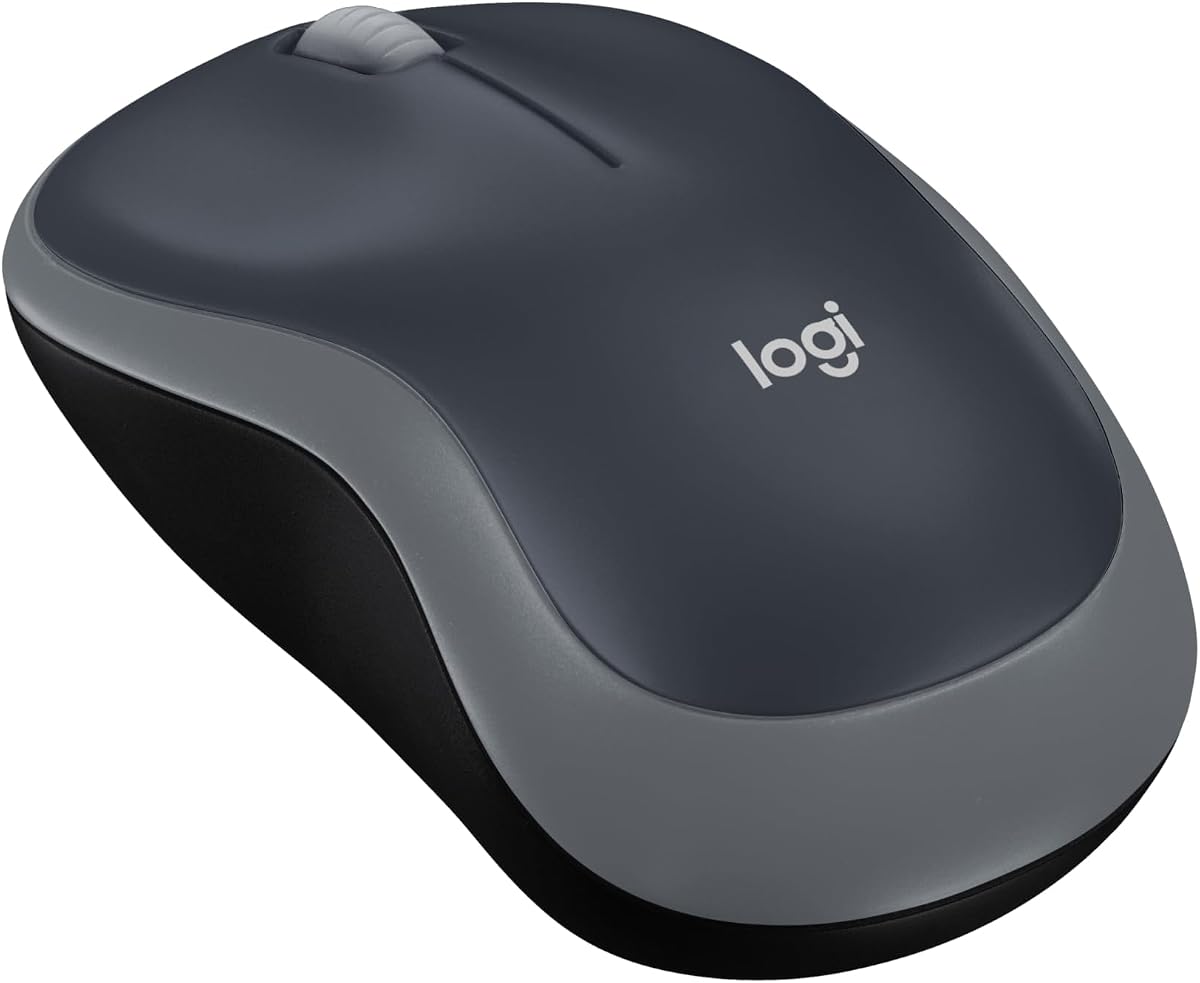
Logitech M185
4.4Editor score
Compact ambidextrous design
Plug-and-play nano receiver
One-year advertised battery life
Windows and Mac compatibility
Logitech Wireless Mouse guide comparing 10 top models for comfort, precision, battery life, connectivity, productivity, and gaming performance.
A Logitech wireless mouse can improve comfort, control, and productivity across a home office, shared workspace, or gaming setup. The right model depends on grip preference, hand size, tracking needs, connection method, battery expectations, and whether programmable controls or high-precision sensors are important.
This guide compares ten Logitech offerings using their supplied specifications, compatibility information, ratings, and documented features. It covers everyday full-size mice, compact travel options, productivity models, premium ergonomic designs, and wireless gaming equipment, while noting where a product is not a conventional mouse.
Each selection highlights the most relevant use case, from dependable plug-and-play operation to multi-device switching, quiet clicking, high-DPI tracking, and specialized haptics. Product ratings and configurations can change, and current prices fluctuate, so shoppers should verify the latest listing before purchasing.
4.4Editor score

4.6Editor score

4.2Editor score
The comparison below organizes the ten supplied Logitech products by their principal strengths, including mouse shape, tracking sensitivity, wireless methods, battery design, programmable controls, and intended use. The included headset is clearly identified so readers can distinguish gaming peripherals from conventional wireless mice.
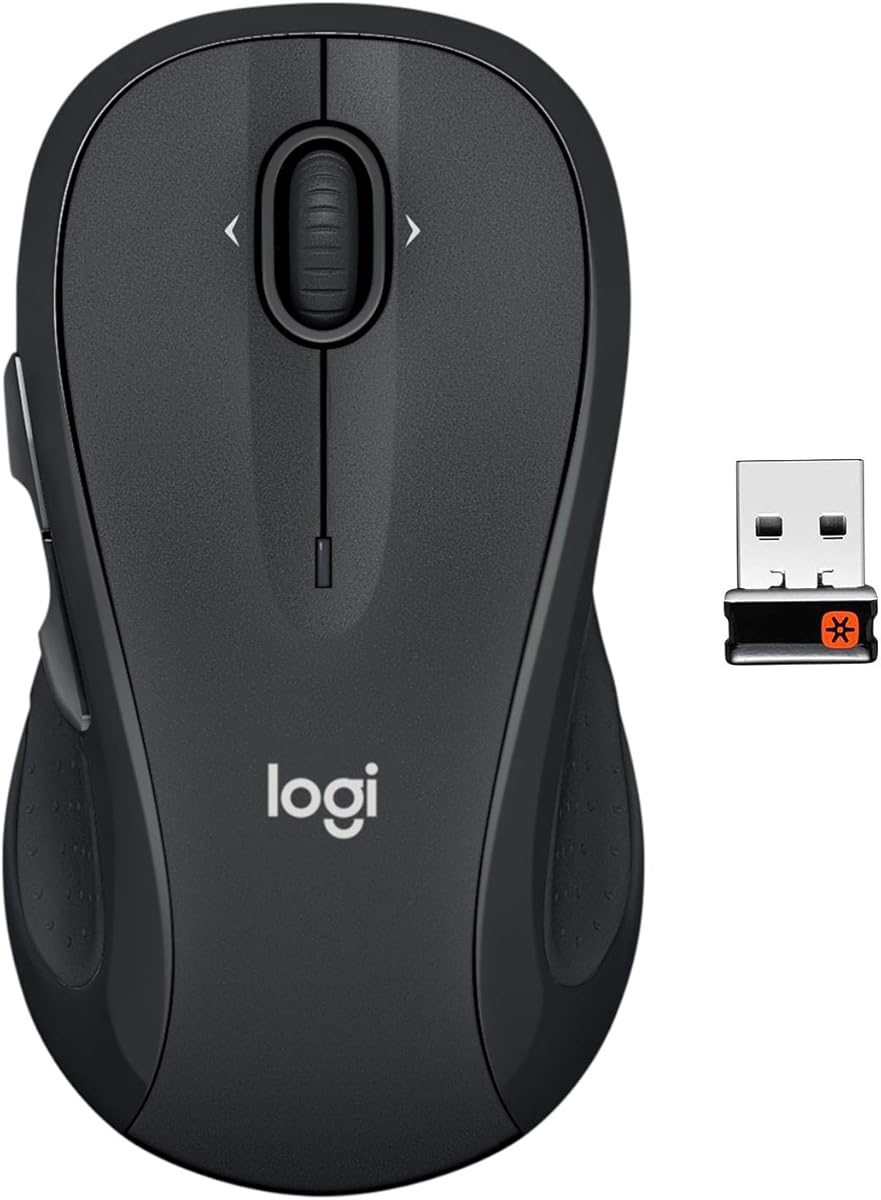





The Logitech M510 is a full-size, ambidextrous wireless mouse with a 4.6 rating, making it a strong all-purpose choice for people who want familiar desktop-mouse comfort without a premium productivity design. Its broad palm area, gently curved sides, and soft rubber grips are intended to support relaxed use over long working sessions.
We may earn a commission when you buy through this link, at no additional cost to you.
Navigation is one of the M510's most useful qualities. It includes standard controls plus Back and Forward buttons that can be programmed through Logitech SetPoint on Windows or Logitech Control Center on macOS. Horizontal scrolling and zoom expand its usefulness for maps, media libraries, image review, spreadsheets, and social feeds, although supported functions depend on the operating system and configuration software.
The M510 also avoids the frequent battery anxiety associated with many wireless peripherals. Logitech advertises up to two years of battery life, assisted by an on/off switch, smart sleep mode, and an indicator light. The included Unifying receiver can remain in the laptop and support other compatible Logitech mice and keyboards, reducing the need to carry multiple adapters. The trade-off is that it does not offer direct Bluetooth switching among several computers.
This mouse is best for a student, home-office user, or professional who wants a full-size shape, quiet productivity features, and dependable battery performance without moving into the MX line's more advanced controls. Its generous dimensions may be less appealing to users with very small hands or those seeking a compact travel accessory. Even so, its balance of comfort, programmable navigation, and wireless convenience makes it an excellent general recommendation.
The M510's broad palm support and rubberized sides are especially useful for desk work. Its symmetrical shape also gives right- and left-handed users a similar placement for the primary buttons.
One tiny Unifying receiver can support compatible Logitech mice and keyboards. That makes it convenient for shared desks, although it differs from models that directly switch among computers over Bluetooth.
We may earn a commission when you buy through this link, at no additional cost to you.
The Logitech M705 Marathon is a full-size right-hand wireless mouse with a 4.5 rating and a clear specialty: exceptional advertised battery endurance. Logitech states that it can operate for up to three full years between battery changes, making it attractive for offices, students, and anyone who wants to minimize maintenance.
We may earn a commission when you buy through this link, at no additional cost to you.
Its nearly frictionless metal scroll wheel is designed for moving rapidly through long documents and web pages. The sculpted body guides the right hand toward a natural position, while two thumb buttons provide Back and Forward navigation that can be customized. This makes the M705 a practical productivity tool without requiring a dense control layout.
Cursor performance is another strength. Logitech describes the tracking system as laser grade, with an emphasis on smooth, precise operation even on polished or wood-grain surfaces that can trouble standard optical mice. The Unifying receiver supports other compatible Logitech peripherals and can remain inserted in a computer. Its limitations are its right-handed design, two-button side layout, and reliance on the Unifying system rather than Bluetooth multi-device switching.
The M705 Marathon fits users who prioritize freedom from battery replacements more than compact size or extensive shortcut controls. It is less suitable for left-handed users or people who routinely move among several modern computers. For a full-size office mouse with a refined wheel and exceptional stated battery life, however, it remains a particularly compelling choice.
The advertised three-year battery life is the M705's defining advantage. Actual duration depends on usage and computing conditions, but the design is clearly oriented toward infrequent battery changes.
Laser-grade tracking is intended to maintain responsive cursor control on surfaces that may be difficult for conventional optical sensors. Users should still verify the exact surface behavior in their own workspace.
We may earn a commission when you buy through this link, at no additional cost to you.
The Logitech MX Master 3S is a productivity-focused wireless mouse with a 4.6 rating. Its 8,000 DPI sensor, customizable sensitivity, and ability to track on glass make it a strong choice for creative professionals, office workers, and users who routinely move between computers.
We may earn a commission when you buy through this link, at no additional cost to you.
MagSpeed scrolling combines high speed, improved precision, and near-silent operation, while Quiet Clicks are advertised to produce 90 percent less click noise. The sculpted silhouette supports a natural wrist position, and the thumb controls are placed within easy reach. The Logi Options+ app adds app-specific profiles, button assignments, and workflow optimization.
Multi-device support is one of its most important distinctions. It can connect to up to three devices over Bluetooth across Windows, macOS, Chrome OS, and Linux. Flow allows text, images, and files to move between compatible Windows and macOS systems. The important configuration note is that this is a Bluetooth-only model: it does not include a Logi Bolt receiver or charging cable, and the Logi Bolt USB receiver is not included.
The MX Master 3S is best for power users who value seamless movement among devices, precise tracking, fast scrolling, and configurable controls. People who want one simple mouse for a single computer may find the setup unnecessary, while those requiring a USB receiver should choose a different model. For a sophisticated productivity tool, it offers one of the strongest feature combinations in this list.
The 8,000 DPI sensor can be used on surfaces including glass, and sensitivity can be customized. This expands placement options and benefits users who alternate among desks, mouse pads, and media workstations.
Bluetooth switching and Flow reduce the friction of working across computers. Compatibility is broad, but users should confirm that their preferred operating systems and software support the features they need.
We may earn a commission when you buy through this link, at no additional cost to you.
The Logitech MX Master 4 is the premium model in this guide, carrying a 4.2 rating and introducing a more interactive approach to productivity. Its Haptic Sense Panel provides customizable tactile feedback for selected actions, shortcuts, and notifications, offering a more noticeable cue than a visual alert alone.
We may earn a commission when you buy through this link, at no additional cost to you.
The dynamic Actions Ring is another signature feature. It can adapt to each application and place frequently used filters, adjustments, and shortcuts near the cursor. For users who manipulate complex creative or productivity interfaces, that contextual access can shorten repetitive workflows. The mouse also supports up to 1,000 lines of scrolling per second, precise stopping, Quiet Clicks, and a thumb wheel for vertical navigation.
Connectivity includes a USB-C dongle, an advanced radio chip, and an optimized antenna, while Bluetooth remains available for versatility. The design uses a natural tilt, intuitive buttons, and a thumb scroll wheel intended to reduce hand stress. Logitech also specifies substantial recycled plastic in the Graphite components. These are meaningful refinements, but they place the model firmly in the premium category.
The MX Master 4 is best for enthusiasts who want tactile interaction, context-sensitive controls, fast scrolling, and reliable modern connectivity. The lower 4.2 rating and premium positioning may give cautious buyers pause, particularly when compared with the highly rated MX Master 3S. Still, for users who will actively use haptics and the Actions Ring, this is the most advanced option here.
The Haptic Sense Panel can mark particular actions, shortcuts, and notifications with customizable tactile feedback. It provides a stronger form of confirmation that may be useful in detailed editing or navigation-heavy workflows.
The Actions Ring can present app-specific controls where the user is working. Its value grows as software customization is used, while buyers wanting a simple two-button mouse may never need it.
We may earn a commission when you buy through this link, at no additional cost to you.
The Logitech M185 is a compact, ambidextrous mouse with a 4.4 rating and a straightforward plug-and-play design. It is positioned for people who want a dependable wireless pointer without the size, controls, or complexity associated with more specialized Logitech models.
We may earn a commission when you buy through this link, at no additional cost to you.
Its contoured shape fits comfortably in either hand, and the compact dimensions suit small-to-medium hands, tight workspaces, offices, and travel. The line-by-line scroll wheel is simple and predictable, while smart sleep mode supports an advertised battery life of up to one year. The included AA battery and tiny nano receiver eliminate the need for separate purchases.
Compatibility extends to Windows PCs, Macs, and laptops, and no software or setup routine is required. Logitech lists a reliable connection of up to 33 feet, or 10 meters, in typical conditions. The tradeoff is that the M185 is deliberately basic: it lacks a thumb wheel, high-resolution gaming sensor, Bluetooth switching, and extensive programmable controls.
The M185 is best for students, travelers, casual users, and anyone replacing a lost basic mouse. It also serves organizations seeking a straightforward option for shared computers. People with larger hands who want a palm-filling shape may prefer the M510, while power users should look toward the MX line. For uncomplicated daily pointing and clicking, the M185 delivers exactly what its category promises.
The M185 uses familiar three-button navigation and a straightforward scroll wheel. Its no-software setup makes it one of the easiest models in the guide for new users and temporary workstations.
Its compact body and ambidextrous shape make it easy to carry and comfortable for either hand. Very large users may still prefer a model with a broader palm rest.
We may earn a commission when you buy through this link, at no additional cost to you.
The Logitech M720 Triathlon is a full-size productivity mouse with a 4.5 rating and a particularly flexible connection design. It supports both Bluetooth and the Logitech Unifying receiver, allowing users to move among multiple devices without being restricted to one wireless method.
We may earn a commission when you buy through this link, at no additional cost to you.
Logitech FLOW enables cursor, text, and file movement across up to three computers or laptops, while a dedicated button changes the active device. Its six customizable buttons can be assigned to shortcuts, and the full-size rubber body is sculpted for right-hand palm support. The wheel offers hyper-fast scrolling with an instant-stop feature and can alternate to click-to-click behavior.
Battery life is advertised at up to 24 months, and compatibility spans computers, laptops, tablets, Windows, macOS, Chrome OS, Linux, and iPadOS. These broad capabilities make the M720 suitable for hybrid workers and shared offices. As a right-hand model with an older receiver platform, it may not satisfy users who prioritize Bluetooth-only simplicity, left-handed ergonomics, or a modern Logi Bolt connection.
The M720 Triathlon is best for people who move between systems but do not need the MX Master's high-resolution sensor or extensive app-specific profiles. It offers more control and connectivity than the M185 while remaining less specialized than the premium models. For a balanced full-size productivity mouse, it remains one of the most versatile choices in the roundup.
Bluetooth and Unifying support offer flexibility across devices and older accessories. The included receiver can manage up to six compatible Logitech peripherals, reducing USB port clutter.
Six customizable buttons and cross-device FLOW make the M720 useful for demanding workflows. Setup depth depends on the operating system and Logitech software available to the user.
We may earn a commission when you buy through this link, at no additional cost to you.
The Logitech G305 is a compact wireless gaming mouse with a 4.6 rating. It combines a lightweight design with a modern optical sensor and LIGHTSPEED wireless technology, making it well suited to competitive-style play, laptop gaming, and users who want a portable mouse without accepting poor tracking.
We may earn a commission when you buy through this link, at no additional cost to you.
The optical HERO sensor delivers up to 12,000 DPI sensitivity and 400 IPS precision. LIGHTSPEED provides a 1 ms report rate for responsive input. At only 3.4 ounces, the mouse is designed for quick maneuverability, while a single AA battery can support up to 250 hours of continuous gameplay. Endurance mode in Logitech G HUB can extend battery life as high as nine months.
Its durable, compact shell and built-in nano receiver storage make it convenient to move between a desktop and a laptop. The limitation is that it is a dedicated LIGHTSPEED gaming mouse rather than a general multi-device productivity tool. It also offers fewer programmable buttons than the G502 and cannot switch directly among three Bluetooth devices.
The G305 is best for gamers who value sensor performance, low weight, wireless responsiveness, and portability. It is also a practical choice for someone wanting one mouse for both gaming and daily work. Buyers who need extensive macros, more buttons, or Bluetooth cross-device control should look elsewhere, but for focused gaming with a compact footprint, the G305 is a strong and well-rated option.
The low 3.4-ounce weight and 1 ms LIGHTSPEED report rate support quick, direct movement. Its compact shape may particularly appeal to people who find a full-size gaming mouse too large.
A single AA battery is advertised to support 250 hours of continuous gameplay. Endurance mode can extend that duration, though actual performance varies with use and settings.
We may earn a commission when you buy through this link, at no additional cost to you.
The Logitech G733 is not a mouse, and it would be misleading to treat it as one. It is a wireless gaming headset included in the supplied product set, offering a useful perspective for Logitech gaming users seeking a broader setup built around LIGHTSPEED technology.
We may earn a commission when you buy through this link, at no additional cost to you.
Its 4.4 rating reflects a feature-rich audio accessory with up to 20 meters of stated wireless range, 29 hours of battery life, and LIGHTSPEED wireless audio transmission. PRO-G drivers are intended to reproduce precise, consistent sound with reduced distortion, while the suspended headband and dual-layer memory foam cushions are designed for long sessions.
The headset includes dual-zone LIGHTSYNC RGB lighting with preset or custom effects through G HUB. Advanced microphone filters can refine voice clarity, and reversible suspension headbands offer different color options. It weighs 278 grams and supports PlayStation 5, PlayStation 4, and Nintendo Switch when docked, with stereo sound through the USB wireless dongle.
It is included here as a category clarification rather than a recommended wireless mouse. Gamers assembling a complete wireless setup may find it relevant alongside the G305 or G502, but a mouse shopper should skip it. The principal limitation is absolute: it cannot provide pointer control, clicking, scrolling, or cursor tracking. Its value comes from wireless audio, comfort, and gaming-focused customization.
LIGHTSPEED wireless transmission is designed for responsive game audio with a stated range of up to 20 meters. Console compatibility requires the appropriate USB dongle connection.
Dual-layer memory foam cushions and a suspended headband prioritize long-session comfort, while dual-zone RGB lighting adds another level of personalization through G HUB.
We may earn a commission when you buy through this link, at no additional cost to you.
The Logitech Signature M650 L is a large, full-size wireless mouse with a 4.5 rating. Its primary distinction is size: the L shape gives users with larger hands a roomier palm rest than compact alternatives while remaining less specialized than the sculpted MX Master series.
We may earn a commission when you buy through this link, at no additional cost to you.
Comfort comes from a soft thumb area and rubber side grips that help hold the hand securely. SilentTouch technology is advertised to reduce click noise by 90 percent, which is useful in shared offices or quiet home settings. Its SmartWheel switches between line-by-line movement for documents and rapid scrolling for long pages.
Users can connect through Bluetooth Low Energy or the Logi Bolt USB receiver. The M650 L works with Windows, macOS, Linux, ChromeOS, iPadOS, and Android, including Apple devices. Side buttons can be customized in Logitech Options+ on Windows and macOS, and a single AA battery is advertised to last up to 24 months.
The M650 L is best for users who find ordinary mice too small, want quieter operation, and appreciate modern connectivity without premium haptics or high-DPI creative tools. Its right-hand orientation may not suit left-handed users, and software-dependent customization is not as deep as the MX line. For a comfortable, quiet, large-format daily mouse, it is a particularly sensible selection.
The full-size L design offers more palm support than the M185 and G305. Users who prefer a sculpted MX shape may still find that family more supportive over extended work.
SilentTouch reduces click noise by an advertised 90 percent. The effect is especially useful in offices, libraries, and homes where conventional mouse clicks can be distracting.
We may earn a commission when you buy through this link, at no additional cost to you.
The Logitech G502 is a full-size wireless gaming mouse with a 4.6 rating and a strong focus on control. Eleven customizable buttons distinguish it from the leaner G305, while the sensor and LIGHTSPEED connection target demanding competitive and enthusiast play.
We may earn a commission when you buy through this link, at no additional cost to you.
Logitech's HERO 25K sensor can be enabled through a G HUB software update, with a maximum sensitivity of 25,600 DPI, 1:1 tracking, more than 400 IPS capability, and no smoothing, filtering, or acceleration. The mouse also features a hyper-fast scroll wheel for rapidly reviewing menus and long pages. Users can assign macros and game-specific commands through Logitech G HUB.
An optional PowerPlay wireless charging system can keep the G502 and other compatible G mice charged while in use or at rest, but that system is sold separately. The core mouse uses LIGHTSPEED wireless technology and includes a USB receiver. Its larger, button-heavy form is a drawback for users seeking a light, minimalist travel mouse, but it gives competitive and MMO-style players more physical controls.
The G502 is best for gamers who want extensive customization, high sensitivity, and a mature wireless platform. It may be excessive for casual users, and the optional charging accessory adds another consideration outside the mouse itself. Compared with the compact G305, it trades portability for a broader command set. For dedicated gaming customization, the G502 remains the strongest option in this roundup.
Eleven buttons can be assigned to macros and game-specific shortcuts through G HUB. This makes the G502 suitable for players who want command access without repeatedly opening menus.
The HERO 25K sensor supports settings up to 25,600 DPI with 1:1 tracking. Gamers can select sensitivity profiles appropriate to different games, although competitive restrictions may apply in some titles.
We may earn a commission when you buy through this link, at no additional cost to you.
Choosing a Logitech wireless mouse means balancing shape, tracking, connection methods, controls, battery design, and platform support. The most advanced specifications are not automatically the most useful, so begin with how and where you work before comparing individual features.
Size and grip can determine whether a mouse remains comfortable over long periods. The M185 is compact and intended for small-to-medium hands, while the M510 offers a broad, symmetrical palm area. The M650 L provides a larger full-size format for users who find standard mice too small. The M720 and MX Master models use more sculpted right-hand shapes, which can distribute weight differently but may not suit left-handed users.
Tracking specifications matter most when precision has practical value. The MX Master 3S offers an 8,000 DPI sensor and can track on glass, making it suitable for varied creative workspaces. The G305 reaches up to 12,000 DPI, while the G502 can reach 25,600 DPI through its sensor update. Standard productivity mice focus more on smooth everyday movement than extreme sensitivity settings.
Logitech wireless products use several connection approaches. The M185 and G-series gaming mice primarily use USB receivers, while the M720 supports Bluetooth and Unifying wireless. The M650 L adds Bluetooth Low Energy and Logi Bolt, and the MX Master 4 offers Bluetooth plus a USB-C dongle. The MX Master 3S is Bluetooth only and does not include a receiver or charging cable.
Frequent multi-computer users should look for explicit device-switching and cross-device file features. The M720 can switch among up to three devices and supports Logitech FLOW. The MX Master 3S also connects to three devices over Bluetooth and can transfer text, images, and files between Windows and macOS. Basic receiver-based mice prioritize a stable connection to one computer at a time.
Simple pointing and clicking require only the primary buttons and a scroll wheel. Productivity users may value the M510's programmable Back and Forward buttons, the M720's six customizable buttons, or the M650 L's configurable side buttons. The MX Master models add app-specific controls, while the G502 provides eleven buttons for macros. More controls can improve a workflow but can also make a mouse physically crowded.
Battery design ranges from replaceable AA cells to higher-end rechargeable workflows. The M185 is advertised for up to one year, the M510 for two years, the M705 for three years, and the M720 and M650 L for up to 24 months. Gaming battery claims depend on mode, and the G305 can run for 250 hours of continuous gameplay. The G502 offers optional PowerPlay charging with a separately sold system.
Wheel behavior varies substantially. The M510 supports horizontal scrolling and zoom through Logitech software, while the M705 uses a nearly frictionless metal wheel for fast movement. The M720 combines rapid scrolling with instant stop, and the MX Master models offer high-speed MagSpeed wheels. For shared environments, the M650 L and MX Master 3S emphasize Quiet Clicks and SilentTouch technology.
The simplest models are designed for broad use without setup. The M185 works with Windows and Mac computers, and the M720 supports Windows, macOS, Chrome OS, Linux, and iPadOS. The M650 L adds Android compatibility, while the MX Master 3S covers major desktop platforms. Software-based features may not be identical across systems, so verify the exact function you need rather than assuming every control behaves identically.
Begin by installing the batteries and inserting or pairing the receiver according to the model's instructions. Receiver-based products generally require plugging the small USB adapter into an open port, while Bluetooth models need the mouse selected through the computer's Bluetooth settings. Allow Logitech Options+, G HUB, SetPoint, or Control Center to install only if the configuration requires those applications.
Set the mouse on a clear, even surface and adjust its pointer speed, scroll behavior, button assignments, and device shortcuts to suit your workflow. For multi-device products, pair each computer and learn the switching button before moving large files or running detailed creative work. Rechargeable models should be kept on their compatible charging system according to the product instructions, while replaceable-battery models need only periodic battery checks.
Clean the exterior with a soft, dry cloth and remove loose dust from the scroll wheel gently. Avoid moisture, harsh cleaners, and dropping the receiver, because Logitech's compact adapters are easy to misplace. If the pointer becomes erratic, test the mouse on another surface, check the battery, reconnect the receiver, and restart the computer. For changing wireless channels or software behavior, consult the model-specific Logitech support guidance.
The Logitech M510 is a versatile office choice because it combines a full-size, ambidextrous shape, programmable navigation, a comfortable grip, and advertised battery life of up to two years. The M650 L may be preferable for users with larger hands who want quieter clicks, while the M720 suits people who regularly switch among computers. The best choice depends mainly on hand size, noise sensitivity, and connectivity needs.
No. The M185 and M510 use a Logitech Unifying receiver, the M650 L supports Logi Bolt, and the G305 and G502 use their compatible gaming receivers. The MX Master 3S is Bluetooth only and does not include a receiver, while the MX Master 4 offers a USB-C dongle and Bluetooth. Check the included components and compatibility before replacing an older accessory.
The M185 is the most compact conventional mouse in the group and includes a nano receiver that can remain stored with the computer. The G305 is also portable and has built-in receiver storage, while adding gaming sensor performance. Travelers should consider both mouse size and the size of the receiver their computer provides.
Both approaches reduce mouse click noise, but they appear on different product families. SilentTouch is documented for the Signature M650 L, while Quiet Clicks is a feature of the MX Master 3S and MX Master 4. Quiet operation can be valuable in offices and shared homes, although it may slightly change the feel of a conventional click.
Yes, but the available method depends on the model. The M720 and MX Master 3S can switch among up to three devices, with FLOW supporting cross-computer workflows on compatible systems. The M510 can share an Unifying receiver with compatible Logitech peripherals, but it does not provide the same convenient computer-switching experience. Confirm that your operating systems support the required software.
Not necessarily. High sensitivity is valuable for fast gaming movement, precise pointer placement, and some creative applications, but ordinary office tasks rarely require the highest available setting. The M510, M705, and M720 emphasize comfort, navigation, and battery efficiency, while the G305 and G502 target higher tracking performance.
Most of the selected models support both operating systems, but feature parity can differ. Basic pointing, clicking, and scrolling are generally straightforward, while programmable buttons and app-specific controls may require Logitech Options+, SetPoint, or Control Center. The M185 has the simplest no-software experience, whereas MX and G models provide deeper configuration when their supporting software is used.
No. The G733 is a wireless gaming headset with LIGHTSPEED audio, a battery life of up to 29 hours, RGB lighting, and a gaming-focused microphone. It appears in this supplied roundup to maintain a complete comparison of the provided products, but it should not be considered a pointer or cursor device.
The Logitech M510 stands out as the strongest all-purpose option, combining a comfortable full-size shape, programmable navigation, broad hand compatibility, and long advertised battery life. For the lowest-cost practical purchase, the M185 supplies a straightforward compact experience, while the MX Master 3S is the strongest productivity choice for precise tracking, quiet clicks, and multi-device workflows.
Shoppers should prioritize the features they will actually use. A traveler may care more about compact size and receiver storage, a large-handed user may favor the M650 L, and a dedicated gamer may want the G305's light weight or the G502's extensive controls. The MX Master 4 stands apart with haptics and the adaptive Actions Ring, but its premium cost and lower rating justify a closer look.
Before buying, verify receiver compatibility, operating-system support, hand fit, included accessories, and current battery requirements. Prices and configurations can change over time, so checking the live listing and recent customer feedback can help confirm that the selected Logitech wireless mouse still represents the best fit for your desk, devices, and workflow.