
AI Voice Recorder Lite
4.4Editor score
Unlimited core transcription
Three-millimeter slim profile
Speaker recognition included
AI lapel devices compared by recording quality, battery life, AI features, portability, privacy, and value to help you choose the right wearable recorder with
AI lapel devices combine compact wearable recording hardware with automatic transcription, summaries, action items, and other software tools. They can support meetings, interviews, lectures, field notes, and mobile video production, but the best model depends heavily on microphone design, battery life, app ecosystem, wearing style, and privacy expectations.
This guide compares ten devices using the information available for each model, including recording formats, language support, AI organization tools, battery claims, storage, connectivity, included accessories, and intended users. It covers traditional note takers, magnetic recorders, wearable badges, and a USB-C lavalier microphone made specifically for creators.
Each selection shows which scenario it best serves, from polished business summaries to lightweight hands-free capture and live content creation. Ratings and availability can change, so readers should verify the latest listing, supported phone, service terms, accessories, and regional compatibility before purchasing.
4.4Editor score

4.5Editor score

4.8Editor score
The table below compares the ten AI-enabled wearable and lavalier recording options by their strongest practical traits. It highlights form factor, core AI capabilities, language coverage, battery positioning, and the environments each product appears best designed to handle.




Plaud Note Pro is a polished AI note taker for people who want more than a bare voice memo. It combines a 0.12-inch aluminum body, a vivid AMOLED display, directional recording, and a 4.5 rating. The ability to combine audio with typed notes, images, and marked key moments gives it a meaningful advantage for complicated meetings and interviews.
We may earn a commission when you buy through this link, at no additional cost to you.
Its standout feature is the depth of the recording workflow. Users can mark important passages with the physical button, add typed thoughts, photograph documents, and then query the resulting record through Ask Plaud. Automatic switching between call and meeting modes reduces setup, while the four MEMS microphones and directional audio system are designed to improve voice clarity. The app, web interface, and desktop support also make records available across devices.
Battery life is another major strength. Enhance Mode supports up to 30 hours of speech-focused recording, while Endurance Mode can record continuously for as long as 50 hours. The included magnetic case and ring support the slim form, and the display lets users check recording and battery status without relying entirely on the phone. The trade-off is the plan structure: the Starter Plan includes 300 transcription minutes each month, while larger allowances require an upgrade.
This is the strongest all-around choice for professionals who routinely attend meetings, calls, interviews, or events and want transcripts, summaries, and action items in one workflow. It is particularly attractive for users who value a display, physical recording control, privacy credentials, and polished hardware. Buyers should review the included plan carefully if their transcription needs are heavy or continuous.
The Note Pro does more than convert speech into text. Typed notes, images, highlighted moments, and questions asked of the recording are combined so the finished summary can reflect what happened and what the user considered important.
The AMOLED display, aluminum finish, magnetic case, and long battery options make the recorder practical for extended sessions. Its credit-card-like dimensions also reduce the visual bulk of carrying a dedicated meeting recorder.
We may earn a commission when you buy through this link, at no additional cost to you.
Pocket AI Voice Recorder is a compact assistant designed to move directly with a phone. Its Sierra Blue finish, MagSafe compatibility, one-tap recording, and 4.6 rating make it especially appealing for people who want dependable capture without carrying a separate note-taking device. It handles meetings, calls, ideas, and spontaneous conversations.
We may earn a commission when you buy through this link, at no additional cost to you.
The software organizes recordings into summaries, action items, and structured conversation maps. Ask Pocket allows users to question a recording, extract insights, and generate next steps without manually searching through a long transcript. That makes the product more than a passive recorder: its value lies in reducing the time required to turn a conversation into useful working material.
The advertised four-day battery is its clearest advantage over many dedicated note takers. It should appeal to travelers, field workers, and busy professionals who want a device that can remain ready without frequent charging. Some advanced features are available through an optional subscription, however, and the supplied information does not identify a built-in screen, so buyers who prefer immediate visual status feedback may prefer another model.
Pocket is a strong recommendation for smartphone-centered users who prioritize portability and battery life over a screen or large collection of included accessories. It also suits anyone who wants conversations converted into structured action items quickly. Prospective buyers should confirm which features are included at no charge and which require premium access before deciding whether it meets their needs.
MagSafe attachment keeps the recorder close to the phone and makes one-tap capture practical in short conversations. The small enclosure also avoids the need to hold another device during a call or meeting.
A claimed four-day battery life gives the device a different endurance profile from recorders optimized primarily for uninterrupted long sessions. That makes it appealing for daily, opportunistic note taking.
We may earn a commission when you buy through this link, at no additional cost to you.
Plaud NotePin S is a wearable AI recorder that can function as a necklace, wristband, clip, or pin. That flexibility, together with its 4.4 rating and 0.61-ounce weight, makes it particularly well suited to professionals who move between meetings, interviews, walks, and site visits. A dedicated physical record button provides tactile control without opening an app.
We may earn a commission when you buy through this link, at no additional cost to you.
Its intelligence platform is unusually extensive. The stated support covers 112 languages, professional templates, mind maps, to-do lists, and role-specific summaries. Multimodal input can combine audio, typed notes, images, and real-time highlights. The supplied information also names GPT-5.5, Claude Sonnet 4.6, and Gemini 3.1 Pro among the models used for transforming audio into structured insights.
Storage and privacy add practical value. Up to 64GB can be stored locally, allowing recordings to be captured even without an internet connection, while the stated ISO 27001/27701, SOC 2, HIPAA, GDPR, and EN18031 credentials address professionals who handle sensitive conversations. Its main compromises are the 20-hour continuous-recording figure and the Starter Plan's 300 monthly transcription minutes.
NotePin S is an excellent recommendation for users who refuse to choose between clip-on and necklace-style recording. It is also compelling for structured knowledge workers who want professional templates and multiple output formats. It is less attractive for someone who needs all-day continuous recording or wants a large included transcription allowance without considering an upgrade.
The included magnetic pin, clip, lanyard, and wristband let the recorder adapt to clothing and workflows. This makes it useful when a pocket is inconvenient or when a necklace-style form feels more natural.
More than 10,000 professional templates can transform discussions into mind maps and to-do lists. The result is aimed at users who want their recordings organized around familiar business and creative formats.
We may earn a commission when you buy through this link, at no additional cost to you.
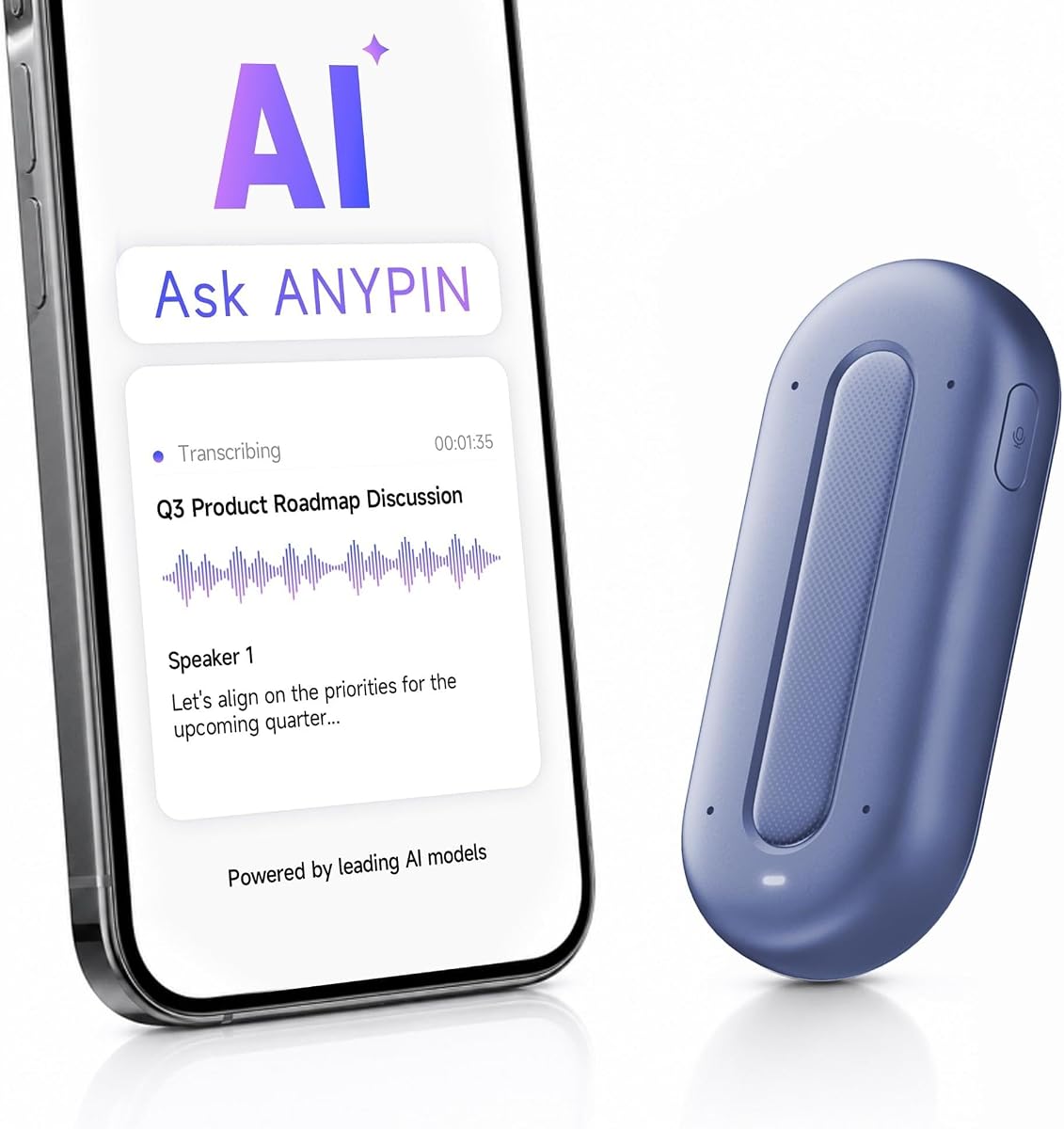
AI Voice Recorder Lite is a compact, budget-conscious option for people who want automatic transcription and summaries without beginning with a restrictive transcription allowance. It holds a 4.4 rating and weighs just 1.02 ounces. Its three-millimeter profile allows it to attach magnetically to a phone, slide into a card holder, or remain available in a wallet.
We may earn a commission when you buy through this link, at no additional cost to you.
One-tap operation is supported with separate ambient and call recording modes. Recordings become transcripts, summaries, structured notes, and action items, while speaker recognition helps separate participants. Ask AI can answer follow-up questions, and the stated web-search capability can add information beyond what was present in the original conversation.
The free Starter Plan includes unlimited transcription and AI summaries, with optional upgrades for reminders, calendar synchronization, and Ask Agent features. This structure is a meaningful advantage for users who want to test AI note taking without watching a monthly minute counter. The tradeoff is that the most advanced productivity functions are not part of the free package.
This recorder is a strong recommendation for students, consumers, and professionals seeking a simple card-sized assistant. It is especially useful for brief meetings, interviews, lectures, and everyday idea capture. Users who depend on advanced integrations should review the paid feature list carefully before committing.
Unlimited transcription and AI summaries in the Starter Plan remove a common source of uncertainty from wearable recorders. Users can focus on the meeting rather than monitoring a fixed monthly allowance.
At three millimeters thick and 29 grams, the recorder can remain in a wallet or on the back of a phone. That low profile supports spontaneous capture without adding much bulk to everyday carry.
We may earn a commission when you buy through this link, at no additional cost to you.
Comulytic Note Pro is an ambitious miniature recorder aimed at professionals, students, journalists, and multilingual users. It combines a 4.4 rating, a three-millimeter aluminum body, a 0.78-inch Gorilla Glass display, 64GB of storage, and a broad collection of transcription and translation tools. It also offers unlimited transcription and basic summaries through its Starter Plan.
We may earn a commission when you buy through this link, at no additional cost to you.
Recording is handled by a triple-microphone array with AI noise reduction, with a stated capture range of five meters. The device automatically detects calls, meetings, conferences, and interviews, reducing the need to change modes manually. It can record for up to 45 hours, remain on standby for 107 days, and recharge in 90 minutes. Fast Wi-Fi synchronization is designed to move recordings into the app while the user continues talking.
The app supports 113 languages, a Spanish translator mode, industry-focused terminology, summaries, action items, and to-do lists. AES encryption and CCPA compliance address data protection. The optional Premium Plan adds deeper analysis, an AI assistant, and a contact insight hub, so users who need only transcription and basic summaries can stay on the free tier.
Comulytic Note Pro is a compelling recommendation for buyers who want extensive functionality, generous storage, and a generous free transcription allowance in a small device. It is less straightforward for users who do not need its industry knowledge bases or broad feature set. Reviewing the app experience and optional services remains important before making a long-term choice.
The built-in 64GB capacity allows many recordings to remain on the recorder, while Wi-Fi sync provides a faster transfer path than Bluetooth. Unlimited cloud backup is also included according to the product information.
Support for 113 languages and a real-time translation mode makes the recorder useful for international meetings, travel, interviews, and language study. Specialized vocabulary profiles further target particular professional contexts.
We may earn a commission when you buy through this link, at no additional cost to you.
Comu Action Pro stands out for turning conversations into a broader set of finished work products. It carries a 4.8 rating, the highest among the listed devices, and can automatically create editable presentation slides, email drafts, reminders, to-do lists, and action items. That workflow goes beyond conventional transcription and summary software.
We may earn a commission when you buy through this link, at no additional cost to you.
Its six-microphone arrangement includes four omnidirectional microphones, one directional microphone, and one bone-conduction microphone. A built-in motion sensor works with the array to select the clearest sound for interviews, meetings, calls, and other settings. The dedicated AI button lets users request follow-up emails, calendar reminders, and presentation drafts without manually crafting prompts.
The device supports transcription, structured summaries, and real-time translation across 113 languages. Basic recording, transcription, and AI summary services are described as unlimited, with up to 70 hours of recording on one charge. Bluetooth and Wi-Fi connectivity support synchronization through the Comu app and website, while the magnetic body attaches to compatible MagSafe iPhone models.
Comu Action Pro is the strongest option in this group for someone who wants conversations converted directly into editable office documents. It suits consultants, managers, and creators who value finished drafts over raw notes. The supplied information does not specify local storage capacity, so buyers should also confirm how recordings are stored and whether advanced connected features have regional availability requirements.
The automatic document feature can turn discussions into emails, slides, reminders, and task lists. This reduces repetitive copying and editing, which is the product's clearest distinction from a standard voice recorder.
A combination of omnidirectional, directional, and bone-conduction microphones gives the device several ways to isolate useful audio. The motion sensor further supports context-aware capture during different recording situations.
We may earn a commission when you buy through this link, at no additional cost to you.
ANYPIN Note Pod P1 is a discreet wearable recorder with a 3.9 rating, four microphones, AI noise reduction, and support for more than 120 languages. It weighs 20 grams and can be clipped to clothing, attached with a magnetic backplate, or worn on a necklace when a lanyard is supplied separately.
We may earn a commission when you buy through this link, at no additional cost to you.
The commercial advantage is clear: a full year of unlimited AI transcription is included with the purchase, with no auto-renewal, after which the device remains usable on a free tier with core features. Recordings can be converted into searchable text, summaries, key points, and action items, and built-in translation produces bilingual text.
Privacy controls are unusually granular. The device includes automatic pausing in geofenced private zones, compatibility with iPhone Focus, and recording schedules. Audio is encrypted on the device, and the stated system uses encrypted AWS cloud storage after synchronization. USB-C data transfer is not supported, so users must rely on Wi-Fi sync to access recordings in the companion app.
ANYPIN is a good recommendation for users who want wearable capture and multilingual features without a recurring subscription. It is also suitable for people who value specific privacy zones and offline storage. The lower listed rating and lack of USB-C file transfer may deter buyers who prioritize maximum flexibility, but the included one-year service substantially improves the overall proposition.
One year of unlimited transcription is provided without auto-renewal. Buyers can evaluate the device and its core AI features for an extended period before deciding what level of service is needed afterward.
Geofenced private zones, iPhone Focus following, and scheduled recording offer multiple ways to reduce accidental capture. These controls are especially relevant in workplaces and private environments.
We may earn a commission when you buy through this link, at no additional cost to you.
Z01 PRO AI Companion Badge is a wearable touchscreen assistant designed more around translation, local intelligence, and personalization than meeting transcription. It supports 102 languages, maintains a low-energy Bluetooth connection to a smartphone, and avoids dependence on Wi-Fi for many functions. Its 4.2 rating reflects a broader smart-device proposition rather than a specialist recorder.
We may earn a commission when you buy through this link, at no additional cost to you.
The product information emphasizes local processing, local storage, and no cloud uploads for conversations and queries. Translation still requires an internet connection, so the offline emphasis applies more broadly to the wearable interface and assistant features. Users can place it in a pocket, wear it on a lanyard, or fasten it to clothing, and the magnetic touchscreen provides a way to navigate without a phone.
Customization is a major attraction. Users can upload personal photos through the app to create wallpapers, add stickers, prepare multi-image video content, and switch between wallpapers. The BagiBagi app supplies the broader AI assistant, including practical answers about nearby attractions, restaurants, recipes, survival tips, reminders, and business questions.
Z01 PRO is a good recommendation for travelers, language learners, and buyers who want a personal wearable AI badge with strong customization. It is less appropriate for someone whose main requirement is automatic meeting minutes or evidence of accurate multi-speaker capture. Checking the distinction between offline local functions and connected translation features is essential before use.
Custom wallpapers, stickers, videos, and a magnetic touch interface turn the device into a personal accessory. Local processing and storage are presented as the foundation for keeping conversations and queries on the device.
Support for 102 languages is aimed at international business, travel, conferences, and study. Since translation needs internet access, users should plan connected use when accurate live language conversion is the priority.
We may earn a commission when you buy through this link, at no additional cost to you.
Z02 Wearable AI Companion Badge combines a wearable recorder, translator, meeting assistant, and general AI tool in one compact badge. It has a 5.0 rating, the highest numerical rating in the group, and supports Bluetooth 6.0 connectivity. Its strongest appeal is the meeting-focused software, which includes minutes, mind maps, summaries, keywords, and action items.
We may earn a commission when you buy through this link, at no additional cost to you.
Real-time speaker distinction helps separate participants in a discussion. Two capture modes allow omnidirectional group recording or more directional capture aimed at key speakers. A dedicated AI button and gesture controls make starting recording, waking the chatbot, and adjusting brightness or volume straightforward without navigating through conventional menus.
The product information states that there are no hidden fees or subscriptions, while the dedicated BagiBagi app and a network connection are required for AI dialogue, meeting minutes, memos, and other intelligent features. Personalization includes custom images, multi-picture sets, short videos, voice-controlled reminders, memo creation, and a general life-assistant chatbot.
Z02 is a strong recommendation for badge-wearing users who want meeting organization and translation in the same device. Its wearable format and speaker distinction make it especially relevant for workshops, lectures, and group discussions. Users should ensure they are comfortable with the app and network requirements, since those are central to accessing the advanced intelligence.
Omnidirectional mode supports group discussions, while directional recording focuses on selected speakers. This flexibility lets users adapt the device to changing meeting dynamics.
Double-tap recording, upward swipes for the AI chatbot, and downward swipes for display and volume controls reduce the friction of managing the badge during a meeting.
We may earn a commission when you buy through this link, at no additional cost to you.
SYNCO AI Mini is a wireless lavalier microphone designed for Android USB-C phones and tablets that support OTG audio input. It is the most creator-focused product in this guide, combining a wearable microphone with AI noise reduction, voice enhancement, summaries, mind maps, translation, and voice question answering. It carries a 4.2 rating.
We may earn a commission when you buy through this link, at no additional cost to you.
The audio tools address real-world recording conditions. AI noise reduction helps reduce background distractions in cafes, offices, classrooms, meetings, interviews, and outdoor scenes, while automatic voice leveling balances volume when the speaker moves, turns, or changes distance from the microphone. This is particularly helpful for mobile video, vlogs, short-form content, and interviews.
The SYNCO AI app turns captured speech into summaries and mind maps for content planning. Lifetime access to AI summaries, mind maps, translation, and voice Q&A is stated without monthly fees or a limited trial. That removes a recurring cost concern for creators who want the software features integrated into their recording workflow.
SYNCO AI Mini is a focused recommendation for Android creators who want a clip-on microphone rather than a meeting note taker. It is a poor fit for iPhone users, computers without the required connection, or people seeking a device that stores and organizes long meeting libraries. Compatibility with the exact Android device should always be confirmed first.
AI noise reduction and automatic voice leveling address two common lavalier problems: unwanted environmental noise and inconsistent volume. Together, they make the microphone practical for movement and real-world shooting.
Summaries and mind maps can organize recorded speech into useful planning material. This gives creators a way to move from a raw take to ideas, highlights, and structured next steps.
We may earn a commission when you buy through this link, at no additional cost to you.
The right AI lapel device should fit the way you work, the kind of conversations you record, and the level of software access you need. Audio quality, AI organization, battery life, privacy, storage, wearing style, and device compatibility deserve attention before selecting a model.
AI lavalier devices are not all designed for the same job. A card-sized phone accessory works well for short, spontaneous notes, while a necklace or badge suits users who want hands-free capture during meetings. A true wireless lavalier microphone is better suited to a presenter or mobile creator who needs direct speech audio in a video or recording application.
Choose based on how the device will remain in position. Magnetic phone attachments are convenient but depend on the phone and case. Wristbands, clips, lanyards, and pins offer more flexibility. Dedicated USB-C receivers work best when the creator needs a direct microphone feed rather than an independent recording library.
The number of microphones, their directional behavior, noise reduction, and stated capture range offer clues about performance. Omniidirectional arrays are useful for group conversations, while directional microphones can prioritize a person speaking in a fixed position. Bone-conduction and motion-aware systems may help adapt to different recording scenarios.
Look for the environment the product is designed to handle, not just the microphone count. A classroom, crowded meeting room, outdoor interview, and quiet office each place different demands on a recorder. Review whether the device offers distinct ambient and call modes or automatically identifies the recording context.
The most useful AI feature is the one that matches your workflow. Basic transcription and summaries may be sufficient for a student, while professionals may need action items, mind maps, editable emails, slide drafts, speaker labels, and searchable questions across multiple recordings. Ask-style tools are particularly valuable when recordings are long and time is limited.
Check what the included plan provides rather than relying only on the product's full potential. Several devices offer core transcription for free while reserving deeper analysis, integrations, or expanded usage for paid access. A clear yearly allowance may be more useful than a monthly limit, but longer-term service terms should also be reviewed.
Battery claims should be matched to the intended recording day. A four-day standby-oriented battery can be excellent for intermittent notes, while 30, 45, 50, or 70 hours of continuous recording better supports conferences, interviews, and all-day events. Some products also specify recharge times and standby periods for a fuller picture.
Consider how often the device will be used without a charger and whether a power bank is practical for your work. Continuous endurance figures may depend on the selected mode, so buyers should distinguish normal meeting capture from the longest advertised mode before setting expectations.
Local storage provides a buffer between capture and cloud processing. Devices with 64GB can hold substantial audio and may remain useful when connectivity is inconsistent, although the exact number of files will vary with format and duration. Wi-Fi sync can transfer recordings more quickly than Bluetooth and make the companion app the central access point.
Check file-transfer limitations carefully. One product explicitly does not support USB-C data transfer, which means it relies on Wi-Fi synchronization for moving recordings into the app. Cloud backup, on-device encryption, and offline playback behavior are also important if you handle confidential material or need access away from a network.
AI recording devices should be evaluated with the same care as any sensitive conversation. Look for encryption, clear data-processing policies, local-storage options, private-zone controls, and published compliance standards. Certification claims such as ISO, SOC 2, HIPAA, GDPR, EN18031, or CCPA can provide useful context, but they should not replace reading the actual service and retention terms.
Always tell people when recording and obtain their permission when required by local law or workplace policy. Good products may provide recording indicators or automation, but the recorder cannot make an otherwise inappropriate recording appropriate. Choose a device that makes it easy to control when capture begins and stops.
The companion app determines how quickly recordings become useful. Review whether it supports the languages you use, separates speakers, syncs reliably, exports transcripts, and works across a phone, browser, or desktop. A substantial template library can help teams standardize meeting notes, while translation support can assist international conversations.
Some wearables require a phone connection or network access for their AI features even though basic recording works locally. Others use local processing for selected tools. Check operating-system requirements, regional service availability, and whether the device is designed for Android, MagSafe accessories, or a broader mix of hardware.
Before the first important recording, charge the device, install the correct companion app, connect it to the intended phone or computer, and test microphone levels in the actual environment. Create an account, review the included AI features, set a clear recording routine, and confirm that time, language, speaker, and export settings match your needs.
For a meeting or interview, tell the participants that recording will occur and get their permission. Place or wear the device where the intended speaker is clearly audible, start recording before the conversation begins, and use the physical mark or record control to highlight important moments. If the app supports ambient and call modes, select the appropriate one or allow automatic detection to operate.
After recording, let the app synchronize and process the file, then check the transcript for names, technical terms, speaker attribution, and action items before sharing it. Keep the microphone surface clear, protect the device from moisture and impact, clean the charging contacts gently, and store it in a protective case. Review cloud retention and deletion settings regularly.
An AI voice recorder is a standalone note-taking device that stores recordings and turns them into transcripts, summaries, and action items. An AI lavalier microphone is usually a wearable audio input designed to send clearer speech directly to a phone, camera, or creator application. The recorder prioritizes information organization, while the lavalier prioritizes direct vocal capture.
That depends on the product and operating system. Some devices offer dedicated call recording modes, while others identify calls automatically or can capture a call when placed nearby. Buyers should verify platform compatibility, because the ability to capture phone-call audio can vary by phone, app, and local rules.
The lightest options in the guide include the Pocket AI Voice Recorder, Plaud NotePin S, and ANYPIN Note Pod P1. Pocket attaches to a phone, NotePin S supports four wearing styles, and ANYPIN offers a clip and magnetic backplate. The most comfortable choice depends on clothing, activity, and whether hands-free operation matters more than a phone-based workflow.
Not always. AI Voice Recorder Lite and Comulytic Note Pro list unlimited core transcription with free plans, and ANYPIN includes one year of unlimited transcription without auto-renewal. Other products provide a limited Starter Plan and reserve advanced summaries, deeper analysis, or larger allowances for paid tiers. Compare the exact free and paid features before buying.
Speaker recognition is highly useful in interviews, team meetings, and group discussions because it makes a transcript easier to follow. It also improves the usefulness of summaries and action items when each person's contribution is separated. For solo voice notes, it is less important, so users can prioritize portability, battery life, or microphone range instead.
They can be suitable when configured correctly and used with appropriate consent. Look for encryption, local storage, private-zone controls, retention policies, and relevant security certifications. Even with strong safeguards, the person recording remains responsible for following workplace policies and local recording and privacy laws.
Support varies by model. Pocket and Comu Action Pro use MagSafe-compatible attachment, while SYNCO AI Mini is designed specifically for Android USB-C devices with OTG audio input. Other standalone recorders may connect through their own apps or Wi-Fi systems. Always confirm the required phone, operating system, and connection method before purchasing.
Test recording volume, distance, voice separation, battery state, synchronization, transcription accuracy, and export behavior in a quiet room and a realistic noisy environment. Confirm that the selected capture mode is appropriate and that the transcript appears correctly in the app. A short rehearsal prevents avoidable problems during a critical conversation.
Plaud Note Pro is the most complete all-round pick for professionals because it combines a slim recorder, display, multimodal context, strong privacy credentials, and long endurance. Comu Action Pro is the premium option for automatic document generation, while AI Voice Recorder Lite is the value-oriented choice for buyers who prioritize unlimited core transcription in an exceptionally small design.
The right alternative depends on the job. NotePin S prioritizes wearing flexibility, Pocket focuses on MagSafe convenience and four-day battery life, Comulytic Note Pro offers extensive multilingual and storage features, and ANYPIN provides a generous first-year service window. The Z01 and Z02 badges lean toward wearable AI and translation, while SYNCO AI Mini serves Android creators who need direct lavalier audio.
Before buying, verify device compatibility, included transcription limits, advanced feature access, storage behavior, microphone needs, and the privacy terms that apply to your work. Ratings, software capabilities, service plans, and listings can change, so checking the current product page and companion app information is the best final step.