
AMD Ryzen 9 9900X
4.8Editor score
12 cores and 24 threads
Zen 5 desktop architecture
Unlocked for overclocking
This guide compares the best CPUs for machine learning, covering AI performance, core counts, memory, platform support, and local workloads.
CPUs for machine learning must balance general-purpose computing, accelerator compatibility, memory access, and sustained performance. The strongest choice depends on whether you train models, run inference, prepare data, or develop local AI applications, so core count alone rarely tells the whole story.
We compared ten products using their published specifications, including architecture, cores and threads, clock speeds, cache, memory support, platform requirements, and dedicated AI capabilities. The list covers traditional high-core-count desktop processors as well as compact Grace Blackwell and Ryzen AI systems built specifically for local AI.
Each review explains the practical strengths, limitations, and ideal users for every product, with the leading choices identified among the top picks. Product availability and pricing can change, so confirm the current specification, motherboard support, cooling requirements, and total system configuration before purchasing.
4.8Editor score

5.0Editor score

4.7Editor score
The table below compares all ten systems and processors by architecture, core configuration, acceleration, memory, and platform role, helping distinguish conventional CPU platforms from dedicated local-AI computers.



The NVIDIA DGX Spark 2 Pack is the strongest dedicated local-AI system in this guide, carrying a 5.0 rating and a clear emphasis on machine learning. It is not a conventional socketed processor; it is a complete personal AI desktop supercomputer based on the GB10 Grace Blackwell chip and designed to place substantial AI performance beside the user.
We may earn a commission when you buy through this link, at no additional cost to you.
Its headline capabilities include up to 1 petaFLOP of AI performance, 128GB of unified memory per unit, and support for experimentation with models up to 200 billion parameters at FP4. The unified memory design is particularly valuable for large local models because the processor and accelerator can work from a larger shared memory pool rather than being constrained by a separate graphics card's dedicated VRAM.
The trade-off is that this system occupies a different market from the Ryzen and Core processors listed alongside it. It costs more, ships as a specialized platform, and depends on the NVIDIA AI software stack for its intended advantages. Buyers who simply need a fast general-purpose desktop may find a mainstream CPU plus separate GPU easier to justify.
This two-unit configuration is ideal for organizations or advanced developers who need parallel local experimentation, validation, or inference environments. For the stated category of CPUs for machine learning, it stands out as the most purpose-built choice and earns the Editor's Choice position.
The 128GB unified memory per unit and stated support for models up to 200 billion parameters at FP4 make this system relevant to teams that want larger models close to their data. It can reduce dependence on remote infrastructure for experimentation, testing, and iteration.
Grace Blackwell architecture is supported by the full NVIDIA AI software stack, giving developers a more integrated path from local model work to deployment. That integration is a major advantage for users who prefer one coordinated environment.
We may earn a commission when you buy through this link, at no additional cost to you.
The AMD Ryzen 7 9800X3D earns a 4.8 rating and offers an efficient eight-core foundation for machine-learning development. Its appeal lies in the combination of Zen 5 architecture, 16 threads, substantial 3D V-Cache, and boost clocks of up to 5.2GHz, making it particularly responsive in mixed workloads.
We may earn a commission when you buy through this link, at no additional cost to you.
Machine-learning pipelines often depend on more than the accelerator. Data decoding, preprocessing, framework overhead, serialization, and orchestration can consume substantial CPU time. The 9800X3D's high clocks and 96MB L3 cache are well suited to keeping those supporting tasks responsive while a compatible GPU handles the heaviest matrix calculations.
Eight cores and 16 threads will not satisfy every large-scale training scenario, especially when many CPU workers compete for memory bandwidth. It also does not advertise a dedicated NPU or unified AI memory, and the boxed processor does not include a cooler. Those limitations make it more appropriate as the host for a separate accelerator than as a complete AI system.
Choose the 9800X3D for a compact, efficient, high-speed development platform that handles preprocessing and software tasks while a PCIe accelerator performs model work. It is a balanced choice for individual developers and researchers who value responsive general-purpose performance.
High boost clocks and a large L3 cache help CPU-side preprocessing and orchestration keep pace with a discrete accelerator. This makes the processor a sensible host for a custom workstation built around an external GPU.
The Zen 5 design emphasizes strong performance per watt, while the AM5 platform offers an established upgrade path. It suits developers who want capable everyday responsiveness without building around a large multi-socket system.
We may earn a commission when you buy through this link, at no additional cost to you.
The Intel Core Ultra 9 285K is a versatile 24-core desktop processor with a 4.6 rating. Its Performance Hybrid Architecture combines eight P-cores with 16 E-cores, allowing the operating system and workload scheduler to divide intensive computation from more efficient background tasks.
We may earn a commission when you buy through this link, at no additional cost to you.
For machine learning, that flexibility can be useful in data preparation, feature extraction, model evaluation, and mixed development environments. The processor reaches up to 5.7GHz, includes 40MB of cache, supports PCIe 5.0 and PCIe 4.0, and is unlocked for users interested in manual tuning.
The principal limitation is that 24 cores do not equal 24 threads: the supplied specification lists 24 threads overall. It also requires a compatible Intel 800-series chipset motherboard and does not include a thermal solution. Software compatibility for every accelerator should be confirmed rather than inferred from the core count alone.
The 285K is most suitable for builders who want a modern, high-core-count CPU and a capable PCIe workstation without moving to a specialized AI desktop. Its hybrid layout makes it a strong all-around host for experimental and production machine-learning pipelines.
Eight P-cores can concentrate resources on demanding sections of a pipeline, while 16 E-cores can handle lighter or less latency-sensitive work. This flexibility is valuable when an ML workstation also runs a full operating system and multiple development tools.
PCIe 5.0 and 4.0 support gives the platform room for modern accelerators, high-speed storage, and networking. Intel Optane Memory support is also listed, although the exact configuration should be verified with the chosen motherboard.
We may earn a commission when you buy through this link, at no additional cost to you.
The AMD Ryzen 9 9950X3D is a 16-core processor with a 4.7 rating, positioned as a capable desktop platform for gaming and content creation while also offering enough parallel capacity for many CPU-intensive machine-learning tasks. It runs at a 4.3GHz base clock and can boost to 5.7GHz.
We may earn a commission when you buy through this link, at no additional cost to you.
Sixteen Zen 5 cores make the processor more practical than eight-core alternatives for parallel preprocessing, repeated inference, feature engineering, and software compilation. Its high clocks are also valuable for the single-threaded portions of machine-learning applications, including framework control, tokenization, and data handling.
The processor does not advertise a dedicated NPU, and X3D cache does not itself accelerate every mathematical operation. A discrete GPU remains essential for serious training and high-volume neural-network inference. Users also need a suitably powerful AM5 motherboard, memory, and cooling solution.
The 9950X3D suits developers who want a strong general-purpose CPU and plan to add a dedicated accelerator. It is a particularly compelling option when data preparation and CPU orchestration are substantial parts of the workflow.
Sixteen cores provide meaningful parallel throughput, while the high boost clock helps responsive code remain quick. That combination supports both server-like data tasks and interactive development.
The AM5 platform can accommodate modern graphics, storage, and networking options. It is a practical foundation for a workstation that combines GPU acceleration with capable CPU-side processing.
We may earn a commission when you buy through this link, at no additional cost to you.
The AMD Ryzen 9 9900X carries a 4.8 rating and is a compelling value-oriented choice for machine-learning workstations. Its 12 Zen 5 cores and 24 threads offer more parallel capacity than many mainstream eight-core CPUs, while a maximum boost of 5.6GHz supports responsive single-threaded work.
We may earn a commission when you buy through this link, at no additional cost to you.
The processor includes 76MB of cache, supports DDR5-5600 memory, and can use PCIe 5.0 on select AM5 motherboards. It is unlocked for overclocking, giving enthusiasts additional control over sustained performance when cooling and motherboard support are appropriate.
It does not include a dedicated NPU, so buyers should not mistake its general-purpose capabilities for built-in neural-network acceleration. Large model training and intensive inference will generally require a suitable discrete GPU. The absence of an included cooler also means the final system cost depends on the selected cooling solution.
For budget-conscious developers, the 9900X is an excellent starting point when the system will include a separate accelerator. It offers a better balance of core count, threads, cache, and clock speed than a basic four- or six-core desktop chip without moving to the most expensive CPU tier.
Twelve cores and 24 threads give CPU preprocessing and orchestration more room than mainstream eight-core designs. The extra capacity is valuable when data decoding or feature extraction becomes the bottleneck.
Unlocked tuning, DDR5 support, and PCIe 5.0 capability on suitable boards make the 9900X a flexible base for a dedicated AI workstation. It rewards buyers who plan to pair it with a strong GPU.
We may earn a commission when you buy through this link, at no additional cost to you.
The AMD Ryzen 7 7800X3D has a 4.8 rating and brings eight cores, 16 threads, a 4.20GHz clock speed, and 96MB of L3 cache to the guide. Its large cache and strong general-purpose performance make it a useful platform for interactive development and CPU-side machine-learning support.
We may earn a commission when you buy through this link, at no additional cost to you.
The cache hierarchy can help workloads with frequent access to recurring datasets, model metadata, or intermediate objects, although actual results depend on the software and data size. Integrated Radeon graphics also provide a display output option, allowing the system to be configured for development before a dedicated accelerator is installed.
Eight cores may become restrictive when running many parallel workers, large data pipelines, and several containers or services simultaneously. The product also lacks a dedicated NPU and cannot replace a GPU for the dense matrix operations central to neural-network training and inference.
The 7800X3D is best for a single-developer workstation centered on code development, experimentation, and a separate GPU accelerator. It remains a capable, efficient platform, but buyers should compare it with newer Zen 5 options when future headroom matters.
A 96MB L3 cache can reduce repeated memory access for suitable workloads. For interactive development, this helps keep the processor responsive between accelerator-heavy phases.
Integrated Radeon graphics make the platform easier to set up for basic use. They also provide troubleshooting flexibility while a more capable accelerator is unavailable.
We may earn a commission when you buy through this link, at no additional cost to you.
The AMD Ryzen AI Halo is a compact personal AI developer computer with a 5.0 rating. It combines an AMD Ryzen AI Max+ 395 processor, 16 CPU cores, 32 threads, Radeon 8060S integrated graphics, and an XDNA 2 NPU with up to 50 TOPS in a purpose-built Linux platform.
We may earn a commission when you buy through this link, at no additional cost to you.
Its defining feature is 128GB of LPDDR5x unified memory operating at 8000 MT/s with 256GB/s of bandwidth. The CPU, GPU, and NPU share that memory pool, allowing larger local AI models to run without being confined to the dedicated memory of a discrete graphics card.
This is a complete, relatively fixed platform rather than a customizable processor. Linux and ROCm are central to the experience, and compatibility must be checked for every framework, kernel, driver, and model. The integrated design also provides 2TB SSD storage, 10GbE, Wi-Fi 7, Bluetooth 5.4, USB-C, and HDMI 2.1b.
The Ryzen AI Halo is best suited to developers who want a ready-made local AI workstation and can work within the Linux and ROCm ecosystem. It offers a rare balance of large-model memory capacity, CPU, GPU, and NPU integration in a compact connected design.
The unified memory pool allows the CPU, integrated GPU, and NPU to address a larger working set. This can make large local models and mixed inference pipelines more practical than systems with sharply separated CPU and VRAM allocations.
The system includes preloaded tools, models, and workflows optimized for local AI development, along with full AMD ROCm support. It reduces the initial setup burden for developers already comfortable with Linux.
We may earn a commission when you buy through this link, at no additional cost to you.
The Intel Core i9-14900K is a 24-core, 32-thread desktop processor with a 4.2 rating. Eight P-cores and 16 E-cores provide a broad mix of throughput and efficiency, while the listed maximum clock of 6.0GHz makes it particularly quick in lightly threaded tasks.
We may earn a commission when you buy through this link, at no additional cost to you.
For machine-learning workstations, the 32 threads can assist with preprocessing, orchestration, and parallel CPU routines. A compatible discrete GPU remains necessary for the intensive tensor operations used in modern neural networks. The processor's flexible core arrangement also works well in a general development environment where compilation, virtualization, and data processing occur alongside AI tasks.
Its 600-series and 700-series chipset support can require a BIOS update, and buyers should verify the exact board and memory configuration. The older platform generation also deserves comparison with newer alternatives, particularly when long-term upgradeability matters.
The i9-14900K is a sensible option for builders who want high clock speed and 32 threads on an established platform. It fits experienced users who can confirm motherboard support and provide robust cooling.
A maximum boost of up to 6.0GHz helps short, demanding tasks finish quickly. This benefits interactive development, framework overhead, and preprocessing segments that do not scale perfectly across every core.
Support for both DDR4 and DDR5 provides some flexibility when assembling or upgrading a system. The available memory speed and capacity will still depend on the selected motherboard.
We may earn a commission when you buy through this link, at no additional cost to you.
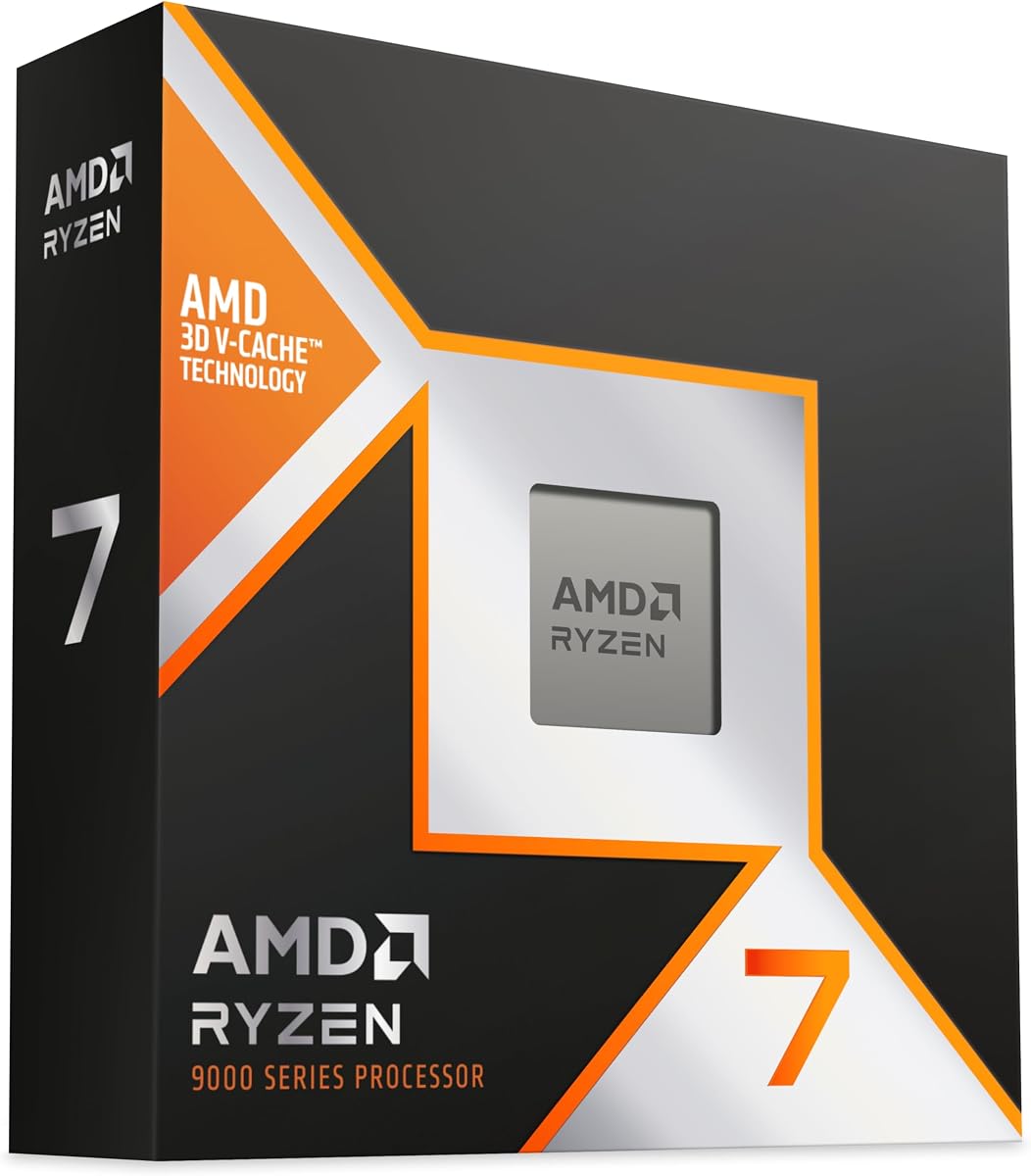
The AMD Ryzen 7 9850X3D has a 4.8 rating and is identified as a desktop processor in AMD's Ryzen 7 and X3D families. That positioning suggests a focus on efficient, responsive computing, making it an interesting CPU-side host for a machine-learning workstation with a separate accelerator.
We may earn a commission when you buy through this link, at no additional cost to you.
X3D processors are known for emphasizing substantial on-die cache, which can improve performance in applications that repeatedly access a compact working set. For machine learning, this may help with framework operation, data handling, and other tasks outside the heaviest GPU-accelerated sections.
The supplied product information is much more limited than for the other AMD chips in this guide. It does not state the exact core count, thread count, clock speeds, cache sizes, memory support, socket details, or included cooler, so those specifications should be verified on the listing before purchase. It also offers no stated dedicated AI accelerator.
The 9850X3D is best considered by buyers who specifically want the latest Ryzen 7 X3D option and can confirm the full platform details. It may serve interactive development well, but it should not be selected on the assumption that its name alone guarantees a particular AI performance level.
The X3D designation is the clearest technical signal in the supplied listing. It indicates a focus on cache-rich performance, although exact benefits depend on the processor's confirmed specifications and the workload.
Because the available listing is concise, buyers should check core count, clocks, chipset support, memory type, and cooling requirements. Confirming those details prevents a costly mismatch with an accelerator or motherboard.
We may earn a commission when you buy through this link, at no additional cost to you.
The single NVIDIA DGX Spark is a compact personal AI desktop supercomputer with a 4.4 rating. Based on the GB10 Grace Blackwell chip, it offers up to 1 petaFLOP of AI performance, 128GB of unified memory, and support for experimenting with large models up to 200 billion parameters at FP4.
We may earn a commission when you buy through this link, at no additional cost to you.
The main advantage over a conventional desktop CPU is the combination of a large shared memory pool and integrated AI hardware. Developers can fine-tune models, perform inference, and run analytics locally without depending entirely on a remote cloud service, while retaining access to the NVIDIA AI software stack.
The platform is specialized by design. It is less flexible than a socketed desktop processor for routine upgrades, and workloads tied to other accelerator ecosystems may not be a natural fit. Buyers must accept the NVIDIA-centered workflow and assess whether their models and software are supported.
The DGX Spark is a strong choice for an individual developer or small team that wants a ready-made local AI machine and large-model capability. It is less compelling for users whose main requirement is a conventional upgradeable general-purpose computer.
Running inference and fine-tuning tasks locally can improve iteration speed and keep sensitive development workflows on an owned system. The integrated platform is designed to make this local approach straightforward.
Up to 1 petaFLOP of AI performance and the stated 200-billion-parameter support define the system's ambition. The attainable result for a particular model still depends on precision, software, and workload.
We may earn a commission when you buy through this link, at no additional cost to you.
Choosing a CPU for machine learning means balancing the accelerator, memory capacity, parallel processing, software support, and the rest of the workstation. The processor itself may manage the framework, but the GPU or NPU usually performs the most intensive neural-network calculations.
First, identify the accelerator your framework and drivers support. NVIDIA CUDA, AMD ROCm, Intel runtimes, and specialized NPUs each have different hardware, operating-system, and library requirements. A CPU with plenty of cores cannot compensate for an unsupported accelerator, incompatible driver, or framework that lacks the necessary kernel support.
Choose the CPU to complement the accelerator rather than assuming it will be the primary source of matrix-processing throughput.
More cores can accelerate data preprocessing, feature extraction, tokenization, compilation, and CPU-based inference. The gain depends on how well the software parallelizes and whether memory bandwidth becomes the limiting factor. Modern model training is often dominated by the accelerator, making CPU core count most relevant to the surrounding pipeline.
Prioritize enough cores for sustained background work without overspending on a count your software cannot use.
System RAM is essential when datasets, model files, and preprocessed features exceed the accelerator's dedicated memory. Unified-memory systems can simplify large-model work by sharing capacity among the CPU, GPU, and NPU, but bandwidth and software behavior still affect performance. Confirm how the runtime allocates model weights, activations, and temporary buffers.
Treat memory capacity as a system-wide requirement rather than an isolated processor specification.
Machine-learning environments include interactive and serial portions such as launching a framework, loading a graph, preprocessing one batch at a time, or compiling a model. High single-thread performance can make those tasks feel faster even when the main training loop runs on a GPU. It is also valuable for code development and interactive debugging.
Look for strong boost clocks and efficient cache behavior, but do not mistake peak clock speed for total accelerator throughput.
A processor is only useful when its platform has mature drivers, frameworks, libraries, and developer tools. The AMD Ryzen AI Halo is explicitly centered on Linux and ROCm, while the NVIDIA DGX Spark systems integrate the NVIDIA AI software stack. Other socketed processors offer broader freedom, but accelerator support remains a separate decision.
Check release notes and application requirements before choosing a platform based only on hardware specifications.
Socketed processors let you choose the motherboard, memory, accelerator, storage, and networking independently. This flexibility is valuable when building a custom workstation, but it also makes compatibility more involved. Complete AI systems remove that assembly burden and offer a more coordinated environment, at the cost of fewer configuration choices.
Choose socketed hardware for customization or a complete system for convenience and a tightly integrated stack.
Sustained machine-learning work can keep processors at high utilization for long periods, making thermal design and power delivery important. Unlocked processors offer tuning potential, but stable overclocking depends on cooling, motherboard power phases, memory, and workload. Verify whether a cooler is included before finalizing the build.
Prioritize reliable cooling and sustained clocks over a small difference in advertised maximum boost.
Datasets do not appear instantly, and remote model artifacts, checkpoints, and containers can create bottlenecks. Fast NVMe storage, 10GbE networking, and reliable peripheral support can materially improve the experience of a local AI workstation. The Ryzen AI Halo includes 10GbE, while the conventional CPU platforms require these components to be selected separately.
Budget for storage and networking alongside the processor, GPU, memory, and cooling.
Begin by matching the processor or complete system to the accelerator, operating system, drivers, and machine-learning framework used by your project. For socketed chips, install the listed or current chipset firmware, update the motherboard BIOS, use supported memory, and connect the correct power and data cables. Complete systems should receive their platform-specific setup instructions before workloads are moved onto them.
Monitor temperature, package power, memory use, storage activity, and accelerator utilization during real training runs. Let the system reach a stable operating state before comparing results, and preserve good airflow around large coolers, memory modules, and expansion cards. Use the manufacturer's recommended power settings and avoid disabling safeguards that protect hardware from unstable voltages or temperatures.
Keep the operating system, drivers, frameworks, and runtime libraries updated through tested release channels. Back up models, datasets, and configuration files, and document which software versions produced each experiment. If results change unexpectedly, check driver and library updates, precision settings, random seeds, and background processes before blaming the processor.
A CPU can train smaller models, run CPU-oriented libraries, preprocess data, and perform inference, but it is usually not the best choice for large neural-network workloads. A compatible GPU or NPU generally provides much greater parallel throughput for dense matrix calculations. The CPU remains important for orchestration, data preparation, and general system tasks.
No. More cores help only when the software can divide work into parallel tasks, and memory bandwidth or synchronization can limit the gain. Heavy model training often depends more on accelerator performance, while CPU core count is most useful for preprocessing, feature engineering, and CPU-based inference.
Unified memory creates a shared pool accessible by different processor and accelerator components, which can make larger models easier to load. Conventional system RAM remains separate from dedicated graphics memory and is usually copied into accelerator memory before computation. The benefit of unified memory depends on software support, bandwidth, and workload behavior.
A complete AI computer offers an integrated hardware and software environment with less assembly and configuration work. A custom build provides greater choice in processors, GPUs, memory, storage, and upgrades, but requires compatibility planning. Choose the complete system for convenience and a known stack, or the custom route for flexibility and specific component requirements.
A Ryzen 7 processor can be an effective host for data preparation, model development, and a separate GPU-based accelerator. It may be less suitable when many parallel CPU workers or CPU-only inference jobs must run simultaneously. The right choice depends on the model, accelerator, batch size, and whether throughput or minimum hardware cost is the priority.
The requirement depends on model size, number of parameters, precision, batch size, and whether the model must fit in accelerator memory or unified memory. Larger models require more memory for weights, activations, caches, and temporary data. Check the runtime's memory requirements and allow additional capacity for the operating system and development tools.
Many machine-learning frameworks and accelerator tools are best supported on Linux, especially for production and hardware acceleration. Windows and macOS can support many workflows, but driver and package availability may differ. The AMD Ryzen AI Halo is specifically presented as a Linux developer platform, so buyers should be comfortable with that operating system.
Check accelerator support, operating system, driver, framework, and library compatibility first. Then confirm motherboard and chipset support, memory type and capacity, cooling inclusion, power requirements, and the number and generation of expansion slots. Review the complete system's physical dimensions and connectivity as well.
The NVIDIA DGX Spark 2 Pack is the top overall choice because it combines Grace Blackwell AI performance, 128GB of unified memory per unit, large-model support, and a two-system bundle. For a more conventional socketed build, the AMD Ryzen 9 9950X3D provides 16 high-performance Zen 5 cores, while the Ryzen 9 9900X provides a more balanced approach to value and parallel capacity.
Prioritize the complete workload before choosing a processor. Determine whether the system will mainly run inference, preprocess data, fine-tune a model, or train from scratch, and then verify that the accelerator, memory, and software stack support that task. CPU core count, cache, and clock speed matter, but they work together with the rest of the platform rather than replacing it.
Finally, check current product availability, configuration details, and platform support before buying. Prices and specifications can change, and listings may be updated with new revisions or bundle contents. Confirm the exact CPU, memory configuration, cooler inclusion, accelerator requirements, and motherboard support for the final system.
