
ELEGOO Smart Robot Car Kit V4
4.5Editor score
Camera and live FPV video
Line tracking and obstacle avoidance
Arduino-based coding platform
Explore the best electronics kits for teens, comparing Arduino starters, robots, soldering projects, sensor labs, and beginner-friendly STEM builds in 2026.
Electronics kits for teens range from beginner-friendly snap-together circuits to advanced Arduino systems, programmable robots, sensor labs, and soldering projects. A good kit matches the teen’s current skills, interests, and patience while providing enough variety to support experimentation rather than a single one-time build.
This guide compares ten kits based on the learning materials, component selection, build flexibility, programming options, hardware requirements, and practical features described in the product information. It covers options for younger beginners, experienced solderers, robotics fans, and teens who want to connect circuits with Arduino-compatible controllers.
Each pick highlights a distinct path into electronics: broad starter systems, mobile robots, tool-free learning, Bluetooth speaker builds, sensor experimentation, or progressive soldering practice. Ratings and availability can change, and current prices should be checked on each product page before making a purchase decision.
4.5Editor score

4.7Editor score

4.7Editor score
The comparison below highlights each kit's learning format, included components, controller requirements, and ideal activity level so teens, parents, and educators can quickly identify the most suitable starting point.



The ELEGOO Mega 2560 R3 Complete Starter Kit is the strongest all-around choice in this guide, combining a 4.7 rating with extensive hardware, more than 35 guided projects, and 200-plus components. It is especially attractive to teens who want a single educational platform that can progress from blinking LEDs to access systems, environmental monitors, alarms, motor controls, and interactive displays.
We may earn a commission when you buy through this link, at no additional cost to you.
Its standout feature is the combination of a high-capacity MEGA 2560 R3 controller and a substantial parts library. The board provides 54 digital I/O pins, including 15 PWM outputs, 16 analog inputs, four hardware serial ports, and 256 KB of flash memory. Components include an LCD1602, RC522 RFID reader, real-time clock, DHT11, PIR motion sensor, ultrasonic sensor, water-level sensor, GY-521, MAX7219, keypad, joystick, rotary encoder, relay, SG90 servo, stepper motor, DC motor, breadboard, and more.
The kit is not simply a collection of loose parts. Pre-soldered modules, a solderless breadboard, storage case, and small-parts box help reduce setup friction and make it easier to find components between sessions. Guided lessons, example code, and clear opportunities to alter thresholds, timing, display messages, motor behavior, and control logic turn the exercises into genuine development projects rather than simple demonstrations.
This is the best recommendation for a teen who wants breadth, coding experience, and the freedom to design substantial systems. Newcomers can begin with simpler lessons, while more experienced builders can exploit the additional pins and memory. Its size and component density may feel ambitious for a younger first-time maker, but the structured learning path makes that ambition a reasonable trade-off.
The expanded pin count and memory make this kit suitable for builds that combine several sensors, controls, and displays. That capacity creates a useful bridge between beginner exercises and more challenging independent prototypes.
The case, component boxes, pre-soldered modules, and solderless breadboard support repeated learning. A tidy kit is easier to return to, helping teenagers build consistency without losing time searching for small parts.
We may earn a commission when you buy through this link, at no additional cost to you.
The ELEGOO UNO R3 Complete Starter Kit earns a 4.7 rating by delivering a thorough Arduino learning package with 30-plus guided projects and more than 200 components across 63 types. It offers a balanced alternative to the larger MEGA kit, combining a familiar UNO R3 controller with displays, sensors, input devices, motors, and control modules.
We may earn a commission when you buy through this link, at no additional cost to you.
The included projects progress from simple LED exercises toward LCD1602 displays, RFID access, motion detection, distance sensing, motor control, and environmental monitoring. The parts list includes an RC522 RFID module, RTC, HC-SR501 PIR sensor, ultrasonic sensor, DHT11, GY-521, MAX7219, keypad, joystick, relay, SG90 servo, stepper motor, and a breadboard, providing enough variety for numerous classroom, club, and hobby concepts.
A major convenience is the included setup equipment. The kit contains a 9 V, 1 A power supply, breadboard power module, 9 V battery, and USB cable, reducing the need to source basic accessories separately. Pre-soldered modules, a solderless breadboard, storage case, and small-parts box also make it practical for beginners moving from one lesson to another.
It is a strong choice for a teen who wants a complete Arduino system without moving to a more complex controller. Teens can use the PDF tutorial and example code to learn the foundations, then modify thresholds, timing, display text, and motor behavior. The main limitation is that the UNO R3 offers less I/O capacity than the MEGA 2560, making it less suitable for unusually large projects.
The controller, breadboard, wiring tools, power accessories, and major component categories are included together. This reduces the initial shopping list and lets a teen begin learning immediately after opening the box.
Example code provides a starting point rather than a fixed answer. Teens can change timing, thresholds, text, and control behavior to make each project reflect their own ideas.
We may earn a commission when you buy through this link, at no additional cost to you.
The ELEGOO UNO R3 Smart Robot Car Kit V4 has a 4.5 rating and stands apart as the most specialized option in the list. Rather than presenting a general collection of breadboard experiments, it delivers a complete programmable robot with a camera, wireless connection, sensors, motors, and multiple interactive driving functions.
We may earn a commission when you buy through this link, at no additional cost to you.
The onboard ESP32-WROVER-based camera and Wi-Fi module supports live FPV video, while line-tracking and ultrasonic sensors enable line following and obstacle avoidance. Teens can control the vehicle with the ELEGOO app or IR remote and explore several driving modes. The rechargeable 2000 mAh lithium-ion battery makes the kit feel like a finished robotic project rather than a stationary circuit exercise.
Assembly remains approachable for beginners. Keyed XH2.54 connectors help prevent incorrect wiring, and the illustrated tutorial and example programs guide users from chassis construction and module connection through programming and a first successful run. Once the robot works, Arduino IDE support lets builders modify movement, sensor behavior, routes, reactions, and control logic.
This kit is ideal for a teen motivated by robotics, video, wireless control, or autonomous machines. It works well for weekend family projects, STEM classrooms, coding clubs, and maker challenges. The 8+ recommendation and need for adult guidance during a first build are appropriate safeguards, although older teens may quickly want to customize the code and challenge the vehicle with new behaviors.
The camera and FPV function make the robot visually exciting and help builders understand what its sensors are responding to in the environment. This feedback loop can motivate more sustained experimentation than a light-only project.
Working examples give new builders a reliable path to operation. More experienced teens can modify movement patterns, sensor logic, routes, and reactions to create customized robotics experiments.
We may earn a commission when you buy through this link, at no additional cost to you.
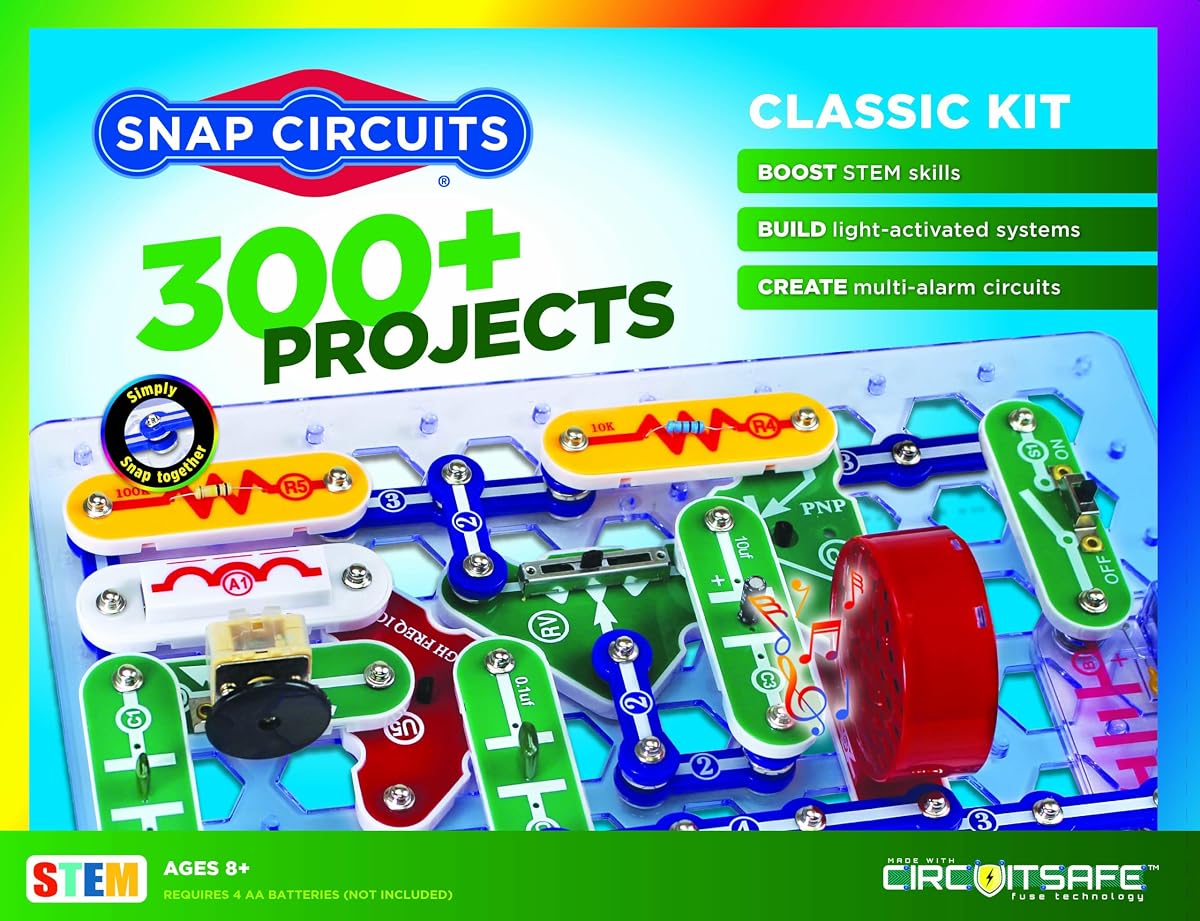
The SNAP CIRCUITS Classic SC-300 is the highest-rated product in this guide at 4.8, and its tool-free design makes it one of the most approachable electronics kits for younger teens. It supports more than 300 projects using 60-plus pieces, including AM radios, burglar alarms, doorbells, and electronic games.
We may earn a commission when you buy through this link, at no additional cost to you.
The core advantage is accessibility. Numbered, color-coded components snap onto a plastic grid, eliminating the need for soldering or conventional tools. Batteries are required, but the construction method allows users to assemble and dismantle circuits quickly, making experimentation practical even for a teen who is just discovering how current flows through a circuit.
The kit supports an enormous range of designs from a single organized collection. That makes it useful for independent exploration, family learning, classroom demonstrations, and holiday activities. Its instruction book provides guided starting points, while the breadth of supported circuits leaves room for teens to repeat and modify familiar ideas after learning the underlying components.
Choose this kit for a younger teen or anyone who wants to understand circuits without an immediate jump into programming and complex wiring. It is less suitable for a teen whose main goal is Arduino development, custom sensors, or motor control. Even so, the exceptional 4.8 rating, 300-plus project count, and welcoming setup make it a compelling foundational choice.
Snap-together construction removes two common beginner barriers: tools and permanent connections. Teens can build a circuit, test it, disassemble it, and try another design without soldering iron practice.
More than 300 supported projects provide exceptional variety for the number of pieces. A teen can move from simple lighting exercises to sound, alarms, games, and more complex arrangements while using the same core system.
We may earn a commission when you buy through this link, at no additional cost to you.
The MiOYOOW DIY Bluetooth Speaker Kit has a 3.9 rating and offers a more advanced, project-based experience than most beginner electronics sets. The goal is concrete and appealing: assemble a working portable speaker with dual 3W drivers, flashing LEDs, Bluetooth connectivity, and a clear acrylic enclosure that can be used in a bedroom, dorm, or desk setup.
We may earn a commission when you buy through this link, at no additional cost to you.
This is educational because the finished object is not merely decorative. Working through the build introduces amplifier circuits, electronic components, soldering technique, wire connections, enclosure assembly, and the relationship between a circuit board and an output device. The amplifier board arrives pre-soldered, allowing the learner to focus on soldering the LED board, connecting wires, and completing the speaker structure.
Playback options are more versatile than a simple single-mode build. The kit supports Bluetooth, TF card, and USB flash drive music, with an infrared remote for operation and power-off memory. Its detailed paper manual provides assembly guidance, and blue text identifies different soldering steps associated with variations between Bluetooth module versions.
The kit is best for a teen with foundational electronics knowledge and some hands-on soldering ability. It can serve as a high school STEM assignment, an electronics workshop project, or a personal maker build. The relatively low rating may reflect assembly or component variation, so buyers should inspect the manual carefully and follow the instructions for their specific module. It is not the first kit I would recommend for someone who has never soldered.
Building a speaker that can actually play music gives the solder joints a clear purpose. This makes the project especially motivating for teens who prefer tangible outcomes over isolated circuit exercises.
The process requires component placement, wire connections, and soldering technique. At the same time, it explains how an amplifier board and speaker drivers work together to produce sound.
We may earn a commission when you buy through this link, at no additional cost to you.
The ELEGOO UNO R3 Super Starter Kit provides a focused introduction to electronics and Arduino programming, earning a 4.7 rating. With 22-plus guided lessons, a controller, pre-soldered modules, and a solderless breadboard, it is well suited to a teen taking the first serious steps in physical computing.
We may earn a commission when you buy through this link, at no additional cost to you.
The lesson sequence covers meaningful interactions: LEDs blink, a temperature sensor reports information, an ultrasonic sensor measures distance, servo and stepper motors move, an LCD displays results, and joystick or infrared input controls behavior. The parts collection includes the UNO R3 board, LCD1602 with pre-soldered header, power module, ultrasonic and DHT11 sensors, joystick, IR receiver and remote, SG90 servo, stepper motor, relay, DC motor, fan blade, displays, LEDs, buttons, resistors, and jumper wires.
The no-soldering approach is one of the kit's strongest features. Plug-in modules, the pre-soldered LCD, and a solderless breadboard let beginners concentrate on wire placement, code, polarity, and testing. The illustrated component list also makes parts easier to identify as the teen progresses from one exercise to another.
This is a strong choice for a first Arduino kit, especially when the goal is a structured introduction rather than the largest possible collection. Teens can then alter thresholds, speeds, and sequences to create alarms, monitors, reaction games, and motion projects. It offers less instruction and component depth than the complete ELEGOO sets, but it offers a more focused route into the fundamentals.
The controller, wiring platform, sensors, actuators, and lesson sequence cover the essential categories needed for a first electronics course. Teens can see cause and effect while learning basic programming concepts.
The initial exercises are approachable, while the included sensors, motors, display, relay, and input controls support increasingly ambitious ideas. A teen can start with a blinking LED and finish with a custom alarm or environmental system.
We may earn a commission when you buy through this link, at no additional cost to you.
The DIY Bluetooth Speaker Kit with LED Light Show combines a practical electronics build with a visually memorable result. Its 4.7 rating reflects a well-rounded package that includes a purple PCB, dual two-inch speakers, a transparent acrylic enclosure, electronic components, and a printed guide showing each placement and soldering step.
We may earn a commission when you buy through this link, at no additional cost to you.
The defining feature is the built-in 10-LED visualizer, which pulses and flashes with the music. That effect gives the project immediate sensory appeal and offers a clear reason to care about accurate component placement. Once completed, the kit produces a functional Bluetooth speaker rather than a temporary training board.
The manual uses step-by-step photographs to demonstrate soldering, component placement, and wiring connections. That visual support can help a teen understand the sequence and check work before moving forward. The kit is explicitly designed for users with basic soldering skills, making it more approachable than a completely component-level build but less forgiving than a breadboard starter system.
Choose it for a teen who wants soldering practice, a finished audio project, and an eye-catching result. It is especially suitable for hobbyists, students, and makers who already understand basic electronic assembly. It should not be selected as a first-ever electronics kit, because the requirement for foundational soldering experience is a real threshold rather than a minor caution.
The synchronized LED display transforms a technical assembly into a project with entertainment value. That visual feedback can sustain motivation through the careful repetition soldering requires.
High-resolution printed instructions show component positions and connections. A teen can compare the physical board with the guide and identify mistakes before testing the assembled circuit.
We may earn a commission when you buy through this link, at no additional cost to you.
The MicroKits Theremin Electronics Kit is a distinctive electronics project for teens who enjoy music, physics, and unusual inventions. With a 4.5 rating, it explains how a 22-page guide helps the builder create music and sound by moving their hands around electric fields, offering a more artistic alternative to conventional sensor demonstrations.
We may earn a commission when you buy through this link, at no additional cost to you.
The educational value lies in understanding electrical capacitance while working with real electronic parts. A colorful instructional booklet takes the project step by step, includes pauses for checking work, and explains how the circuit operates. Parts connect on a breadboard, so no soldering or special tools are required, and the necessary batteries are included.
Compared with a programmable robotics kit, the theremin has a narrower technical scope. It does not teach software development, and it is designed around one specific instrument rather than a broad catalog of interchangeable modules. That focus is not necessarily a disadvantage: it gives a teen one satisfying objective and a clear way to relate physical movement to electronic behavior.
It is best for a teen who wants a self-contained project, prefers physical experimentation to screen-based coding, or is attracted by music and invention. Parents looking for a long-term reusable electronics laboratory may prefer an Arduino set. For a focused weekend build with a striking result, however, this kit is approachable, educational, and free from the soldering barrier.
Hand movement changes the instrument's response, linking an abstract electrical property to a result the user can hear. This provides a memorable introduction to the relationship between circuits and the surrounding environment.
Components connect directly on the included breadboard, and batteries are supplied. This makes the project approachable for a curious teen who wants to build a working instrument without first mastering solder joints.
We may earn a commission when you buy through this link, at no additional cost to you.
The ELEGOO 37-in-1 Sensor Modules Kit is a 4.7-rated expansion system for teens who already have a compatible controller or want a large collection of input, display, timing, and control modules. Instead of supplying a complete starter system, it concentrates on 37 modules for experimentation with sensing, automation, and controller inputs.
We may earn a commission when you buy through this link, at no additional cost to you.
The selection covers motion, distance, light, sound, temperature, humidity, flame, Hall effect, touch, tilt, tracking, and obstacle avoidance. It also includes modules for clocking, visual feedback, and control, such as an LCD1602, DS1307 real-time clock, joystick, rotary encoder, relay, buzzers, RGB LEDs, and infrared components. Compatible projects can use UNO, MEGA, Nano, ESP-32, or STM32 boards.
Supporting materials include digital tutorials, datasheets, wiring diagrams, and example code. These resources can teach how sensor thresholds, timing, and logic work together, while the large module count makes it easier to move beyond a single sensor demonstration. Possible builds include clocks, alarms, counters, status displays, and automated systems.
This kit is recommended for a teen who wants to customize projects or expand an existing electronics workspace. It is less convenient for a complete beginner because the controller board, USB cable, breadboard, and jumper wires are not included. Power also requires care: the included power module should be used with 6.5–9 V DC, pin requirements should be verified, and the laser emitter should be kept away from eyes.
A large catalog of input and output modules supports many combinations. Teens can test environmental conditions, operate displays, detect events, and build automated responses without remaining tied to one prescribed project.
Compatibility with UNO, MEGA, Nano, ESP-32, and STM32 boards gives experienced builders flexibility. It can enrich a classroom lab or personal workspace, although the missing controller and breadboard make a complete purchase necessary for beginners.
We may earn a commission when you buy through this link, at no additional cost to you.
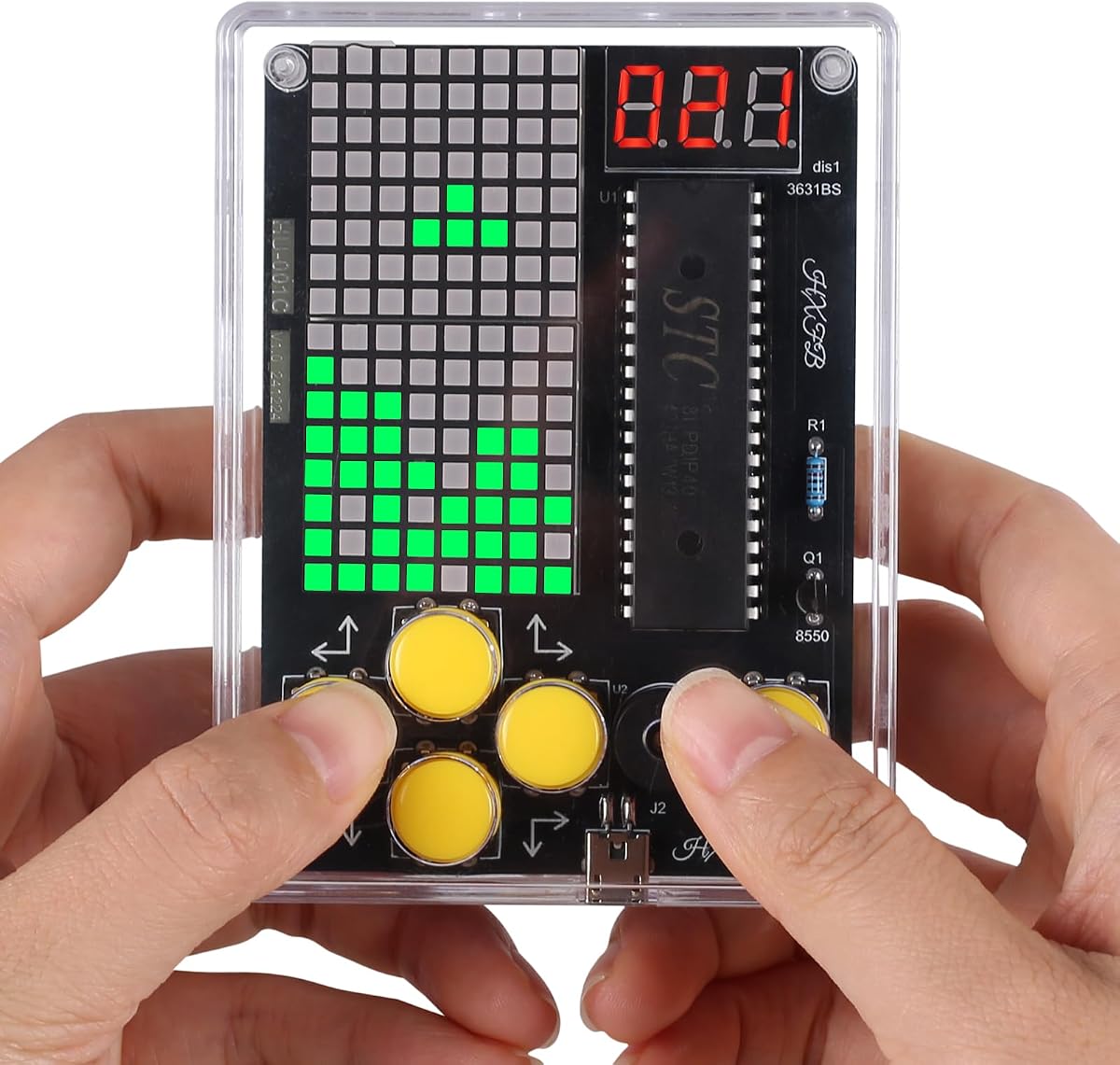
The PEMENOL 7-in-1 DIY Game Soldering Kit is a hands-on electronics project designed for ages 15 and older. Its 4.1 rating places it below the highly rated Arduino and tool-free kits, but it offers a focused progression through soldering, component assembly, and practical electronics skills, culminating in a completed game with seven interactive functions.
We may earn a commission when you buy through this link, at no additional cost to you.
Three difficulty levels allow a builder to select an appropriate level of challenge. This structure makes the kit more useful than a single prescribed exercise for a teen who may be moving from basic soldering experience toward more involved assembly. The project also supports individual practice, school projects, electronics workshops, and supervised group learning activities.
The learning method is explicitly practical. Users place real components, solder connections, assemble the project, and then test the result. A color-printed step-by-step manual provides assembly guidance, while video guidance supports the soldering and operation process. This combination is useful when a static diagram alone may not make a physical assembly step clear.
The kit is best for a teen aged 15 or older who wants to develop soldering confidence and finish with an interactive game rather than a conventional circuit demonstration. It is less suitable for a younger beginner because the project depends on patience and accurate soldering. A 4.1 rating does not make it a poor choice, but it does suggest checking the component list and instructions carefully before committing.
Multiple levels let builders select a suitable starting point instead of following one fixed challenge. As skills improve, the same project can provide a more demanding soldering and assembly exercise.
Seven interactive functions give the completed project a clear entertainment element. Testing those functions gives the solder work and component placement an immediate outcome rather than treating assembly as the only goal.
We may earn a commission when you buy through this link, at no additional cost to you.
The right electronics kit depends on the teen's preferred balance of coding, construction, creativity, and independent problem-solving. Consider skill level, included equipment, project variety, safety, and whether the finished result should be a reusable learning platform or one satisfying build.
A first electronics kit should minimize avoidable barriers. Tool-free snap circuits and solderless breadboard systems are easiest for younger or less experienced teens, while solder-based projects demand accurate component placement, heat control, and steady hand-eye coordination. Teens with previous coding experience may be ready for an Arduino or robotics platform, but programming ability does not automatically mean they have soldering experience.
Different kits emphasize different forms of learning. Arduino starters connect software with sensors, displays, relays, and motors. Robot kits add movement, wireless communication, cameras, and autonomous behavior. Snap circuit sets focus on physical circuit relationships, while speaker and game kits center on assembly and soldering. Decide which type of learning will feel most motivating rather than choosing based only on the number of included parts.
Controller-based kits generally require a compatible computer, downloadable software, a USB connection, and sometimes an additional IDE. Verify the listed board compatibility, the required development environment, and whether example code and tutorials are included. Expansion-only sensor collections may not include a controller, breadboard, USB cable, or jumper wires, so they are better suited to builders who already own a working setup.
A large project count is useful only when the included components make those projects realistic. Look for lessons that progress from basic inputs and outputs to sensors, displays, motors, communication, and complete applications. Also consider whether teens can modify thresholds, timing, movement, text, and control logic after following the examples, because customization often produces more learning than repeating a fixed procedure.
Soldering kits teach valuable practical skills, but they also create safety and quality considerations. Check whether the main circuit board arrives pre-soldered, whether the kit includes an enclosure, and how much wiring must be completed manually. A printed manual with photographs can be especially helpful for complex assembly. Younger teens should use a heat-resistant work area, eye protection, ventilation, and close adult supervision.
A functional outcome can greatly increase motivation. A robot can move, detect obstacles, and display live video; a Bluetooth speaker can play music; a game can respond to input; and a theremin can produce sound through hand movement. Breadboard-based starters are less visually dramatic, but they provide reusable components and more opportunities to test different circuit combinations over time.
Good organization is more than a convenience. Cases, small-parts boxes, labeled components, and solderless breadboards make it easier to resume a project and avoid misplaced parts. For computerized builds, check whether downloadable tutorials are current and whether the manufacturer explains power limits, polarity, or component variations. For laser-equipped modules, keep the emitter away from eyes and follow all stated precautions.
A kit that includes a controller, breadboard, power supply, modules, and basic accessories may offer better overall value than a large collection of loose modules that still requires core equipment. Conversely, an experienced teen may benefit more from a specialized module set than from another general starter kit. Compare the complete contents rather than judging only by project count or component quantity.
Begin by reading the full instructions, identifying every component, and arranging the work area before applying power. For Arduino projects, install the required development environment, select the correct controller, connect the board using the supplied cable, and run the provided example code before making substantial changes. Keep the project manual open beside the component layout, and complete the first test in small stages so problems can be isolated easily.
For breadboard projects, check component polarity, confirm that power modules receive only the specified voltage, and inspect connections before switching anything on. For soldering projects, use a heat-resistant surface, good ventilation, eye protection, and secure support for the board. Follow the manual's soldering order, particularly when it identifies different connections for different board or module versions. Never leave a heated iron unattended.
Store components in the included boxes or labeled containers, and return wires, modules, and tools to a consistent location after each session. Avoid bending component leads, touching exposed sensors unnecessarily, or leaving a connected circuit powered while changing wires. To preserve progress, photograph completed wiring, save edited code in separate files, and write a short note describing the next experiment.
The best starter kit is one that matches the learner's comfort with tools and code. Younger beginners may prefer snap-together circuits or a solderless Arduino system, while teens with coding experience can start with a programmable starter kit. A guided project sequence and organized components matter more than the largest project count.
Yes, provided the kit includes a programmable controller and Arduino-compatible learning materials. The ELEGOO UNO R3 and MEGA 2560 kits support Arduino IDE programming, example code, and modifications to timing, thresholds, displays, sensors, and motors. Check the software and computer requirements before buying.
It depends on the kit. Snap Circuits, MicroKits theremin, and solderless Arduino starter kits do not require a soldering iron. Bluetooth speaker and game kits do involve soldering, although some boards arrive pre-soldered. Beginners should choose a no-soldering option unless they have guidance and suitable safety equipment.
The ELEGOO UNO R3 Smart Robot Car Kit V4 is the clearest robotics choice because it combines a programmable controller, motors, line-tracking sensors, ultrasonic obstacle avoidance, wireless control, and live camera video. It is more specialized and complex than a general starter kit but offers a highly engaging robotics platform.
They can be, but only if the teen already owns a compatible controller and basic wiring equipment. The ELEGOO 37-in-1 Sensor Modules Kit does not include a controller, USB cable, breadboard, or jumper wires. It is therefore best treated as an expansion collection for an established electronics workspace.
Adults should supervise younger builders, especially around soldering irons, sharp component leads, and powered circuits. Work on a stable, heat-resistant surface with ventilation and eye protection, check polarity before connecting power, and keep laser emitters away from eyes. Power down before changing wires and use only the specified voltage and power limits.
The ideal number depends on the style of learning. A focused kit with one excellent project may be more motivating than dozens of repetitive exercises, while a reusable component system offers better long-term value. Look for projects that progress in difficulty and include ways to change code or circuit behavior after the lesson is completed.
They can with most programmable systems, provided they understand the included examples, wiring diagrams, and component requirements. Tutorials are designed to teach input, output, timing, sensing, and control logic that can be reused in original designs. Check voltage limits, pin requirements, and module documentation before combining unfamiliar components.
The ELEGOO Mega 2560 R3 Complete Starter Kit is the strongest overall choice because it combines a substantial controller, 200-plus components, organized storage, and more than 35 guided projects. The ELEGOO Smart Robot Car Kit V4 is ideal for teens who want a dramatic robotics experience, while the ELEGOO UNO R3 Super Starter Kit offers a focused, approachable beginning in physical computing.
For younger teens or beginners, the Snap Circuits Classic SC-300 offers unmatched tool-free variety, and the MicroKits Theremin provides a focused science-and-music project without soldering. Experienced solderers should consider a Bluetooth speaker or the PEMENOL game kit, while builders with an existing controller can use the 37-in-1 sensor collection to expand their experimental range.
Prioritize the learning path, included accessories, and safety requirements over a simple project-count comparison. Ratings, package contents, availability, and prices can change, so check the current product listing and official tutorial details before purchasing. A thoughtful match between the kit and the teen's interests will usually deliver more lasting value than choosing the set with the largest number of pieces.