
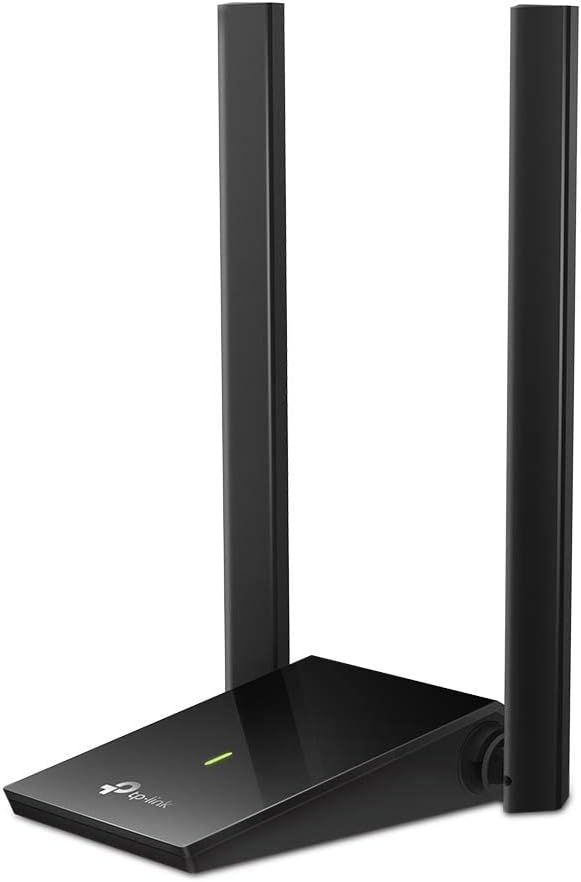
TP-Link AC1300 Dual Band
4.4Editor score
Two 5 dBi antennas
Dual-band AC1300 wireless
Windows and macOS support
Our High Gain USB WiFi Adapter guide compares ten options for range, speed, bands, antennas, compatibility, security, setup, and desktop performance in 2026.
A high gain USB WiFi adapter can give a desktop or older laptop a stronger, more flexible connection to a nearby router. The best models combine external antennas, dual-band or tri-band radios, USB 3.0, and features that improve stability in crowded homes and offices.
This guide compares ten adapters using the specifications and feature details supplied for each product. We look at wireless generations, theoretical band speeds, antenna design, connection flexibility, operating-system support, security, installation requirements, and features such as beamforming, MU-MIMO, and hotspot mode.
Each review identifies the product's strongest use case and important limitations, helping you match the hardware to your computer and router. Ratings and specifications can change over time, and product prices also fluctuate, so confirm the latest listing details and current cost before purchasing.
4.4Editor score

4.2Editor score

4.4Editor score
The table below compares all ten adapters across their most consequential features, including wireless generation, antenna configuration, USB interface, and operating-system compatibility.



The TP-Link AC600 USB WiFi Adapter for Desktop PC is a straightforward WiFi 5 solution with a 4.4 rating. Its defining feature is an adjustable, multidirectional 5 dBi high-gain antenna, which gives users more control over positioning than a small internal antenna can provide. It is intended for desktops and laptops that need an inexpensive route to dual-band connectivity.
We may earn a commission when you buy through this link, at no additional cost to you.
The adapter operates on both 2.4 GHz and 5 GHz. Supplied specifications list maximum rates of 200 Mbps on the 2.4 GHz band and 433 Mbps on the 5 GHz band, with actual performance dependent on the router, distance, walls, and other environmental conditions. Rotating the antenna toward the router can improve reception, while WPA/WPA2 and WPA-PSK/WPA2-PSK security options cover common home and office networks.
Its main limitation is its age relative to newer WiFi 6 and WiFi 7 models. The lower theoretical throughput makes it less attractive for crowded networks, large file transfers, or demanding gaming, although the 5 GHz band can still provide a meaningful improvement over a basic internal adapter. It also supports Windows XP through Windows 11, but it does not offer macOS compatibility.
This is a sensible choice for an older Windows PC that needs better dual-band reception without a complex setup. Buyers should verify that their router supports the relevant bands and avoid expecting the adapter to exceed the router's capabilities. For a modern WiFi 6 router or a Mac, one of the more advanced options in this guide will be a better fit.
The adjustable multidirectional antenna can be rotated toward the access point, making it easier to improve signal reception from awkward desk positions or when the adapter is separated from the computer.
Support for a broad range of Windows versions makes this model practical for upgrading older equipment, although the included Windows-only limitation should be checked before buying for another operating system.
We may earn a commission when you buy through this link, at no additional cost to you.
The TP-Link Archer TX20U Plus combines WiFi 6 performance with a flexible desktop arrangement. It has a 4.1 rating and is built around a USB 3.0 interface, dual-band wireless, and an adjustable high-gain antenna. The included one-meter cable gives users room to place the adapter away from a computer case that might obstruct reception.
We may earn a commission when you buy through this link, at no additional cost to you.
Its advertised band maximums reach 1201 Mbps on 5 GHz and 574 Mbps on 2.4 GHz. Features such as MU-MIMO, OFDMA, beamforming, and WPA3 support make it a strong choice for homes where several devices share the network. The product is designed to add or improve WiFi on a computer, but its real-world result still depends on a compatible WiFi 6 or better router and favorable signal conditions.
Compatibility is the key trade-off. The adapter supports Windows 11 and Windows 10 on desktops and laptops, but it is not compatible with macOS or Linux. A firmware update through the Tether app is recommended for best performance. Its single antenna is adjustable, which aids placement, though a system with two separate antennas may offer more physical flexibility.
This is a good general-purpose choice for a modern Windows computer, especially when the USB port is tucked behind a desk or the router is not in a direct line of sight. It avoids the complexity of tri-band WiFi 7 while providing current wireless-generation features. Users with older Windows systems should instead consider the AC1300 models listed later.
The one-meter USB 3.0 cable lets the adapter sit on a desk, shelf, or near a window, where it can be oriented toward the router without forcing the desktop itself to remain in one position.
MU-MIMO and OFDMA support multiple-device traffic more efficiently, while WPA3 provides newer protection for compatible personal networks.
We may earn a commission when you buy through this link, at no additional cost to you.
The TP-Link AC1300 USB WiFi Adapter for Desktop PC is a compelling value-oriented option for users who prioritize antenna configuration and broad compatibility. It carries a 4.4 rating, uses dual-band WiFi 5, and includes two external 5 dBi high-gain antennas. Both antennas can be rotated to help improve transmission and reception around obstacles.
We may earn a commission when you buy through this link, at no additional cost to you.
Maximum theoretical speeds are listed at 867 Mbps on 5 GHz and 400 Mbps on 2.4 GHz. Dual-band operation allows nearby devices to use the faster 5 GHz network, while the 2.4 GHz band provides greater reach in many environments. MU-MIMO support improves network efficiency, but the adapter cannot exceed the maximum capability of the router it connects to.
Unlike several WiFi 6 alternatives, this adapter supports Windows 11, 10, 8.1, 8, 7, and XP, plus macOS 10.9 through 10.15. That makes it a useful bridge for an older Mac or a legacy Windows PC. Its trade-offs are the older wireless standard and the absence of a stated USB 3.0 interface, which may make it less future-proof than modern adapters.
This is our best budget recommendation because it concentrates on the features that most directly improve practical reception without adding tri-band complexity. Choose it when your router supports AC1300, your computer is not limited to the newest Windows releases, and you want adjustable antennas. For WiFi 6 routers and heavy simultaneous traffic, a newer model would be more appropriate.
Two adjustable 5 dBi antennas offer more directional control than a single stub, which can be useful when the router sits through a wall, around a corner, or on another floor.
Compatibility with both Windows and a range of macOS versions broadens the pool of computers that can benefit from an external dual-band adapter.
We may earn a commission when you buy through this link, at no additional cost to you.
The TP-Link TX30U Plus stands out as the most balanced high gain USB WiFi adapter in this guide. Its 4.2 rating is supported by a feature set that includes dual external high-gain antennas, WiFi 6, USB 3.0, beamforming, MU-MIMO, OFDMA, WPA3, and a preloaded internal driver. It is designed for modern Windows desktops and laptops that need flexible signal placement.
We may earn a commission when you buy through this link, at no additional cost to you.
The adapter supplies up to 1201 Mbps on the 5 GHz band and 574 Mbps on 2.4 GHz. Two antennas can be adjusted toward the router, while beamforming is intended to focus the wireless signal in the connecting direction. Its USB 3.0 interface helps avoid the data-transfer bottleneck associated with older USB 2.0 connections when the host and network support it.
Installation is streamlined by a preloaded internal driver, and the antennas can fold for storage. The trade-off is a strict Windows 11 and Windows 10 compatibility requirement. It is also important to keep the router in mind: a WiFi 6 adapter paired with an older or slower access point cannot deliver its full potential, and the adapter itself does not increase the router's available bandwidth.
We recommend the TX30U Plus for most buyers who need strong reception and current WiFi 6 performance without moving into expensive tri-band hardware. It is particularly suitable for offices, home offices, and desktops located away from the router. Buyers using macOS, Linux, or an older Windows release should choose one of the compatible AC models instead.
The pair of adjustable high-gain antennas, combined with beamforming, provides multiple ways to improve signal quality in homes and offices where walls, floors, and furniture can weaken a connection.
MU-MIMO and OFDMA improve handling of simultaneous traffic, making the adapter a practical choice for shared networks running many connected devices.
We may earn a commission when you buy through this link, at no additional cost to you.
The TP-Link BE6200 Tri-Band USB 3.0 Wi-Fi 7 Adapter is the premium option for users with a current-generation router and a computer that can exploit its potential. It has a 4.4 rating, three wireless bands, two high-gain antennas, USB 3.0, WPA3, and a detachable cradle connected by a 3.9-foot cable.
We may earn a commission when you buy through this link, at no additional cost to you.
When paired with a tri-band WiFi 7 router, the adapter can use the 6 GHz band and benefit from features including 160 MHz channels, Multi-RU, and 4K-QAM. Listed maximum band speeds are 2882 Mbps on 6 GHz, 2594 Mbps on 5 GHz, and 688 Mbps on 2.4 GHz. The cradle makes it possible to keep the antennas outside a computer case and optimize their orientation.
The important limitation is that these capabilities require compatible infrastructure. A WiFi 6 or older router will limit the connection, and actual speeds cannot exceed the connecting router's maximum. The adapter supports only Windows 11 and Windows 10. USB 3.0 provides a faster interface, although backward compatibility allows it to be used with USB 2.0 systems.
This model makes the most sense for an enthusiast or a user replacing aging network hardware at the same time. Its 6 GHz access is particularly relevant for high-bandwidth devices in a suitable coverage area. For most other users, the TX30U Plus or AX1800 options deliver a more economical balance, while the BE6200 provides a clear path to tri-band WiFi 7.
The 6 GHz band and WiFi 7 technologies provide substantial headroom for modern routers, particularly when large transfers, high-resolution media, and low-latency activities share the same network.
The detachable cradle and long cable allow the antennas to be placed away from interference around the PC while retaining a USB 3.0 data connection.
We may earn a commission when you buy through this link, at no additional cost to you.
This AX1800 USB 3.0 adapter stands out for its single 7 dBi high-gain antenna and straightforward installation. Its 5.0 rating is the highest in the group, although ratings alone do not determine the right fit. It offers dual-band WiFi 6, WPA3 support, and a 90-degree rotatable antenna for a desktop upgrade.
We may earn a commission when you buy through this link, at no additional cost to you.
The stated maximum rates reach 1200 Mbps on 5 GHz and 576 Mbps on 2.4 GHz. Those figures make it appropriate for browsing, streaming, downloading, and gaming when paired with a suitable router. The high-gain antenna is described as improving reception, while its rotation allows users to point it toward a stronger signal source.
The adapter uses plug-and-play operation on Windows 10 and 11, with Windows handling driver installation automatically. It is not compatible with Windows 7 or Mac systems. While USB 3.0 supports faster data transfer than USB 2.0 and remains backward compatible, the single antenna limits physical positioning options compared with dual-antenna models.
This is a good choice for a Windows desktop whose existing wireless card is outdated, weak, or absent and where one well-directed antenna is sufficient. It may be especially attractive for users who want a simple upgrade without searching for a separate driver. Those who need macOS support or greater antenna adjustment should consider the AC1300 alternatives.
A relatively strong single antenna can improve a weak connection when correctly oriented, making antenna direction an important part of setup.
The plug-and-play design allows Windows 10 and 11 to detect the adapter and install its driver, reducing setup steps for a straightforward desktop upgrade.
We may earn a commission when you buy through this link, at no additional cost to you.
The BrosTrend AX1800 USB WiFi 6 Adapter is built for long-range placement. It has a 4.1 rating, dual 5 dBi antennas, beamforming, and a 3.3-foot USB 3.0 extension cable. Together, those features give users a practical way to move the adapter's radio closer to a clear path toward the router.
We may earn a commission when you buy through this link, at no additional cost to you.
Its dual-band WiFi 6 specifications list maximum speeds of 1201 Mbps on 5 GHz and 574 Mbps on 2.4 GHz. OFDMA and MU-MIMO are supported for improved multi-device efficiency. The product is positioned for HD streaming, online gaming, and video calls, though its actual result still depends on router capability and the distance and obstacles between the two devices.
A preloaded driver removes the need to run a CD-ROM, simplifying initial setup on supported systems. Compatibility is limited to Windows 11 and Windows 10, and Linux is explicitly unsupported. The product does not offer the 6 GHz band, and using it with a non-WiFi 6 network will limit its potential.
Choose the BrosTrend when range and flexible placement matter more than adopting WiFi 7. Its extension cable and two antennas make it well suited to a PC in a rear office, a basement, or a room separated from the router by multiple walls. For current Windows systems, it provides a strong WiFi 6 middle ground, though the TP-Link TX30U Plus is the more balanced overall recommendation.
The extension cable and dual antennas let users optimize the adapter's location independently of the computer, which can be more effective than simply adding another internal card.
OFDMA and MU-MIMO improve traffic handling in busy networks, while beamforming focuses transmission toward the connected router.
We may earn a commission when you buy through this link, at no additional cost to you.
The WAVLINK BE6500 USB WiFi 7 Adapter combines four adjustable high-gain antennas with a broad feature set. Its 4.4 rating reflects a strong on-paper proposition for modern Windows users: tri-band WiFi 7, USB 3.0, Receive Mode, Hotspot Mode, MLO, Multi-RU, and a multicolor status indicator.
We may earn a commission when you buy through this link, at no additional cost to you.
Band maximums are listed at 688 Mbps on 2.4 GHz and 2882 Mbps on both 5 GHz and 6 GHz. Four foldable 5 dBi antennas give users extensive control over positioning. The adapter also includes ventilation slots for heat dissipation and a responsive touch control for changing its lighting, making it particularly suited to a visible desktop setup.
Installation usually uses a built-in Windows driver, although users may need to open a CD Drive prompt to complete the process. Hotspot Mode can share the computer's connection with other devices, but the product is not a WiFi booster, extender, or repeater and cannot strengthen an existing router signal. A standard WiFi 6 or 6E router will also limit its capabilities.
This is a compelling premium option for a Windows 11 PC connected to a WiFi 7 router, particularly if four-antenna placement and hotspot functionality appeal to you. The TP-Link BE6200 is a more conventional premium alternative, while this WAVLINK stands apart with four antennas, lighting controls, and two operating modes.
Four adjustable antennas provide numerous positioning options and can help users find a stronger signal in rooms where walls or floors create difficult propagation paths.
Receive Mode connects the computer to a router, while Hotspot Mode shares that connection with nearby devices, adding utility beyond acting as a basic network card.
We may earn a commission when you buy through this link, at no additional cost to you.
The TP-Link AC1300 USB WiFi Adapter for Desktop PC combines two high-gain antennas with a USB 3.0 interface. It has a 4.1 rating and offers dual-band WiFi 5 speeds of up to 867 Mbps on 5 GHz and 400 Mbps on 2.4 GHz. That makes it a practical bridge for computers that lack a modern internal wireless card.
We may earn a commission when you buy through this link, at no additional cost to you.
Its adjustable, multidirectional antennas are intended to improve range, signal quality, and transmission performance. USB 3.0 provides a faster transfer interface than USB 2.0, reducing the chance that the computer connection will become the limiting factor. The dual-band radios allow a user to choose between faster short-range service and longer-range 2.4 GHz connectivity.
Compatibility includes Windows 11 and 10 as well as macOS X 10.9 through 10.14. The restricted macOS range means it may not suit a current Mac without checking support carefully. It also uses the older WiFi 5 generation, so it cannot take advantage of 6 GHz, MLO, or the other capabilities found in WiFi 6 and WiFi 7 adapters.
This model is worth considering when you want dual antennas and USB 3.0 without moving to a newer wireless generation. It fits legacy Windows and Mac setups particularly well. If your router supports WiFi 6 and your computer runs Windows 10 or 11, the AX1800 alternatives generally offer a more forward-looking upgrade.
The SuperSpeed USB interface supports faster data transfer than USB 2.0, which is useful when the network itself can sustain high throughput.
The external antennas can be oriented toward the router, giving users a practical way to improve reception on a crowded desk or behind a computer case.
We may earn a commission when you buy through this link, at no additional cost to you.
The Tenda U11Pro AX900 is a compact WiFi 6 adapter centered on a single 6 dBi omnidirectional high-gain antenna. It has a 4.3 rating, supports dual-band operation, and provides AP mode for sharing a computer's connection. Its built-in driver and support for Windows 7, 10, and 11 make it a versatile choice across several generations of Windows PCs.
We may earn a commission when you buy through this link, at no additional cost to you.
Tenda describes its WiFi 6 performance as up to 38 percent faster on 5 GHz and 43 percent faster on 2.4 GHz than a standard AC600 adapter. The antenna is intended to provide stronger reception in areas with interference, while an intelligent algorithm is used to improve stability and extend coverage. MU-MIMO support improves communication with multiple connected devices.
AP mode can create a 5 GHz Wi-Fi hotspot for as many as eight devices. Its single-antenna layout is less flexible than the dual- and four-antenna models, and the AX900 class offers less theoretical bandwidth than the AX1800, BE6200, and BE6500 choices. The supported operating-system list does not include macOS.
The U11Pro is most appealing to Windows users who want a modern WiFi 6 upgrade, a high-gain antenna, and hotspot functionality without a multi-antenna desktop arrangement. Its compact simplicity and broad Windows support are strengths. Those seeking maximum throughput or multiple directional antennas should consider the higher-tier TX30U Plus or WAVLINK models.
The 6 dBi omnidirectional design provides broad reception without the need to carefully point a directional antenna, making it convenient for users who do not know where the router is located.
AP mode turns the computer into a 5 GHz hotspot for up to eight devices, adding a practical networking function beyond ordinary wireless reception.
We may earn a commission when you buy through this link, at no additional cost to you.
The right adapter depends on your computer, router, operating system, and the physical layout of your space. Comparing these factors first prevents a mismatch between advanced hardware and an older network environment.
WiFi 6 adapters provide features such as OFDMA, MU-MIMO, and improved multi-device handling, while WiFi 7 models add newer capabilities including multi-link operation and access to the 6 GHz band when supported by the router. WiFi 5 products remain viable for basic connectivity and can be especially attractive for legacy computers, but their maximum throughput and efficiency are lower. Choose the newest generation that both your computer and router can support rather than focusing only on the adapter's advertised speed.
High-gain antennas can improve reception by collecting and directing radio signals more effectively than a compact internal antenna. One adjustable antenna may solve a simple placement problem, while two or four antennas offer more directional choices in rooms with walls or multiple floors. Antenna gain does not create internet speed by itself, and placement remains important. A clearly positioned 5 dBi antenna may work better than a higher-gain model hidden behind a monitor or computer case.
Dual-band adapters use 2.4 GHz and 5 GHz, balancing range with faster throughput. Tri-band models add 6 GHz, which can deliver substantial bandwidth in a suitable WiFi 7 environment but has a shorter effective range. The 2.4 GHz band is often better for distance and walls, while 5 GHz is usually preferable for nearby high-speed traffic. Check whether your router broadcasts compatible bands before selecting a more advanced adapter.
USB 3.0 provides a faster host connection than USB 2.0 and is particularly important when using a high-speed wireless generation or transferring large files. It is also useful for adapters with extension cables, since data must travel through the entire cable. Look for backward compatibility if your computer only has USB 2.0. Models without a detachable cable may require more careful placement if the computer's USB port is near a wall or obstructed.
Windows-only models cannot be assumed to work with macOS or Linux, and some adapters support only the newest Windows releases. Check the full compatibility list before buying, particularly for an older desktop, a Mac, or a Linux workstation. A plug-and-play claim may apply only to supported Windows versions. For a business with mixed operating systems, a cross-platform AC1300 model can offer more flexibility than a newer WiFi 6 or WiFi 7 adapter.
An adapter cannot exceed the maximum speed of the router it connects to, and advanced features often require matching infrastructure. A WiFi 7 adapter reaches its greatest potential with a WiFi 7 router, while a WiFi 6 adapter benefits from a WiFi 6 access point. If the router is older, a well-positioned dual-band WiFi 5 adapter may deliver a more balanced result than an expensive model with unused 6 GHz capability. Pairing the hardware also affects whether MU-MIMO, OFDMA, WPA3, or multi-link features are available.
WPA3 support offers newer password protection, while WPA2 remains important for compatibility with many existing routers. MU-MIMO and OFDMA can improve efficiency in crowded networks. Hotspot or AP mode can let a computer share its wired or wireless connection with nearby devices. These convenience features can be valuable, but they also add configuration complexity. Confirm which modes your system supports and whether hotspot use introduces additional security considerations.
The best antenna cannot help if it is obstructed by a metal case, positioned behind a monitor, or placed at the opposite end of a large home. A detachable cradle, extension cable, or movable desktop design can make placement easier. Consider where the router is located, how many walls and floors sit between the devices, and whether a wired Ethernet connection would ultimately be more reliable for intensive transfers. High-gain antennas work best with deliberate positioning, not simply being left in an arbitrary orientation.
Begin by identifying your computer's operating system and comparing it with the adapter's support list. For models requiring a driver, download the current driver from the manufacturer's support page before inserting the adapter. Other models use a preloaded or built-in driver that Windows should detect automatically. Connect the adapter to a USB 3.0 port when available and follow the prompts to complete installation.
After connecting, position the adapter or its antennas where they have the clearest path to the router. Raise external antennas, rotate them toward the access point, and avoid placing the USB receiver directly behind a metal desktop, monitor, or entertainment center. If the adapter includes a cable or cradle, use it to place the radio in a more open location. Keep the device connected during a software update, and avoid unplugging it while the driver is being installed.
For routine care, keep the adapter dry and away from direct heat, and avoid repeatedly bending the USB cable at its connector. Clean the exterior with a dry or lightly damp cloth rather than abrasive cleaners. Review available firmware updates periodically, especially when signal behavior changes after a router update. If reception declines, test another antenna orientation and location before assuming the hardware has failed, since placement often explains sudden differences in signal strength.
It can improve the speed your computer actually receives when weak signal, interference, or internal antenna limitations are causing the bottleneck. It cannot exceed the maximum speed or bandwidth of your internet service and router. Faster wireless generations also require compatible infrastructure, so a newer adapter paired with an older router may not deliver its advertised potential.
A dual-band adapter uses the 2.4 GHz and 5 GHz bands, while a tri-band adapter adds 6 GHz. The third band can provide very high throughput in suitable WiFi 7 environments, but it generally has a shorter range and is unavailable when connected to a router that does not support it. Dual-band hardware is often more practical for broad compatibility and longer reach.
No. A high gain antenna can improve reception when it is correctly oriented and has a clear path to the router. Placement inside a metal case or behind obstacles can negate its advantage. Internal antennas remain sufficient for short, unobstructed connections, while external adjustable antennas are more useful in difficult layouts.
That depends on the exact model. Several products in this guide support Windows only, while the TP-Link AC1300 adapters include listed macOS support. No model in the supplied data explicitly confirms Linux support. Check the complete operating-system list and driver availability before buying, especially if you use a Mac or Linux computer.
Yes, particularly with WiFi 6 or WiFi 7 equipment and large file transfers. USB 2.0 has a lower maximum data-transfer rate and can become the bottleneck between the wireless radio and the computer. USB 3.0 also makes extension cables more practical because the cable must carry the adapter's full data rate.
Usually, a USB adapter improves the connection for the computer in which it is installed; it does not act like a router or mesh system. It can also share a connection in Hotspot or Access Point mode, depending on the model, but that does not create broader coverage throughout a home. A range extender or mesh system is a better solution for whole-home coverage.
The most likely causes are an incompatible router, excessive distance, walls or other obstacles, incorrect antenna orientation, and USB placement inside a metal enclosure. Move the adapter away from obstructions, aim the antenna toward the router, and test a direct connection near the access point. If performance remains poor there, investigate driver or operating-system compatibility.
USB 3.0 is the better choice when it is available because it offers a faster connection to the computer. Many adapters remain backward compatible with USB 2.0, but that fallback may limit throughput. If the computer only has USB 2.0, verify compatibility and consider whether the router's real-world performance is high enough to make the difference meaningful.
The TP-Link TX30U Plus is the strongest all-around choice because it combines WiFi 6, two adjustable high-gain antennas, USB 3.0, MU-MIMO, OFDMA, and WPA3 in a practical desktop package. The TP-Link AC1300 Dual Band stands out as the best value, particularly for users who need broad Windows and macOS compatibility, while the WAVLINK BE6500 is the feature-rich premium option for a compatible WiFi 7 setup.
Prioritize the parts of the system that work together rather than selecting on theoretical speed alone. Confirm operating-system support, inspect the available USB ports, and check whether your router supports the adapter's wireless generation and bands. If reception is the main problem, prioritize adjustable antennas, a cable, or a cradle that allows careful placement. If traffic volume is the main concern, choose USB 3.0 and current WiFi features.
Before making a final purchase, verify the latest specifications, driver availability, and current product listing. Ratings and product details can change, and prices fluctuate with promotions and availability. Buying the adapter that matches your router and computer will produce a more dependable result than choosing solely for the largest advertised speed or the newest wireless generation.