
Canon imageCLASS LBP6030w
3.8Editor score
19 pages per minute
Wireless mobile printing
150-sheet paper capacity
Canon Genuine Toner 125
Compare 10 laser printers with cheap toner across speed, duplexing, wireless connectivity, paper capacity, copy and scan functions, and home-office fit.
A laser printer with cheap toner can deliver crisp monochrome documents without the complexity of a full inkjet system. The right model depends on print volume, paper capacity, connectivity, duplexing, and whether you also need a copier, scanner, or fax. Compact models suit homes, while small-business printers handle larger workloads and more demanding document workflows.
We compared the ten featured printers using the specifications provided for each product, including stated print speeds, toner compatibility, connection options, paper handling, multifunction features, and user ratings. The list includes print-only units, wireless models, automatic document feeders, flatbed scanners, and multifunction printers designed for offices or small teams.
Each review explains who benefits most from the featured model, along with its practical strengths and limitations. Ratings provide one point of comparison, but the final choice should also reflect your monthly workload and required functions. Product prices and availability can change, so confirm current offers and toner costs before purchasing.
3.8Editor score

4.3Editor score

4.5Editor score
This side-by-side overview compares the ten featured models by print speed, connectivity, document functions, paper handling, and toner compatibility, helping you identify the most suitable option for a home, student, or small office.





The Brother HL-L2405W is a compact monochrome laser printer intended for homes and home offices. Its 4.1 rating reflects a practical balance of print speed, capacity, and connectivity. The printer produces sharp black-and-white pages at up to 30 pages per minute, making it more than capable of handling coursework, invoices, reports, and routine office documents.
We may earn a commission when you buy through this link, at no additional cost to you.
Dual-band wireless connectivity supports both 2.4GHz and 5GHz networks, while a USB connection is available for a local computer. The Brother Mobile Connect app adds remote printing, toner tracking, and supply ordering. A 250-sheet paper tray reduces the need for frequent refills, and the manual feed slot accommodates envelopes and specialty paper.
Its main limitation is the absence of automatic duplex printing and scanning or copying functions. That means multi-sided documents must be printed one side at a time, and another device is needed for scans or copies. Nevertheless, the combination of speed, tray capacity, wireless support, and Brother Genuine TN830 or TN830XL toner makes this a straightforward choice for a busy home workspace.
Buy the HL-L2405W if you primarily need reliable black-and-white printing, have moderate paper volume, and value easy wireless access without wanting a larger all-in-one device. It is especially suitable for students, remote workers, and home users who want a capable laser printer without paying for multifunction hardware they may rarely use.
Dual-band wireless support can provide a more stable connection than a single-band setup in a crowded home network. The mobile app also helps users send print jobs, monitor toner usage, and manage supplies from supported devices.
The 250-sheet main tray suits regular document printing, while the manual feed slot expands media options. Together, they offer a useful balance for schoolwork, household records, and small-business paperwork.
We may earn a commission when you buy through this link, at no additional cost to you.
The Canon imageCLASS LBP6030w is a budget-oriented monochrome laser printer for homes, schools, and small offices. Its 3.8 rating is the lowest among the ten models, but its feature set is admirably focused: print-only output, wireless connectivity, and a compact footprint. It prints up to 19 pages per minute, which suits occasional rather than intensive document production.
We may earn a commission when you buy through this link, at no additional cost to you.
Wireless printing from compatible mobile devices removes the need to remain beside the printer or rely on a direct computer connection. The paper tray accepts up to 150 sheets, and Canon Genuine Toner 125 has a stated page yield of 1,600 pages. Energy Saver mode uses less than two watts, making the printer suitable for spaces where equipment is not continuously active.
The trade-offs are a slower maximum print speed, a smaller paper tray, and no scanning, copying, or automatic duplexing. These limitations may matter if you regularly print lengthy reports or want an all-in-one device. For a student, occasional home user, or budget-conscious office that only needs sharp monochrome printing, however, the LBP6030w remains a logical option.
Choose this Canon model if your workload is light, space is limited, and wireless printing is more important than advanced document handling. It offers a 1-year limited warranty, straightforward single-function operation, and a clearly specified toner platform that makes replenishment planning easier.
The compact design is intended to fit into homes, school areas, and small workspaces without taking up the room required by an all-in-one model. Its print-only design keeps operation focused while retaining wireless access.
Using Canon Genuine Toner 125 gives buyers a specific cartridge to look for. Its stated 1,600-page yield provides a useful benchmark when estimating replacement intervals for a modest workload.
We may earn a commission when you buy through this link, at no additional cost to you.
The Brother MFC-L2820DW is the most functionally complete printer in this roundup. Its 4.3 rating reflects a capable combination of fast printing, copying, scanning, faxing, duplex output, and flexible connectivity. At up to 36 pages per minute, it is also one of the quickest models listed, making it well suited to a small office or a high-volume home office.
We may earn a commission when you buy through this link, at no additional cost to you.
The 50-page automatic document feeder supports multi-page copy, scan, and fax workflows without requiring the user to place each sheet on a flatbed. A 2.7-inch touchscreen provides access to functions such as printing from and scanning to Google Drive, Dropbox, Evernote, OneNote, and other popular cloud-based services. Dual-band wireless, Ethernet, and USB connectivity cover both shared and local workflows.
The MFC-L2820DW is bulkier than a basic laser printer, and fax may be unnecessary for users who work entirely with digital documents. Even so, the scanner, copier, document feeder, touchscreen, and automatic duplexing create a coherent package for organizations that regularly handle paperwork. Brother Genuine TN830 and TN830XL toner are supported, with a Refresh EZ Print subscription trial included in the listed product information.
This is the strongest choice for a small business or serious home office that needs several document functions in one compact footprint. It is particularly suitable for administrative work, invoices, records, shared forms, and routine faxes. Buyers who only print occasionally may find the added complexity unnecessary.
The 50-page automatic document feeder is valuable when copying, scanning, or faxing multi-page sets. It reduces repetitive page placement and supports the faster 23.6/7.9 ipm black-and-color scan speeds stated for the unit.
Dual-band Wi-Fi serves shared users, while Ethernet supports a stable office network and USB provides a local option. The Brother Mobile Connect app extends printing, scanning, toner tracking, and supply management to supported mobile devices.
We may earn a commission when you buy through this link, at no additional cost to you.
The Canon imageCLASS MF3010 VP is a wired monochrome multifunction laser printer rated 4.2 stars. It combines printing, scanning, and copying in a design aimed at offices that want essential functions without wireless complexity. The stated 19-page-per-minute speed is adequate for routine forms, reports, internal documents, and moderate administrative workloads.
We may earn a commission when you buy through this link, at no additional cost to you.
The product information highlights up to 2,300 pages of toner yield in the box, which may reduce the pressure to purchase an initial replacement. It can scan in color at up to 600 dpi interpolated quality, and the ID Card Copy function is useful for reproducing identification cards and other small documents. Its paper capacity reaches 150 sheets.
Unlike several higher-ranked wireless choices, the MF3010 VP is a wired model, and the supplied information does not list automatic duplex printing. Those limitations make it less flexible for shared mobile workflows or large multipage projects. In return, it provides a straightforward USB setup, multifunction capability, and one of the more generous stated starting toner yields in the group.
Buy the MF3010 VP if your office is comfortable with a wired connection and mainly needs printing, scanning, and copying. It is a sensible option for reception desks, administrative stations, and workrooms where a shared network printer is already available. Users who routinely print from phones or require automatic two-sided output should favor a wireless duplex model.
The stated toner yield of up to 2,300 pages in the box gives new owners a substantial starting point. This can make the unit especially appealing for offices that want to cover routine document production before replenishing supplies.
Color scanning expands the device beyond a basic copier, while ID Card Copy supports a specific administrative task. These features make the multifunction package useful for records, identification, and general office documents.
We may earn a commission when you buy through this link, at no additional cost to you.
The Brother HL-L2460DW is a fast, print-only monochrome laser printer designed for home offices and small teams. Its 4.0 rating reflects solid core performance, with a stated print speed of up to 36 pages per minute. It handles standard black-and-white documents while adding automatic duplex printing, a feature that can save paper and simplify multipage jobs.
We may earn a commission when you buy through this link, at no additional cost to you.
The printer supports dual-band wireless and Ethernet as well as a local USB connection. Its 250-sheet tray is suitable for consistent document volume, and a manual feed slot accommodates envelopes and specialty paper. The Brother Mobile Connect app allows remote printing, supply ordering, and toner tracking from compatible mobile devices.
As a single-function printer, it cannot scan or copy. There is also no document feeder listed for the model, so it offers less flexibility for offices that handle physical paperwork frequently. Those omissions are understandable for users whose main need is fast, economical monochrome printing with automatic two-sided output.
Choose the HL-L2460DW when speed, duplexing, and paper capacity matter more than scanning. It is well matched to home offices, small teams, and students who print long reports or reference documents. The combination of Brother Genuine TN830 and TN830XL toner support and a 250-sheet tray makes it particularly practical for regular use.
Automatic duplex printing is the main functional upgrade over simpler monochrome units. It reduces the need to manually reverse stacks and helps conserve paper during long reports, contracts, and internal documents.
Dual-band wireless, Ethernet, and USB give the printer several ways to fit into a work environment. That makes it suitable for a dedicated office computer or a shared network with mobile users.
We may earn a commission when you buy through this link, at no additional cost to you.
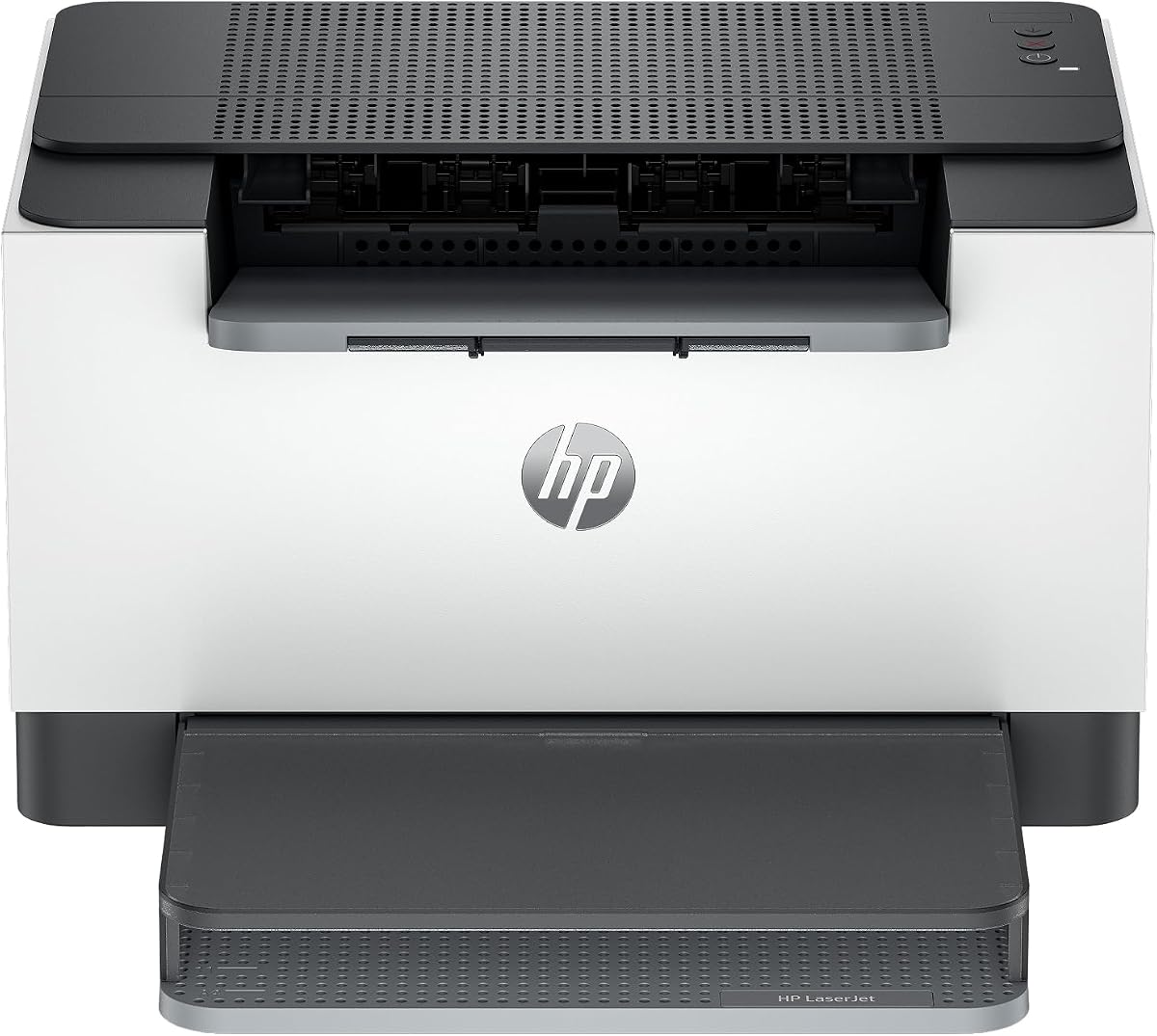
The HP LaserJet M110w is a compact wireless printer intended for small teams and users with limited space. Its 3.9 rating reflects a straightforward print-only design. It produces black-and-white documents at up to 21 pages per minute, a speed that suits everyday reports, forms, and office correspondence.
We may earn a commission when you buy through this link, at no additional cost to you.
Wireless self-reset is intended to simplify connection recovery, while compatibility with Microsoft, Mac, AirPrint, Android, and Chromebook devices broadens the ways documents can be sent. The HP Smart app supports mobile printing and copying tasks where applicable, along with cloud scanning features described in the product information.
The principal purchasing consideration is cartridge restrictions: the printer is designed to work only with cartridges containing original HP chips or circuitry. It blocks cartridges using non-HP chips or circuitry, and periodic firmware updates are intended to maintain the effectiveness of those measures. There is also no automatic duplex printing or scanning hardware in this print-only model.
The M110w fits buyers who prioritize a small physical footprint, simple wireless setup, and broad mobile-device support. It may be less attractive if toner flexibility or automatic two-sided printing matters most. Nevertheless, for a small team needing basic monochrome output, its speed and compactness make it a practical contender.
The product information describes it as the world's smallest laser printer in its class. That compact format makes it easier to place in a home office, reception area, or shared workspace where floor and desk space are limited.
Support for AirPrint, Android, Chromebook, Microsoft, and Mac environments means users can print from a wide selection of devices. HP Smart adds another route for managing routine mobile document tasks.
We may earn a commission when you buy through this link, at no additional cost to you.
The HP LaserJet M209dw is a wireless monochrome laser printer positioned for small teams. It carries a 4.2 rating and combines a stated single-sided speed of 30 pages per minute with automatic two-sided printing. Its two-sided output reaches up to 19 black-and-white images per minute, making it useful for multipage reports and routine office documents.
We may earn a commission when you buy through this link, at no additional cost to you.
Dual-band Wi-Fi with self-reset is designed to detect and resolve connection issues automatically, which is valuable in shared offices where network reliability can vary. Built-in security features are also highlighted to help protect the printer from potential attacks, adding an important consideration for business environments.
This remains a print-only device, so it does not replace a scanner or copier. Instant Ink eligibility is mentioned in the product information, but users seeking a straightforward laser cartridge model should review how that service fits their preferred toner purchasing approach. The supplied specifications do not list duplex speed beyond the stated 19 images per minute.
Buy the M209dw for a small team that wants fast monochrome output, automatic duplex printing, and more robust networking and security than a basic entry model. It is less appropriate for users who need copying, scanning, or faxing, but it delivers a focused and efficient printing package for shared office use.
The stated target audience of one to five people aligns with its fast print engine, duplex capability, and network-oriented design. It is a stronger fit for a shared team than for a single-user home office with light demand.
Dual-band Wi-Fi with self-reset can simplify reconnection after network changes. Built-in security features also make this model more considered for offices where the printer will sit on a business network.
We may earn a commission when you buy through this link, at no additional cost to you.
The Canon imageCLASS LBP122dw is a wireless monochrome printer focused on fast output and automatic duplex printing. Its 3.9 rating reflects a well-rounded but uncomplicated feature set. It prints up to 30 black-and-white pages per minute and is designed to fit into most home environments without taking up much room.
We may earn a commission when you buy through this link, at no additional cost to you.
The Canon PRINT app supports printing away from the printer, while automatic duplexing simplifies two-sided documents. It is compatible with Canon Genuine Toner 071 and the high-capacity 071 cartridge, giving users a choice between standard and higher-yield supplies for different printing habits.
As a print-only model, it offers no scanning or copying functions, and the supplied information does not mention a document feeder. Those omissions make it less useful for offices that routinely reproduce paper records. Its appeal instead comes from the combination of wireless convenience, duplex capability, speed, and a relatively compact design.
Choose the LBP122dw if your priorities are black-and-white speed, automatic two-sided pages, and a compact wireless footprint. It is well suited to home users, students, and small offices that print documents rather than manage a mixed workflow. It also provides a clear toner path through the Canon Genuine 071 family.
Automatic duplexing is particularly useful for reports, presentations, and lengthy reference documents. It reduces manual paper handling and can limit wasted sheets during frequently printed multipage jobs.
Support for Canon Genuine Toner 071 and the high-capacity version provides flexibility in cartridge selection. Buyers can compare yield and usage patterns when planning routine supply replenishment.
We may earn a commission when you buy through this link, at no additional cost to you.
The HP LaserJet MFP M235sdw is an office-oriented monochrome multifunction laser printer with printing, scanning, and copying. Its 4.0 rating reflects a capable feature combination for a team of one to five people. Single-sided print speed reaches 28 pages per minute, while automatic duplex output helps with multipage document projects.
We may earn a commission when you buy through this link, at no additional cost to you.
Dual-band Wi-Fi with self-reset supports dependable wireless use and automatic connection recovery. Ethernet is included, and the printer works with Microsoft, Mac, AirPrint, Android, and Chromebook environments. Built-in security features help protect it from potential attacks, making it relevant for offices connecting equipment to a business network.
Unlike the Brother MFC-L2820DW, the stated feature list does not include fax. It also does not mention an automatic document feeder or touchscreen, so buyers who regularly copy or scan long paper sets should verify whether a separate document feeder would be required. As a result, it is a capable three-function printer but may not suit every administrative workflow.
Buy the M235sdw when an office wants printing, copying, and scanning in a wireless machine with duplex output and strong network options. It is a sensible middle ground between a basic print-only unit and a more elaborate multifunction model. Its compact office focus makes it most useful to teams already comfortable with HP Smart and compatible device workflows.
Printing, copying, and scanning cover the most common document tasks without adding fax. The combination can eliminate the need for separate office devices while keeping the core workflow focused on monochrome documents.
Dual-band Wi-Fi, self-reset connectivity, Ethernet, and built-in security features provide a strong foundation for a small office. Broad support for major desktop and mobile platforms helps simplify onboarding users.
We may earn a commission when you buy through this link, at no additional cost to you.
The Brother HL-L2480DW has the highest listed rating among the featured printers at 4.5 stars. It combines laser printing, flatbed scanning, copying, automatic duplexing, and a 2.7-inch touchscreen in a compact design intended for small offices and work-from-home users. Its stated print speed reaches 36 pages per minute, placing it among the fastest options here.
We may earn a commission when you buy through this link, at no additional cost to you.
Dual-band wireless, Ethernet, and USB provide flexible setup options. The touchscreen allows users to navigate the machine and access printing and scanning destinations including Google Drive, Dropbox, Evernote, OneNote, and other cloud-based services. A 250-sheet paper tray supports regular volume, and the manual feed slot accepts envelopes and specialty media.
The machine does not list faxing or an automatic document feeder. That makes it less capable than the Brother MFC-L2820DW for offices with long paper-based workflows, although the flatbed remains useful for scanning and copying smaller sets. Brother Genuine TN830 and TN830XL toner are supported, and the listed product information includes a Refresh EZ Print subscription trial.
Buy the HL-L2480DW if you want a fast, highly rated compact multifunction printer with an intuitive touchscreen and cloud access. It is well suited to home offices and small teams that print, scan, and copy regularly but do not need fax or a feeder. Among the options compared, it offers the strongest blend of rating, speed, capacity, and multifunction convenience.
The 2.7-inch touchscreen provides a more convenient way to access scanning and cloud-printing functions than a basic control panel. It helps users send documents directly to widely used cloud destinations.
A 36-page-per-minute engine, automatic duplexing, and a 250-sheet tray create an efficient package despite the unit's compact footprint. That balance makes it particularly useful for distributed workers and small offices handling frequent black-and-white documents.
We may earn a commission when you buy through this link, at no additional cost to you.
Choosing an economical monochrome laser printer means balancing toner yield, workload, connectivity, and essential document functions. These factors help separate a convenient home printer from a capable small-office system.
Toner is the primary consumable in a monochrome laser printer, so cartridge support should influence the buying decision. The featured models use clearly identified genuine supplies: Brother TN830 or TN830XL, Canon Genuine Toner 125 or 071, and original HP cartridges with compatible chips or circuitry. Canon imageCLASS MF3010 VP also highlights up to 2,300 pages of toner yield in the box. A higher stated yield can reduce replacement frequency, while cartridge restrictions may affect your preferred sourcing options.
A printer's stated pages-per-minute figure describes its maximum engine speed, but the number of pages printed each month matters more for long-term suitability. A 19 ppm model is adequate for light household or student use, while 28 to 36 ppm models better accommodate a small office or frequent home printing. Fast output matters most when multipage reports, invoices, or shared workloads arrive in bursts.
Automatic duplex printing prints both sides of a sheet without manual intervention. It is especially useful for long reports, contracts, internal presentations, and other multipage documents. The Brother HL-L2460DW, HP LaserJet M209dw, Canon imageCLASS LBP122dw, HP LaserJet MFP M235sdw, Brother HL-L2480DW, and Brother MFC-L2820DW include automatic duplex features. Simpler print-only units can still produce two-sided documents manually, although that adds handling and may waste partially used sheets.
A print-only laser printer is smaller and focused on document output, while an all-in-one adds scanning, copying, or faxing. The Brother MFC-L2820DW includes a 50-page automatic document feeder and fax, the HP LaserJet MFP M235sdw handles printing, copying, and scanning, and the Brother HL-L2480DW combines printing, flatbed scanning, and copying. Choose a multifunction model when physical documents move through several stages; otherwise, a simpler printer may reduce cost, size, and setup complexity.
Wireless connectivity is now a major convenience for homes and offices. Several Brother models support dual-band 2.4GHz and 5GHz Wi-Fi, while the HP LaserJet M209dw and M235sdw include dual-band Wi-Fi with self-reset. Canon models offer wireless printing and app-based operation, and the Canon imageCLASS MF3010 VP focuses on a wired USB connection. Ethernet is useful for a stable office network, while mobile apps, AirPrint, Android, and Chromebook support expand printing options.
Paper capacity determines how often the main tray must be refilled. A 250-sheet tray, available on the Brother HL-L2405W, HL-L2460DW, and HL-L2480DW, suits regular document production better than a 150-sheet tray. Canon imageCLASS models offer a 150-sheet capacity, while the Brother MFC-L2820DW adds a 50-page document feeder for copies, scans, and faxes. Manual feed slots on several Brother models support envelopes and specialty paper.
Basic printers offer simple job submission, but multifunction machines can make document routing much more efficient. The 2.7-inch touchscreens on the Brother MFC-L2820DW and HL-L2480DW support navigation and cloud destinations such as Google Drive, Dropbox, Evernote, and OneNote. The HP LaserJet M110w uses the HP Smart app, Canon models use Canon PRINT, and Brother models use Brother Mobile Connect. The right workflow features should make your intended tasks faster without adding unnecessary complexity.
Begin by placing the printer on a stable, level surface with enough clearance for its paper tray, output area, and manual feed slot. Connect it using the appropriate wired or wireless method, install the specified genuine toner cartridge, and load plain paper into the main tray before configuring the driver on your computer. For mobile printing, install the manufacturer's app and connect the printer to the same network as the phone, tablet, or computer.
Choose the correct paper type in the printing application rather than changing settings for every job unless you frequently use media such as envelopes. Keep the manual feed slot clear and load specialty paper only as required. For scanners and copiers, clean the flatbed glass before placing documents on it. If using an automatic document feeder, check that the paper is aligned and remove any stuck pages before restarting the job.
Monitor toner status through the printer controls or manufacturer app, and replace toner according to the supplied guidance for that specific cartridge family. Clean the exterior with a soft, dry cloth, avoid spraying liquids into vents or openings, and remove paper jams gently to avoid damaging the feed mechanism. Periodic use of the relevant cleaning or maintenance workflow helps preserve print quality, scanning clarity, and reliable paper movement.
The best option depends on your workload and required features. The Canon imageCLASS LBP6030w is a straightforward choice for light use, while the Brother HL-L2460DW adds duplexing and a larger tray for more frequent home-office printing. Consider the cost and availability of the required genuine toner before making a final decision.
No. Most of the featured models provide wireless connectivity, but the Canon imageCLASS MF3010 VP is a wired USB model. The Brother HL-L2405W, HL-L2460DW, MFC-L2820DW, and HL-L2480DW support dual-band wireless, while other wireless choices use manufacturer apps, AirPrint, or self-reset connectivity features.
The Brother MFC-L2820DW, Canon imageCLASS MF3010 VP, HP LaserJet MFP M235sdw, and Brother HL-L2480DW are multifunction models. They provide combinations of scanning, copying, and faxing, while print-only options are generally better for users who only need monochrome documents.
Automatic duplex printing is valuable if you routinely print long reports, invoices, or presentations. It saves effort because pages do not need to be manually reinserted and reduces the chance of wasting partially printed sheets. Models such as the Brother HL-L2460DW and Canon imageCLASS LBP122dw include this feature.
You should check the cartridge restrictions for the exact model before purchasing supplies. The HP LaserJet M110w is specified to work only with cartridges containing original HP chips or circuitry and blocks cartridges without them. The other models list specific genuine toner families, so matching the required cartridge is the safest approach for dependable operation.
Pages per minute is the stated maximum engine speed under specified conditions, not a guarantee of the same speed for every document. A higher figure helps during bursts of multipage jobs, while lower-speed models may still be sufficient for occasional printing. Paper handling, document complexity, and connection method can also affect the real-world experience.
If scanning is rare, a separate scanner or multifunction model may be unnecessary, and a print-only unit can offer a smaller footprint. If you regularly copy identification, sign documents, archive records, or route files to cloud services, a multifunction printer may save desk space and reduce the number of separate devices you need.
Start with the functions you will use consistently, such as duplexing, scanning, or mobile printing. Then compare the supported cartridge and stated yield for your approximate monthly workload. A high-yield toner can reduce interruptions, but it should complement rather than distract from the features and connectivity your workspace needs.
The Canon imageCLASS LBP6030w stands out as a budget-friendly compact option for light printing, while the Brother MFC-L2820DW is the most versatile model with printing, copying, scanning, faxing, duplexing, and a document feeder. The Brother HL-L2480DW takes the premium position by combining a 4.5 rating, fast output, a touchscreen, cloud functions, and a 250-sheet tray in a compact multifunction design.
For most home offices, prioritize the genuine toner family, monthly workload, wireless support, and automatic duplexing. Small offices that routinely process paper may prefer a multifunction model, with the MFC-L2820DW offering the broadest document workflow and the HP M235sdw providing a focused print-copy-scan alternative.
Ratings and specifications help narrow the field, but current product prices, toner availability, and promotional terms can change. Confirm the current offer, compatible cartridge, warranty details, and required connection method before making your final purchase.


