
Vanquisher 6.5-inch Rugged Tablet
4.6Editor score
Compact one-hand design
Built-in barcode scanner
IP65 sealed construction
RFID, NFC, and GPS
Rugged Windows 11 tablets combine familiar desktop software, touch-friendly portability, and stronger physical protection than conventional tablets. They suit warehouse teams, field technicians, construction crews, logistics operators, and mobile professionals who need Windows applications in places where ordinary devices are vulnerable to drops, dust, moisture, or rough handling.
This guide compares all 10 listed models across durability ratings, processors, memory, storage, displays, batteries, connectivity, ports, data-collection features, and warranty coverage. The evaluation also distinguishes purpose-built industrial tablets from compact general-purpose devices, because the strongest option depends heavily on whether scanning, field mobility, or conventional Windows flexibility matters most.
Each review follows the supplied product information, and the picks reflect practical differences rather than a single universal specification sheet. Ratings, configurations, and availability can change, so readers should confirm the current listing and accessories before purchasing. The guide also notes where a listing does not fully match the stated Windows 11 rugged-tablet category.
4.6Editor score

5.0Editor score

4.3Editor score
As an Amazon Associate we earn from qualifying purchases.
The comparison covers the core differences among all 10 models, including protected construction, processor class, memory, display size, connectivity, and specialized work features. It also highlights three products whose supplied descriptions or operating-system details require careful buyer attention.


The Fusion5 FWIN232 PRO N5 combines a 10.1-inch Windows 11 Professional tablet with a relatively modern Intel 13th Gen Alder Lake N100 processor and 12GB of RAM. Its 4.0 rating reflects a general-purpose rugged device rather than a specialized industrial handheld. It offers a balanced set of features for field work, presentations, inventory work, classrooms, and mobile Microsoft 365 use.
We may earn a commission when you buy through this link, at no additional cost to you.
The strongest parts of the package are its 1920×1200 IPS touchscreen, up to 500 nits of brightness, protected ports, 6000mAh battery, dual-band Wi-Fi, and Bluetooth 5.0. Covered Micro HDMI, USB Type-C, and USB 3.0 connections add reassurance in dusty environments, while the included strap and back mount help with mobile work. The two-year warranty and accidental-damage protection also stand out among the listings.
There are some trade-offs. This model has no integrated barcode scanner, RFID reader, or specialized GPS package, so teams performing repeated inventory scans may need separate equipment. The 256GB SSD is also less generous than the 512GB Fusion5 alternatives. Its 4.0 rating and mixed user feedback suggest buyers should examine the current listing closely rather than assume it is a universal industrial solution.
Despite those limitations, this is a strong general pick for organizations that want Windows 11, a sizable touchscreen, modern processing, and physical protection without purchasing a scanner-equipped handheld. It is particularly suitable for mobile forms, inspections, maintenance records, presentations, and work in environments where drops and dust are realistic concerns.
The Intel N100 and 12GB of memory provide a more capable foundation than older low-power tablet processors. That combination should suit office applications, browser-based tools, forms, communication platforms, and moderate multitasking without turning the device into a bulky workstation.
Shockproof, dustproof construction, covered connections, a hands-free strap, and a back mount create a practical durability package. The 10.1-inch display is large enough for detailed forms while remaining appropriate for mobile use.
We may earn a commission when you buy through this link, at no additional cost to you.
This 512GB Fusion5 is the storage-focused version of the 10.1-inch FWIN232 PRO N5. It retains the same 4.0 rating, 12GB of RAM, Intel 13th Gen N100 processor, 1920×1200 touchscreen, and 6000mAh battery, but doubles the listed SSD capacity. That makes it more attractive for teams storing offline maps, training materials, media, or a large collection of Windows applications.
We may earn a commission when you buy through this link, at no additional cost to you.
Its other benefits extend beyond storage. The device is assembled in Pasco County, Florida, and carries a two-year full warranty with coverage for up to two accidental-damage incidents. Protected ports, an included hand strap and back mount, 500-nit display brightness, dual cameras, and dual speakers make it a versatile tablet for field documentation and communication.
The compromise is that this model does not provide a built-in barcode scanner, RFID reader, or other enterprise data-capture hardware. It also shares nearly every specification with the 256GB Fusion5, so the extra storage may be the only meaningful distinction for a buyer. Users who do not need local files should compare the complete listings before deciding.
It is a strong choice for mobile professionals who want ample storage without moving to a larger device. It also suits organizations standardizing on Windows 11 Professional while needing a protected display, covered ports, fast charging, and accidental-damage coverage in one portable package.
A 512GB SSD reduces dependence on cloud access and provides room for offline documentation, maps, media, and locally installed tools. The listed support for an additional 512GB MicroSD card adds another option when an organization needs more flexible file capacity.
Windows 11 Professional gives teams access to standard desktop workflows in a touch-friendly chassis. Intel's 13th Gen N100 processor and 12GB of memory make this a more attractive general-purpose option than older rugged tablets built around low-end processors.
We may earn a commission when you buy through this link, at no additional cost to you.
The third Fusion5 listing offers another configuration of the FWIN232 PRO N5, with Windows 11 Professional, 12GB RAM, a 512GB SSD, and an Intel 13th Gen Alder Lake N100 processor. Its 3.9 rating is the lowest among the three closely related Fusion5 configurations, but the underlying feature set remains well suited to general professional and educational work.
We may earn a commission when you buy through this link, at no additional cost to you.
The 10.1-inch 1920×1200 IPS display includes 2.5D G+G glass and brightness up to 500 nits. A 6000mAh battery, included 30W Type-C charger, dual-band Wi-Fi, Bluetooth 5.0, dual cameras, and dual speakers create a well-rounded device for communication and media. Protected ports and the included strap and adjustable back mount add field practicality.
Compared with specialized enterprise tablets, this device lacks an integrated barcode scanner, NFC, RFID, and dedicated GPS. It also costs more storage than some buyers may use, particularly if applications run in a browser and files are synchronized. The slightly lower rating also means buyers should review recent customer feedback for configuration-specific issues.
This model is a sensible option for schools, mobile technicians, business teams, and field workers that need a conventional Windows tablet with meaningful physical protection. It works especially well for teams prioritizing storage, warranty coverage, a modern processor, and a comfortable 10.1-inch display over specialized scanning hardware.
The bundle addresses many common mobile needs: protected connections, charging, wireless connectivity, cameras, speakers, a carrying strap, and a back mount. That makes it easier to deploy without assembling a collection of separate accessories.
With 12GB of memory and 512GB of storage, the tablet has ample room for common productivity applications, media, and locally saved coursework. The combination is more practical for offline use than a compact tablet with minimal internal storage.
We may earn a commission when you buy through this link, at no additional cost to you.
The Vanquisher 6.5-inch handheld is purpose-built for enterprise mobility and data capture. It has the highest listed rating among the dedicated industrial Windows tablets in this group, at 4.6, and combines a compact 20:9 display with a built-in Honeywell scan engine, RFID, NFC, GPS, Wi-Fi, and Bluetooth.
We may earn a commission when you buy through this link, at no additional cost to you.
Its Windows 11 IoT Enterprise software brings a familiar interface to warehouse, logistics, retail, point-of-service, and manufacturing workflows. The listed scanner supports common 1D, 2D, and QR formats, while the 13.56MHz RFID reader broadens its use for asset and inventory work. Its IP65 sealing and ability to withstand a 1.5-meter drop to a wooden floor suit demanding daily environments.
The main limitations are the modest 8GB of memory, 128GB of storage, and compact screen. Detailed spreadsheet work or prolonged desktop-style multitasking may feel constrained, and the included description inconsistently refers to the scan engine as Honeywell N3680 in one bullet despite identifying the N4680 in the product title. Buyers should verify the exact scanner specification and expansion support before ordering.
Despite those points, the Vanquisher is a compelling option for teams whose priority is portable scanning rather than large-screen productivity. Its combination of high rating, compact handling, Windows 11 IoT Enterprise, and multiple identification functions makes it the strongest budget-oriented industrial choice in this roundup.
A dedicated Honeywell scan engine can make repeated barcode tasks faster and more reliable than relying on a camera-based app. The listed 1D, 2D, and QR support covers many common warehouse, retail, and logistics labels.
RFID, NFC, GPS, Wi-Fi, and Bluetooth reduce the need to carry several separate tools. The 6.5-inch 20:9 screen balances usable display area with a form factor designed for one-handed operation.
We may earn a commission when you buy through this link, at no additional cost to you.
The HIGOLEPC J4105 targets mobile field work with Windows 11 Pro, 4G LTE, GPS, dual-band Wi-Fi, and a 10.1-inch touchscreen. Its 3.6 rating is the lowest among the listed products, but the feature set is compelling for surveyors, construction crews, agriculture teams, and other users who may work beyond dependable Wi-Fi coverage.
We may earn a commission when you buy through this link, at no additional cost to you.
Protection information includes a MIL-STD-810G Grade claim, a stated 1.2-meter fall test, and IP67 waterproof and dustproof sealing. Port selection is unusually broad, including HDMI, USB 3.0, USB Type-C 3.1, DB9 serial, a headphone connection, and a TF card slot. Magnetic charging supports use with the included dock, while offline maps can be downloaded in advance for GPS work.
The processor and memory configuration are dated by current standards. An Intel N4120 with 8GB RAM and 128GB storage is best suited to lightweight enterprise applications rather than intensive analysis or heavy multitasking. The supplied information also conflicts on battery capacity: the title references 8000mAh at 7.6V, while the description states 16000mAh at 3.7V and claims up to 10 hours of use. This discrepancy should be resolved with the seller.
Despite the lower rating and ambiguous battery description, the HIGOLEPC is worth considering when cellular connectivity, GPS, serial-port access, and offline mapping are more important than processing power. It is a specialized field tablet rather than a universal choice for modern multitasking.
Integrated 4G LTE and GPS make the tablet useful in areas where office Wi-Fi is unavailable. Compatibility with major mobile networks should be confirmed for the intended carrier and region before deployment.
The wide port selection supports legacy as well as modern accessories, including a DB9 serial connection. Magnetic charging and offline map downloads add flexibility for prolonged mobile assignments.
We may earn a commission when you buy through this link, at no additional cost to you.
The Arrvel I17J is a 10.1-inch Windows 11 Pro industrial tablet built around a Honeywell N4680 scan engine. Its 5.0 rating is the highest listed score, and its feature set directly addresses warehouse, inventory, retail, logistics, and field-documentation workloads rather than imitating those jobs with a conventional tablet.
We may earn a commission when you buy through this link, at no additional cost to you.
The scanner is advertised for common 1D, 2D, and QR formats, including codes that are damaged, smudged, or poorly printed. An IP65 seal, MIL-STD-810G claim, and stated ability to survive a 1.2-meter drop to concrete support use in dusty factories, muddy sites, and busy warehouses. The 700-nit screen is particularly useful outdoors, while front and rear cameras support inspection photos and remote collaboration.
Its Intel Celeron N5100 processor, 8GB RAM, and 128GB storage are sufficient for the listed ERP, warehouse-management, mapping, and enterprise applications, but they are not designed for heavy workstation workloads. Storage can be expanded through an SD card. The 5000mAh removable battery can be swapped for extended operation, although battery-free mode depends on a continuous power source and sacrifices untethered mobility.
This is the strongest recommendation for high-intensity inventory teams and organizations already using Windows-based enterprise systems. The combination of a five-star listed rating, purpose-built scanner, sunlight visibility, removable battery, cellular support, and rugged construction makes it more specialized and persuasive than a general-purpose alternative.
The Honeywell N4680 engine is intended to read standard and difficult labels quickly. Dedicated scanning hardware is preferable to camera-based scanning when inventory teams need consistent performance throughout a busy shift.
A 700-nit display is better suited to direct sunlight than many conventional panels. Combined with an eight-megapixel rear camera, it supports both on-screen data entry and visual inspection documentation.
The removable battery makes it possible to extend work by swapping in a charged pack. For fixed installations or vehicles, the listed battery-free mode can run the tablet from USB-C power while reducing concerns associated with battery aging.
We may earn a commission when you buy through this link, at no additional cost to you.
The Dell Latitude 7220 combines a business-class 11.6-inch chassis with the most capable display specification in the group. Its 1000-nit outdoor-readable, glove-capable touchscreen protected by Gorilla Glass is particularly valuable for technicians, inspectors, and outdoor crews who need to operate the device in bright conditions or while wearing gloves.
We may earn a commission when you buy through this link, at no additional cost to you.
The hardware includes an eighth-generation Intel Core i5-8365U quad-core processor, 16GB of LPDDR3 memory, and a 256GB M.2 PCIe NVMe SSD. Windows 11 Pro is included, with the listing also indicating a Windows 10 Pro license. Compared with most industrial models here, the larger screen, substantial memory, and business-oriented construction make it suitable for documentation and desktop-style workflows.
This configuration does not list a barcode scanner, RFID reader, cellular radio, or other specialized data-capture features. The i5-8365U is also an older platform, although its four cores and eight threads remain more substantial for multitasking than many low-power tablet chips. Buyers should also verify ports, battery configuration, and wireless options for their specific unit.
The Latitude 7220 is the premium choice for organizations that prioritize screen size, visibility, touch responsiveness, and conventional business computing over dedicated scanning. It is especially convincing for outdoor inspections, mobile documentation, presentations, and field support where a large glove-compatible display is worth more than an integrated scanner.
The 1000-nit listing is the strongest brightness specification among these products. Glove-capable touch and Gorilla Glass add practical protection for construction sites, utility work, and other demanding environments.
Sixteen gigabytes of RAM and an 11.6-inch screen create more room for multitaskers than the smaller industrial handhelds. NVMe storage also supports responsive operation within its 256GB capacity.
We may earn a commission when you buy through this link, at no additional cost to you.
The Microsoft Surface Go 4 is included because it provides a portable Windows 11 Pro experience, but it should not be confused with a purpose-built rugged tablet. The supplied description emphasizes a comfortable slate design, a 10.5-inch screen, up to 12.5 hours of listed battery runtime, 8GB of memory, and 128GB of storage.
We may earn a commission when you buy through this link, at no additional cost to you.
Its 4.0 rating and Microsoft ecosystem make it a familiar option for document work, presentations, browsing, communication, and light productivity. Bluetooth, NFC, a quad-core processor, and Windows 11 Pro cover common everyday needs. The 10.5-inch display is large enough for media and forms while remaining easy to carry.
No IP rating, military-standard claim, drop specification, sealed-port design, or integrated scanner is listed. That makes it unsuitable for high-risk warehouse, construction, or manufacturing assignments when physical protection is essential. The modest 8GB of RAM and 128GB of storage also limit heavy multitasking and local file capacity compared with several rugged alternatives.
Choose the Surface Go 4 only when portability and a familiar Windows experience matter more than certified ruggedness. It works for light field documentation or travel, but organizations expecting drops, dust, moisture, or repeated barcode capture should choose one of the explicitly industrial models instead.
The Surface Go 4 prioritizes light portability and familiar software rather than physical protection. It is best treated as a compact general-purpose Windows tablet that may be used carefully in relatively tame environments.
Windows 11 Pro, Bluetooth, and NFC cover many everyday productivity needs. The 10.5-inch screen and listed battery runtime make the device convenient for travel, presentations, and light document workflows.
We may earn a commission when you buy through this link, at no additional cost to you.
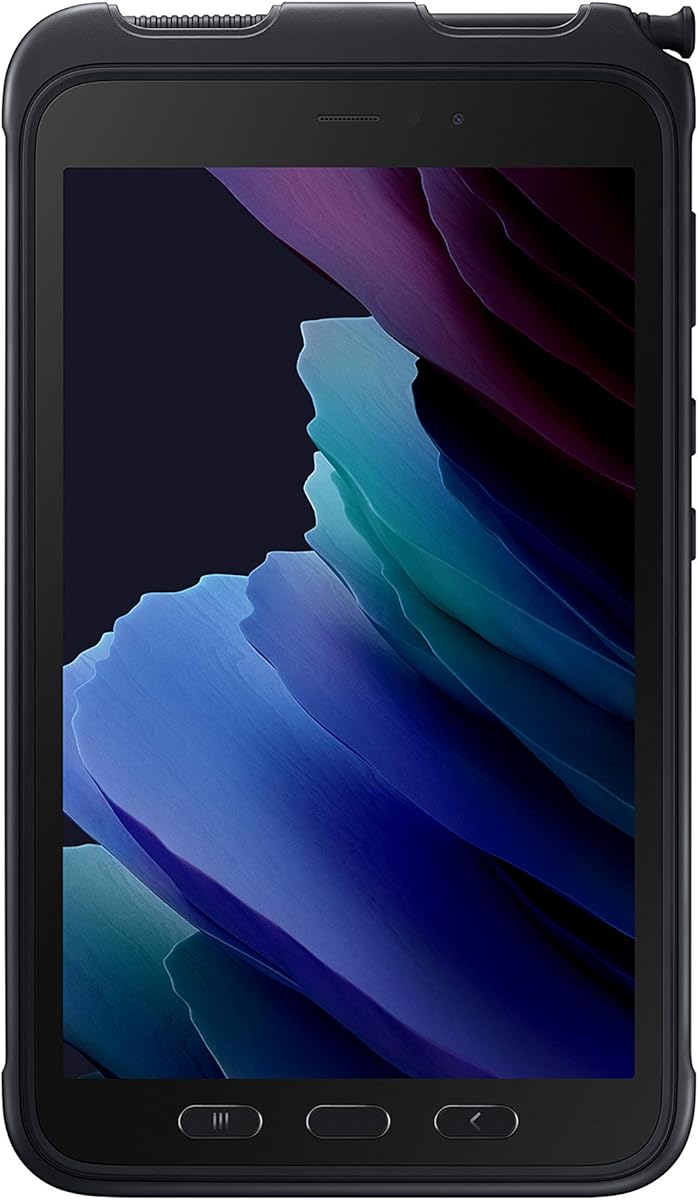
The Samsung Galaxy Tab Active3 Enterprise Edition is one of the strongest physical designs in the roundup, but it is not identified as a Windows device. The supplied information describes an 8-inch rugged tablet with 64GB storage, Wi-Fi, unlocked LTE, biometric security, and a 5.0 rating. Buyers searching specifically for Windows 11 should look elsewhere.
We may earn a commission when you buy through this link, at no additional cost to you.
Its rugged credentials include an IP68 rating, MIL-STD-810H and MIL-STD-810H2 references, anti-shock construction, and a stated ability to absorb a 1.5-meter drop. Enhanced touch settings support glove operation, while the replaceable, fast-charging battery and no-battery mode suit both mobile assignments and fixed vehicle or kiosk installations.
Wireless DeX expands the device's ability to function like a PC, but it should not be confused with running the full Windows 11 Pro desktop. The listing also omits a built-in barcode scanner and industrial RFID specification. Its 8-inch display is compact for detailed work, and unlocked LTE compatibility should be confirmed with the intended carrier.
This tablet is an excellent compact rugged option for organizations whose application ecosystem supports the Galaxy Tab platform. It is a strong alternative to Windows for field work, maintenance, logistics, and vehicle use, but it does not satisfy a requirement specifically for Microsoft Windows 11.
The listed IP68 protection and military-standard references provide a clear durability advantage over conventional tablets. That makes the Active3 appropriate for warehouses, field vehicles, and other harsh but compact working environments.
A replaceable battery supports full-shift mobile work, while no-battery mode offers a practical alternative for powered vehicle mounts or kiosks. Wireless DeX also provides a more desktop-like workflow when a larger display is needed.
We may earn a commission when you buy through this link, at no additional cost to you.
The SM-T577UZKDN14 listing identifies a specific Galaxy Tab Active3 Enterprise Edition configuration with 64GB storage, Wi-Fi, unlocked LTE, and biometric security. It shares the same 8-inch rugged platform and 4.2 rating found in the related Active3 entry, making it most attractive to buyers who want the exact model number and cellular flexibility.
We may earn a commission when you buy through this link, at no additional cost to you.
The device lists compatibility with Verizon, AT&T, and T-Mobile networks, along with IP68 dust and water protection, military-standard durability references, and shock absorption from a stated 1.5-meter drop. Its replaceable fast-charging battery supports mobile work, and no-battery mode permits powered use in vehicles or at fixed stations. Enhanced touch settings allow operation while wearing gloves.
As with the preceding Galaxy Tab Active3, it is not specified as a Windows 11 tablet. It also lacks a listed barcode scanner, and the 8-inch screen offers less workspace than the Dell Latitude, Fusion5, HIGOLEPC, and Arrvel models. It may run applications through Samsung's Android-oriented ecosystem rather than standard Windows desktop software.
This model is best for organizations seeking a compact, cellular, glove-friendly rugged tablet and willing to use non-Windows software. It is particularly suitable for fleet, delivery, maintenance, and fixed-vehicle deployments. It should not be selected when Microsoft Windows applications are a mandatory requirement.
Unlocked compatibility with major U.S. carriers gives teams more deployment flexibility. Exact network behavior, SIM requirements, and regional band support should be verified before assigning devices.
Biometric security complements the rugged physical design, while replaceable batteries support long working cycles. Enhanced touch capability helps users maintain productivity in cold stores, warehouses, and other glove-required settings.
We may earn a commission when you buy through this link, at no additional cost to you.
A worthwhile rugged tablet should match the hazards, applications, and working patterns of its intended environment. The most important choices involve operating-system compatibility, physical protection, data capture, display visibility, battery behavior, and the amount of mobile multitasking the device must support.
Confirm that the tablet runs the exact applications and operating system required by your organization. Several products marketed in this category are physically rugged but not identified as Windows tablets, particularly the Samsung Galaxy Tab Active3 listings. A full Windows 11 Pro installation is not equivalent to a desktop-like mode, so buyers should check application delivery, drivers, peripherals, VPN support, and security policies before deployment.
Compare IP ratings, military-standard references, drop specifications, sealed controls, and protected ports rather than relying on the word rugged alone. IP65 addresses dust and water jets, IP67 indicates temporary immersion protection, and IP68 provides a more demanding water-resistance standard. Drop claims also vary because materials, floor surfaces, test configurations, and the number of drops differ. The most credible choice is the one whose published protection matches the actual work environment.
A camera can read some codes, but a dedicated Honeywell scan engine is usually better for sustained inventory work. The Vanquisher and Arrvel I17J include integrated scanning, while the Vanquisher also lists RFID, NFC, and GPS. The Fusion5, HIGOLEPC, Dell, and Surface products do not list dedicated scanners. If operations require rapid code capture, damaged-label reading, or asset identification, paying for purpose-built data-capture hardware can be more economical than adding peripherals later.
Screen size affects form entry, mapping, inspection, and comfort during long sessions. The 6.5-inch Vanquisher and 8-inch Galaxy tablets are optimized for portability, while the 11.6-inch Dell offers the largest work area. Outdoor visibility matters just as much: listed brightness ranges from the Galaxy's unspecified panel to 500 nits on Fusion5, 700 nits on the Arrvel, and 1000 nits on the Dell. Glove-capable touch is an additional consideration for cold or industrial work.
Modern Windows work benefits from a current processor and enough memory for several open applications. The Fusion5 tablets pair the Intel 13th Gen N100 with 12GB of RAM, the Dell offers 16GB with a Core i5, and the other dedicated Windows models use N-series or older platform levels with 8GB. Storage ranges from 128GB to 512GB, and some models support expansion. For offline maps, media, and locally installed applications, 256GB or more is preferable.
Battery capacity alone does not reveal runtime because processor load, screen brightness, radios, and battery age all matter. Still, larger listed capacities can support longer shifts, while removable batteries offer the cleanest way to extend operation. The Arrvel supports hot-swapping-style battery replacement, the Galaxy Active3 has a replaceable fast-charging pack, and the Fusion5 includes fast charging. Verify charger wattage, dock compatibility, and whether the device supports a mains-powered no-battery mode.
Dual-band Wi-Fi and Bluetooth are standard on most models, but cellular connectivity is limited to the HIGOLEPC and the Galaxy Active3 listings. GPS is explicitly listed on the HIGOLEPC, Vanquisher, and Arrvel. Port needs should be checked carefully: the Fusion5 tablets provide protected Micro HDMI, USB Type-C, and USB 3.0, while the HIGOLEPC adds a DB9 serial port. Rugged docking methods, charger inclusion, and peripheral compatibility can matter more in a fleet than headline specifications.
A meaningful warranty is valuable because a rugged device still experiences drops and component failures. Fusion5 lists a two-year full warranty with up to two accidental-damage incidents, the Vanquisher includes 18 months and lifetime technical support, and the Arrvel lists a one-year manufacturer warranty with longer accessory coverage. Also check whether a hand strap, dock, spare battery, wall adapter, and charging cable are included. A missing dock can make a capable tablet inconvenient to deploy.
Before issuing a tablet to a user, install required updates, enroll it in device management, configure screen locks and encryption, and test the intended applications. Verify barcode, RFID, NFC, GPS, cellular, camera, charging, and dock functions while the device is still in the setup area. For a device used by multiple people, create clear profiles and establish rules for shared data, accessories, and charging responsibility.
Even a rugged tablet benefits from sensible handling. Use the supplied strap or approved case, keep ports covered when not in use, and avoid operating it outside the stated temperature, moisture, and drop limits. Clean the screen and scanner window with an approved lint-free cloth rather than abrasive chemicals. After exposure to dirt, salt, mud, or liquids, power down, disconnect accessories, and allow ports and surfaces to dry before charging.
Battery care is especially important for high-use devices. Follow the manufacturer's charging guidance, avoid leaving a device connected to heat or direct sun while charging, and use replacement batteries with compatible capacity and electrical ratings. If a removable battery is part of the workflow, rotate packs between devices and keep spares in a cool, dry state. Periodic data backups, screen checks, storage cleanup, and application updates will help maintain consistent field performance.
A rugged tablet should combine physical protection with the features required in the field. Look for a clear IP dust-and-water rating, credible drop resistance, protected controls or ports, a readable display, adequate battery life, and reliable wireless connectivity. Specialized requirements such as barcode scanning, RFID, NFC, GPS, or cellular service can matter more than a larger screen.
It runs Windows but is optimized for touch, mobility, and harsher physical conditions. It may offer sealed ports, a carrying strap, long battery life, scanners, or glove-compatible screens, while generally providing fewer upgrade options than a laptop. The right choice depends on whether field durability and mobility outweigh the convenience of conventional laptop components.
No. The Fusion5, Vanquisher, HIGOLEPC, Arrvel, Dell, and Surface listings are identified with Windows 11 systems. The two Samsung Galaxy Tab Active3 entries are described as rugged Android tablets rather than Windows devices, so they are included as relevant rugged alternatives but do not meet a strict Windows-only requirement.
For teams that repeatedly scan inventory, labels, or assets, it usually is. A dedicated Honeywell engine can improve consistency and speed, especially with damaged or poorly printed codes. For occasional scanning, a camera and suitable application may be adequate, so buyers should estimate scan volume before choosing a more specialized model.
Higher brightness generally improves readability in direct sunlight, although glare, viewing angles, and display coating also affect visibility. The Arrvel lists 700 nits and the Dell 1000 nits, while the Fusion5 reaches up to 500 nits. Outdoor buyers should also consider whether the screen supports glove operation, which is often more important in field conditions than a small increase in peak brightness.
A replaceable battery is valuable when the device works long shifts, travels frequently, or cannot easily reach a charger. It allows a depleted pack to be exchanged without sending the tablet out of service. Users should buy only compatible spare batteries and follow safe storage and charging guidance.
Test the exact applications, peripherals, security policies, scanners, cellular coverage, and charging docks before purchasing in quantity. Also confirm the operating system, warranty terms, accessory inclusions, and device-management requirements. A small pilot across representative users and working locations can reveal battery, grip, display, or application issues before a wider deployment.
Only if the required applications are available in Samsung's Android and DeX ecosystem. The listed Active3 models are not identified as Windows 11 tablets, even though they include strong rugged features, cellular connectivity, and desktop-style capabilities through Wireless DeX. Organizations with mandatory Microsoft Windows software should choose an explicitly Windows-based model.
The Arrvel I17J is the most persuasive all-round choice for organizations that need rapid barcode capture, Windows 11 Pro, strong outdoor visibility, cellular connectivity, and a removable battery. The compact Vanquisher is ideal when one-handed operation, scanning, NFC, RFID, GPS, and a lower-cost industrial form matter more than a large screen or spacious memory configuration. The Dell Latitude 7220 is the premium route for users who need a large glove-capable 1000-nit display and 16GB of memory.
The remaining choices serve distinct needs. Fusion5 provides balanced Windows 11 Professional configurations with 12GB of memory, modern Intel 13th Gen processing, and useful warranty coverage. The HIGOLEPC appeals to field teams that need 4G LTE, GPS, legacy ports, and offline navigation. The Surface Go 4 offers portability but not stated rugged protection, while the Samsung Galaxy Tab Active3 models are durable compact alternatives for organizations that do not require a true Windows operating system.
Before purchasing, verify the current listing, exact configuration, operating system, battery details, included accessories, and warranty terms. Ratings, product configurations, and prices can change, and several supplied descriptions contain noteworthy inconsistencies. The right purchase is the model whose protection, data-capture tools, connectivity, battery strategy, and application support align with the actual working environment.