
Yilador Webcam Cover Slide
4.3Editor score
Ultra-thin 0.027-inch profile
Three-piece multipack
Simple adhesive installation
Our Laptop Camera Covers guide compares ten privacy sliders for laptops, tablets, phones, and webcams, covering fit, thinness, installation, and compatibility.
Laptop camera covers provide a simple physical barrier between a webcam lens and anyone who might access the device without permission. A good cover should block the view effectively, remain easy to open and close, fit the camera area properly, and avoid keeping the laptop lid from closing normally. Device shape, bezel layout, and attachment method all influence which option will work best.
This guide compares ten laptop camera covers using the information supplied for each product. The evaluation covers material and thickness, installation requirements, compatibility, package size, opening or closing mechanism, and the practical limitations stated by the manufacturer. It includes adhesive sliders, clip-on covers, flexible no-residue designs, a patterned option, and a dedicated shutter for Logitech webcams.
Each review explains the strongest reason to consider a particular cover while noting important trade-offs, such as excluded MacBook models, dependence on adhesive, limited tablet compatibility, or a lower customer rating. The top picks highlight different priorities, including overall versatility, budget value, and device-specific protection. Availability and current prices can change, so check the latest listing before purchasing.
4.3Editor score

4.5Editor score

4.6Editor score
The table below compares the ten featured covers by construction, attachment method, device coverage, and practical considerations. Because camera placement and bezel designs vary, the stated compatibility should be checked against the exact model you own.



The CloudValley Laptop Camera Cover Slide combines a very slim metal profile with one of the broadest compatibility claims in this roundup. Its 4.5 rating reflects a generally favorable customer response, while the aluminum-alloy construction gives the slider a more refined appearance than many basic plastic covers. The package includes two covers, allowing one to remain on a laptop and another to protect a tablet or second device.
We may earn a commission when you buy through this link, at no additional cost to you.
Its most persuasive feature is the stated thickness of just 0.023 inch, equivalent to approximately 0.6 millimeters. That profile is designed to avoid interfering with laptop lids as they close and does not block webcam indicator lights or disrupt regular online use. Installation follows a straightforward process: align the base over the webcam, attach it, and press firmly for 15 seconds. Once fixed, the slider moves with a finger to uncover or conceal the lens.
The main trade-off is that this is an adhesive-mounted design, so correct placement matters and the product is not as freely repositionable as a clip-on cover. Broad compatibility is also a general claim rather than a guarantee for every recent model. The CloudValley listing names MacBook, HP, Dell, Asus, Acer, Lenovo, all-in-one PCs, iPad, Surface Pro, Galaxy Tab, Fire HD, and Google Pixel Tablet as supported categories, but users with unusual camera positions should still compare dimensions before buying.
This is the strongest all-around choice for someone who wants a discreet privacy slider for a conventional laptop webcam and several other devices. Its slim profile, two-pack format, broad stated support, and polished metal construction outweigh the fact that installation depends on adhesive. It is especially useful for users who prefer a familiar sliding mechanism and do not need a removable, residue-free clip.
At only 0.023 inch thick, the cover is designed to remain unobtrusive when the laptop is closed. The manufacturer also states that it will not interfere with webcam use or the camera indicator light, making it convenient to leave installed rather than repeatedly attaching and removing it.
Two covers provide better flexibility than a single unit. You can secure one to a primary laptop and use the other on a tablet, secondary computer, or all-in-one device, provided the camera dimensions and surface layout are suitable.
We may earn a commission when you buy through this link, at no additional cost to you.
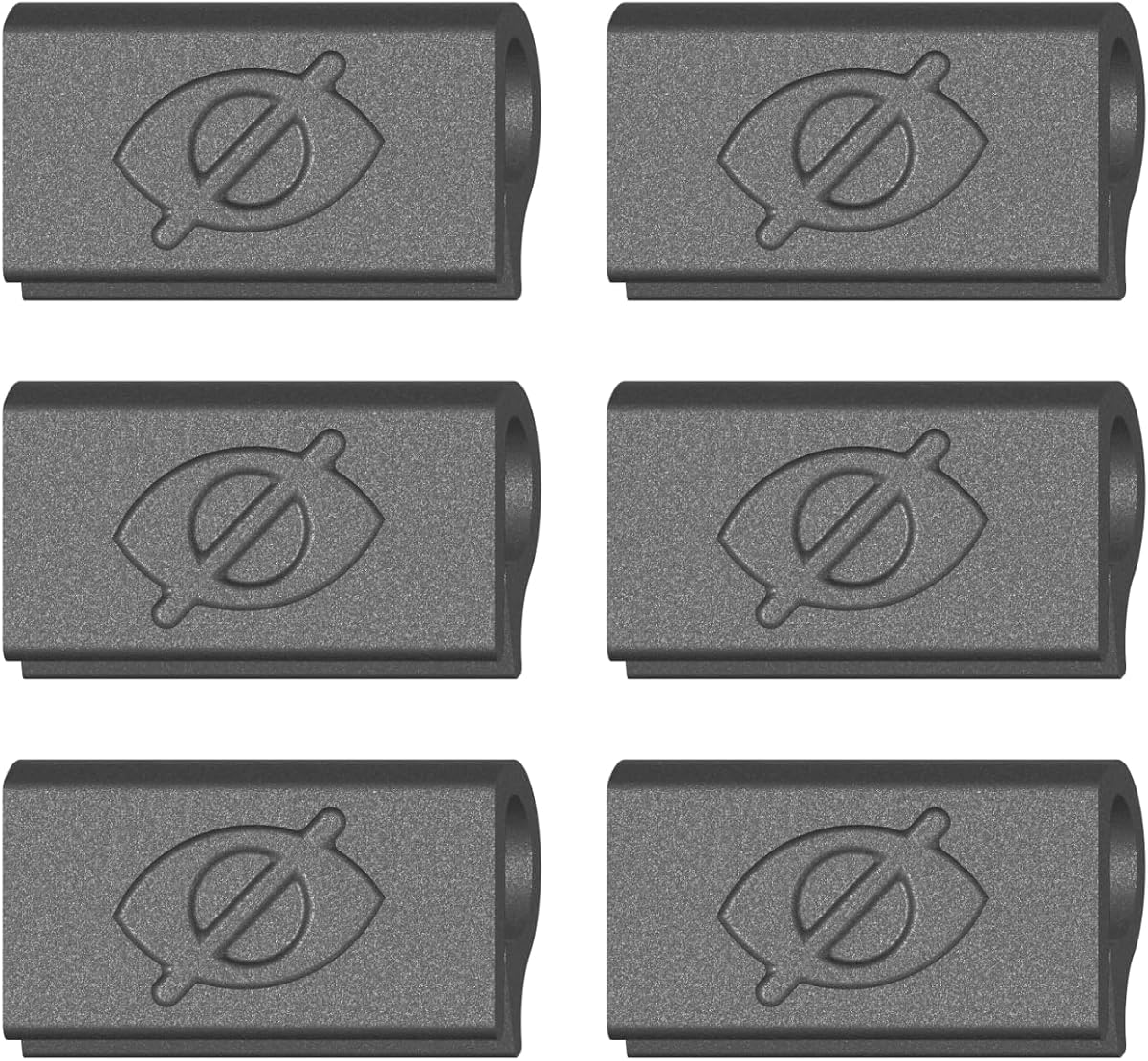
The Yilador Webcam Cover Slide is an affordable three-pack that balances compact dimensions with a straightforward privacy mechanism. Its 4.3 rating places it among the stronger-rated options here, and the included adhesive is described as an upgraded 3.0 formula intended to provide a durable hold without damaging the device. Its sliding cover is designed to open and close with a simple finger movement.
We may earn a commission when you buy through this link, at no additional cost to you.
The manufacturer describes the cover as approximately 0.027 inch thin, despite the product title using 0.03 inch as a rounded description. That slimness helps the cover sit neatly across a flat camera area and allows a laptop lid to close without the cover creating an obvious obstruction. Installation consists of cleaning the surface, applying the adhesive, aligning the slider with the camera, pressing for 10 seconds, and then sliding it into position.
Compatibility is the most important limitation. The listing explicitly says the cover is not suitable for MacBooks released after 2023, devices with a protruding front camera, full-screen or notched tempered-glass screen protectors, or the rear camera of a phone. Those exclusions make the Yilador more suitable for conventional laptops and tablets with flat bezels than for newer MacBook designs or devices with unusual camera placement.
This is a compelling budget selection for people who want several inexpensive covers for a laptop, phone, or tablet. The three-piece format is useful for households or multiple devices, while the clear installation process and thin profile make it approachable for first-time buyers. The important condition is to verify the exact device model and camera arrangement before ordering.
The three-piece package makes this a practical choice for users covering a laptop and a tablet or sharing covers with family members. Each unit can be installed independently as long as the target camera has a flat, sufficiently large surface.
The explicit exclusions are more useful than a vague compatibility claim. Newer MacBooks, protruding cameras, full-screen protectors, and notched screen protectors may require a different style of cover, so check your device before installation.
We may earn a commission when you buy through this link, at no additional cost to you.
The Patterned Webcam Cover Slide stands apart from the conventional utilitarian options with its cute printed design and rotating mechanism. It holds a 4.4 rating and includes three covers in the package. Rather than offering only a straightforward open-and-close motion, its slider supports 360-degree rotation, allowing the camera view to be changed to different angles according to the manufacturer.
We may earn a commission when you buy through this link, at no additional cost to you.
The opening measures approximately 0.43 by 0.35 inches, a deliberate increase intended to avoid blocking normal camera operation. The product information says the larger aperture is nearly compatible with all types of cameras, although that should be read as a broad design goal rather than a guarantee for every device. The cover can be installed on many laptops, tablets, desktops, Echo devices, and selected phones by cleaning the surface, removing the adhesive backing, and holding the cover in place for 30 seconds.
There are clear compatibility exceptions. The listing does not recommend the cover for the 16-inch MacBook Pro model A2141 from 2019, and some phones may have face or brightness detection affected by the slider. It also cautions users not to slide the cover for 24 hours after installation so the adhesive can establish its strongest bond. Because the cover uses adhesive, proper alignment is important to avoid shifting the mechanism.
This option is best for buyers who want privacy protection to coordinate with a personal setup rather than disappear into a plain black bezel. Its larger opening, rotating slider, and three-pack format make it especially interesting for shared devices and creative workspaces. Users should favor it over generic covers when appearance is important, but they should also confirm that their particular model is not among the exclusions.
The printed pattern gives a webcam area more visual character than a standard solid cover. That makes the product well suited to a desk where the laptop is visible, while the sliding mechanism still provides a clear visual cue about whether the camera is open.
The expanded aperture is designed to preserve normal camera shooting rather than obscure the view. The rotating mechanism also gives the user more control over orientation, although performance still depends on the size and placement of the original webcam.
We may earn a commission when you buy through this link, at no additional cost to you.
The MESMOS Laptop Camera Cover Slide is a six-pack of plant-themed privacy sliders made for users who want a more playful desk accessory. Its 4.4 rating indicates solid customer reception, and the product description presents the set as a practical gift for plant enthusiasts. The covers are designed to work with MacBook Pro and Air models, iPads, iMacs, Echo devices, Surfaces, and other tablets.
We may earn a commission when you buy through this link, at no additional cost to you.
A major selling point is the package size. Six covers make it easy to place one on a primary computer while keeping spares for other devices, travel, family members, or coworkers. The thin slider is intended to let the laptop close comfortably, and the application process is described as straightforward. The manufacturer says the covers are effortless to remove and leave no sticky residue behind.
The word large in the title is significant because camera covers are highly geometry-dependent. A slider can be thin and well made yet still fail to cover the entire lens if the opening or surrounding bezel differs from the target device. Likewise, a laptop with a protruding camera, unusual camera position, or a bulky case may not accept the cover cleanly. The broad device list should therefore be treated as guidance rather than an assurance that every model is identical.
This is a good pick for someone who values coordinated accessories and wants more than one cover. It combines a decorative plant pattern with the practical benefits of a slim slider and removable installation. The six-piece assortment is the main differentiator, while buyers who prioritize universal fit over appearance may prefer a product with multiple shape options instead.
The assortment offers enough covers for a home laptop, a work device, a tablet, and several spares. It also makes the set practical for gifting because the design feels more personal than a conventional black privacy slider.
The product is specifically marketed as thin enough for laptops to close snugly. Users should still consider any protective case, raised bezel, or protruding camera when judging whether the cover will lie flat.
We may earn a commission when you buy through this link, at no additional cost to you.
The Gadget Ray No-Adhesive Webcam Cover Slide offers a fundamentally different approach from adhesive sliders. Instead of sticking to the camera bezel, the flexible cover clips over the edge, giving the user a reusable privacy control that can be removed without adhesive residue. Its 3.6 rating is the lowest among the featured products, so potential buyers should assess the stated construction against the limited customer feedback reflected in that score.
We may earn a commission when you buy through this link, at no additional cost to you.
The product is designed to grip the bezel while the device is open. The user slides the cover closed when the camera is not needed and opens it for a meeting. It lists compatibility with MacBook Pro, MacBook Air, iPad, Dell, HP, Lenovo, and most laptops and tablets with standard bezels. The manufacturer specifically says it works best on slim devices used without heavy cases, which is an important qualification for people who routinely use rugged cases.
The decisive benefit is clean removal. No tape, glue, or residue is involved, so the cover can be taken off and reattached in seconds. That makes it attractive for borrowed work devices, frequently changing camera positions, or anyone who dislikes adhesive-based accessories. The flexible material is also described as durable and designed to avoid scratching the screen during use.
There is a meaningful operational caveat: the listing says the cover is intended for use while the laptop is open and that it should be removed and reattached when needed. This differs from ultra-thin adhesive covers designed to remain in place as the lid closes. It is best for owners of slim laptops who value a residue-free reusable cover more than having a permanent shutter installed.
The clip-on structure is the key benefit for people who move between devices or dislike cleaning adhesive from a bezel. It can be repositioned without leaving a trail, although it must be handled carefully so the flexible edge does not catch on a case.
Thick cases and raised protective frames can interfere with a bezel-gripping product. The stated best results are on slim laptops and tablets used without heavy cases, making device thickness an essential check before purchase.
We may earn a commission when you buy through this link, at no additional cost to you.
The Ultra-Thin Six-Pack Laptop Camera Cover Slide combines one of the smallest stated thicknesses in the roundup with a useful quantity of six black covers. Its 4.2 rating suggests generally satisfactory performance, while the flexible ABS construction is intended to resist breakage and allow the laptop lid to close normally.
We may earn a commission when you buy through this link, at no additional cost to you.
At 0.022 inch, the slider is marginally thinner than most competing adhesive options. The manufacturer says it will not affect laptop closure or scratch the device. Installation uses a strong adhesive strip: remove the backing, align the cover over the webcam, and press hard for 10 seconds. Once set, a light finger movement opens or closes the camera shutter.
Compatibility includes laptops, tablets, computers, Echo Show, and several Apple devices. The listing names MacBook Pro, MacBook Air, iMac, Mac mini, iPad, and the front cameras of older iPhone models, including 6, 7, and 8 Plus. That is useful breadth, but it should not be interpreted as universal coverage. Dimensions, protruding cameras, and screen protectors can change how a small cover functions.
This is a strong choice for households or teams that want several covers without needing different designs. Its low-profile construction, six-piece package, and straightforward installation make it versatile. The adhesive is the main weakness because it is permanent until intentionally removed, and a poorly aligned cover may obscure part of the lens. Buyers should clean the surface carefully and position it before pressing it into place.
The multipack is useful for covering several computers in a home office or distributing covers among colleagues. Keeping a spare is also helpful if a cover must be removed from a device that travels frequently.
The flexible ABS design is less prone to cracking than a rigid cover with the same thin profile. It is still important to avoid forcing the slider if the adhesive base has not been positioned correctly.
We may earn a commission when you buy through this link, at no additional cost to you.
The California JOS webcam cover set is distinguished by variety: nine pieces are supplied in three large ovals, three medium rectangles, and three standard ovals. Its 4.1 rating reflects a reasonable but not exceptional customer reception. The selection gives users several shapes to compare with their camera openings, which can be valuable when one universal geometry does not align with a particular device.
We may earn a commission when you buy through this link, at no additional cost to you.
The covers are 0.03 inch thick and designed with curved edges so they can sit discreetly over a camera. Installation involves cleaning the webcam surface, removing the adhesive backing, aligning the cover with the lens, and pressing for 15 seconds. The listing says the adhesive can be removed without traces, although careful removal is still advisable because residue can depend on the device surface and how long the cover remains attached.
Stated compatibility spans laptops, smartphones, tablets, MacBook models, iPads, iPhones, PCs, PS4, and all-in-one desktops. The large oval is specifically identified for the interior cabin camera in Tesla Model 3 and Model Y vehicles, while the smaller shapes are more appropriate for compact cameras. The large assortment therefore serves users with varied devices, but matching shape to lens size remains important.
This is the pick for anyone who wants choice rather than a single standardized slider. The nine-piece configuration can serve a large device collection, office, or family, and the three geometry options reduce the risk that one cover will be a poor fit. It is less attractive for a user who wants a simple one-size solution with no installation decision, but it offers valuable flexibility.
Large, medium, and standard options make it easier to match different lens openings. The rectangular medium shape can suit wide cameras, while the oval designs provide alternatives for rounder camera modules.
Nine covers provide enough inventory for several devices without duplicates of every design. The mix is especially useful for households containing laptops, tablets, phones, or a compatible in-car camera.
We may earn a commission when you buy through this link, at no additional cost to you.
The Push-On Flexible Laptop Cover is purpose-built for laptop bezels and uses a thin TPU body that holds against the frame without adhesive. Its 4.3 rating indicates generally positive customer reception. Unlike many camera covers sold as universal accessories, this one clearly defines its intended use as MacBook, PC laptop, and Chromebook cameras rather than attempting to cover every possible device category.
We may earn a commission when you buy through this link, at no additional cost to you.
Installation requires pressing the cover onto the bezel with one finger. The manufacturer emphasizes that there is no flexing, prying, or fumbling, and the TPU material holds the cover in place without sticky backing or residue. The privacy mechanism is conventional and effective: slide it closed when the camera is not in use and open it for a meeting. Its thin profile is designed to allow the lid to close and enter sleep mode with the cover attached.
The product is not designed for tablets, phones, or devices in thick cases. That limitation makes it more focused than the multipurpose adhesive sliders in this list. A bulky case can prevent the clip from sitting flush or may lift the cover when the case is fitted. The user should compare the bezel shape and available clearance before ordering, even when using a listed MacBook, PC, or Chromebook.
This is a compelling option for laptop owners who want a reusable cover without adhesive cleanup. Its focused design, simple push-on installation, and ability to remain in place when the lid closes distinguish it from generic products. It is less suitable as a universal household kit, but for a slim laptop it provides one of the cleanest installation experiences in the roundup.
A one-finger push-on design is easy to position and remove. It also eliminates the risk of adhesive residue on the bezel, making the cover more suitable for devices that change hands or are regularly cleaned.
The narrow scope is intentional. Because the cover grips the bezel, it is designed for MacBook, PC laptop, and Chromebook frames, not phones or tablets. Thick cases can also change the available clearance.
We may earn a commission when you buy through this link, at no additional cost to you.
The Six-Pack Universal Camera Slider provides three covers measuring 1.10 by 0.43 inches and three measuring 0.71 by 0.36 inches. Its 4.0 rating gives it a middle position among the products reviewed, while the two-size assortment is a practical alternative to carrying many differently shaped sliders.
We may earn a commission when you buy through this link, at no additional cost to you.
The covers are 0.027 inch thick and made from high-strength ABS plastic. The manufacturer says the low profile does not interfere with closing a laptop lid, webcam use, or indicator lights. Installation uses an adhesive base that is aligned over the lens and pressed for 15 seconds. The slider can then be opened or closed with a finger, and the entire cover is designed to be removable without leaving sticky traces.
Compatibility is broad, including MacBook Pro, MacBook Air, other Macs, Surface Pro, iPad Pro, Android tablets, PCs, all-in-one desktops, and numerous smartphones. The key restriction is that the cover needs a flat surface and is not suitable for full-screen devices. The product information also explains that the sliding component may separate from its base during installation because the groove must remain shallow to preserve the 0.027-inch total thickness.
The removable slider should be reattached by aligning it with the base and snapping it back into place. That is a minor mechanical characteristic rather than a complete failure, but it is worth noting for buyers who expect a single rigid piece. This product is best for flat-bezel devices where two standard dimensions provide sufficient choice and the benefit of leaving no residue after removal is important.
Having three wide and three compact sliders gives users a realistic chance of finding a closer fit than a one-size package. The larger dimension suits broader camera areas, while the smaller one can cover compact modules.
The cover separates into a base and movable slider so the assembly can remain extremely thin. If the slider detaches, aligning it with the base and pressing it back into place is the intended correction.
We may earn a commission when you buy through this link, at no additional cost to you.
The CloudValley Logitech Webcam Shutter is a purpose-designed accessory for several popular Logitech desktop webcams, and its 4.6 rating is the highest among the ten products here. It supports the C920x, C920, C922x, C922, C930e, and C922x Pro Stream HD Camera. That focused compatibility makes it a premium choice for owners of the specified hardware rather than a general laptop accessory.
We may earn a commission when you buy through this link, at no additional cost to you.
The shutter flips 180 degrees to open and close the camera. It can also be taken off after being flipped beyond 180 degrees, which is convenient when the user wants to reposition it or store the webcam without a cover attached. Installation is designed to be secure and to avoid residue, and the package includes a direction booklet to help with setup. The model-specific design also provides a more finished appearance than stretching a generic adhesive tab over a freestanding webcam.
In addition to controlling who can see through the lens, the cover helps protect the camera from dust and scratches. That dual function is particularly relevant to a desktop webcam that remains exposed on a desk. Because it is tailored to listed Logitech models, the cover should not be assumed to fit external cameras from other brands or laptop screens with integrated lenses.
This is the strongest option for a user who owns one of the compatible Logitech webcams and wants a dedicated, polished shutter. The high rating, tailored fit, simple flip mechanism, and residue-free installation make it more specialized and refined than a universal adhesive slider. For everyone else, one of the broader laptop camera covers will be the more practical purchase.
The cover is modeled for the specified C920, C922, and C930e family rather than relying on a generic adhesive rectangle. A tailored fit can create a neater appearance and make the opening and closing action more predictable.
A flip shutter keeps the lens physically covered when it is not in use, which can also reduce exposure to dust and scratches. The cover remains easy to rotate, allowing quick access during calls.
We may earn a commission when you buy through this link, at no additional cost to you.
The best camera cover depends less on appearance than on the geometry of your device, the position of its webcam, and how often you need to open and close it. Compare thickness, attachment method, size, and exclusions before selecting a model.
Start with the exact model of your laptop, tablet, phone, or external webcam. A product may list many brands while still excluding particular camera shapes, protruding lenses, notched screens, full-screen tempered-glass protectors, or recent MacBook generations. Check the camera position, dimensions, bezel material, and available clearance around the lens. A slider that sits over a wide camera area is more useful than a small cover placed slightly off-center.
Choose a cover whose stated exclusions do not apply to your device. For external webcams, select a model-specific shutter whenever possible.
Adhesive sliders provide a neat, permanent installation and often remain in place when the laptop closes. Their tradeoff is residue, careful alignment, and possible lifting over time. Clip-on covers avoid sticky backings and can be removed quickly, but their fit depends on the bezel shape, device thickness, and case design. Flex-on or push-on TPU products are particularly convenient for frequently changing setups.
Decide whether permanence or reversibility matters more before buying. Adhesives suit one device and uninterrupted use; clips suit shared, rented, or frequently cleaned equipment.
Thickness is one of the most important practical specifications because a raised cover can prevent a laptop from closing fully or interfere with sleep-mode detection. Options in this guide range from approximately 0.022 to 0.03 inch. A thinner slider is less conspicuous and less likely to affect closure, but the opening must still be large enough to block the lens completely.
Look for an explicit thin-profile claim and test the cover with your normal case and accessories. Do not assume a cover is safe for lid closure if the listing does not state it.
A useful privacy shutter must fully obstruct the view when closed without interfering with the camera when open. Oversized openings can expose part of the lens, while openings that are too small may darken the image or restrict field of view. Product listings that provide aperture dimensions allow a better comparison than a generic universal-compatibility label.
Compare the opening and base size with the camera module, not merely the visible lens. A larger camera surround may require a wider slider.
Multipacks are useful for households, offices, and collections of devices. A three-pack is enough for a laptop, tablet, and spare, while six or nine covers offer broader distribution. Sets containing several shapes can be more useful than a large pack of identical sliders because different devices use different camera openings. Match your collection's actual mix of devices before paying for extra quantity.
A varied pack is best for compatibility, while a uniform pack is best for consistent appearance and replacement.
A cover that is difficult to open may discourage regular use, undermining the privacy benefit. Look for a clear sliding or flipping action, a visible open-and-closed position, and a mechanism that can be operated with one finger. Installation should also be simple: clean the surface, align the cover, and secure it without special tools. Excessive pressure or complicated disassembly can increase the risk of misalignment.
Choose a mechanism that is intuitive enough to use without thinking about it each time a meeting begins.
Metal, ABS, and flexible TPU each have different advantages. Metal can feel refined and resist flexing, ABS provides a lightweight rigid structure, and TPU can conform to a bezel without adhesive. Regardless of material, the edges should be smooth and thin enough to avoid scratching the display when the lid closes. Check whether the manufacturer specifically claims reduced scratching or safe lid closure.
Prioritize smooth edges, a low profile, and a material that suits your device's finish rather than choosing on appearance alone.
Residue-free products are especially valuable for borrowed equipment, rotating device collections, and surfaces that are frequently cleaned. Adhesive covers can still be removed carefully, but no installer can guarantee completely clean removal on every texture or after a long attachment period. Clip-on and push-on covers avoid this issue entirely. If a device will be resold, traded, or lent to someone else, removable construction is often the safer choice.
Prioritize no-adhesive designs when long-term appearance matters more than permanent placement.
Before installation, identify the camera and check the cover's compatibility notes. Clean the surrounding bezel with a suitable wipe, allow it to dry fully, and compare the slider's opening with the camera shape. For adhesive products, peel back only enough of the backing to position the cover, align it carefully, and press firmly for the stated time before sliding it.
Use the shutter every time the camera is not needed. Slide or flip it closed before joining calls, leaving sensitive work, or moving the device into a shared space. Open it only when required, and confirm through the relevant application or system indicator that the camera is active. For adhesive sliders, avoid forceful movement immediately after installation because the bond may still be setting.
Clean the cover gently with a dry or lightly damp cloth and avoid abrasive cleaners. Do not pour liquid into a sliding channel or force a stiff mechanism. Adhesive covers should be removed slowly if the device will be cleaned or transported, while clip-on models can be detached and reattached whenever the bezel is wiped. Store unused covers in a dry, dust-free place.
A well-fitted, ultra-thin cover should not prevent normal closure, which is why thickness is a key selection factor. Products in this guide range from roughly 0.022 to 0.03 inch and generally describe themselves as lid-friendly. Cases, raised bezels, and protruding cameras can still affect the result, so check the product's stated limitations and test the cover while the device is open before relying on it for sleep mode.
Residue depends on the adhesive, the surface material, time, and removal method. Some manufacturers say their covers remove without traces, but no adhesive product can guarantee identical results on every device. Clip-on and push-on designs avoid the issue because they do not use adhesive. If residue is a priority, choose a no-adhesive model or remove an adhesive cover slowly while it is still warm and pliable.
Many models are compatible with common MacBook designs, but recent releases and protruding cameras can be exceptions. The Yilador cover specifically excludes MacBooks released after 2023, while other listings provide more general MacBook Pro and Air support. Always compare your exact model, camera placement, and bezel shape with the product's dimensions and exclusions before installation.
Some universal adhesive sliders fit tablets and phones with flat camera areas, but not all models are suitable. Full-screen or notched displays, raised camera bumps, and tempered-glass protectors can obstruct or prevent proper placement. The Gadget Ray and Push-On options are specifically focused on laptops, while the Yilador excludes full-screen and notched screen protectors. Check the device category and surface limitations before choosing.
Yes, but the camera must be uncovered whenever you need video or certain audio features. Most models slide or flip open with one finger. Test the camera after moving the shutter, and use the operating system's camera indicator or application controls to confirm whether it is active. A cover that remains partly closed can also block part of the image or reduce brightness.
A sliding cover moves horizontally across the camera, while a flip shutter rotates to uncover the lens. Sliders are common for universal laptop models and often use an adhesive base. Flip shutters are common on dedicated external webcams and may be modeled for a specific device, offering a cleaner fit and a clearer visual indication of whether the lens is covered.
The thinnest option that fully covers the camera is generally the safest for laptop use. Around 0.022 to 0.03 inch is common among these products and helps prevent lid interference. Thickness alone does not guarantee compatibility, however; the opening, camera placement, case design, and mechanism must also suit the device.
Slide adhesive covers out from beneath the edge slowly rather than pulling sharply at one corner. Use a clean cloth during removal and avoid scraping the surface with a fingernail. Clip-on and push-on covers can be detached by gently peeling or pulling them from the bezel. If adhesive has hardened, consult the device manufacturer's cleaning guidance before using heat or solvents.
The CloudValley Metal Cover Slide is the most versatile all-around choice because of its slim metal construction, two-pack format, and broad device support. The Yilador Webcam Cover Slide serves budget-conscious buyers who want three convenient sliders, provided their device is not among the stated exclusions. The CloudValley Logitech Webcam Shutter is the premium option for owners of compatible Logitech desktop cameras.
Prioritize exact device compatibility, the size of the camera opening, and the effect on lid closure before choosing a design. Adhesive sliders are discreet and dependable on a single device, no-adhesive clips are cleaner for shared or frequently moved equipment, and model-specific shutters usually deliver the neatest fit. Also consider whether you need a laptop cover, tablet slider, phone cover, or external webcam shutter.
Ratings, product details, and availability can change over time, and current prices may vary between sellers. Review the latest product listing, compatibility notes, and customer feedback before buying so the cover still matches the device and privacy needs you had when choosing the roundup.