
TNP Sega Genesis HDMI Adapter
4.0Editor score
Plug-and-play HDMI connection
Broad listed console compatibility
External USB power required
Our Sega Genesis Clone HDMI guide compares adapters, cables, consoles, and converters for compatibility, video modes, power needs, and setup ease.
Connecting a Sega Genesis clone to a modern television is not always as simple as finding a cable with the right shape. Clones may use composite video, expose different console ports, or require adapters designed specifically for RGB-equipped original hardware. This guide explains the distinctions that matter before a purchase.
We compared the listed products using their supplied compatibility claims, signal methods, resolution controls, aspect-ratio options, required power, installation details, and customer ratings. The selection also includes related Sega HDMI equipment so readers can distinguish a Genesis solution from Dreamcast accessories and alternatives.
Each entry explains who the product suits, what capabilities are confirmed, and where important limitations appear. Ratings and availability can change over time, so shoppers should verify the current listing, console revision, connector layout, and accessory requirements before ordering.
4.0Editor score

4.3Editor score

4.4Editor score
The comparison covers Genesis-focused HDMI converters, a composite alternative, an official miniature console, Dreamcast adapters, and a Bluetooth receiver to clarify which products actually address the requested connection and which serve adjacent needs.


The Mcbazel RGB to HDMI Adapter has a 4.3 rating and is the most technically transparent choice in this guide. It converts an RGB signal from original Sega Genesis Model 1, Model 2, and NEOGEO hardware into an HDMI-ready connection for a modern television. Its appeal comes from a compact adapter, straightforward controls, and no requirement for drivers or television menu changes.
We may earn a commission when you buy through this link, at no additional cost to you.
Two physical buttons on the adapter body make it easy to compare 4:3 and 16:9 presentation as well as 720p and 1080p output. This is useful because the best-looking setting can differ by television and by the game being displayed. The package also contains two console-specific video conversion cables, reducing the risk that a buyer will discover after ordering that the supplied connector does not reach the correct port.
The decisive limitation is stated plainly by the manufacturer: the RGB input is required, which rules out clone machines, replicas, and many heavily modified consoles. A composite-only clone may produce sound without a picture when connected to this adapter. The micro USB power cable is included, but a wall plug is not, so users need a powered USB port or a compatible charger they already own.
This is an excellent option for an original RGB-equipped console, not a universal solution for a Sega Genesis clone. It is particularly attractive to owners who want immediate control over aspect ratio and output resolution without navigating complicated display menus. For a clone that exposes composite only, choose a converter designed around that signal instead.
Putting the aspect-ratio and resolution switches directly on the adapter makes comparison fast. You can cycle through the available combinations, judge the result on your own television, and leave the preferred setting in place.
The RGB limitation is essential rather than incidental. If your clone sends only composite video, this adapter cannot create the RGB signal it expects, so another conversion route is necessary.
We may earn a commission when you buy through this link, at no additional cost to you.
The LEVELHIKE HDMI Cable carries a 4.4 rating and stands out as a flexible premium-style conversion solution. It converts and upscales analog RGB signals into digital HDMI output for modern televisions, monitors, and projectors. The listing supports a wide range of Sega systems, including Genesis Models 1, 2, and 3, Sega CD, Sega CDX, Sega 32X, Sega Nomad, and the original Master System.
We may earn a commission when you buy through this link, at no additional cost to you.
Its detachable design is a meaningful advantage for setup flexibility. The conversion unit connects to the console with prepared cables, while the final connection to the display can use a high-end or extended HDMI cable. Buyers can therefore choose a cable length and build that suit their room instead of being restricted to one permanently attached run.
A physical aspect-ratio toggle supports both 4:3 and 16:9 output, while the product description emphasizes low latency and an upscaling process intended to improve resolution, color, and visible detail. There are no drivers or complex setup steps, which keeps the experience approachable for a first-time classic-console owner.
The primary caveat is that the product information does not explicitly promise support for every Sega Genesis clone. Because its method depends on analog RGB, a buyer should determine whether the clone exposes an RGB stream or only composite output. It is best for compatible RGB hardware and for users who value a detachable, polished connection more than a simple all-in-one lead.
Because the display cable is detachable, you can select the length and type of HDMI lead that best fits your entertainment setup. That is particularly helpful when the console and television are not positioned close together.
The listed compatibility covers several Sega add-ons and regional console variants. Confirm the connector on your exact machine before ordering, especially when the unit is a clone or replica.
We may earn a commission when you buy through this link, at no additional cost to you.
The TNP Sega Genesis HDMI Adapter has a 4.0 rating and offers one of the simplest paths from a supported Sega console to a modern display. It transfers video and audio in digital HDMI format and is designed for straightforward installation without drivers, software, or additional television settings. The package includes the adapter, a USB power cable, and an HDMI cable.
We may earn a commission when you buy through this link, at no additional cost to you.
Its listed compatibility is broad for the category. The product information names Sega Genesis Models 1, 2, and 3, Mega Drive 2, Sega CD, Sega CDX, Sega 32X, Sega Nomad, and the original Master System. A built-in chip handles the conversion, while the small enclosure makes the adapter easy to carry between a living room television, a desktop monitor, or a projector.
One requirement deserves attention: the adapter needs a DC 5V, 1A power source. That makes it less convenient than a completely self-contained cable solution, but it also gives the converter dedicated power for signal processing. The key uncertainty for a clone is whether its output and connector match the supported console configurations described by the manufacturer.
This is a sensible budget choice for a shopper who wants a direct digital connection and straightforward setup. It works best after confirming that the console exposes the expected connection and can supply the necessary power arrangement. It may not be the right choice if avoiding extra cables is more important than broad listed compatibility.
Sending video and audio through HDMI reduces the need for separate composite video and stereo audio leads. The included HDMI cable keeps the main display connection uncomplicated.
The required 5V, 1A source gives the converter consistent power, but you must have a suitable outlet or powered USB source available. Check this requirement before arranging your setup.
We may earn a commission when you buy through this link, at no additional cost to you.
The Genesis 2 and 3 AV Cable has a 4.1 rating and serves a different purpose from the HDMI converters in this list. It connects a Genesis 2 or Genesis 3 console with a 9-pin AV output to a television, monitor, projector, or AV converter through yellow, white, and red RCA plugs. It is a practical cable for clone systems that expose conventional composite video and stereo audio.
We may earn a commission when you buy through this link, at no additional cost to you.
The six-foot length provides reasonable placement flexibility for common living rooms, bedrooms, and gaming corners. A black PVC jacket also makes it practical as a replacement or backup when an original cable has been lost or damaged. Because it carries both video and audio, it can serve as a complete basic AV link between the console and a display with RCA inputs.
This product does not directly solve the HDMI portion of the request. On an HDMI-only television, you would need a separate RCA-to-HDMI converter, which is expressly not included. It also excludes Genesis Model 1, Sega Saturn, Dreamcast, and other systems with different ports, so compatibility must be checked against the actual console.
Choose this cable when your priority is a simple, inexpensive analog connection or when your clone is designed around RCA output. For a direct one-cable HDMI setup, the RGB-based converters or the TNP adapter will be more appropriate, provided your clone supports their required signal method.
Many clone-oriented setups are centered around familiar RCA connections. This lead gives those systems a straightforward route to legacy televisions and displays that still accept composite video and stereo audio.
If your television has only HDMI inputs, budget time and equipment for a separate RCA-to-HDMI converter. The cable itself does not perform that conversion.
We may earn a commission when you buy through this link, at no additional cost to you.
The MD1 MD2 SNK HDMI Cable has a 3.3 rating and offers the basic functionality expected from an RGB-to-HDMI converter. It converts analog RGB signals into digital HDMI output for modern televisions, monitors, or projectors, with switchable 1080p and 720p resolution and selectable 4:3 or 16:9 screen ratios.
We may earn a commission when you buy through this link, at no additional cost to you.
Its physical switches reduce the need to change television menu settings while playing. The package includes an MD1/MD2/SNK-to-HDMI converter, a USB power cable, an MD1 adapter, and an SNK adapter. Installation is described as plug-and-play, with no drivers needed once the console and display are connected.
The lower rating calls for more caution than the leading products. The listing also does not explicitly establish that Sega Genesis clone systems are supported, and the converter must be connected to a suitable power source. As with other RGB-based products, a clone that provides only composite video may not work with it.
This is still a practical option for someone with compatible MD1, MD2, or SNK hardware who wants selectable output modes. For a Sega Genesis clone, verify both the connector and signal path before buying. It may be worthwhile when physical switches and included platform adapters matter more than the stronger customer feedback shown by the top choices.
Resolution and screen-ratio switches are easier to reach during a gaming session than deep television menus. You can test the available combinations without navigating each display's input settings.
The package includes MD1 and SNK adapters along with the converter and power lead. These accessories reduce the chance that the console-side connection will be incomplete.
We may earn a commission when you buy through this link, at no additional cost to you.
The SEGA Genesis Mini 2 has a 4.8 rating, the highest customer rating among the listed products, and offers the cleanest HDMI experience because the connection is built into the console. It includes 60 classic titles, a wired control pad, a USB power adapter, a power cable, and an HDMI cable, eliminating the need to research a separate converter.
We may earn a commission when you buy through this link, at no additional cost to you.
Its video output supports 720p and 480p, while audio is delivered as linear PCM through HDMI. The console measures 4.7 inches wide, 1.3 inches high, and 4.6 inches long, making it considerably smaller than an original Genesis. The included controller has a 6.6-foot cable, which is generally convenient for a television setup.
This is not an adapter for a Sega Genesis clone, and it does not provide access to your cartridge collection. It is relevant to the broader search because it shows what a convenient, officially designed HDMI Sega experience looks like: one compact unit, one wired pad, and a direct television connection.
Choose the Genesis Mini 2 when you want a self-contained retro console and enjoy a curated game library. It is the wrong solution if the goal is to connect an existing clone, use original cartridges, or reproduce the behavior and connectivity of vintage hardware.
The included HDMI cable and built-in output eliminate the most common source of setup confusion. There is no separate converter to power, connect, or configure.
The small footprint suits a modern television stand, shelf, or desktop setup. With 60 titles and a wired controller in the box, it can be ready for play without collecting additional accessories.
We may earn a commission when you buy through this link, at no additional cost to you.
The Kaico Dreamcast HDMI Adapter has a 4.4 rating and is designed specifically for Sega Dreamcast systems. Its distinguishing feature is support for both VGA and RGBS, allowing users to choose the appropriate signal mode for different games. The product description positions this broad compatibility as important for getting a clean result across the Dreamcast library.
We may earn a commission when you buy through this link, at no additional cost to you.
VGA output is converted to HDMI without a stated loss of audio or video, providing a digital connection for modern displays without requiring a separate general-purpose AV converter. Mode switching is built into the experience, and the plug-and-play design keeps the initial connection process focused on getting the console and television linked.
The product also carries a 12-month warranty offering support, repair, or replacement from Kaico Labs. That backing adds confidence for a specialized accessory whose signal standards and game-specific modes matter more than a simple physical cable connection.
Although it ranks highly in customer feedback, it is not a solution for a Sega Genesis clone. The hardware targets a later Sega console and cannot bridge Genesis output. Consider it only if your intended system is a Dreamcast and you specifically want an adapter that can switch between VGA and RGBS modes.
Supporting both video standards is particularly valuable for a Dreamcast because different games may use different modes. The ability to switch gives the display setup more options than a converter limited to one signal type.
The stated 12-month warranty provides a clear support path for an accessory whose performance depends on correct console and display configuration. It is one reason this Dreamcast-focused product remains appealing.
We may earn a commission when you buy through this link, at no additional cost to you.
The Y.D.F Dreamcast HDMI Converter has a 4.5 rating and focuses on a clear, uncomplicated Dreamcast-to-HDMI connection. It converts the console's audio and video into an HDMI signal for a modern television, while supporting 480i, 576i, and 480p display modes. A physical switch handles the choice between 4:3 and 16:9 presentation.
We may earn a commission when you buy through this link, at no additional cost to you.
The plug-and-play design is approachable, and the product description emphasizes signal processing intended to provide precise color, resolution, and detail. Its 4.5 rating also places it among the better-reviewed products in this broader Sega conversion group, although the comparison does not make it a direct competitor to a Genesis clone adapter.
The listing appropriately notes that the converter does not improve the underlying video quality; it changes the connection and output format. That distinction matters for buyers who understand that an HDMI label alone does not create detail that was absent from the original game signal.
This product is a good option for a Dreamcast owner seeking a direct digital connection and selectable aspect ratios. It should not be purchased for a Sega Genesis clone because the listed compatibility is exclusive to the Dreamcast. Its value in this guide is primarily comparative: it demonstrates the controls and limitations buyers should evaluate in any Sega HDMI adapter.
Support for 480i, 576i, and 480p gives the converter several output choices for different displays. The correct option can depend on the television's capabilities and preferences.
The product description clearly states that the converter changes the signal format but does not improve the source picture. This is useful context when comparing claims about upscaling and image quality.
We may earn a commission when you buy through this link, at no additional cost to you.
The POUND HD Link Cable has a 4.4 rating and focuses on a native RGB route from Sega Genesis hardware to a modern television. The listing emphasizes improved color reproduction and sharpness compared with a standard AV cable, while upscaling the console's original 240p signal to 720p and retaining the Genesis-oriented 4:3 aspect ratio.
We may earn a commission when you buy through this link, at no additional cost to you.
The package includes a converter for Genesis Models 1, 2, and 3, along with a micro USB cable intended to boost power. That secondary power connection is presented as a way to supplement the console and reduce stress on an aging internal power supply. The result is a solution aimed not only at picture quality but also at the practical realities of maintaining vintage hardware.
Its main limitations are the fixed 720p target and the lack of an explicit claim that every clone is compatible. Because the product uses the Genesis native RGB signal, a composite-only clone may require a different solution. There is also no listed 1080p option, so users with a 1080p display may be satisfied by 720p upscaling but should know the ceiling in advance.
Choose this cable for an original or RGB-capable Genesis and appreciate a straightforward 720p presentation. It is a strong option for players who prioritize native RGB color over higher output resolution. Confirm the console's signal and connector before purchase if your hardware is a clone.
Using the console's native RGB signal can provide sharper color separation than a composite connection. The improvement is most meaningful when the source and display support the full signal path.
The included micro USB lead supplements the console's power delivery. This approach can reduce the load placed on the original internal supply when operating older hardware.
We may earn a commission when you buy through this link, at no additional cost to you.
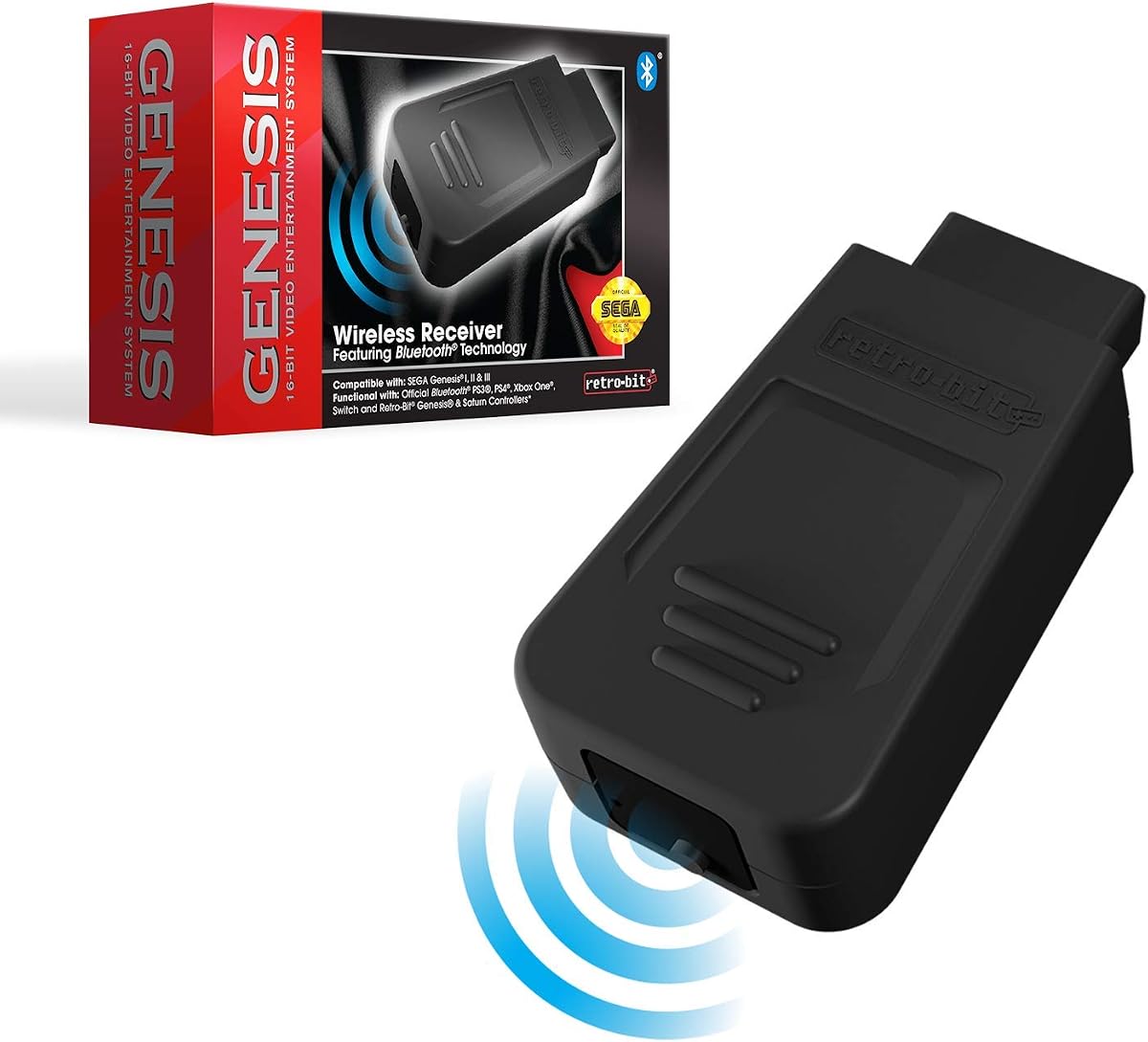
The Retro-Bit Genesis Bluetooth Receiver has a 4.2 rating and solves a different problem from the HDMI adapters: controller connectivity. It is compatible with original Sega Genesis consoles and most third-party Sega Genesis clone consoles, making it one of the few products here that explicitly names clone compatibility as a core feature.
We may earn a commission when you buy through this link, at no additional cost to you.
The receiver works with Retro-Bit Sega Genesis and Saturn Bluetooth controllers. It can also pair with official PlayStation 4, Xbox One, and Nintendo Switch controllers, giving owners more options for modern wireless pads. Its listed playable range extends to 30 feet, which offers freedom from the short controller leads commonly associated with original hardware.
This makes the receiver useful for a clone located near a television stand or for a player who prefers a wireless setup. It does not process video, provide an HDMI output, or solve the signal-compatibility issue. A separate converter or cable remains necessary if the clone cannot already send a suitable picture signal to the television.
Choose this receiver when controller convenience is your priority and your clone is compatible. For a full HDMI setup, use it alongside one of the appropriate display adapters rather than expecting it to replace one. It is a strong complement to a Genesis clone collection but not a display solution.
Most display products in this guide warn that clone compatibility can be uncertain. This receiver expressly supports original systems and most third-party Genesis clones, making it especially relevant to clone owners.
Bluetooth pairing removes the need to remain within reach of the console's controller port. Support for several current controller families also lets you reuse familiar wireless pads across different systems.
We may earn a commission when you buy through this link, at no additional cost to you.
The most important decision is not the adapter shape but the signal your clone actually outputs. Review connector type, video standard, audio path, power requirements, display controls, and console support before choosing a product.
Begin by determining whether your Sega Genesis clone exposes RGB, composite video, or both. This single check can eliminate most incompatible purchases. Several excellent adapters in this guide explicitly read an original console's RGB stream, which means they may produce audio without a picture when connected to a composite-only clone. Other products are built around the familiar yellow, white, and red RCA outputs found on many clone systems.
Console generations are not always physically identical. Model 1, Model 2, Model 3, Mega Drive variants, and third-party clones may place ports in different locations or expose different pin arrangements. Review the exact compatibility language for each product and compare it with photographs of your own console. A list of compatible original systems is encouraging, but it is not automatically a guarantee for every replica.
RGB separates video color information into dedicated red, green, and blue channels, while composite combines the picture into a single yellow RCA signal. RGB is generally better suited to sharp, colorful presentation on a modern display because it avoids some of the color blending associated with composite. A converter cannot manufacture RGB from a console that does not provide it, so matching the adapter to the source is essential.
Many adapters offer 720p or 1080p output, along with physical switches for 4:3 and 16:9 presentation. These labels describe the output format rather than the amount of original game detail. The Genesis originally operated at lower internal resolutions, so an upscaler can make the image easier to view on a large television without adding detail that was never present. A physical control is particularly useful when you want to compare settings without navigating television menus.
Some RGB-to-HDMI adapters require a micro USB or USB power lead even though the display cable also carries power. Others explicitly include a power cable but not a wall plug, meaning you need a spare powered USB port or a compatible charger. The TNP adapter requires a 5V, 1A source. Power requirements should be considered alongside console age, since supplemental power may also help reduce strain on an original internal supply.
A satisfactory image is only half of the experience. The TNP and LEVELHIKE products describe HDMI audio and video transfer, while the Y.D.F Dreamcast converter also carries Dreamcast audio and video. For RCA systems, the composite cable provides yellow video, white audio, and red audio connections. Choose the route that avoids an extra converter when audio matters, and verify whether sound is analog or digital in the included description.
Modern televisions commonly offer HDMI, while older CRT-style displays may emphasize RCA or other analog inputs. A detachable HDMI cable gives you more freedom to select a suitable length, and a compact adapter is easier to move between a television, desktop monitor, and projector. For HDMI-only screens, do not select an RCA cable unless you are also acquiring a separate RCA-to-HDMI converter.
Customer ratings can help identify products that have earned consistent feedback, while specialized warranty support may be valuable for signal-sensitive accessories. The Genesis Mini 2 has the highest listed rating because it is a complete console with a built-in HDMI connection, while the Kaico Dreamcast adapter includes a stated 12-month warranty. Ratings should still be treated as one signal, alongside compatibility details, rather than a substitute for checking your hardware.
Before connecting anything, inspect the console's output port and identify whether it provides RGB, composite video, or both. Match that information to the adapter's supported input. Arrange the console and television first, then connect the appropriate console-side cable. For RGB products, attach the supplied model-specific lead before attaching the HDMI cable to the television.
Power the adapter according to its instructions. Some units draw power from the television's USB port, while others require a separate 5V source or a specific USB connection to the console. Turn on the television, select the correct HDMI input, and then start the console. If the picture is missing, check the signal source and power lead before changing television settings.
Use the adapter's aspect-ratio and resolution controls to choose the best presentation for the display. Once connected, handle the cable and converter as one assembly, avoid sharp bends at the console plug, and keep the power connection secure. Periodically inspect exposed connectors for dust or corrosion, and unplug the system before changing cables. For vintage hardware, stable power and careful ventilation remain important even when a modern converter improves the picture.
No. Compatibility depends on the clone's connector layout and video output. Some clones expose RGB, while others provide only composite video, so an RGB-focused adapter may show sound without a picture. Always verify both the connector and signal method before buying.
The most likely cause is a signal mismatch: the adapter expects RGB, while the clone is sending composite only. Another possibility is inadequate adapter power. Check the console's output specification and confirm that the required USB power source is connected and working.
An HDMI adapter converts the console's video and may also carry audio into a digital HDMI signal. A composite AV cable carries analog picture on a yellow plug and stereo sound on white and red plugs. On an HDMI-only television, a composite cable also requires a separate RCA-to-HDMI converter.
No. They indicate the converter's output format, while the original Genesis games render at much lower internal resolutions. Upscaling can improve presentation and compatibility on modern televisions, but it does not recreate original detail that the source signal never contained.
A 4:3 image generally matches the shape of classic Genesis game graphics more closely. A 16:9 option can fill a widescreen display more completely, but it may stretch the picture or change how the television handles it. Switch between both modes and select the less distorted result.
No. It is a separate miniature console with built-in HDMI output and 60 included games. It does not connect or convert an existing clone, nor does it play original cartridges. It is an alternative for someone who wants a complete, self-contained Sega system.
The Kaico Dreamcast HDMI Adapter and Y.D.F Dreamcast HDMI Converter are both Dreamcast-specific. The Kaico product supports VGA and RGBS, while the Y.D.F converter offers multiple standard video modes and aspect-ratio switching. Neither one serves as a Sega Genesis clone adapter.
The Retro-Bit Genesis Bluetooth Receiver is the relevant option because it explicitly supports original consoles and most third-party Genesis clones. It adds wireless controller support and works with several compatible modern controllers, but it does not perform HDMI conversion.
The Mcbazel RGB to HDMI Adapter stands out for its physical display controls and clear documentation, but it is specifically unsuitable for clone machines that lack RGB. The LEVELHIKE cable offers a flexible, detachable premium connection for compatible Sega hardware, while the TNP adapter provides the most budget-friendly direct HDMI route among the broad-compatibility options.
Your priority should be signal compatibility rather than the number of console names printed on a listing. Identify the clone's output, confirm the connector, verify external power requirements, and check whether the adapter carries audio. If the clone is composite-only, choose an RCA-based route or a purpose-built composite converter rather than an RGB adapter.
Ratings, product availability, and pricing can change, so review the current listing before ordering. Most importantly, compare the physical port on your exact clone with the included connector and confirm whether the product requires a television USB port or a separate power supply.