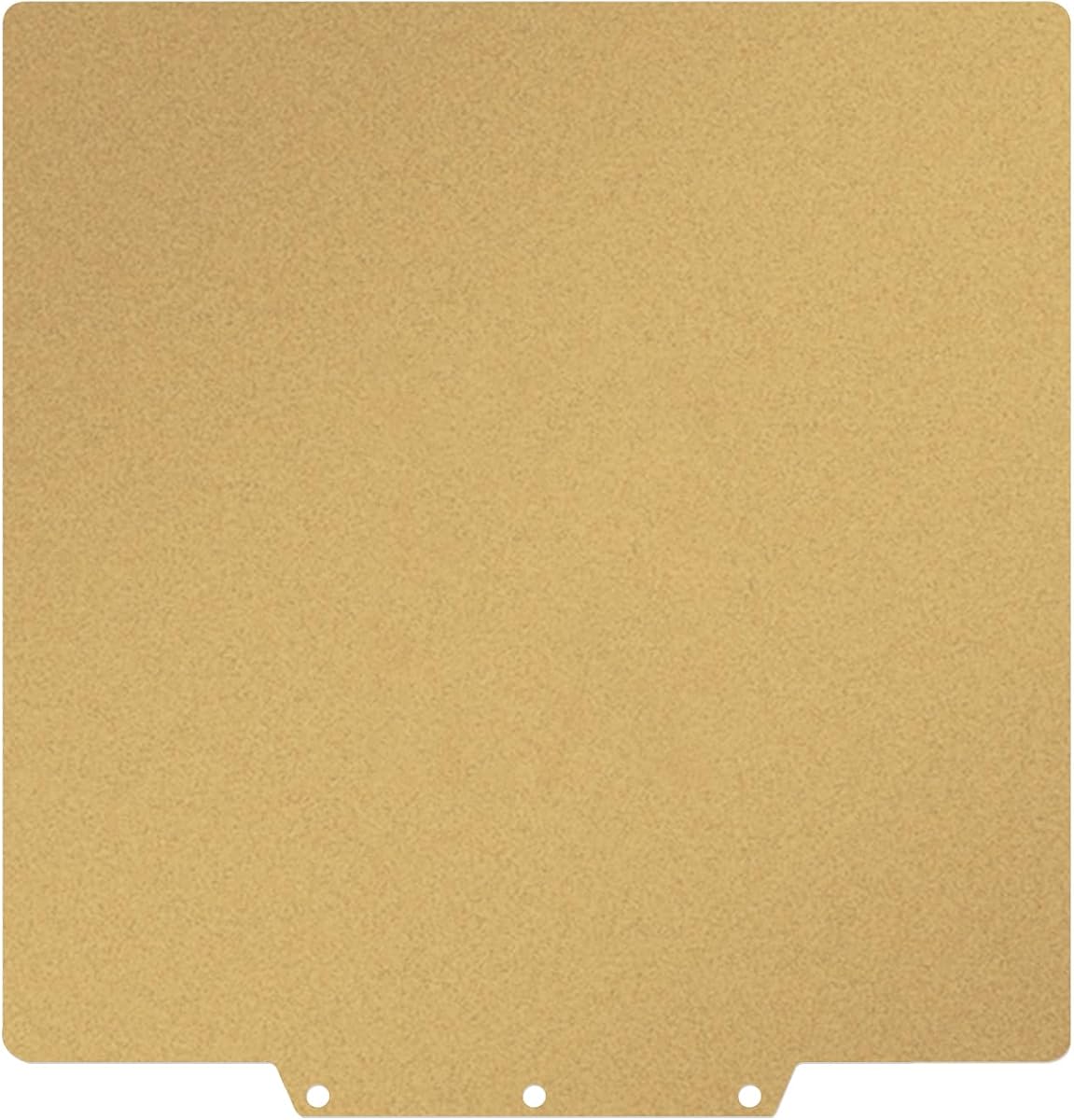
Gold PEI 235x235mm Build Plate
4.7Editor score
Double-sided frosted PEI
Flexible magnetic spring steel
Wide 235mm printer compatibility
Explore the best build plate for 3D printer options in this expert guide, comparing materials, adhesion, compatibility, heat resistance, and ease of removal.
A build plate for 3D printer directly influences first-layer adhesion, surface finish, warping, and how easily a finished model can be removed. A capable plate should combine a stable, flat base with a surface that suits your filament, printer, and preferred level of control.
The products in this guide were compared using their supplied specifications, with particular attention to plate dimensions, printer compatibility, supported materials, coating or texture, temperature limits, magnetic retention, model removal, and maintenance requirements. The list covers both 257 x 257 mm Bambu Lab options and 235 x 235 mm plates for several other printer families.
Each review explains the strongest reasons to consider a plate as well as its limitations and ideal user. Three standout selections are featured at the top, while ratings, availability, and prices can change, so compare the current listing details before making a final purchase.
4.7Editor score

4.4Editor score

4.5Editor score
The table below compares all ten plates by their core construction, size, material support, and practical benefits, making it easier to match a surface with your printer and preferred filaments.




The BIQU CryoGrip Pro Glacier 257 x 257mm is a double-sided upgrade for a broad range of Bambu Lab printers, and its 4.4 rating reflects a strong balance of adhesion, convenience, and surface refinement. It is designed for P1S, P1P, P2S, X1C, X1E, X2D, and A1 machines. Rather than relying on a conventional PEI powder coat, it uses a seven-layer cobalt oxide construction that includes a base plate, base coat, intermediate coating, and top coat.
We may earn a commission when you buy through this link, at no additional cost to you.
Its most distinctive benefit is the hollow handle. According to the supplied information, the handle remains cool enough to touch when the bed reaches 100°C, reducing the need to wait for the entire platform to cool before removing it. The magnetic substrate is also intended to control warping and first-layer movement, while the delicate texture gives printed bottoms a smoother finish. Compatible materials include PLA, PETG, ABS, PA, and other filaments.
There are two important qualifications. The listing says Glacier adhesion is not as strong as BIQU's Frostbite option for PLA and PETG, so users who prioritize maximum grip should investigate that alternative. P2S owners are instructed to close build-plate printing detection because the plate type may otherwise be interpreted incorrectly. The AR marking system is intended to assist identification, although users may also select their own AR code for high-temperature materials.
This is a strong choice for Bambu Lab users who want dependable first-layer adhesion, quick plate changes, and a refined bottom texture without moving to glass. It suits beginners, production-minded hobbyists, and anyone tired of handling a hot bed. The main reason to choose it is the combination of magnetic stability, layered coating, and a handle that improves the removal workflow.
The insulated handle can remain touchable while the heated bed is near 100°C. That makes it easier to lift the plate promptly and continue a print queue without waiting for the complete assembly to cool.
The high-magnetic substrate is designed to limit stress and warping, while the fine Glacier texture helps produce a smooth underside. It is a useful compromise for visible models and dependable first layers.
We may earn a commission when you buy through this link, at no additional cost to you.
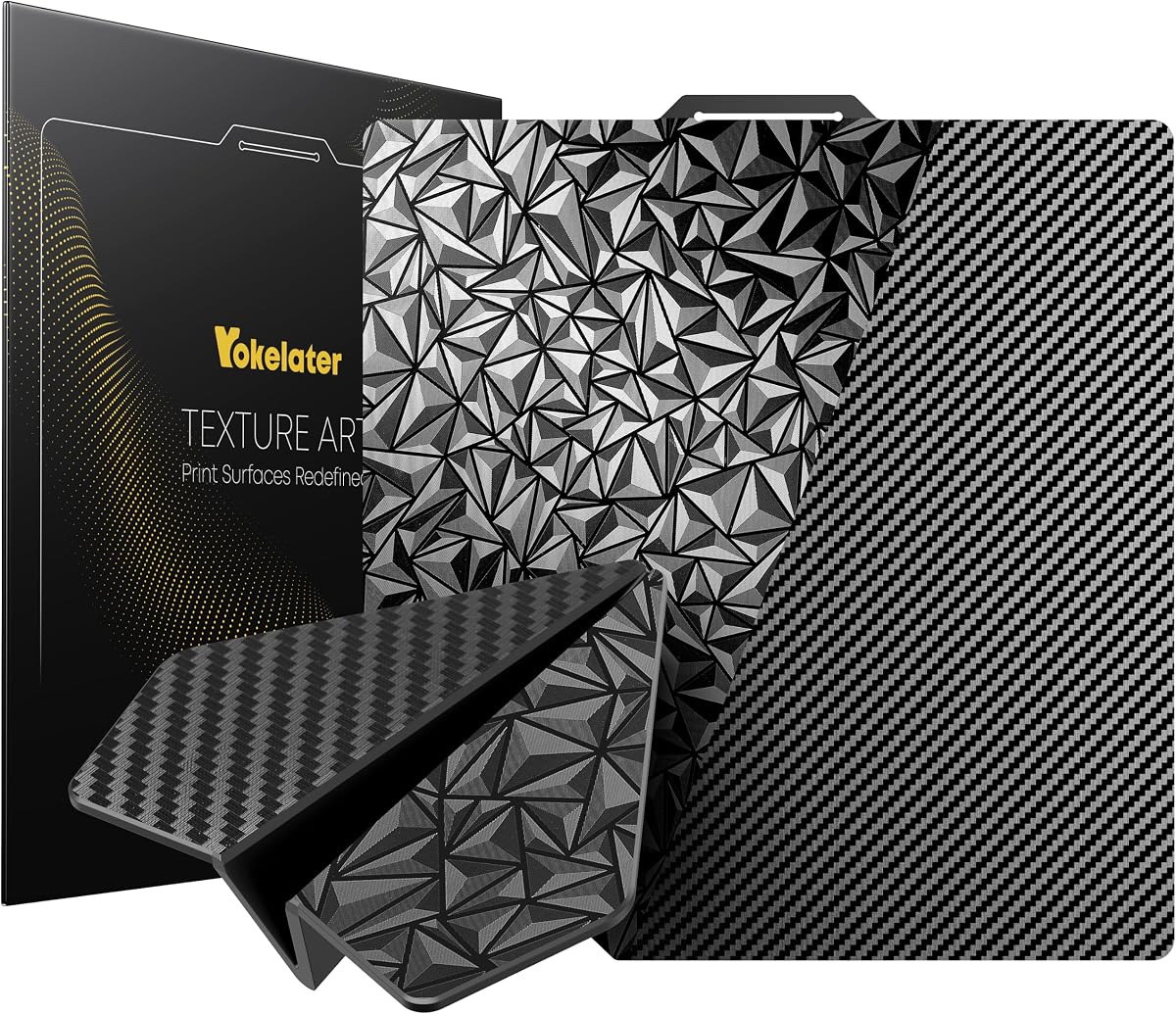
The PEO PET 257 x 257mm plate earns a 4.5 rating by combining two established texture ideas on a flexible spring-steel sheet. One face uses a diamond PEO pattern, while the other has a carbon-fiber-style PET pattern. This gives users a meaningful choice between finishes without replacing the whole platform whenever they change filament or want a different underside effect.
We may earn a commission when you buy through this link, at no additional cost to you.
The diamond side has a smooth, matte appearance that is presented as well suited to silk and other glossy filaments. The carbon-fiber texture is more understated and can create an attractive appearance with charcoal-gray material. The high-strength spring steel is designed to resist permanent deformation after repeated flexing, while the plate can be removed from the heated bed once cooled. The surface is stated to tolerate temperatures up to 150°C.
Good adhesion depends on proper preparation. The supplied guidance recommends cleaning the surface with a damp tissue, drying it, keeping filament dry, selecting the appropriate build-plate type in the slicer, and adjusting the bed temperature. Suggested settings are 60–65°C for PLA, 70–90°C for PETG, and 20–40°C for TPU. X1, X1C, and X1E users are told to disable build-plate position detection before choosing the plate type.
This plate is most attractive to Bambu Lab owners who enjoy experimenting with bottom-surface aesthetics and can follow a modest preparation routine. It is less attractive to anyone who wants completely hands-off adhesion or does not want to check printer detection settings. Even so, the dual-texture design, 150°C capability, and flexible construction make it a versatile choice for many filament types.
A diamond PEO face and carbon-fiber-pattern PET face let the user change the visual character of a print simply by flipping the plate. One surface emphasizes a smooth matte look, while the other offers a subtle woven pattern.
Clean the plate with a damp and then dry tissue, keep filament dry, and match bed temperature to material. These simple steps help reduce fingerprints, oils, and other contaminants that can weaken the first layer.
We may earn a commission when you buy through this link, at no additional cost to you.
The Upgraded Smooth Cool Plate is a 257 x 257mm double-sided platform for Bambu Lab users, with a 4.4 rating and a focus on attractive, lightly textured bottom surfaces. It is listed for the P2S, P2P, X1C, X1E, X1, X2D, P1S, P1P, and A1. Both faces feature a sky-blue textured treatment, and the resulting model bottom is described as natural and matte rather than tinted by the plate.
We may earn a commission when you buy through this link, at no additional cost to you.
The surface is made from stainless steel and supports common materials including PLA, TPU, PETG, ABS, and nylon. The manufacturer notes that adhesive can be added when extra stability is required, giving the user a way to increase grip if a particular filament combination needs it. Installation is straightforward: the cold platform is placed on the heated bed, and maintenance involves wiping the surface with water or alcohol.
Printer identification is the main setup consideration. The plate's code can be recognized by most supported models, but P2S and X2D users must open Settings, find Identification Code, and uncheck it. This is a minor inconvenience compared with the benefit of a plate that works across many Bambu Lab platforms. Buyers should also understand that the sky-blue appearance belongs to the plate and does not transfer to the printed object.
This plate is well suited to users who value a clean matte underside and uncomplicated care more than exotic texture combinations. It also makes sense for general PLA, PETG, and functional printing. Those who often work with difficult materials may choose to add an adhesive layer, while the standard installation and cleaning process remains straightforward for everyone else.
The blue-toned plate is visually distinctive, but the printed bottom remains the natural color of the filament. The texture adds a subtle matte quality without applying a blue coating to the model.
The platform is placed on the heated bed while cold, and its surface can be wiped with water or alcohol. This uncomplicated routine makes it convenient for frequent printing and changing materials.
We may earn a commission when you buy through this link, at no additional cost to you.
This two-piece Creality Original Ultra system takes a different approach to the conventional fixed build plate. Rather than being limited to one printer size, it uses a flexible upper magnetic surface and a lower magnetic adhesive base. The upper surface can be cut to fit different build areas, making the product especially interesting for owners of multiple FDM printers or for unusual bed dimensions.
We may earn a commission when you buy through this link, at no additional cost to you.
The removal process is the central attraction. After printing, the user can separate the upper surface from the lower base, flex the sheet, and let the finished model fall free. The supplied instructions recommend heating the bed for two to three minutes before removal with appropriate tools. The flexible construction can reduce the need to slide a rigid scraper between the print and the bed, helping protect both the model and the surface.
Installation requires attention to magnetic direction. The bottom of the soft magnetic sticker and the top layer must be fully attracted before mounting. If they do not connect, the user should rotate one section by 90 degrees and try again. The lower 3M adhesive surface is then placed on the existing build plate. The system is described as compatible with all FDM printer models, including heated and non-heated beds, although correct positioning remains important.
This is the list's most broadly adaptable option for a custom or multi-printer setup. It is especially useful for someone who wants a flexible removable surface without committing to a specific 235 mm or 257 mm plate. Buyers who value straightforward model release and customization will appreciate its design, but they should follow the attachment instructions carefully to ensure the magnetic layers connect securely.
Because the flexible upper sheet can be cut, it can be adapted to different build areas. That flexibility is useful for unusual projects, prototype layouts, and users who operate more than one FDM machine.
Separating and flexing the upper surface lets a model drop away after printing. This method can reduce tool contact with the finished part and the build surface.
We may earn a commission when you buy through this link, at no additional cost to you.
The Double-Sided PEI 257 x 257mm plate is a conventional spring-steel build surface for Bambu Lab printers, but it differentiates itself with distinct smooth and black-textured PEI sides. Its 4.2 rating reflects a useful, versatile design for PLA, ABS, ASA, PETG, TPU, nylon, PA, and PC. The textured side is stated to withstand 300°C, while the smooth side is rated to 200°C.
We may earn a commission when you buy through this link, at no additional cost to you.
The textured face is intended to provide stronger adhesion and allow a model to remain attached without glue. That makes it the more convenient side for most jobs. The smooth PEI face is intended to produce a smoother model bottom and can be easier to release, but glue is recommended for materials other than PLA. Its protective film should be removed before use.
Maintenance and setup require a little care. The plate should be allowed to cool before removing a print, cleaned regularly with a soft cloth, and kept away from strong chemical reagents and detergents. The bed should also be leveled again whenever the user changes sides because the spring-steel geometry and working surface can affect the bed's relationship to the nozzle. These are manageable steps for users accustomed to interchangeable plates.
This product is a strong match for makers who work with engineering polymers or need a higher-temperature surface than basic textured plates provide. It is less attractive for a plug-and-play user because the smooth side has different adhesion requirements. For most printing, the textured side will be the default, while the smooth side becomes a specialized option for finish-conscious PLA work.
The textured PEI side is listed for 300°C resistance, making it appropriate for demanding materials and heated-bed workflows. The smooth side is rated for 200°C and is better suited to lower-temperature, finish-focused work.
Textured PEI generally provides easier adhesion, while smooth PEI is chosen for a cleaner bottom. Re-level the bed after changing sides and use glue on the smooth face when printing anything beyond PLA.
We may earn a commission when you buy through this link, at no additional cost to you.
The Multi-Texture 257 x 257mm plate is built for Bambu Lab A1, X2D, P2S, X1, X1C, X1E, P1P, and P1S printers. Its 4.3 rating reflects a useful approach: instead of standardizing every print on one surface, it provides different textures that can be matched to filament, bed temperature, and the desired underside appearance.
We may earn a commission when you buy through this link, at no additional cost to you.
The supplied specification identifies PEO, PEY, and PEI surface options. PEO and PEY are described as supporting PLA, TPU, and PETG, with different maximum bed temperatures, while PEI supports a wider range including PLA, PETG, ABS, TPU, ASA, PVA, PET, PA, and PC. These are not interchangeable settings, so the user must select and adjust the profile according to the active face and filament rather than expecting one temperature to work everywhere.
The flexible spring steel core supports easy model removal. Once a print has cooled, gently bending the plate can release it and reduce reliance on sharp tools. The surface materials are also presented as resistant to scratches, cleaning wear, and residues associated with repeated printing and removal. This makes the plate a sensible middle ground between a basic coated sheet and a more specialized premium surface.
This option is best for users who deliberately match their build surface to a project. A user making presentation models might choose a texture for appearance, while someone printing engineering polymers can select the higher-temperature PEI option. It is less suitable for beginners who want completely automatic settings, but it provides an excellent balance of versatility, material range, and manageable maintenance.
The available PEO, PEY, and PEI faces are intended for different materials and temperatures. Selecting the closest match can provide better adhesion and a more intentional bottom finish.
A flexible spring steel core allows a cooled print to be released with a gentle bend. This approach can reduce scraper use and help protect detailed model edges.
We may earn a commission when you buy through this link, at no additional cost to you.
The Powder-Coated PEI 235 x 235mm Flexi Steel plate is a focused upgrade for several Creality Ender and related systems, and it carries the highest customer rating in this comparison at 4.7. The listed compatibility includes Ender 3, Ender 3 Pro, Ender 3X, Ender 3 V2, Ender 5, Ender 5 Pro, CR 20 Pro, and Aquila X2, making it a practical option for owners of those machines.
We may earn a commission when you buy through this link, at no additional cost to you.
Its construction combines a powder-coated PEI surface with a hardened, flexible steel spring sheet and a magnetic base. The intended workflow eliminates tape, glue, and aggressive scraping. After the model cools, the user can bend the plate or pop it away from the magnetic bed. This is particularly useful for frequently printed models and for users who prefer a reusable surface over disposable adhesive sheets.
The plate does not offer the elaborate multi-texture or dual-temperature options found elsewhere in this list. Its appeal instead lies in a simpler proposition: a conventional textured surface, strong magnetic holding, and straightforward release. Users should still confirm the exact printer model and bed arrangement before ordering because compatibility is centered on a defined collection of 235 mm systems rather than every printer of that size.
For a Creality Ender owner seeking an uncomplicated, well-rated upgrade, this is a compelling choice. It avoids the learning curve of selecting among several engineered surfaces and should satisfy users who print primarily with common filaments. The strong rating, magnetic design, and easy release workflow make it especially attractive as an affordable route to a more durable and convenient build plate.
The powder-coated PEI surface provides a reusable printing area without the repeated application of tape or glue. It also offers a consistent texture across many standard printing tasks.
The spring steel construction lets users flex the surface or detach it from its magnetic base after the print cools. This reduces the force and tool contact required for model removal.
We may earn a commission when you buy through this link, at no additional cost to you.
The Comgrow Ender 3 PEI Spring Steel plate is a 235 x 235mm textured build surface with a 4.6 rating. It is described as using a high-temperature-resistant frosted PEI coating, a high-strength spring steel sheet, and strong magnetic paste. The combination is intended to remain stable through repeated heat cycles while resisting scratches and everyday surface wear.
We may earn a commission when you buy through this link, at no additional cost to you.
One practical detail is the positioning-hole and double-handle design. These features help the plate locate accurately on the bed and make it easier to lift or flex after a print. A slight bend releases the model without forcing a rigid scraper underneath. The plate can be used with a long list of filaments, including PLA, ABS, ASA, PETG, TPU, nylon, PA, and PC.
The product information gives one of the broadest compatibility lists in the guide. It names ELEGOO Neptune 3 Pro, Neptune 4, and Neptune 4 Pro; Creality K1C, K1, Ender 3 V3, Ender 3 V3 SE and KE, Ender 3 and related variants, S1, and Ender 5; CR-10 SE; CR 20 and CR 20 Pro; as well as a generic 3D printer category. This broad list is useful, but the shared 235 mm size does not guarantee that every mounting detail is identical, so exact model verification remains important.
This is an excellent general-purpose 235 mm plate for users with a compatible printer who values a conventional textured PEI surface and a high customer rating. It is less specialized than multi-texture products, but that simplicity works in its favor. The magnetic force, abrasion resistance, accurate positioning, and flex-based removal create a balanced upgrade for everyday and engineering-material printing.
The double handles and locating holes are intended to keep the plate properly positioned. Accurate placement supports repeatable first layers and makes the plate easier to handle.
The frosted PEI layer is described as abrasion resistant, while strong magnetic paste is intended to retain its hold at elevated temperatures. Together, they target the repetitive heating and cooling demands of normal printer use.
We may earn a commission when you buy through this link, at no additional cost to you.
The Double-Sided Gold PEI 235 x 257mm platform is a premium-style option with a 4.7 rating and an extensive compatibility list. It is specifically mentioned for Adventurer 5M, 5M Pro, and AD5X machines, while also supporting numerous Creality, Kobra, Neptune, Anycubic, and other systems that use a similarly sized platform. Exact printer and bed-size confirmation is still essential before ordering.
We may earn a commission when you buy through this link, at no additional cost to you.
Both sides use a frosted PEI powder coating, giving the plate a double-sided design that can extend useful life by rotating the working face. The textured surface is stated to enhance adhesion and help reduce warping, while the spring steel body allows a finished model to be removed after cooling without scraping. The flexible magnetic sticker keeps the plate secured throughout printing and helps it return flat after flexing.
The surface is listed as resistant to temperatures up to 300°C, making it suitable for demanding workflows. Supported filaments include PLA, PLA+, PETG, PETG-CF, ABS, TPU, nylon, PC, PA, ASA, and PVA. Because both faces have the same general frosted PEI character, this product is less about contrasting visual patterns and more about extending service life through rotation.
This is a particularly strong choice for owners of the Adventurer 5M series or one of the many listed 235 mm printers who wants a durable, double-sided PEI upgrade. Its 4.7 rating, high-temperature capability, and flexible magnetic construction make it a versatile all-rounder. The main caveat is to confirm that the printer's physical bed layout and mounting arrangement match before making a final choice.
Two frosted PEI sides allow the plate to be flipped when one face accumulates wear. This design can extend useful life without requiring users to maintain a separate second plate.
The stated 300°C resistance and support for materials such as ASA, PC, PA, and PETG-CF make the plate suitable for users who regularly print beyond basic PLA.
We may earn a commission when you buy through this link, at no additional cost to you.
The BIQU CryoGrip Pro Glacier 235 x 235mm plate is a premium engineered surface aimed at improving adhesion while reducing reliance on high bed temperatures. It has a 4.5 rating and a seven-layer design. The product is specifically listed for Flashforge Adventurer 5M, 5M Pro, and 5X models, with a much broader compatibility list that also includes many Creality, Kobra, Neptune, and SV-series printers.
We may earn a commission when you buy through this link, at no additional cost to you.
The supplied guidance recommends 45–55°C for PLA and 60–75°C for PETG, illustrating its emphasis on lower-temperature operation. A polymer-based Glacier surface is presented as delivering firm first-layer adhesion and helping prevent glue requirements, edge warping, and prints falling off. It supports PLA, PETG, ABS, PA, and other engineering materials, including materials with nozzle temperatures below 300°C.
Its honeycomb handle is another meaningful feature. According to the product information, the handle area stays low enough to touch even when the bed is at 100°C, allowing the plate and model to be removed without a full cooling delay. Cleaning is straightforward with water and soap or alcohol, and the self-recovering coating is intended to restore adhesion after a wipe. Prints can also be released by gently bending the surface.
The main limitation is that BIQU states Glacier is not as effective for PLA and PETG as its Frostbite plate. The broad compatibility list also requires careful checking, since model families and revisions can use different bed arrangements. Even with those caveats, this is a compelling choice for users who want lower bed temperatures, strong engineering-material adhesion, and a safer hot-plate handling experience.
The Glacier surface is designed to maintain firm adhesion around 45–55°C for PLA and 60–75°C for PETG. This can help users reduce heat while limiting warping and first-layer movement.
The honeycomb handle is insulated from the hot print area and can remain touchable near 100°C. That design supports faster plate changes and more continuous project workflows.
We may earn a commission when you buy through this link, at no additional cost to you.
The right build plate depends on printer dimensions, mounting style, filament, required adhesion, and the bottom finish you want. These factors help narrow the options before comparing surface coatings and temperature limits.
Start with the physical dimensions of the bed rather than only the printer's marketing name. A 235 x 235 mm plate cannot be assumed to fit a 257 x 257 mm bed, even when both belong to printers in the same family. Also check whether the original plate is held by a magnetic base, screws, clips, or a fixed frame. A full replacement sheet should match the usable dimensions and the way the machine locates and secures its bed. Some products can be trimmed, while others are intended to remain uncut.
PEI powder-coated spring steel is a familiar, versatile choice, while textured PEI generally provides strong grip. Smooth PEI can create a cleaner underside but usually needs adhesive for materials beyond PLA. PEO, PEY, PET, and specialized Glacier surfaces offer distinct texture, temperature, or adhesion characteristics. A multi-texture plate provides more options, but every side may require different slicer and temperature settings. Choose a surface according to the materials you actually print rather than the broadest list on a listing.
Adhesion depends on the interaction among the plate coating, bed temperature, filament, leveling, contamination, and environmental conditions. A textured surface usually tolerates a wider range of materials, while a smooth surface may require glue. If a plate is marketed for lower-temperature printing, confirm the recommended temperature range and make sure your slicer profile reflects it. Good results also depend on cleaning the surface and keeping filament dry, especially with PETG and hygroscopic materials.
The bed's maximum temperature is not always the same as the plate's safe working limit. High-temperature polymers such as ABS, ASA, PA, PC, and some composites may require a surface rated well above the temperatures used for PLA. Compare the stated surface resistance with your required bed temperature and the printer's own capability. A plate can be strong enough for ordinary materials yet unsuitable for a demanding engineering workflow, so check this specification before ordering.
Flexible spring steel lets a user release a print by bending the plate, reducing the need for a rigid scraper and helping protect the model's bottom edge. Removable magnetic systems go further by separating the surface from the bed entirely. Pay attention to instructions about cooling or warming the bed before release, because thermal expansion can affect adhesion and removal. The best release system is one you can use consistently without applying excessive force.
Spring-steel plates generally need only routine wiping, but the correct cleaner depends on the coating. PEI should be cleaned with a soft cloth and kept away from harsh chemical reagents. Some textured surfaces tolerate water or alcohol, while others may benefit from a mild cleaning method. Check whether the manufacturer requires removal of protective films, recommends a specific slicer plate type, or advises re-leveling after changing sides. Low-maintenance convenience comes from following those details.
Some Bambu Lab printers identify the installed build plate using codes or an automatic detection system. An unrecognized plate may trigger an error, while a mismatched type can lead to unsuitable slicer settings. Check whether the product includes a recognized identification mark and whether the printer requires build-plate detection to be disabled. This matters for P2S and X2D users in particular, as several included products provide specific instructions for those models.
A full 235 mm or 257 mm replacement is convenient when the original plate is damaged or lacks the desired surface. A removable flexible system may be more economical for unusual bed sizes, and a multi-texture plate can serve several materials without repeated purchases. Consider how many printers you own, whether you need different finishes, and how often you print. The most economical option is not always the least expensive, but the one that prevents wasted filament and failed prints.
Begin by confirming the printer model, bed dimensions, mounting arrangement, and required build-plate detection settings. If the surface has a protective film, remove it before use. Clean the plate according to its material guidance, level the bed, and select the matching plate type and temperature in the slicer. For textured surfaces, begin with the manufacturer's suggested bed temperature and adjust only when the filament and environment require it.
During printing, keep the surface free of dust, fingerprints, grease, and adhesive residue. Do not scrape aggressively against the coating, and avoid leaving a finished model attached while the bed remains excessively hot. Follow the product-specific removal instructions: some plates benefit from a short warming period, while others are flexed or detached only after cooling. A steady, controlled removal method protects both the model and the coating.
After the print, remove the model and inspect the surface for residue, scratches, or buildup. Wipe it with the approved cleaner, dry it fully, and avoid strong chemical detergents unless the manufacturer explicitly permits them. Let the plate cool before storage and take care not to crease the spring steel. If adhesion changes, clean the surface and check leveling, filament dryness, temperature, and Z-offset before assuming the plate needs replacement.
A textured PEI plate usually provides easier adhesion across a wider range of filaments, while a smooth plate can create a cleaner underside. Smooth plates often need glue for materials other than PLA. The right choice depends on whether grip or surface finish is more important for your usual prints.
No, not without a suitable physical and magnetic solution. A smaller plate may leave usable area uncovered and may not be retained securely by a larger bed. Always match the dimensions and mounting method instead of assuming that similar printer families use interchangeable plates.
Textured PEI is generally designed to work without glue, although individual filaments, dirty surfaces, or unusual environmental conditions can still cause adhesion problems. Cleaning the plate, leveling the bed, and selecting an appropriate temperature are the first steps. Glue is more commonly required on smooth PEI when printing beyond PLA.
Wait as long as the product instructions recommend, then gently flex the plate so the model releases without forcing a rigid tool underneath. Some products recommend warming the bed briefly first. Avoid sharp tools and excessive force, which can scratch the coating, crease the steel, or damage the bottom of the model.
The correct setting depends on the plate and filament, but the included products commonly suggest roughly 60–65°C for PLA and 70–90°C for PETG on PEI-type surfaces. Glacier plates may support lower ranges, around 45–55°C for PLA and 60–75°C for PETG. Follow the selected plate's guidance and adjust for the specific filament.
Some do. Several products include a recognizable code, but P2S and X2D models may require users to open Settings and disable the Identification Code option. Other printer families may also require build-plate position detection to be turned off. This prevents errors and makes sure the slicer uses the correct surface profile.
Clean it whenever residue, fingerprints, or reduced adhesion are visible, and as part of a regular maintenance routine. Use the method approved for the coating, such as a soft cloth with suitable water or alcohol cleaning. Avoid strong chemical reagents because they can damage PEI and other engineered surfaces.
Yes, but the surface and settings must suit each material. PEI and Glacier options generally cover the broadest ranges, while PEO, PEY, and specialized textured surfaces may impose lower limits. Change the temperature and slicer profile when switching surfaces, and confirm the plate's stated compatibility before printing engineering polymers.
The BIQU CryoGrip Pro Glacier 257 mm stands out as the most complete Bambu Lab option in the group, combining a layered adhesive surface, quick-release handle, broad printer support, and refined bottom texture. The Double-Sided Gold PEI 235 mm offers a high-rated, premium general-purpose upgrade with strong heat resistance, while the Powder-Coated PEI 235 mm plate is a straightforward and economical choice for compatible Creality users.
Before buying, prioritize the requirements that affect daily results: exact bed dimensions, mounting compatibility, filament range, working-temperature limits, and how easily you want to remove completed models. A complex multi-texture plate is valuable if you frequently change materials, but a well-maintained single-surface plate can be more convenient for a focused PLA or PETG workflow. Printer recognition settings and required cleaning methods deserve attention before the first print.
Ratings, product availability, and prices can change over time, so review the current listing and manufacturer instructions before purchasing. Compare the plate against your printer, filament, and workflow rather than choosing only by coating name or rating. A compatible, properly maintained, and correctly configured plate will deliver more consistent first layers and a more satisfying printing experience.