
Brother DS-740D Duplex Compact Mobile Document Scanner
4.3Editor score
Single-pass duplex scanning
Explicit Linux and SANE support
Space-saving mobile construction
Finding a scanner that works smoothly with Linux requires more than checking whether a USB cable fits. The most useful models combine dependable drivers, versatile OCR, clear image quality, and a scanning format that fits your daily workflow, whether that means digitizing receipts, preserving photographs, or converting records into searchable documents.
This guide compares ten document and photo scanners by examining their stated compatibility, throughput, paper handling, optical resolution, OCR capabilities, portability, and image enhancement features. The list covers mobile scanners, flatbed models, an automatic document feeder, a book-scanning camera, and a wireless desktop unit, with special attention to the products that explicitly identify Linux support.
Each selection reveals a different path to scanning under Linux, from native SANE-driver support to device workflows that may depend on compatible imaging applications. The Brother models provide the clearest documented Linux path, while the other products vary in the degree of platform information supplied. Availability, driver behavior, and pricing can change, so verify current details before purchasing.
4.3Editor score

4.3Editor score

3.4Editor score
As an Amazon Associate we earn from qualifying purchases.
The table below compares all ten products by platform information, scanning method, core performance, and document-handling capabilities. Linux support is explicitly documented for the two Brother mobile scanners and the NetumScan camera; for the remaining models, users should confirm current driver and software compatibility before purchase.



The Brother DS-640 combines explicit Linux compatibility with a genuinely portable document-scanning design, making it the strongest all-around recommendation in this guide. Its stated rating is 4.3, and the product information specifically identifies Linux support alongside SANE drivers. That combination is more valuable for a Linux buyer than an attractive specification sheet that leaves operating-system support unclear.
We may earn a commission when you buy through this link, at no additional cost to you.
Scanning speed reaches up to 16 pages per minute, with color documents processed at the same rate as black-and-white pages. The compact body is less than one foot long and weighs about 1.5 pounds, so it can travel in a bag or pocket. Automatic color detection, image rotation on PC, bleed-through prevention, background removal, text enhancement, and color drop give users useful control over output quality.
The main limitation is its single-sheet-fed, single-sided format. It will not automatically process both sides of a sheet in one pass, and users handling lengthy reports will need to insert pages individually. Its listed scan-to options and software features are strongest in the Brother iPrint&Scan ecosystem, so the exact interface and available destinations on a particular Linux installation should be confirmed before making it part of a critical workflow.
The DS-640 is best for Linux users who need fast receipt, letter, and business-document capture without giving up a full-sized desktop scanner. It is particularly attractive for mobile work, home offices, and field use. Among the ten products, it offers the clearest combination of documented Linux support, speed, compactness, and document enhancement, earning the Editor's Choice designation.
Brother explicitly lists Linux and SANE driver support, reducing uncertainty when selecting a scanner for a Linux computer. Users can connect through the included micro USB cable and use the available Linux-compatible workflow rather than relying on an unverified third-party application.
At under one foot long and approximately 1.5 pounds, the DS-640 prioritizes portability while still reaching 16 pages per minute. It is a practical choice for people who digitize paperwork away from a fixed desk or need to keep a scanner in a small home office.
We may earn a commission when you buy through this link, at no additional cost to you.
The Epson Workforce ES-50 is a compact mobile scanner built around fast, straightforward capture. It carries a 4.3 rating and can scan one page in as quickly as 5.5 seconds. Its automatic feeding mode accepts sheets sequentially and combines multiple pages into one file, reducing the interruption involved in digitizing a stack of documents.
We may earn a commission when you buy through this link, at no additional cost to you.
Paper handling is one of the ES-50's most useful traits. It accepts documents up to 8.5 by 72 inches, making it appropriate for long receipts, narrow records, and extended documents. Included Nuance OCR can create searchable PDFs and editable Word and Excel files, while Epson ScanSmart supports review and saving. USB 2.0 provides power and data through one connection, so no battery or external power supply is required.
The significant caveat for this roundup is platform support. The supplied information identifies Windows and Mac compatibility, a TWAIN driver, and cloud scanning, but it does not explicitly state Linux compatibility. A TWAIN-based Linux workflow may require additional software, and users should confirm the current Epson Linux driver and OCR application before buying for a Linux-only workflow.
The ES-50 remains a strong mobile option for anyone who values speed, long-page support, and automatic multi-page files. It is especially useful for receipts, accounting records, and short batches that can be scanned on the move. For Linux users, treat its suitability as something to verify, while for systems with clearly supported Epson software, its quick capture and useful OCR make it a compelling mobile companion.
The ES-50's automatic mode accepts each new sheet and combines a sequence of pages into one document. At a stated one page per 5.5 seconds, it is well suited to capturing receipts and short reports without repeatedly invoking a separate save process.
Nuance OCR can turn scanned pages into searchable PDFs or editable Word and Excel files. This makes the scanner more than an image-capture tool and gives users a practical path for indexing, editing, and organizing routine paperwork.
We may earn a commission when you buy through this link, at no additional cost to you.
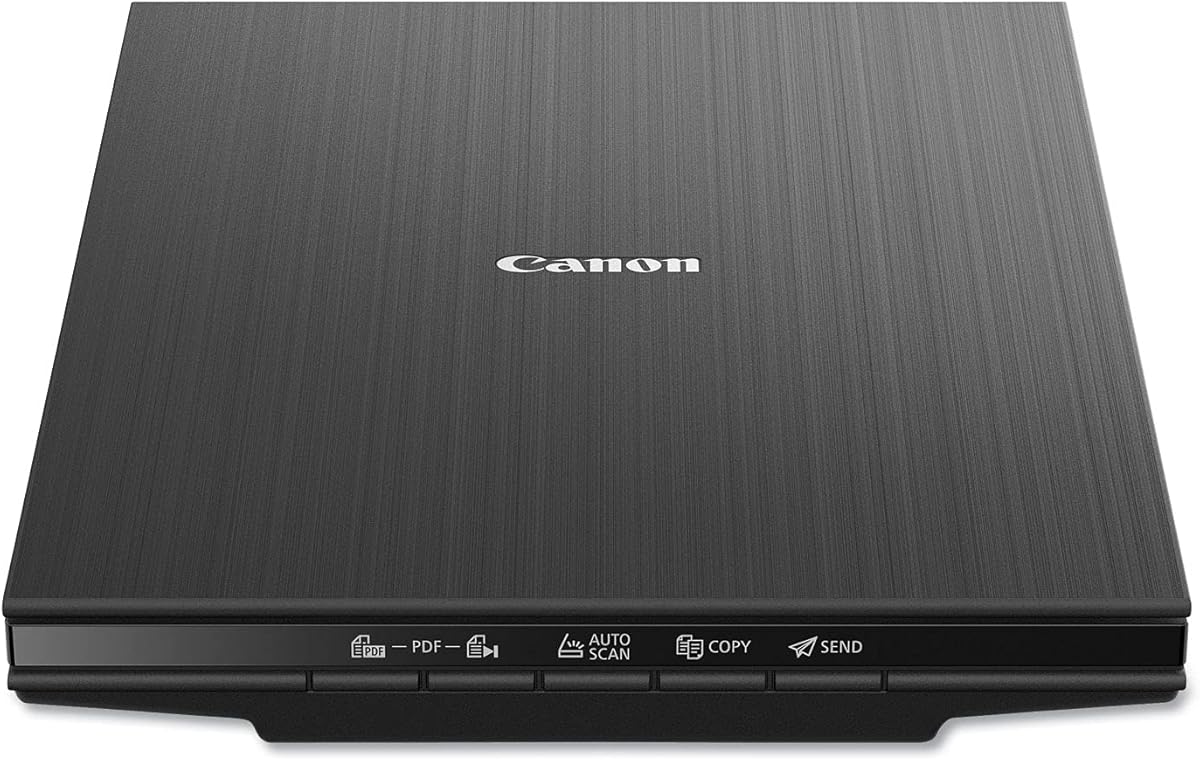
The Canon CanoScan LiDE 400 brings high-resolution flatbed scanning to a slim design, making it attractive for users who need both documents and photographs. Its stated rating is 4.1, and its 4800 by 4800 dpi resolution preserves fine detail. Scans can begin in as little as eight seconds through the included USB Type-C cable.
We may earn a commission when you buy through this link, at no additional cost to you.
The software workflow emphasizes accessibility. Automatic scan mode detects the type of material on the glass, and dedicated PDF controls can build editable, searchable multi-page files. Image enhancements include color restoration and dust removal, which are particularly useful for older photographs and printed material. The listed paper sizes cover common A4 and Letter formats.
For a Linux-specific purchase, the listing does not identify Linux as a supported platform, making current driver availability the decisive question. A flatbed scanner may still operate through general-purpose SANE packages, but that should be confirmed for the exact model and Linux distribution. The LiDE 400 is not an automatic document feeder, so larger office workloads may require more page-by-page placement.
This Canon is a good choice for a compact workspace that needs sharper photo reproduction alongside ordinary document scanning. Its one-cable connection and automatic PDF functions simplify the process, while image restoration adds value for family photographs. Linux users should treat it as a promising option pending platform confirmation rather than the safest documented choice in this list.
The 4800 by 4800 dpi sensor is designed for detailed images, including photos, prints, and artwork. Color restoration and dust removal add useful cleanup options for preserving and organizing older material.
Automatic detection reduces the need to select complicated settings for every page, while PDF buttons produce editable and searchable multi-page files. A single USB Type-C cable handles both data and power, keeping the physical setup simple.
We may earn a commission when you buy through this link, at no additional cost to you.
The Brother DS-740D is the premium recommendation because it preserves the DS-640's mobile strengths while adding single-pass duplex scanning. It has a 4.3 rating, reaches up to 16 pages per minute, and explicitly supports Linux with SANE drivers. For users who regularly work with two-sided records, that feature materially reduces sorting and rescanning.
We may earn a commission when you buy through this link, at no additional cost to you.
Both sides of a document are captured in one pass, and color scanning operates at the same stated speed as black-and-white scanning. The body remains less than one foot long, while the Desk Saving Design is advertised to recover 11 inches of desk space. USB power through the included micro USB 3.0 cable keeps the scanner operational without a nearby outlet.
Like the DS-640, this model is a single-sheet-fed compact scanner rather than a high-capacity office feeder. That makes it excellent for portable work but less suitable for uninterrupted scanning of very large stacks. The Linux-supported workflow remains the major advantage, while users should confirm that the specific scan destinations and document-management features they need are available in their chosen Linux environment.
The DS-740D is ideal for mobile professionals, researchers, administrators, and home-office users who want two-sided capture without sacrificing portability. It is especially compelling for Linux users because the platform support is stated rather than inferred. Its combination of duplex capability, compact construction, 16-page-per-minute speed, and image enhancement makes it the strongest premium selection here.
The DS-740D scans single and double-sided documents in a single pass at up to 16 pages per minute. This is the clearest upgrade over a basic sheet-fed scanner and reduces the need to turn pages manually or merge separate front-and-back files.
The stated support for Linux and SANE drivers makes the DS-740D easier to shortlist for open-source systems. It also supports several scan-to destinations through the Brother desktop application, giving users routes to a computer, network, cloud service, email, or OCR.
We may earn a commission when you buy through this link, at no additional cost to you.
The NetumScan 4K Book Scanner Document Camera is a budget-oriented capture device for books, loose papers, and other material displayed beneath a camera. Its 3.4 rating is the lowest among the ten products, but the supplied specifications explicitly state that it runs on Windows, Mac, and Linux, which makes it relevant to this particular guide.
We may earn a commission when you buy through this link, at no additional cost to you.
An 8-megapixel CMOS sensor provides live image capture, while the built-in LED and stepless dimming help maintain usable illumination in bright or dark surroundings. The software can correct skewed pages automatically, form a page image in about one second, and support continuous scanning into pictures or documents. OCR can convert captures directly into text and export them as editable Word or text files.
Unlike a conventional sheet-fed scanner, this product requires the user to position material and turn pages manually. Its output also depends on compatible capture and OCR software, so the stated cross-platform operation should be verified for the intended Linux distribution. The claimed recognition rate of 98% or more is a product specification rather than an independently verified result, and real output can depend on page condition, lighting, and text complexity.
The NetumScan is best for students, teachers, book collectors, and Linux users who want an inexpensive live-view scanning setup. It is particularly useful for distance learning, online teaching, presentations, and remote sharing because it can display and record video. Its portability and explicit Linux support outweigh the compromises for users who value flexible overhead capture over automated feeder convenience.
The included software can correct skewed images automatically and form the captured page in about one second. This reduces manual editing when scanning books, notes, handouts, and other material that is not perfectly aligned.
This is a document camera rather than a conventional enclosed scanner, and the distinction matters for setup. It offers live projection, video recording, continuous page capture, and OCR while remaining foldable and easy to carry.
We may earn a commission when you buy through this link, at no additional cost to you.
The ScanSnap iX2500 is built for demanding, high-volume workflows, offering a stated 45-page-per-minute duplex speed and a 100-sheet automatic document feeder. Its 4.3 rating reflects a device designed to move substantial quantities of paper quickly, and the large touchscreen allows users to select profiles and destinations without repeatedly using a computer.
We may earn a commission when you buy through this link, at no additional cost to you.
Wi-Fi 6 provides wireless scanning to computers, mobile devices, or cloud services, while USB-C offers a wired connection. The Quick Menu supports a scan-and-drag workflow into preferred computer applications. Automatic optimization, file naming, and sorting make the device useful for users who want organized results rather than raw image files requiring manual cleanup.
Paper protection is another major strength. A brake roller system feeds sheets smoothly, a multi-feed sensor detects pages stuck together, and skew detection is intended to reduce damage and data loss. These features matter in offices that scan batches rather than a few pages. The trade-offs are size, power requirements relative to portable units, and the absence of explicit Linux support in the supplied product information.
The iX2500 is best for a busy office or shared workspace that prioritizes speed, wireless flexibility, and high-capacity feeding. Linux users should verify whether the current ScanSnap software and hardware provide a usable open-source workflow before committing. Even outside that qualification, it is the clear high-volume choice in this group because of its feeder, touchscreen, and protection system.
A maximum speed of 45 pages per minute and a 100-sheet feeder position the iX2500 for sustained office work. Users can select repeated routines from the large touchscreen, reducing the number of software steps between batches.
Built-in Wi-Fi 6 supports scanning to computers, mobile devices, and cloud services without a wired connection. USB-C is available when users want a direct workstation workflow, making the scanner adaptable to different office arrangements.
We may earn a commission when you buy through this link, at no additional cost to you.
The Epson Perfection V19 II combines a 4800 dpi optical sensor with a compact, USB-powered flatbed design. Its stated rating is 3.9, and the scanner is capable of handling photographs, artwork, illustrations, books, documents, and other material. A letter-sized document can be scanned in as quickly as ten seconds.
We may earn a commission when you buy through this link, at no additional cost to you.
One-touch controls reduce the number of steps involved in routine scanning, while removable high-rise support lets users scan books and photo albums. Easy Photo Fix restores color to faded photographs, and Epson ScanSmart assists with the overall workflow. OCR can generate searchable PDFs and editable Microsoft Office documents, extending the device's usefulness beyond images.
Its 3.1-pound weight and built-in kickstand make it easier to store than a large office flatbed, including vertically when it is not in use. However, the product information does not explicitly list Linux compatibility. A potential SANE workflow should be checked for the current model and Linux distribution rather than assumed from the TWAIN support associated with other Epson scanners.
The V19 II is an excellent choice for a home office that regularly digitizes photographs and also needs ordinary documents. Its high resolution benefits detailed prints and artwork, while the removable lid expands its usefulness for bound material. Linux users should verify driver support first, but the hardware remains a versatile, space-conscious choice for creative and archival work.
A 4800 dpi optical resolution captures fine detail for photo enlargements, illustrations, and printed images. Easy Photo Fix provides a convenient way to restore color to faded originals before sharing or archiving them.
At 3.1 pounds, the V19 II is easy to reposition, and its kickstand allows vertical storage. USB power also removes the need for a separate external supply, which suits small desks and temporary workspaces.
We may earn a commission when you buy through this link, at no additional cost to you.
The Canon imageFORMULA R10 provides an approachable duplex scanning setup for users who want more capacity than a mobile sheet feeder. Its stated rating is 4.0, and it scans both sides of a document at up to 12 pages per minute through a 20-sheet automatic document feeder. The product is USB powered and designed for use across home offices, classrooms, and remote workspaces.
We may earn a commission when you buy through this link, at no additional cost to you.
The scanner can digitize receipts, business cards, plastic or embossed cards, reports, and legal documents. Built-in software is designed to remove the need for a separate installation and is said to update automatically. Users can preview, edit, straighten, and trim files or create custom buttons for preferred settings and destinations, helping speed up repeated tasks.
The R10 is not intended for scanning photographs on photo paper or other photographic media, so it should not be judged as a photo scanner. Linux compatibility is also not explicitly included in the supplied specifications, which list Windows and Mac devices. A Linux buyer should check for a current SANE driver and compatible Canon software before relying on the built-in workflow.
The R10 is well suited to people who regularly digitize mixed office media and want duplex scanning in a portable format. Its automatic feeder, editable previews, and custom action buttons make it more convenient than a basic flatbed for document-heavy work. It is a strong hardware option, provided its current Linux support matches the user's system.
The R10 captures both sides of a sheet at up to 12 pages per minute. Its 20-sheet automatic feeder handles routine batches more efficiently than a flatbed while remaining smaller and more portable than a full office workstation.
The scanning software is built into the device and is designed to update automatically. Custom buttons, previewing, straightening, trimming, and file organization help create a repeatable workflow for mixed business and personal documents.
We may earn a commission when you buy through this link, at no additional cost to you.
The Epson Perfection V39 II is a flatbed photo scanner whose main appeal is detailed capture at 4800 dpi. Its 3.7 rating is among the lower scores in the list, but the supplied specifications support its use for photographs, artwork, illustrations, books, and documents. Letter-sized pages can be scanned in about ten seconds.
We may earn a commission when you buy through this link, at no additional cost to you.
The scanner adds tools for users working with larger images. Epson ScanSmart can stitch oversized images together, while cloud sending offers a path for moving completed files online. One-touch buttons simplify common tasks, and Easy Photo Fix restores color to faded photographs with a single action.
A removable high-rise lid allows books and other bound material to be scanned without forcing the cover completely flat. The device remains compact and USB powered, but there is no automatic document feeder. Linux compatibility is not stated in the product information, so users should confirm the available driver and imaging-application support for their particular distribution.
The V39 II fits creative users, students, and archivists who want more than basic document capture. It is particularly useful for enlarging or restoring photographs and for combining oversized images into a larger digital composition. For a Linux-only system, verify software support before purchase; for users with a compatible workflow, it is a capable and compact image scanner.
Epson ScanSmart can combine oversized captures into one larger image. This is useful for detailed artwork or images that extend beyond the normal scanning area, although the final result still depends on consistent placement between passes.
Easy Photo Fix provides a straightforward way to restore color to faded images. Combined with 4800 dpi resolution, it gives family archives and creative projects a quick path from older prints to improved digital files.
We may earn a commission when you buy through this link, at no additional cost to you.
The Epson Workforce ES-400 II is a high-speed desktop scanner built for offices that routinely process paper stacks. It has the highest stated rating in the group at 4.5, and its 50-sheet automatic document feeder provides substantial capacity. Duplex scanning helps reduce manual page handling and supports productive batch workflows.
We may earn a commission when you buy through this link, at no additional cost to you.
Epson ScanSmart allows users to preview scans, email files, upload them to cloud services, and automatically name files. The included TWAIN driver supports integration with document-management software, while OCR can create searchable PDFs and editable Word or Excel files. Direct sharing options include Dropbox, Evernote, Google Drive, and OneDrive.
Paper reliability is a significant strength. Ultrasonic double-feed detection and dynamic skew correction are designed to prevent missed pages, while automatic cropping, blank-page removal, and background processing streamline the resulting files. As with the other Epson models in this roundup, Linux support is not explicitly listed in the supplied details, and its reliance on TWAIN and Epson software calls for platform verification.
The ES-400 II is best for administrative teams, legal offices, schools, accounting practices, and other environments with recurring document volume. Its combination of a large feeder, duplex capture, OCR, file naming, and cloud delivery makes it the strongest dedicated office workflow in this list. Linux users should confirm current driver availability, but its core document-management features are exceptionally well defined.
The 50-sheet feeder and duplex capture are well suited to recurring administrative work. Ultrasonic double-feed detection and dynamic skew correction help maintain page order and reduce data loss during longer runs.
OCR can convert scans into searchable PDFs or editable Word and Excel documents. Automatic file naming, previewing, blank-page removal, background removal, and direct delivery to email or cloud storage reduce the manual work required after capture.
We may earn a commission when you buy through this link, at no additional cost to you.
The most important choice is whether the manufacturer's current software and drivers support your Linux distribution and intended scanning application. After that, compare paper handling, OCR, image resolution, output formats, portability, and the type of material you need to digitize.
Check whether the device offers a TWAIN driver, SANE backend, command-line utility, or supported GUI application. TWAIN support can be useful, but it does not guarantee a native Linux experience. The best choice is a model with a clearly documented Linux path and a driver compatible with the distribution and desktop environment you use.
For frequent office work, prioritize feeder capacity and reliable paper detection. The ScanSnap iX2500 holds 100 sheets, the Epson ES-400 II holds 50, and the Canon R10 holds 20. Portable models generally accept one sheet at a time, so think carefully about how much paper you expect to scan at once.
Look for searchable PDF, editable Word, and spreadsheet output when text needs to be reused. OCR is less important for purely visual archives, but even those may benefit from metadata and search. Recognition performance can vary with font, contrast, skew, page condition, and image quality, so do not treat a stated recognition figure as a guarantee for every document.
Color restoration, dust removal, background removal, bleed-through prevention, text enhancement, and automatic cropping can improve output more than an extremely high nominal resolution. Choose the combination that matches your source material, and avoid paying for photo-focused specifications when your real requirement is fast searchable documents.
Examine features such as double-feed detection, skew correction, and paper-protection systems. The iX2500 includes a brake roller, multi-feed sensor, and skew detection, while the Epson ES-400 II uses ultrasonic double-feed detection and dynamic skew correction. These controls are especially valuable when accuracy matters more than simply completing a batch quickly.
Consider where scans need to go. Direct cloud, email, network, computer, and mobile destinations can reduce manual file handling, but the available routes must work under Linux. A wired device with a stable SANE workflow may be more dependable than a wireless feature that requires extra software or an unsupported cloud destination.
USB-powered operation is convenient because it reduces the number of accessories and allows use away from a wall outlet. However, a larger desktop scanner with an automatic feeder may be more efficient if it remains on one desk. The best portable model is the one whose paper capacity and software destinations match the user's real working conditions.
Traditional scanners offer more consistent page capture and often better batch handling. A document camera is preferable for demonstrations, teaching, unusual materials, and archival books, while a flatbed or feeder is usually better for routine office documents. Choose based on how the source is handled, not merely on the word scanner.
Begin by confirming the scanner's driver, front-end application, permissions, and connection method under your Linux distribution. Connect the device with its included cable or establish the documented wireless connection, then test a short page before processing important records. Choose a working folder with enough storage and verify that filenames will not overwrite earlier scans.
For sheet-fed units, clean the rollers and feeder path, straighten pages, and remove staples or clips. Load only the number of pages permitted by the feeder specification, and let the scanner detect each sheet rather than forcing paper into the mechanism. For flatbed models, clean the glass with an appropriate lens cloth and preserve the page position between sections of a large image.
For overhead document cameras, center the material, adjust the dimmable light to avoid glare, and keep the camera fixed while turning pages. Review deskewing and OCR output before export. Store scanners covered and dry, clean the feed path periodically, and use the manufacturer's software or device guidance for any deeper maintenance.
The Brother DS-640 and DS-740D explicitly list Linux support and SANE drivers, making them the most straightforward options to investigate for Linux systems. The NetumScan also states that it runs on Windows, Mac, and Linux. For the remaining scanners, check current driver availability and software support for the exact Linux distribution before buying.
No. A listed TWAIN driver is strongest evidence of compatibility on Windows, while Linux may require a separate TWAIN compatibility layer, SANE driver, or another imaging application. Check the manufacturer's current documentation and the availability of maintained Linux packages for the precise model. The device should be able to connect and produce files through a supported workflow.
It depends on the priorities. A document camera such as the NetumScan lets you view a page, illuminate it, correct skew automatically, and turn pages without closing a lid. A flatbed offers fixed glass alignment and consistent placement. A book may scan more comfortably on a document camera, but an automatic flatbed workflow can be easier to repeat consistently.
Simplex scanning captures one side of each sheet, while duplex scanning captures both sides. The Brother DS-740D, Canon R10, ScanSnap iX2500, and Epson ES-400 II are listed with duplex capabilities. Duplex is useful for contracts, reports, and two-sided records because it reduces manual page turning and separate file handling.
Usually, resolution is less important for standard text than adequate contrast, alignment, and OCR. The 4800 dpi options from Canon and Epson are most compelling for photos, artwork, and detailed prints. For receipts and text, prioritize a good feeder, automatic corrections, searchable PDF output, and a workflow that produces clean, legible images.
Several products in the list include OCR, including the Brother models, Epson ES-50, Epson V19 II, and Epson ES-400 II. The OCR application must be available in the Linux workflow. Confirm that the supported driver and software can save searchable PDFs before committing, particularly when a specific cloud destination or proprietary editing suite is required.
Only after verifying the Linux software path. The ScanSnap iX2500 provides Wi-Fi 6 and USB-C, but its stated destinations and controls are part of its broader ScanSnap workflow. A directly connected scanner with a known SANE driver may be simpler and more consistent. Wireless scanning becomes most attractive when mobile-device or cloud capture is a central requirement.
Use the product's paper-protection features, clean the feed path, and load pages within the stated feeder limit. The ScanSnap iX2500 includes a brake roller, multi-feed sensor, and skew detection, while the Epson ES-400 II uses ultrasonic double-feed detection and dynamic skew correction. Review the first few output pages before scanning a large or irreplaceable batch.
The Brother DS-640 is the strongest overall choice because it explicitly supports Linux and SANE while remaining compact, fast, and equipped with useful OCR and image adjustments. The Brother DS-740D is the premium alternative for users who need single-pass duplex capture, while the NetumScan is the budget selection for flexible overhead viewing, video, and cross-platform document capture.
For a conventional office scanner, prioritize Linux driver confirmation before comparing speed or resolution. The ScanSnap iX2500 leads in high-volume throughput, the Epson ES-400 II offers a large feeder and strong office organization, and the Canon R10 provides portable duplex handling. Flatbed users should consider the Canon LiDE 400 and Epson V19 II or V39 II when photo resolution and restoration are central.
Driver support, bundled software, compatibility, and availability can change over time, so review the manufacturer's latest Linux information before making a final decision. Compare the current product details with your distribution, applications, and required output format, and also check present availability before purchasing. The right scanner is the one that works reliably in your everyday Linux workflow, not merely the one with the longest specification list.


