
70cm Splicing Hologram Fan
4.4Editor score
Four-blade 832-LED design
Multi-screen synchronized playback
Three control methods
Flexible video-wall splicing
A hologram projector fan uses rapidly rotating LED strips to create a floating, three-dimensional visual effect without a conventional screen. A strong model should balance image clarity, brightness, content controls, audio connectivity, installation flexibility, and safe operation while fitting the space and purpose of your display.
We compared all ten available models by examining LED count, stated resolution, brightness, viewing angle, supported controls, media formats, wireless functions, installation options, video libraries, safety guidance, and intended commercial or decorative applications. The guide includes options ranging from compact portable units to larger displays designed for prominent installations.
Each pick reveals what that particular model does best, whether it prioritizes detailed imagery, flexible content management, broad viewing angles, multi-device expansion, or convenient everyday use. Product configurations and pricing can change, so confirm the current listing, dimensions, included accessories, and compatibility before making a final purchase.
4.4Editor score

4.6Editor score

3.9Editor score
As an Amazon Associate we earn from qualifying purchases.
This side-by-side comparison highlights each fan's stated size, imaging hardware, control options, and expansion capabilities, making it easier to match a display to a retail, event, exhibition, or decorative setting.



This 27.5-inch model combines a large screenless display with 832 densely arranged HD LED beads. Its 4.3 rating reflects a generally favorable balance of image presence, flexible management, and commercial versatility. The borderless projection concept makes it well suited to stores, exhibitions, bars, restaurants, and seasonal installations where an ordinary flat panel would lack visual distinction.
We may earn a commission when you buy through this link, at no additional cost to you.
The fan supports uploading and switching among images, videos, and 3D text through a mobile application over WiFi. It also includes remote control and Bluetooth audio, allowing content and sound to be managed without constant interaction with the unit. Its compatibility with Windows, Android, and iOS broadens the devices that can be used to prepare and deliver presentations.
Its most compelling commercial feature is splicing. Multiple units can be connected to create a larger holographic video wall, while suspension, hanging, and stand mounting offer several ways to establish the display. The trade-offs are the substantial physical footprint and the need for careful blade installation and isolation from viewers during rotation.
This is the strongest all-around recommendation for buyers who want a large, attention-grabbing display with meaningful expansion options. Choose it when the installation has sufficient room, the content will benefit from screenless depth, and regular content updates are likely. Protective coverage and careful installation remain essential.
The 832-bead arrangement is intended to preserve fine image detail while the 27.5-inch diameter gives the floating effect enough physical space to register clearly. It is especially useful for recognizable products, animated logos, and short promotional sequences viewed from a moderate distance.
WiFi app management, remote operation, and multi-unit splicing make the fan practical for changing campaigns. A single unit can handle a counter display, while synchronized units can form a larger visual wall for exhibitions or events.
We may earn a commission when you buy through this link, at no additional cost to you.
This Missyou model is a compact 16.5-inch display with a stated resolution of 2000 by 1444 pixels and a wide 176-degree viewing angle. Its 4.0 rating places it among the more approachable options for bars, businesses, and festive displays where a full-size installation would be impractical.
We may earn a commission when you buy through this link, at no additional cost to you.
Its 224 LEDs, remote control, Bluetooth audio, WiFi, and smartphone app create a useful control package despite the modest display size. MP4, JPG, GIF, MOV, and other mainstream formats are supported, while PC software provides another route for managing content. Dual encryption is also highlighted for more secure commercial content handling.
The fan weighs 0.35 kilograms and measures 420 by 336 by 1 millimeters, making it easier to move between locations than larger display systems. AC100–240V and DC12V input options add installation flexibility, and the listed 15-watt consumption suits temporary or extended commercial use where operating efficiency matters.
The main limitation is that only 224 LEDs create the image, so demanding close-up subjects may show more softness than models with 500 or 800-plus beads. Even so, this is a practical choice for counters, bars, compact retail spaces, and holiday installations where portability, wide visibility, and straightforward controls outweigh maximum image density.
A 176-degree viewing angle is useful where viewers approach from different directions, including retail counters, bars, and event spaces. The broad field of view reduces the need to orient the unit toward one narrow audience.
The combination of WiFi, app access, PC software, and a remote controller supports both scheduled operation and on-the-fly changes. Its lightweight frame also makes recurring setup and relocation more convenient.
We may earn a commission when you buy through this link, at no additional cost to you.
The 23.6-inch HoloSpin combines 720 highlight LEDs with a stated brightness of 2200 cd/m², giving it a strong specification for retail windows, trade shows, and event environments. Its 4.2 rating reflects a capable display package with sophisticated control options and a broad selection of included creative resources.
We may earn a commission when you buy through this link, at no additional cost to you.
Content can be managed through the app by uploading or deleting videos, adjusting playlists, switching videos, changing brightness, and altering the angle. SD-card transfer from a computer, Android and Apple support, and remote control provide additional flexibility. The listed 1500-plus free 3D video library helps users begin without commissioning every visual from scratch.
Its brushless motor, separate control chips, and hardware video decoding are designed to improve playback responsiveness compared with software-only decoding. Bluetooth 5.0 supports compatible speakers. For larger installations, the manufacturer also describes custom video-wall stands, protective accessories, hard cases, cabinet options, and technical support.
This is an attractive middle-to-large choice for commercial buyers who value brightness, flexible scheduling, and reliable app-based updates. The trade-off is that it is not as simple as a plug-and-play novelty and may require more attention to file preparation, wireless setup, and safe mounting. It is best for planned displays rather than casual, occasional decoration.
The stated 2200 cd/m² brightness is particularly relevant when the display sits near windows, counters, or convention traffic. A dense bead arrangement also gives the unit more visual detail than compact models with fewer LEDs.
Playlist controls, scheduled switching, angle adjustment, and hardware decoding are valuable for changing promotions. The app and Bluetooth 5.0 support make the unit suitable for coordinated audiovisual presentations.
We may earn a commission when you buy through this link, at no additional cost to you.
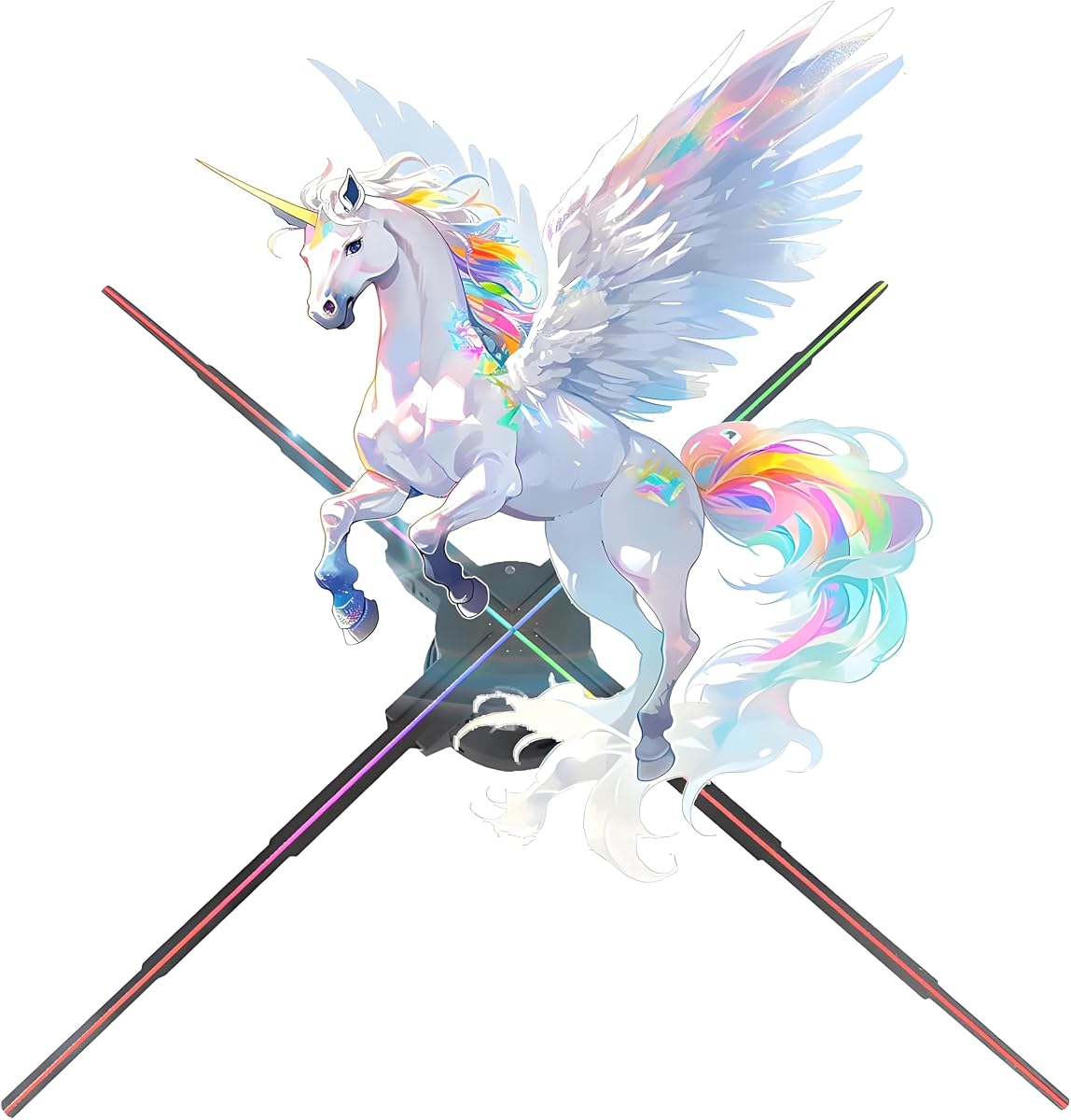
This 70-centimeter fan is built for conspicuous commercial displays and multi-screen expansion. Its 4.4 rating is among the strongest in the group, while 832 precision LEDs and four blades provide a substantial imaging package designed to create detailed, colorful, screenless 3D effects.
We may earn a commission when you buy through this link, at no additional cost to you.
Three control routes are offered: an Android or iOS application, a PC interface compatible with Win7, 8, and 10, and a remote controller. The app supports uploads, deletion, angle and brightness adjustment, pause and sequential playback, screen switching, power control, and simultaneous multi-screen playback. Bluetooth audio can synchronize with an external speaker.
The primary advantage is scalability. Multiple fans can be joined to create a larger holographic wall, potentially extending beyond the stated 27.5-inch reference scale to suit the installation. The ability to disassemble and move the unit also helps when it is needed at trade shows, exhibitions, or temporary retail events.
Four-blade installation requires correct A and B placement, with the LED side facing upward. This makes the setup more involved than simpler two-blade designs and increases the importance of the instructions and safety precautions. For buyers planning a permanent or multi-unit installation, however, the control depth and expansion potential justify that extra effort.
Synchronized playback across multiple screens transforms the product from a decorative unit into a broader display system. Alignment and synchronized content become central to achieving a seamless large-format effect.
App, PC, and remote controls give operators several ways to manage uploads, brightness, angles, playback, and power. This flexibility is valuable for commercial schedules and installations that change frequently.
We may earn a commission when you buy through this link, at no additional cost to you.
This 22-inch WiFi hologram display is designed around quick mobile content management and broad commercial use. Its 3.9 rating places it among the more affordable general-purpose options, while its stated uses include storefronts, showrooms, restaurants, bars, kiosks, exhibitions, conventions, parties, weddings, and product launches.
We may earn a commission when you buy through this link, at no additional cost to you.
Rotating high-brightness LED light bars create floating-style graphics for compatible logos, animations, and product visuals. The mobile app supports uploading, organizing, and playing media, making it easier to update campaigns without physically handling the fan. Seasonal content can also be used for Christmas, Halloween, and other themed presentations.
Unlike products with fully enumerated specifications, the listing notes that dimensions, model number, LED configuration, and included components depend on the selected option. This is the most important caveat: shoppers must inspect the child listing corresponding to the chosen size and verify the actual hardware before ordering.
This model is a practical option for a business that wants screenless signage without a complicated control system. Its average rating and less specific listing data make it less compelling when precise LED density, resolution, or included accessories are essential. For those requirements, a model with more fully documented specifications may be easier to evaluate.
The WiFi app gives operators a direct way to upload and organize compatible media. This is especially helpful for pop-up retail, temporary events, and campaigns whose messages change frequently.
Because LED configuration and included components depend on the selected size, the visible listing should be checked carefully. Confirm dimensions, mounting items, controls, and media requirements before purchasing.
We may earn a commission when you buy through this link, at no additional cost to you.
This 18.1-inch Missyou model combines 528 ultra-bright LEDs with a stated 2000 by 1444-pixel resolution. Its 4.2 rating and feature package make it a well-rounded option for retail stores, bars, exhibitions, museums, galleries, offices, and seasonal displays where a moderate-size floating effect is needed.
We may earn a commission when you buy through this link, at no additional cost to you.
The fan supports WiFi control through the Missyou application on Android and iOS devices, while a remote handles everyday power and playback changes. Bluetooth audio output can synchronize sound with an external speaker. The product description also states that the included instructions and tools support assembly within approximately ten minutes.
Quiet motor technology and low energy consumption are useful in boutiques, galleries, offices, and events where distracting noise would be unwelcome. The available library includes more than 700 professionally created clips covering Christmas, Halloween, birthdays, and business promotion, reducing the initial content-development burden.
The optional acrylic protective cover is a meaningful additional expense for shops or exhibitions with frequent audience contact. Although the listing describes cooling technology and suitability for continuous commercial use, responsible installation still requires unobstructed airflow and isolation from the rotating area. Overall, it is a versatile mid-size choice with particularly useful seasonal resources.
With 528 LEDs, the display offers a substantial bead count without reaching the footprint of the largest units. It can present recognizable promotions and festive animations in counters, compact booths, and storefronts.
The stated quiet motor technology makes the fan suitable for galleries, boutiques, offices, and reception areas. Low power consumption also supports repeated use in indoor environments.
We may earn a commission when you buy through this link, at no additional cost to you.
The Yoldsud 18.1-inch model earns the highest customer rating among the ten products at 4.6. It positions itself as a high-definition advertising and entertainment display, using floating 3D imagery to give business owners, event planners, and technology enthusiasts a conspicuous alternative to conventional flat screens.
We may earn a commission when you buy through this link, at no additional cost to you.
Its control package covers both app and PC operation, while Bluetooth audio adds synchronized sound capability. The supplied information also identifies a library of 1500 videos, giving users a substantial selection of ready-made material for campaigns and events. The result is a balanced package for organizations that need flexible management without moving to a very large installation.
Its main trade-off is the limited technical detail available in the supplied listing. There is no enumerated LED count or brightness figure to compare directly with models such as the 23.6-inch HoloSpin or the 27.5-inch 832-bead fan. Buyers should therefore seek confirmation of resolution, included mounting parts, and media specifications before committing.
The 18.1-inch format makes it easier to place than a full-size commercial wall and more visually impactful than a very small novelty fan. It is an excellent general recommendation for shops, events, presentations, and creative spaces, particularly when its combination of app control, PC access, Bluetooth audio, and a large video library matches the planned use.
App and PC control make it possible to prepare content with familiar devices and manage playback without limiting the display to a phone-only workflow. Bluetooth audio supports more complete audiovisual presentations.
With 1500 available videos, operators can begin with established visuals and gradually replace them with campaign material. This is useful for testing a display concept before investing heavily in custom production.
We may earn a commission when you buy through this link, at no additional cost to you.
This 39.4-inch display is the largest model in the roundup and uses 1,184 high-brightness LED beads. Its stated 2000 by 1444 resolution and borderless design make it the most substantial option for stages, malls, exhibition halls, restaurants, schools, enterprises, and large events where maximum visual impact matters.
We may earn a commission when you buy through this link, at no additional cost to you.
Remote, mobile-app, and PC control are all available, with Android and iOS support through WiFi. Operators can upload images and videos, adjust brightness, and set switching times. Bluetooth connects to speakers for synchronized sound, while custom 3D logo production is offered for corporate campaigns and special occasions.
Plug-in installation is described as straightforward, with A and B light strips pressed into matching slots after the safety catches are released. The fan also supports extensive splicing into a larger video wall. That capability increases its usefulness for large-scale environments, though multiple units demand correct alignment and careful content preparation.
Its substantial size is both its defining advantage and primary limitation. It can command attention from farther away, but it also needs more room, a secure mounting arrangement, and separation from audiences. Buyers should prioritize the included one-year warranty, after-sales assistance, supplied library of 700 videos, and installation guidance when making a high-visibility purchase.
The 1,184-bead configuration and large diameter give the fan greater visual scale and detail potential than smaller models. It is suited to recognizable products, animated logos, and presentations viewed from across a room.
Splicing allows several large fans to act as one expanded display. For events with broad viewing distances, this can create a more continuous and impressive visual field than isolated units.
We may earn a commission when you buy through this link, at no additional cost to you.
This 16.5-inch model is the most approachable budget-oriented recommendation, combining 234 high-definition LEDs with 2000 cd/m² brightness and a 178-degree visibility angle. Its 3.9 rating is lower than most of the group, but the specification set remains useful for buyers who prioritize low cost, portability, and simple operation.
We may earn a commission when you buy through this link, at no additional cost to you.
Content can be uploaded through WiFi, a PC, an app, or an SD card. MP4, AVI, and JPG files are supported, and a remote control handles display switching and power. Bluetooth audio output allows music, voice-over, or sound effects to accompany the visuals, adding another layer to promotional campaigns.
At 0.2 kilograms and using PC and metal materials, the fan is easy to carry between pop-up stores, mobile exhibitions, and temporary installations. It includes an 8GB TF card for storing and rotating advertising materials. Its wide viewing angle also helps it serve viewers approaching from different positions.
The 234-LED count means it is not the best choice for close-up detail, and the average rating suggests some variability in overall satisfaction. Nevertheless, it provides the core functions sought from this category at a restrained entry point. It is best for simple logos, short animations, holiday visuals, and modest promotional displays rather than premium projection work.
Its low weight and compact 16.5-inch frame make repeated transport and temporary setup easier. The product is well suited to pop-up shops, roadshows, counters, and seasonal displays.
WiFi, app, PC, SD-card, and remote access provide several convenient ways to manage media. The included TF card also gives operators dedicated storage for rotating campaign materials.
We may earn a commission when you buy through this link, at no additional cost to you.
This 20-inch HoloSpin combines 560 highlight LEDs with a stated resolution of about 640 pixels and 2000 cd/m² brightness. Its 4.1 rating makes it a credible mid-size option for stores, exhibitions, and events, particularly for buyers who want more detailed hardware than entry models without moving to the largest installation.
We may earn a commission when you buy through this link, at no additional cost to you.
The app supports power control, uploads, deletions, playlist adjustment, video switching, brightness and angle changes, and timing functions. SD-card loading is available from a computer, while Android, Apple, and remote-control operation broaden the interface options. Hardware decoding is intended to produce smoother playback than app-based software decoding.
Bluetooth 5.0 is included, and compatible speakers can be connected automatically according to the supplied information. The manufacturer also lists a library of more than 2000 3D videos and a broader HoloSpin range that includes different display sizes, stands, covers, extension cords, and video-wall projects.
One caveat is that the protective covers for certain models were described as arriving in October, so availability should be verified before relying on them. The app and PC software require some initial familiarization, although tutorial videos and technical support are offered. Overall, this is a strong choice for organized, recurring campaigns that need reliable scheduling and flexible media management.
Timing, playlist editing, and switching functions support displays that follow a regular operating schedule. This is especially useful when the same installation runs different messages throughout a business day.
Dedicated decoding and separate control chips are intended to reduce playback lag. Bluetooth 5.0 adds convenient audio pairing for multimedia presentations.
We may earn a commission when you buy through this link, at no additional cost to you.
The right hologram projector fan depends on viewing distance, image-detail requirements, operating environment, content workflow, and installation constraints. Compare the specifications and practical details below rather than judging only by display size or novelty.
LED count and density are central to how finely a fan can render edges, text, faces, and product contours. The listed models range from 224 LEDs on the compact Missyou unit to 1,184 on the 39.4-inch model. A higher count generally permits more detailed imagery, although blade configuration, software, and the source content also affect the final result.
Choose a higher bead count for close viewing, logos, or recognizable products. A lower-count fan may still work for abstract animations and holiday visuals, particularly when viewers are farther away.
A larger diameter creates a more physically convincing floating effect and remains visible from farther away. Compact 16.5-inch and 18.1-inch models suit counters, pop-up booths, and tabletop displays, while 27.5-inch, 39.4-inch, and 70-centimeter options suit storefronts, exhibitions, and events.
Match the diameter to the audience rather than to available floor space alone. Also consider the viewing angle, mounting clearance, and whether people will approach the rotating area.
Brightness determines how clearly the projected image can be seen in bright rooms, near windows, or under exhibition lighting. Stated figures include 2000 cd/m² for several models and 2200 cd/m² for the 23.6-inch HoloSpin. These figures are useful for comparison, but room conditions and content contrast also affect visibility.
Choose a brighter specified model for retail windows, conventions, and daytime events. For darker interiors, LED count, contrast, and careful brightness adjustment may matter more than the headline brightness figure.
Useful hologram fans support more than a built-in library. WiFi app control, PC software, SD-card transfers, remote operation, playlists, and scheduled switching make recurring campaigns easier to manage. Confirm compatibility with the phone or computer you intend to use, and prepare files in the supported formats before installation.
Prioritize a model whose controls match your workflow. A remote is convenient for simple displays, while app and PC access are valuable for frequent updates and structured playlists.
Bluetooth audio support allows music, narration, or sound effects to complement the rotating visual. Some models support Bluetooth 5.0 or automatic speaker connection, while others simply provide an audio output. This is valuable for product launches, trade shows, and campaigns where synchronized sound increases engagement.
Check whether the fan is a Bluetooth audio receiver or includes a speaker, and whether your preferred audio source is supported. Separate speakers may provide better sound quality in a busy venue.
Installation requirements vary from simple plug-in operation to A and B blade or light-strip placement. Multi-unit splicing can create larger video walls, but synchronized playback requires compatible units, aligned content, secure brackets, and adequate structural support. Large fans may also need a stand, hanging hardware, or professional installation.
Choose a model with mounting options appropriate to the venue. Buyers planning future expansion should confirm whether compatible stands, brackets, covers, and extension cords are available for the exact model.
The blades rotate at high speed, making isolation and protective covering essential in public environments. Follow the specified blade orientation and pairing instructions, keep hands and objects away from the rotating area, and do not operate the fan with blades missing or incorrectly seated. A compatible acrylic cover can reduce accidental contact.
Place the unit where viewers cannot reach it and where airflow is not obstructed. Include safety in the purchase decision rather than treating a cover as an optional afterthought.
Ready-made libraries reduce setup time and help new users understand what the display can look like. The available collections range from about 700 clips to more than 2000, with several models offering custom logo or video services. A larger library is useful for testing, seasonal programming, and varying customer campaigns.
Check whether the selected model supports custom uploads and editing. If consistent branding is the priority, confirm that logo customization and appropriate content preparation are included.
Begin by placing the fan on a stable, level surface or securing it with an appropriate hanging or wall bracket. Leave clearance around the blades, read the full installation guide, and confirm that the A and B blades or light strips are seated in their matching slots. Where required, keep the LED side facing upward and snap the safety catches fully into place.
Connect the unit to a compatible power source, then use the remote, app, or PC software to select and upload compatible media. Adjust brightness, playback angle, playlist timing, and audio settings to suit the room. If multiple fans are being spliced, align and secure them properly, load equivalent content, and test synchronization before opening the display to visitors.
For ongoing care, keep the blades and protective cover free from dust, and do not spray cleaner directly onto the unit. Power it down before inspecting or handling the blades. Maintain unobstructed airflow, never touch the rotating parts, and use a compatible cover in crowded settings. Check mounting security, connections, content loops, and blade installation periodically, especially before a busy event.
A hologram projector fan places many LED points across rapidly rotating blades. Persistence of vision causes the eye to perceive the moving points as a continuous floating image, with the intended perspective creating an illusion of depth. The effect depends on the source content, LED arrangement, rotation speed, viewing angle, and surrounding light.
Some products are explicitly designed for continuous commercial operation, while others are better suited to scheduled events or temporary displays. Check the stated runtime, cooling design, power requirements, and warranty for the specific model. Keep ventilation paths clear and follow the manufacturer's operating and maintenance instructions.
The larger model generally offers a bigger visual footprint, potentially clearer imagery, and greater impact at longer viewing distances. A 16.5-inch model is easier to move, needs less display space, and works well for counters, compact booths, and temporary installations. The right choice depends on the venue, viewing distance, and desired level of presence.
Most models in this guide support custom uploads through an app, PC software, WiFi, or an SD card. Supported formats vary, with MP4, JPG, GIF, MOV, and AVI appearing among the stated options. Confirm the selected model's requirements, prepare the file in an accepted format, and test playback before relying on it for an event.
Bluetooth is helpful when synchronized sound is part of the presentation, but it is not essential for every use. The fan can display rotating visual content on its own. If audio is important, check whether the unit supports your speaker or audio source and whether the connection is automatic or must be initiated manually.
Use compatible units that support splicing, secure them to a suitable frame or wall, and align their positions carefully. Upload equivalent or coordinated content and use synchronized playback controls before opening the installation to viewers. Larger arrangements demand more power management, structural support, content preparation, and attention to the rotating areas.
They require careful placement because the blades rotate rapidly and can cause injury. Install the blades exactly as directed, use the safety catches, prevent access to the rotating area, and consider a compatible protective cover. Never allow children to handle the fan or touch it while it is operating.
Visibility depends on the model's brightness, image contrast, LED density, ambient lighting, and viewing distance. Models with stated brightness around 2000–2200 cd/m² may work well in commercial environments, but very bright sunlight can still reduce contrast. Test the intended content in the actual location and adjust brightness and positioning accordingly.
The Yoldsud 18.1-inch model stands out for its 4.6 rating, balanced feature set, app and PC controls, Bluetooth audio, and extensive video library. The 70-centimeter splicing model is the stronger premium choice for multi-screen installations, while the portable 16.5-inch WiFi model offers the most restrained entry into the category.
For every other buyer, prioritize the viewing environment over the novelty of the effect. LED count, brightness, dimensions, content workflow, safety, and expansion should be matched to the installation. A smaller well-controlled fan in the right location can outperform a larger display that is poorly positioned, overexposed, or unsafe to approach.
Product options, configurations, included accessories, and prices can change, so verify the current listing before ordering. Confirm the exact size, media formats, control requirements, mounting hardware, blade configuration, protective-cover availability, and warranty for the selected model.