
Standard 5ft 3-Prong AC Power Cord
4.7Editor score
Five-foot flexible reach
Three-prong wall connection
18 AWG heavy-duty cord
Suitable for compatible monitors
An HP monitor replacement power cord is rarely a one-size-fits-all accessory. HP displays have used several power systems, including 19V, 19.5V, and 12V adapters, as well as standard AC cords with IEC-style connectors. A replacement must match the monitor’s voltage, current, connector dimensions, and grounding arrangement to work reliably.
This guide compares ten replacement cords and adapters for common HP desktop monitors, including Pavilion, VH240A, M-series, 2011X-family, and select 5-series models. We evaluated the listed compatibility, electrical output, connector type, cable length, protective features, and practical differences between full power adapters and basic wall cords.
Each review identifies the display families the product is designed to support, highlights useful features, and explains where it may not be suitable. Ratings and specifications reflect the supplied product information, while availability, included components, connector revisions, and current prices can change. Always confirm the monitor model and original adapter label before ordering.
Finding the right replacement involves more than recognizing an HP logo. The output voltage, maximum current, plug size, and center-pin configuration all matter. The list begins with broad 19V options for common Pavilion-style displays, then distinguishes specialized 19.5V blue-tip models and 12V replacements for older monitor families.
4.7Editor score

4.6Editor score
4.7Editor score
As an Amazon Associate we earn from qualifying purchases.
The table below compares the ten options by their power path, voltage, connector, and intended monitor family. Pay close attention to the exclusions because HP monitors with similar names can require connectors that differ in diameter, color, or center-pin design.
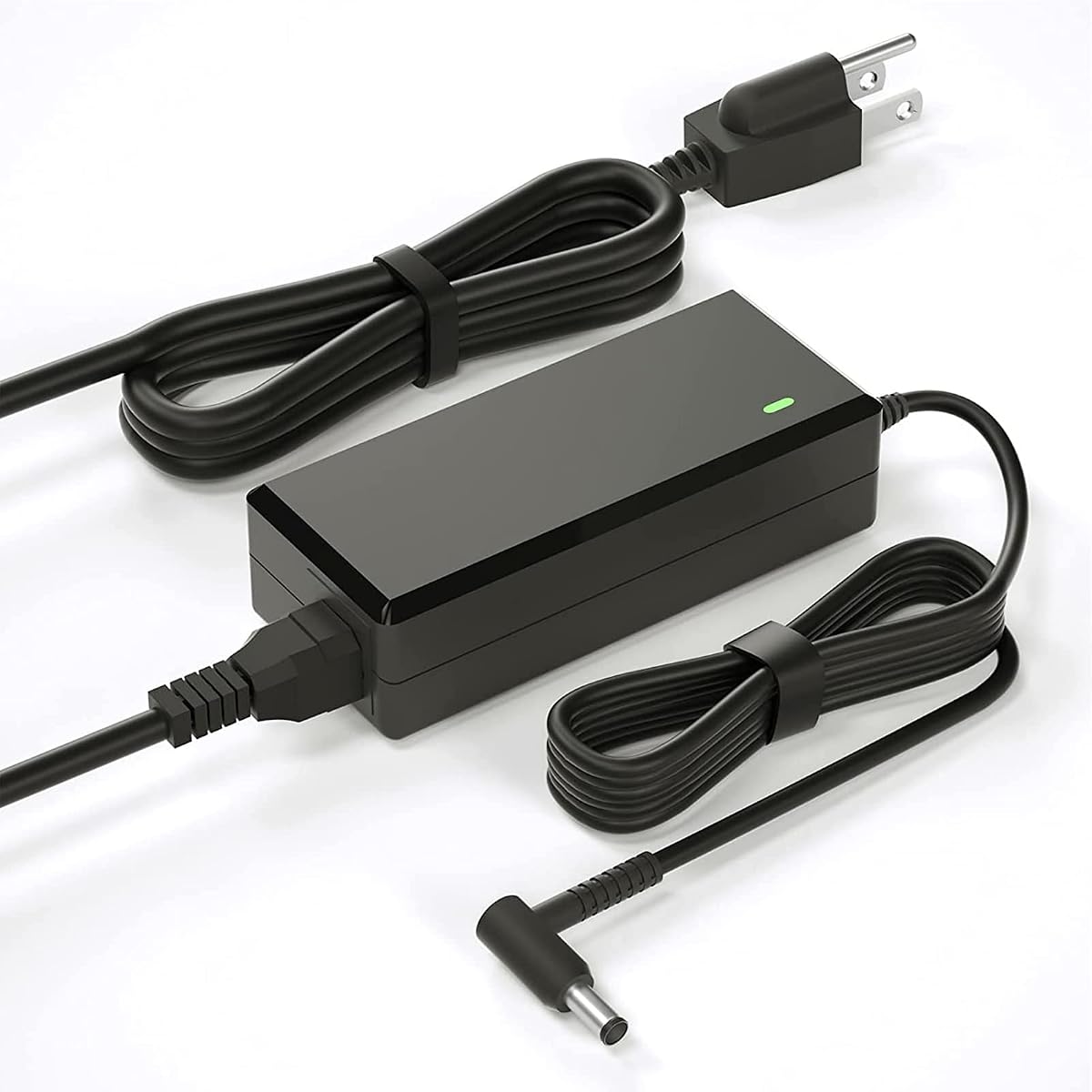


This 19V HP monitor power adapter carries a 4.4 rating and supports a broad collection of Pavilion displays, including several 20-, 22-, 23-, 24-, 25-, 27-, and 32-inch models. Its standout quality is the unusually extensive compatibility list, covering 22cwa, 24ea, 24m, 27er, 27xw, 32f, VH240A, and numerous numbered or lettered variants.
We may earn a commission when you buy through this link, at no additional cost to you.
The adapter accepts 100–240V input and supplies up to 19V at 3.42A and 65W. It also lists support for lower-current 19V devices, which is useful when replacing an adapter for a less demanding display. The included cable has an 8.2-foot total reach, providing more placement flexibility than many compact replacements.
There is an important connector caveat. The description says to try the blue adapter cable if the monitor’s power port contains no metal contact pins. The product also explicitly excludes 2011X, 2211X, 2311X, 2511X, 2711X, M22F, M24F, M24FW, M27F, and M27FD displays. Those exclusions are sensible because those families use different connectors or power requirements.
This is a strong choice for someone whose monitor is listed under the common 19V Pavilion group and whose original adapter used a 5.5 × 2.5mm-style connection. Confirm both the monitor model and the shape of the original plug before buying, particularly if it has a center pin. It offers broad coverage, useful protections, and generous cable length for routine desktop use.
Wide model support makes this replacement useful for many common Pavilion displays.
Its 8.2-foot length helps position a wall outlet behind a desk.
Protections cover common electrical fault conditions.
The model list covers numerous 22cwa, 23er, 24ea, 25vx, 27er, 27xw, and 32f variants, along with several part numbers. That breadth makes the adapter useful for owners of mainstream Pavilion monitors, provided the original adapter used the expected 19V connector.
An 8.2-foot combined reach gives users room to route the cord behind a desk or around equipment. Listed over-voltage, overload, over-current, and short-circuit protections add practical safeguards, although they do not remove the need to verify connector compatibility.
We may earn a commission when you buy through this link, at no additional cost to you.
This three-prong AC power cord has a 4.7 rating and offers a straightforward way to replace a damaged wall cable. It is rated for 125V and 10A, uses an 18 AWG conductor, and measures five feet. The fully molded construction is intended to resist everyday flexing and wear at the plug and strain-relief areas.
We may earn a commission when you buy through this link, at no additional cost to you.
This cord is not a power converter. It only works when the monitor accepts a matching three-pin AC inlet and its internal power supply expects standard mains power. The listing names monitors among many supported device categories, but the important check is the physical shape of the monitor’s power socket and the connector on the original cable.
Five feet is shorter than the 8.2-, 8.8-, and 10-foot alternatives in this guide. That may be sufficient for a monitor close to a wall outlet but less convenient when the outlet is behind a desk, mounted high, or positioned on a different furniture leg. The three-prong format also differs from the barrel-ended adapters used by most of the listed HP models.
Choose this product when the failed part is merely the detachable AC cable and the monitor has a matching three-prong inlet. It is a straightforward and economical option for compatible electronics, but it cannot replace an external HP monitor power brick or solve a connector mismatch. Check the monitor inlet before selecting it.
A molded cord offers a practical replacement for compatible equipment.
The 18 AWG conductor suits standard household electronics.
A shorter lead keeps desks and cable routes compact.
This option supplies mains power directly through the monitor’s AC inlet and includes no adapter brick or low-voltage conversion stage. It is therefore most appropriate when the original HP monitor used a detachable three-prong cable.
The fully molded body and heavy-duty 18 AWG construction target repeated daily handling. For desktop setups with nearby outlets, the five-foot length can also keep excess cable from accumulating around the monitor base.
We may earn a commission when you buy through this link, at no additional cost to you.
This VH240A-focused replacement carries a 4.6 rating and is aimed at several 19V HP displays, including 27-inch, 25-inch, 23.8-inch, 23-inch, 21.5-inch, and 31.5-inch examples. The model references 1KL30AA#ABA and 1KL30AA#ABB, making it especially relevant to users who can locate those identifiers on the original adapter.
We may earn a commission when you buy through this link, at no additional cost to you.
Its specifications call for 100–240V, 50/60Hz input and maximum output of 19V at 3.42A. The description also says it is compatible with 2.1A, 2.37A, 2.53A, and 3A requirements. The package includes a 4.9-foot AC cord and a 3.9-foot DC cord, so the total reach is approximately 8.2 feet.
The listing names several non-monitor devices that use similar power supplies, including tablet, speaker, tattoo-machine, and other display systems. That expanded list may be helpful for cross-compatible equipment, but it can also make the product page harder to scan. Buyers should prioritize the monitor model numbers, original wattage, and connector rather than assuming every listed device is interchangeable.
This is an excellent selection for a monitor using the VH240A-style 19V adapter, particularly one carrying the stated 1KL30AA part numbers. It provides a complete AC-and-DC arrangement, worldwide input support, and a clearly stated output. Verify the connector and monitor label before ordering, and confirm the listed 30-day refund and 12-month exchange terms at the time of purchase.
The clearly identified part numbers speed up model matching.
Separate AC and DC leads provide flexible placement.
Listed protection covers four common fault types.
The VH240A designation and 1KL30AA identifiers provide more useful confirmation than a generic monitor size. Search the housing of the original adapter for these markings and compare its voltage, amperage, and plug dimensions with the supplied specifications.
The 4.9-foot AC lead and 3.9-foot DC lead create an approximately 8.2-foot setup. That makes it easier to place the adapter brick away from a crowded monitor base while maintaining enough slack for a tidy installation.
We may earn a commission when you buy through this link, at no additional cost to you.
This adapter has a 4.4 rating and is specifically designed around HP M-series and compatible 5-series monitors. Supported examples include M27f, M27fe, M27fw, M27ha, M27fq, M27fd, M24f, M24fw, M24fe, M22f, and several 524 and 527 series displays.
We may earn a commission when you buy through this link, at no additional cost to you.
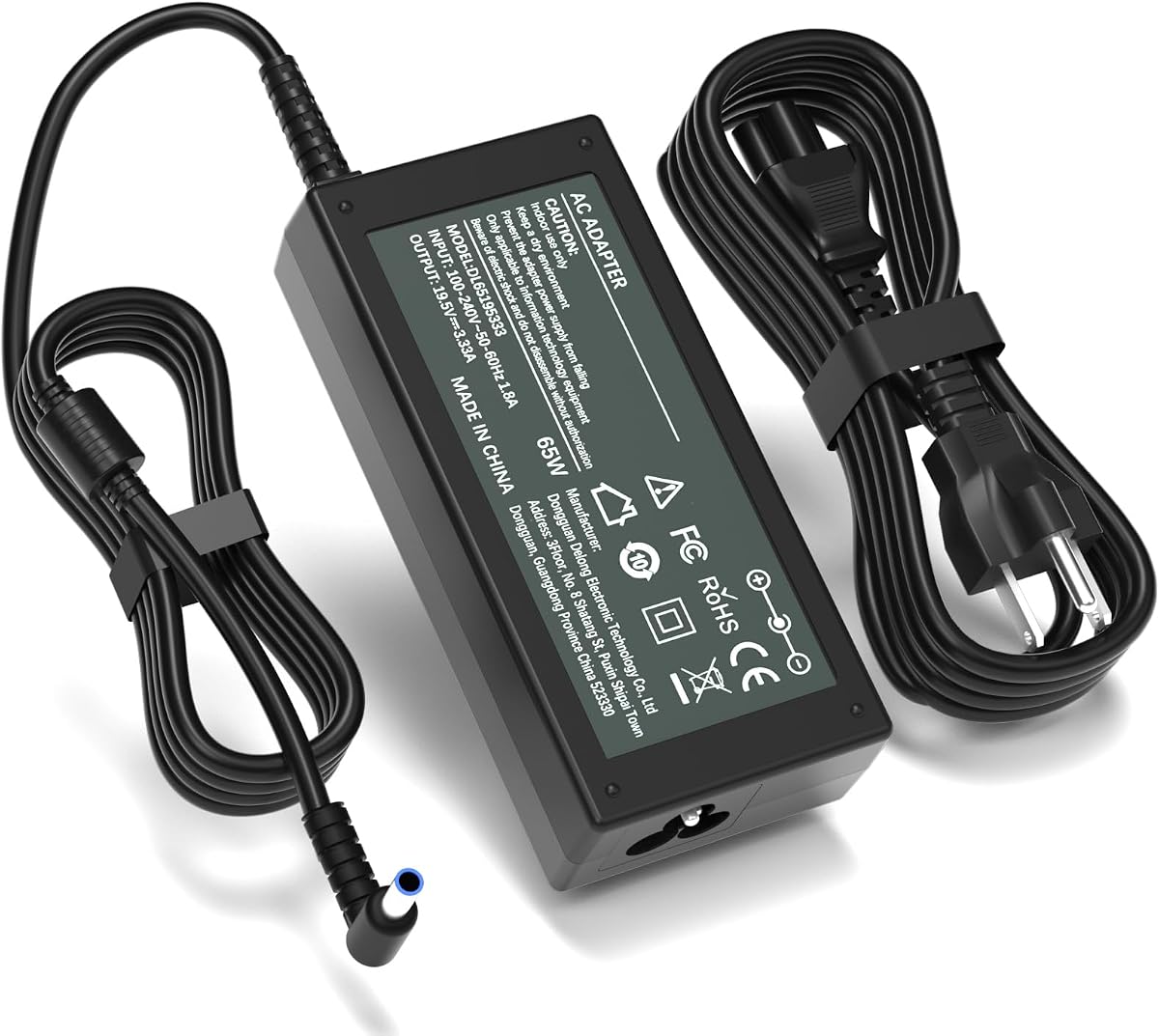
It provides 19.5V at up to 3.33A and 65W, with 100–240V, 50–60Hz input. The connector is identified as a 4.5 × 3.0mm smart blue round tip, an important detail because it differs from the 5.5 × 2.5mm yellow-style plug used by many Pavilion adapters.
The total cable length is 8.8 feet, made up of a 1.5-meter adapter cord and a 1.2-meter AC cable. That reach is among the longest offered by the compact alternatives here. The listing also states that the adapter supports certain 19.5V lower-wattage and 19V lower-current devices.
Its exclusions are extensive and should be taken seriously. The product is not listed for the 22bw, 22cwa, 23er, 24ea, 25vx, 27xw, 27f, VH240A, and several 2011X-family models, nor for several 24f and 25f variants. Choose it when the original adapter has a blue tip and reads 19.5V, and avoid it for yellow-tip or center-pin-equipped adapters.
The model-specific blue tip reduces guesswork.
A long lead supports flexible desk placement.
Thermal and electrical protections are listed.
Look for a 4.5 × 3.0mm blue connector on the original power supply. A similar overall plug shape can still have a different internal configuration, so compare both diameter and center contact rather than relying on color alone.
With 8.8 feet of total cable, this adapter can reach an outlet that is relatively far from the monitor. The longer run also makes it easier to conceal the adapter brick and reduce visible cable around the display.
We may earn a commission when you buy through this link, at no additional cost to you.
This yellow-tip replacement has a 4.4 rating and serves a wide range of HP monitors that use a 19V DC input with a 5.5 × 2.5mm connector. Its compatibility list includes 27f, 27bw, 27cw, 27fw, 27xi, 27xw, 27er, 27es, 27ea, 25f, 25es, 25bw, 25cw, 25xi, 25xw, 25er, 25vx, VH240A, and several 24-, 23-, 22-, and 20-inch variants.
We may earn a commission when you buy through this link, at no additional cost to you.
The adapter accepts 100–240V at 50–60Hz and delivers up to 19V, 3.42A, and 65W. Its connector measurements are stated directly, which is helpful because HP displays in the same broad size range may still use different tips. The listing identifies CE, FCC, and RoHS certification and cites short-circuit, over-current, over-voltage, and over-heating protection.
Compatibility boundaries are especially important here. The description explicitly says the charger does not fit M22F, M24F, M24H, M24FW, M27F, M32F, L7014, L7016, S230T, 2011X, 2211X, 2311X, 2511X, and 2711X displays. It should therefore not be selected simply because the monitor is an HP model.
This adapter is a sound choice for a 19V Pavilion-style display whose original adapter used a 5.5 × 2.5mm yellow tip. It provides broad compatibility within that group and clearly stated electrical protections. Before ordering, compare the monitor label with the required output and inspect the original connector for a matching hollow yellow tip and absence of a center pin.
Precise dimensions simplify connector matching.
A broad model list serves common Pavilion displays.
Several protection mechanisms are specified.
The listing is explicit about the connector and output, reducing ambiguity for monitors that use the standard 19V barrel connection. It is less suitable as a universal HP solution because the exclusions span several well-known families.
The connector is 5.5mm across the outside and 2.5mm across the inside. Confirm that the original plug has the same hollow configuration and that the monitor’s required output does not exceed the listed maximum.
We may earn a commission when you buy through this link, at no additional cost to you.
This 19V 65W adapter has a 4.4 rating and covers a familiar collection of HP Pavilion monitors, including 27f, 24f, 22cwa, 24m, 23er, 23es, 27eb, 32f, VH240A, 24ea, 25vx, and 27es. The use of Ctrl+F to search the model list is a practical suggestion when comparing a monitor label with the page.
We may earn a commission when you buy through this link, at no additional cost to you.
It accepts 100–240V, 50–60Hz input and outputs up to 19V at 3.42A and 65W. The listing also says it can accommodate a 45W device. The connector is a 5.5 × 2.5mm design, placing it in the same general physical category as the other common 19V yellow-tip replacements.
A built-in smart chip is listed for over-temperature, over-current, over-voltage, and short-circuit protection. The cable uses copper conductors under a PVC jacket and is described as having survived more than 10,000 bending tests. These construction claims suggest attention to routine wear, although product longevity still depends on placement and handling.
This option works best for a monitor listed in its compatibility group and powered through a standard 19V connector. It is not presented as a solution for every HP display, so users should check the model number before purchasing. The stated 45W support adds flexibility, but the monitor’s own label remains the authority on the required power.
The model-search tip simplifies selection.
Copper conductors support efficient power delivery.
Bending-test claims indicate routine durability.
Use the monitor’s model number and the original adapter’s output label together. A model listed in the description should still be checked for connector shape and voltage, particularly if the adapter has been modified or replaced previously.
The listed smart chip provides protection against four common electrical conditions. Copper wiring and a PVC jacket are also highlighted, with the cable described as remaining functional after more than 10,000 bending tests.
We may earn a commission when you buy through this link, at no additional cost to you.
This focused M-series replacement has a 4.7 rating, giving it one of the strongest customer ratings among the specialized monitor adapters in the guide. It is designed for M27f, M27fe, M27fw, M27ha, M27fq, M27fd, M27fwa, M24f, M24fw, M24fe, M24fwa, and M22f displays.
We may earn a commission when you buy through this link, at no additional cost to you.
It also supports the HP 527sa, 527sh, 527sf, 527sw, 524sh, 524sf, 524sw, and 524sa monitor families. The product references ADS-45PE-19-3, M45741-001, M45875-001, and M46471-001, which can be useful when the original adapter or external brick carries one of those part numbers.
Electrical output is 19.5V at up to 3.33A and 65W, with 100–240V, 50–60Hz input. The connector is a 4.5 × 3.0mm smart blue round tip. The description additionally lists compatibility with certain 19.5V 2.05A and 19V lower-current devices, but the output must still satisfy the monitor’s requirements.
This is the premier selection within the blue-tip subgroup for owners of a supported M-series or 5-series display. Its advantages are focused compatibility and a high 4.7 rating. It should not be treated as an all-purpose HP monitor adapter, however, because the blue smart connector differs from the hollow yellow connector found on many Pavilion models.
A focused model list reduces uncertainty.
Part-number references aid exact matching.
High customer rating supports confidence.
Beyond the M-series, the product supports several 524 and 527 monitor variants. This makes it more versatile within blue-tip HP displays than an adapter limited to one model family.
The stated 4.5 × 3.0mm blue round tip identifies the required connection. Compare the original plug carefully, because a hollow yellow connector may look similar but will not provide the same physical or electrical match.
We may earn a commission when you buy through this link, at no additional cost to you.
This yellow-tip replacement carries a 4.5 rating and delivers 19V at up to 3.42A for a maximum output of 65W. Its supported monitor list includes 27F, 25F, 24F, 23F, VH240A, 27BW, 25BW, 27CW, 25CW, 27FW, 27XW, 25XW, 27ER, 25ER, and 24EA displays.
We may earn a commission when you buy through this link, at no additional cost to you.
The connector is described in unusual detail as a hollow 5.5 × 2.5mm yellow tip without an inner center smart pin. That specificity is valuable because it distinguishes this adapter from tips that may appear similar at a glance. The wall side uses a North American Type B plug with a physical round grounding pin.
Unlike universal adapters that use a detachable multi-size tip, this model has a permanently attached connector. The listing presents that as a way to avoid sliding, loose connections, and interrupted power. The AC cord is detachable and measures 1.2 meters, while the attached DC cable also measures 1.2 meters, producing a total reach of 7.9 feet.
This is a good option for a compatible 19V desktop monitor that uses a hollow yellow connector. It explicitly does not support M-series or X-series displays, 7.4mm ports, blue or black tips, laptops, tablets, or USB-C devices. Its clear boundaries reduce misuse and make it easier to compare with similarly rated alternatives.
A fixed tip reduces connection instability.
The grounding pin supports grounded setups.
A 7.9-foot reach suits most desks.
A permanently attached 5.5 × 2.5mm connector cannot be fitted to the wrong device accidentally, provided the monitor actually requires that configuration. It also removes the loose-fit problem associated with swappable multi-tip adapter heads.
This replacement is explicitly limited to desktop monitors. It lacks the smart-chip protocol required by laptops and other portable devices, so it should never be substituted for those chargers even when the barrel dimensions appear similar.
We may earn a commission when you buy through this link, at no additional cost to you.
This StarTech computer power cord has a 4.8 rating, the highest numeric rating among the listed products. It is a ten-foot, 18 AWG cable rated for 125V and 10A. Its wall-side connector is NEMA 5-15P, while its device-side connector is IEC 60320 C13.
We may earn a commission when you buy through this link, at no additional cost to you.
The C13 configuration is used by many desktop computers and a substantial number of monitors, scanners, and printers. That makes the cable useful for an HP monitor designed with a detachable C13 mains cord. It is not suitable for a monitor with a proprietary barrel inlet or an integrated low-voltage adapter brick.
The cable is UL listed under UL62 and UL817, carries a VW-1 fire rating, and uses fully molded strain relief. It is made from 100% copper wire and has an SVT PVC jacket rated from 37°F to 140°F. Its physical grounding path through the three-conductor design suits North American grounded outlets.
Choose this cable when the monitor’s power inlet is an IEC C13 female socket and a longer cord would improve the installation. The ten-foot length is the longest among the basic AC options here and can reach outlets farther from the desk. Verify connector shape and the monitor’s electrical rating before ordering.
The 4.8 rating stands out clearly.
Ten-foot length improves placement flexibility.
UL listings add documented safety value.
Ten feet provides enough reach for wall-mounted displays, larger desks, and outlets positioned behind furniture. The extra length also makes it easier to conceal the cable along a wall or beneath a desk without forcing the cord.
UL listing, molded strain relief, copper conductors, and a specified jacket rating make this a well-documented standard cord. It is intended for direct North American mains connections rather than low-voltage conversion.
We may earn a commission when you buy through this link, at no additional cost to you.
This specialized replacement has a 4.9 rating and supports HP monitors that use a 12V external power supply, including 2011X, 2211X, 2311X, 2011xi, 2311F, and 2311CM displays. It also lists 1503, D5061-A, F1503, 1703, F1703, and L1800 LED LCD models.
We may earn a commission when you buy through this link, at no additional cost to you.
The adapter supplies 12V at up to 5A and accepts 100–240V, 50–60Hz input. The connector is specified as a 5.5 × 2.5mm round tip. Although this outer size resembles some 19V connectors, voltage is the decisive difference, and the plug configuration may also vary between monitor families.
The product includes a 1.5-meter adapter cord and a 1.2-meter AC cord, totaling approximately 8.8 feet. Listed safeguards include protection against overcurrent, short circuits, and overheating. The description also says the unit can work with 12V devices drawing 4A, 3A, 2A, or 1A.
This adapter is the leading choice for a compatible older HP display whose original adapter clearly reads 12V. It is not interchangeable with the 19V and 19.5V products elsewhere in this guide despite some shared connector dimensions. Confirm the monitor model, input label, and barrel fit before ordering to avoid electrical incompatibility.
The 4.9 rating leads the listed range.
Older model families have focused support.
An eight-point-eight-foot reach adds flexibility.
A 5.5 × 2.5mm plug can be visually confusing because the same exterior dimensions appear in several 19V products. Read the original adapter label carefully and confirm that it requires 12V before selecting this replacement.
The listed 12V outputs include 5A, 4A, 3A, 2A, and 1A configurations. Matching the current is still important, since the monitor’s required wattage determines the correct power level.
We may earn a commission when you buy through this link, at no additional cost to you.
A reliable replacement starts with the label on the original power supply and the socket on the monitor. Output voltage, current, wattage, connector design, and cable routing should be evaluated before considering brand familiarity or appearance.
The monitor model and original adapter part number provide the most reliable starting point. HP has used similar screen sizes and family names with different power systems, so terms such as 24-inch, VH240A, M24f, or 2011X are not enough by themselves. Locate the model designation on a sticker on the back of the display, then compare it with the manufacturer or seller’s supported list. Part numbers such as 1KL30AA#ABA, ADPC1945, and ADS-45PE-19-3 can narrow the correct category.
The replacement must provide the voltage printed on the original adapter. This guide contains 19V options for many Pavilion displays, 19.5V blue-tip options for M-series and certain 5-series displays, and a 12V option for older 2011X-family and related models. A connector that fits mechanically does not guarantee electrical compatibility, so never choose solely by plug size or color.
Voltage alone does not describe the complete power requirement. The original adapter also lists an amperage and often a wattage. A 19V adapter offering 3.42A and 65W can generally cover lower-rated displays that use the same connector, while a lower-current replacement may not meet a higher-wattage model’s needs. Compare both the required current and maximum output rather than assuming every 19V adapter is interchangeable.
Connector diameter alone is not enough. The 5.5 × 2.5mm hollow yellow tip, 4.5 × 3.0mm smart blue tip, and 5.5 × 2.5mm round tip used in different products are not automatically interchangeable. Some ports contain a center contact, some are hollow, and others include a differently sized internal sleeve. Compare the original plug closely or measure it with calipers before ordering.
Some HP monitors use a detachable standard AC cord, while others use a low-voltage barrel connector and require an external adapter brick. A three-prong AC cable or an IEC C13 cord cannot substitute for a 19V or 12V adapter. Likewise, an external power adapter cannot connect to a monitor that accepts mains power directly. Identify which component actually failed before choosing a replacement.
Cord length affects both convenience and clutter. Five- and ten-foot standard AC cords suit different desk layouts, while the listed adapters offer combined reaches ranging from about 7.9 to 8.8 feet. Choose enough length to reach the outlet without creating a tight bend, but avoid an unnecessarily long cable around a crowded workstation. Allow room for the adapter brick to remain ventilated.
Look for over-voltage, over-current, overload, short-circuit, and thermal protection where applicable. A grounded Type B plug is important for compatible North American AC cords, while an external adapter should remain uncovered and well ventilated during use. Regulatory markings and documented testing can provide additional confidence, but they do not replace careful installation or connector verification.
A replacement should tolerate routine movement without chafing or disconnecting. Molded strain relief, flexible jackets, copper wiring, and fixed rather than swappable tips can all improve long-term reliability. Route the cable so it does not remain sharply bent, trapped against furniture, or exposed to a hot surface. Allow the adapter brick to dissipate heat in a ventilated location.
Before installation, disconnect the monitor from power and remove the old adapter or cord. Photograph the original setup, record the monitor model, and compare its voltage, current, connector, and part number with the replacement specifications. If the replacement includes a detachable AC lead, connect that to the adapter brick first and keep the power switch in the off position.
Connect the replacement to the monitor with the barrel connector aligned straight ahead. Do not force a plug that does not slide in easily, and never twist the barrel while it is inserted. Connect the AC side, arrange the cable without creating tight bends, and then power the monitor according to its normal startup sequence. A small amount of warmth in an external adapter is normal during use, but excessive heat, unusual odor, repeated shutdowns, or visible connector damage should prompt immediate disconnection.
For long service, inspect the connector for looseness, discoloration, corrosion, or bent pins. Keep the adapter brick uncovered and away from bedding, desks with poor airflow, carpets, and other heat-retaining surfaces. Route the cable behind the monitor or desk where possible, but never place it beneath furniture wheels or across a walking surface. If the monitor does not power on, verify the outlet, wall plug, connector orientation, and model compatibility before assuming the replacement is defective.
No. HP monitors require different voltages, currents, and connector designs, even when two screens have the same diagonal measurement. Match the output label on the original adapter and confirm the connector diameter and center-pin configuration. Using an incompatible adapter can prevent the monitor from starting and may create an electrical hazard.
A 19V cord supplies 19V, while a 19.5V cord supplies 19.5V. The blue-tip products in this guide are intended for many M-series and selected 5-series displays, while the 5.5 × 2.5mm yellow-tip products cover numerous 19V Pavilion models. Confirm both the voltage and connector before choosing between them.
The color is a useful clue but not the only test. Blue-tip models commonly use a 4.5 × 3.0mm smart connector, while many 19V Pavilion adapters use a hollow 5.5 × 2.5mm yellow tip. Compare the outer diameter, internal size, and center contact, and check the original adapter’s part number.
No. If the original monitor has a detachable three-prong AC or IEC C13 cord, a compatible standard mains cable is sufficient. If the monitor uses a barrel plug into an external power brick, you need a replacement adapter with the correct voltage, current, wattage, and connector. The failed component determines which type you need.
The 2011X-family option in this guide uses a 12V output, so a 19V adapter is not the correct match. Some connectors may appear to have similar dimensions, but voltage and center-pin construction still matter. Read the original adapter label and verify the replacement’s full specifications.
A higher maximum output can generally accommodate a lower-rated device when voltage and connector match, provided the adapter communicates appropriately and is otherwise compatible. For example, a 19V 3.42A adapter may cover many lower-current 19V displays. Always follow the voltage and connector requirements first, then compare current and wattage.
Some monitor power ports contain metal contact pins while others are hollow, and a separate cable may be required to bridge the relevant configuration. The first product’s description specifically instructs buyers to try its blue adapter cable when no metal pins appear inside the port. The physical port design should determine which cable is appropriate.
The ideal length depends on the outlet position and monitor setup. Five feet can suit a nearby outlet, while eight- to ten-foot options provide more flexibility for mounted screens or desks with distant outlets. Choose enough cable for a relaxed route without sharp bends, and keep any adapter brick ventilated.
The strongest general Pavilion choice is the 19V adapter with the broadest compatibility list, while the VH240A-focused replacement stands out for its clear part-number references and complete two-cord package. For blue-tip M-series and 5-series displays, the specialized 19.5V products provide the correct connector family, with the focused M-series option earning the strongest rating in that group.
Prioritize the original adapter’s voltage, amperage, wattage, connector dimensions, and center-pin configuration above screen size or broad brand familiarity. Standard AC cords are appropriate only when the monitor has the matching wall inlet, and the 12V option is reserved for compatible older displays. Connector verification and model confirmation are the most important steps in avoiding an unusable replacement.
Product listings, ratings, included cables, and current prices can change, so review the latest seller information before ordering. Compare the monitor label with the replacement’s current specifications, confirm that the required model appears in the compatibility list, and keep all setup instructions and safety warnings accessible for future use.