
MUNBYN Portable Printer
4.4Editor score
Water-bottle sized travel design
US Letter and A4 support
Bluetooth mobile printing
No ink or toner required
An inkless portable printer for travel can turn a phone, tablet, or laptop into a practical mobile office without requiring cartridges, toner, or a conventional power outlet. The best models for trips are compact, battery-powered thermal printers capable of producing readable documents, forms, receipts, charts, and travel paperwork on specialized paper.
The ten printers in this guide were compared using the specifications and product information supplied for each model. We looked closely at weight, thickness, supported paper sizes, wireless and wired connections, battery capacity, claimed print resolution, included accessories, and important limitations such as black-and-white output and the need for thermal paper.
Each review explains who the printer is most suitable for, from travelers carrying full-page contracts to students printing narrow labels and quick notes. Rankings reflect the balance of useful travel features, while product specifications and availability can change over time. Check the current listing before ordering.
4.4Editor score
4.1Editor score

4.6Editor score
As an Amazon Associate we earn from qualifying purchases.
The comparison below highlights the main differences among the ten featured travel printers, including their physical weight, display resolution, paper capabilities, battery claims, and connection methods. All are thermal devices designed to print in black and white, so software, battery life, paper handling, and included accessories are especially important when choosing between them.






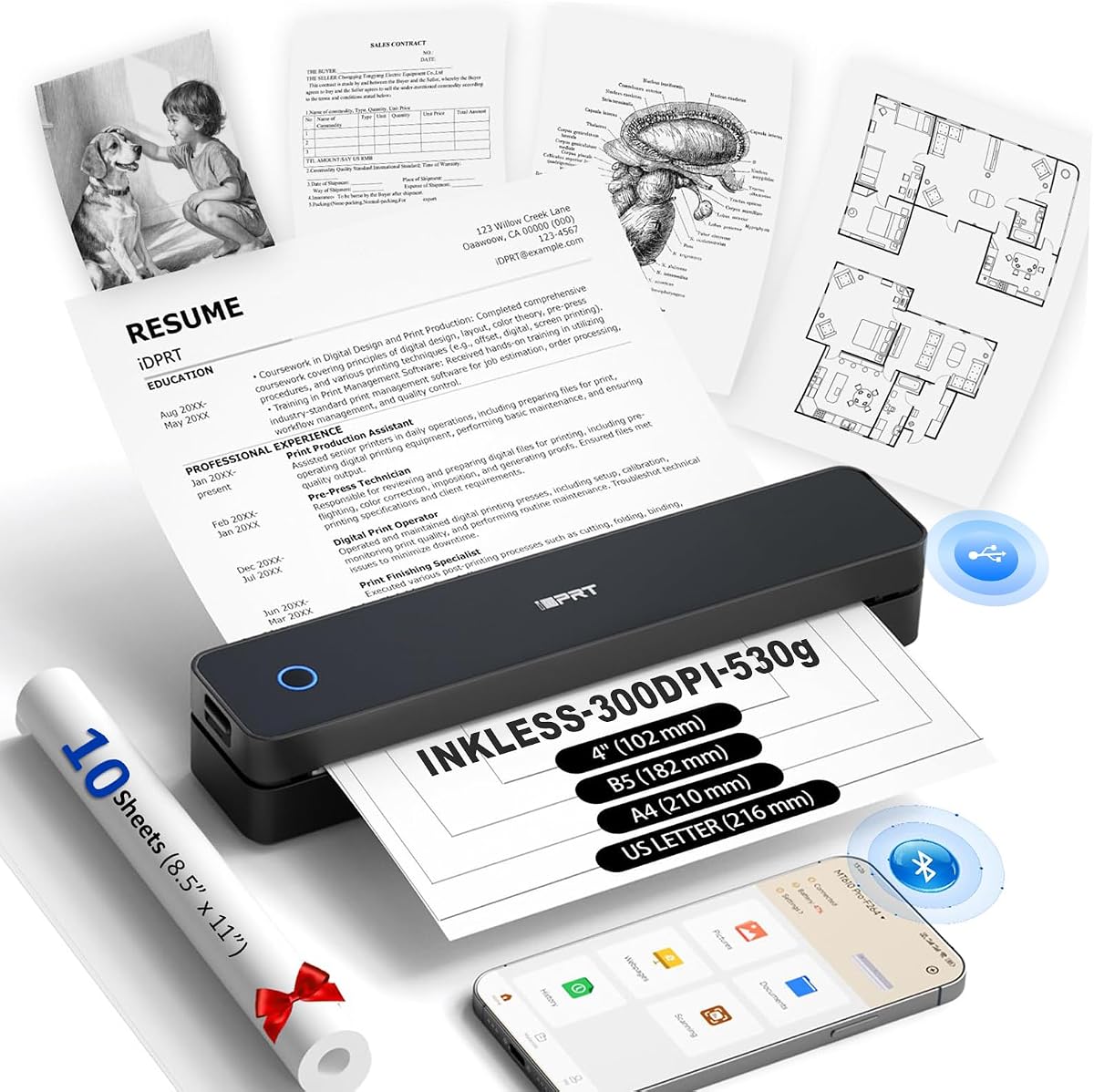
The MT610Pro Wireless Thermal Printer is our overall selection because it combines a low 1.2-pound weight, 300DPI output, broad paper compatibility, and a rechargeable battery in a slim travel-oriented design. Its 4.1 rating reflects a practical feature set, although the setup process requires an app for mobile devices and a driver for computers.
We may earn a commission when you buy through this link, at no additional cost to you.
Paper support includes US Letter, A4, A5, B5, and 4-inch formats, making the printer useful for contracts, lecture notes, reports, receipts, charts, and QR codes. Bluetooth 5.0 serves compatible phones and tablets, while USB-C provides a wired path to Windows and Mac computers. The 2000mAh battery is claimed to deliver as many as 200 pages per charge under suitable usage conditions.
Thermal technology removes the need for ink, toner, and ribbons, but the printer only produces black-and-white documents and requires compatible thermal paper. It cannot use ordinary copy paper, inkjet paper, or laser paper. Users must also select the correct media settings in the HerePrint app or computer software, so it is better suited to prepared documents than spontaneous color output.
This is an attractive choice for business travelers, students, and mobile workers who need more than narrow receipt printing but do not want to carry a large office printer. The 300DPI specification and low weight are especially valuable for readability and portability. For those willing to install the required software and use the correct paper, it offers the strongest balance in this list.
At only 1.2 pounds and 1.6 inches thick, the MT610Pro is designed to slide into a backpack or work bag. It can handle US Letter and A4 media, so travelers can print complete contracts and reports rather than being limited to receipt-width output.
The 300DPI print resolution should provide more detail than lower-resolution alternatives, while Bluetooth 5.0 and USB-C accommodate both mobile workflows and conventional computers. The included HerePrint app organizes mobile printing, while drivers are needed on a laptop or desktop.
We may earn a commission when you buy through this link, at no additional cost to you.
The ETIKEZ D90E is a straightforward full-page thermal printer aimed at travelers who need contracts, office documents, and emergency printouts. It has a 4.3 rating and includes a travel case, USB-C cable, ten sheets of thermal paper, and a guide. Its strongest travel-oriented feature is support for 8.5-by-11-inch US Letter thermal media.
We may earn a commission when you buy through this link, at no additional cost to you.
Mobile users connect through Bluetooth using the Labelnize app, while computers use a USB connection and a driver downloaded from Labelnize.com. The printer does not support Chromebooks, which is a meaningful limitation for travelers whose primary computer runs ChromeOS. It also accepts only A4 thermal paper according to the listed compatibility notes, so buyers should confirm the precise paper specification before purchasing.
At 2.08 pounds, the D90E is the heaviest model here and therefore less attractive for travelers optimizing every ounce of luggage weight. It also prints only in black and white, requires specialized paper, and does not include a charging adapter. Flat thermal paper is recommended to reduce curling, and the product guidance says not to force the cover open if a jam occurs.
The D90E makes sense for users who prioritize a full-page format and a protective case over minimum weight or broad computer support. Business travelers, notaries, teachers, and truckers may appreciate the straightforward document workflow. It remains a credible choice, although lighter models and those with broader operating-system support offer more flexibility.
The included travel case helps protect a relatively substantial 2.08-pound device during transit. That packaging makes the D90E a sensible option for travelers who routinely transport documents and already carry a structured briefcase or backpack.
Thermal paper compatibility is more important than conventional printer paper support, and computer users must install the correct driver. The lack of Chromebook support may rule this model out for ChromeOS-based mobile workers.
We may earn a commission when you buy through this link, at no additional cost to you.
The Gloryang Portable Thermal Printer is a travel-focused model with a 4.2 rating, a 1.75-pound weight, and a body that is only 1.7 inches thick. Its package is particularly useful because it includes three thermal paper rolls, one preinstalled, along with a carrying case, charging cable, manual, and guide card.
We may earn a commission when you buy through this link, at no additional cost to you.
The printer uses Bluetooth through the Jadens Printer app for iOS and Android devices, while laptop and computer users install a driver. Two paper-loading options and a range of output sizes from two to 8.5 inches add flexibility for travel forms, contracts, notes, receipts, and designs. A built-in paper bin helps keep the device compact and organized.
Gloryang specifies that its printer works only with branded thermal paper, not regular, inkjet, or plain paper. This restriction may simplify consistent results for buyers who purchase the correct media, but it can be inconvenient when a trip requires a large volume of printing. The supplied information does not state print resolution or battery capacity, so buyers seeking quantified output and endurance should consider that uncertainty.
This model is a good fit for students, busy professionals, and travelers who want a case and a generous supply of paper immediately available. It can handle both text and simple images, although its unspecified technical specifications make it less immediately clear whether it will satisfy demanding document-quality needs. The included accessories reduce setup friction for first-time thermal printer users.
Three rolls and a carrying case create a convenient travel package. Rather than packing a single roll and finding compatible replacements later, users can begin printing with several media sizes or quantities already included.
The built-in paper compartment and two loading methods support different travel layouts. Output can be as narrow as two inches or as wide as 8.5 inches, allowing one device to cover forms, drafts, and larger documents.
We may earn a commission when you buy through this link, at no additional cost to you.
The NDYIN N80 is a flexible 1.5-pound thermal printer with a 4.1 rating. It supports US Letter and A4 thermal paper, prints at 203DPI, and handles roll paper, folded paper, and tattoo transfer paper. That combination extends beyond ordinary document printing and may appeal to mobile tattoo artists as well as business and school users.
We may earn a commission when you buy through this link, at no additional cost to you.
Phones, tablets, and other supported mobile devices connect by Bluetooth through the Nada Print app. Laptops and desktops use a USB-C cable and require a driver; Bluetooth is specifically unsupported for computers. A 1500mAh rechargeable battery is claimed to print 160 sheets of 8.5-by-11-inch thermal paper after a full charge, giving travelers a useful endurance estimate for multi-day itineraries.
The N80 cannot use standard copy paper, and the app must have its paper-size setting changed when the installed roll is changed. Its 203DPI resolution is lower than the 300DPI used by several competitors, which may make it less suitable for small or highly detailed graphics. The included type-C cable and adapter help with charging, although the product listing notes that a charging adapter is not included.
This printer is a compelling choice for users who value media variety and a long stated battery life. It handles contracts, invoices, receipts, boarding passes, school materials, and tattoo templates, and the included paper roll makes initial setup easier. The wired-only computer connection and lower resolution are the main considerations.
The ability to use roll, folded, and tattoo transfer paper separates the N80 from a simpler receipt-focused device. This expands its appeal to users who need specialized templates as well as standard travel paperwork.
The stated battery capacity of 1500mAh and claimed 160-sheet output provide a clearer idea of off-grid productivity. Actual results depend on paper, document density, connection method, and other usage conditions, but the specification is reassuring for long journeys.
We may earn a commission when you buy through this link, at no additional cost to you.
The A285M Small Thermal Printer is a compact travel option with a 4.0 rating and a stated weight of 1.5 pounds. It supports thermal roll, continuous, and single-sheet paper, covering US Letter, A4, 110-millimeter, 80-millimeter, and 53-millimeter widths. That range makes it useful for full documents, receipts, labels, lists, and narrow forms.
We may earn a commission when you buy through this link, at no additional cost to you.
Bluetooth connects compatible iPhones, Android phones, iPads, and tablets through the required app. Laptops and computers connect using USB-C after the appropriate driver is downloaded from the listed support address. The built-in paper compartment reduces clutter, while the inkless design avoids cartridges, ribbons, nozzle cleaning, and other maintenance associated with conventional inkjet printers.
Important limits include black-and-white-only output and compatibility only with thermal paper, not ordinary copy paper. The product guidance specifies charging at 5V 2A and warns against chargers with a higher output. The supplied information does not provide battery capacity or print resolution, which makes it harder to compare endurance and fine-detail quality with models that publish those figures.
The A285M is a practical choice for mobile notaries, truck drivers, travelers, teachers, and students who need one machine to handle several paper widths. Its built-in storage and broad format support are particularly useful in a car, classroom, or shared mobile workspace. Buyers who prioritize exact resolution and battery specifications may favor a model that publishes them more clearly.
Supporting US Letter, A4, and three narrower formats allows the A285M to handle everything from long reports to compact receipts. The variety is especially helpful for field workers who cannot predict every document format in advance.
A built-in paper compartment keeps thermal media within the device footprint. With no ink or ribbon system to service, the printer is well matched to car-based, roadside, and temporary mobile-office use.
We may earn a commission when you buy through this link, at no additional cost to you.
The RONGTA F11A is a 4.0-rated travel thermal printer designed for forms, letters, assignments, study materials, contracts, inventory lists, and travel documents. It offers 203DPI output and supports US Letter, Legal, and A4 thermal paper, with an overall design described as capable of printing up to 8.5 inches.
We may earn a commission when you buy through this link, at no additional cost to you.
Mobile setup uses Bluetooth through the RONGTA app on iOS and Android devices. Laptop and computer users connect with a USB cable, and the product information states compatibility with Windows 7 through 11 and macOS. Bluetooth must be paired through the app rather than through the phone or tablet's standard Bluetooth interface, which adds a required step to the setup process.
The printer does not support ChromeOS, and only thermal paper can be used. The supplied details do not list its exact weight or battery capacity, although it is clearly intended for backpack, tote, business-trip, home, and outdoor use. As with the other thermal models, output is black and white, so it is unsuitable for travelers who need color images or vivid graphics.
RONGTA users who work across iOS, Android, Windows, and macOS will find broad system support in a simple package. Students and office workers can benefit from its range of standard thermal formats. ChromeOS users should consider a different model, and those prioritizing a highly visible status display or published battery figures may find better information elsewhere.
Windows and macOS support makes the F11A useful for users who alternate between a phone and a conventional laptop. The included app and USB driver route cover both mobile and desktop workflows, though the exact setup differs by device.
US Letter, Legal, and A4 compatibility provides useful flexibility for formal documents. These larger thermal formats are less common than narrow receipt media and make the printer more suitable for contracts, assignments, and detailed travel paperwork.
We may earn a commission when you buy through this link, at no additional cost to you.
The Phomemo M832D stands out with a 4.2 rating, a 300DPI printhead, and an upgraded digital touchscreen. The display shows battery and connection status and helps identify paper placement, making the device approachable for first-time users and older travelers who may not want to rely entirely on an app.
We may earn a commission when you buy through this link, at no additional cost to you.
The printer weighs 1.5 pounds and includes a 2600mAh battery claimed to support as many as 200 pages of continuous printing. It accepts US Letter, A4, 53-millimeter, 80-millimeter, and 110-millimeter thermal media, including roll, folded, and single-sheet formats. Bluetooth serves compatible iPhones, Android phones, and iPads, while laptop and desktop connections use USB-C.
Its 300DPI resolution is a meaningful advantage for small text, charts, forms, and reports. The product information also states that refined motor and print-head design reduces printing noise by 30%, a useful characteristic in offices, hotel rooms, classrooms, and shared workspaces. However, Bluetooth does not support laptop or computer printing, so travelers must carry a suitable USB-C cable when those devices are the source.
The M832D is well suited to students, small-business owners, and business travelers who want clearer output and a display that reduces setup guesswork. Its combination of paper versatility, battery endurance, and 300DPI resolution is especially strong for mobile documents. The need for USB-C at a computer is a manageable inconvenience for anyone who already travels with a modern charging cable.
Battery level, connection state, and paper placement are visible directly on the printer. These status cues are valuable when working in unfamiliar locations where repeatedly opening a mobile app or troubleshooting a connection would be inconvenient.
The 300DPI printhead is well suited to text-heavy reports, invoices, schedules, and forms. Combined with several paper sizes, it allows the M832D to handle both quick notes and larger work documents without changing hardware.
We may earn a commission when you buy through this link, at no additional cost to you.
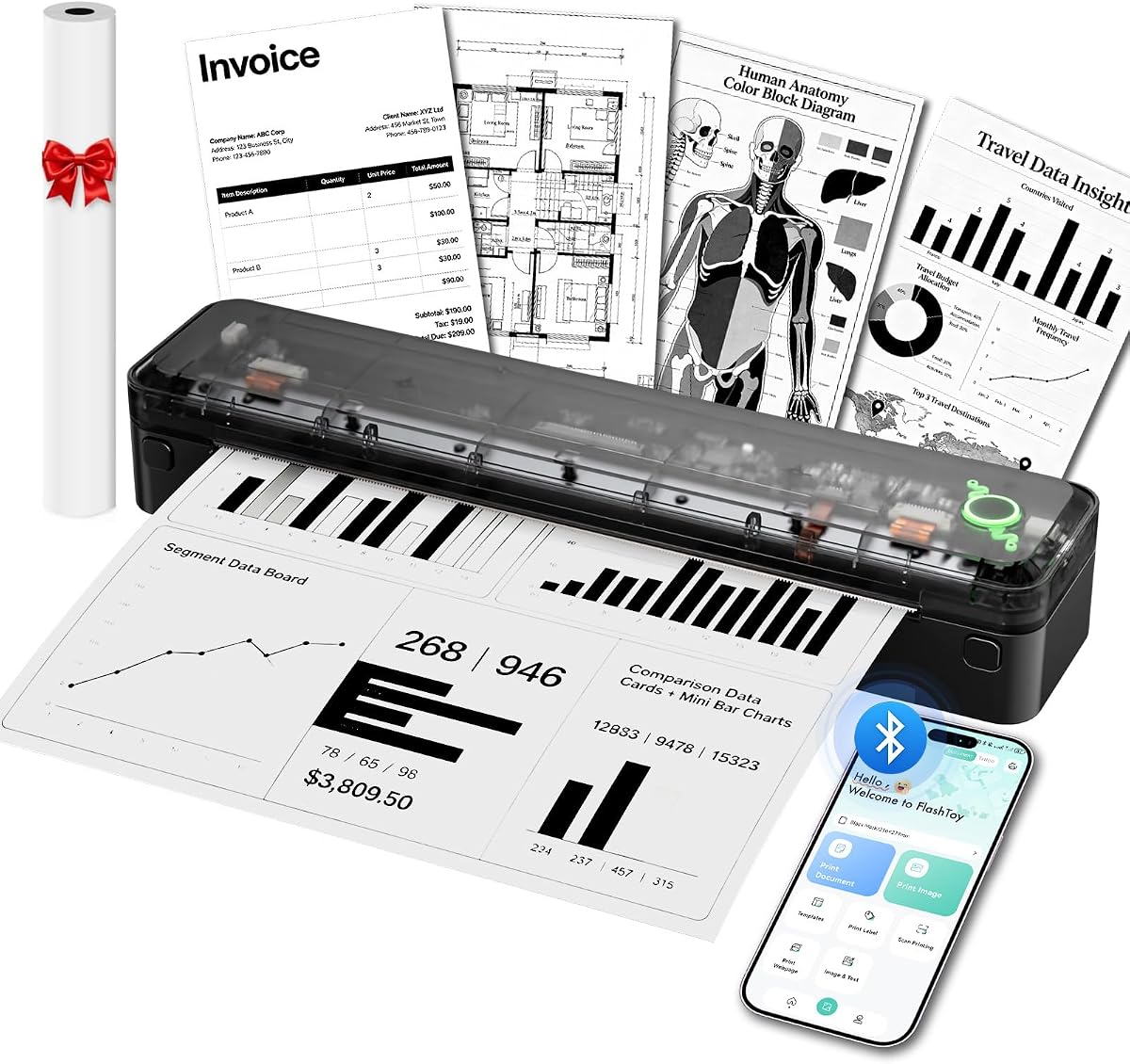
The Arrvel A8 combines a 4.2 rating with a 1.37-pound body, a built-in paper compartment, and a large 3000mAh rechargeable battery. The battery is claimed to print as many as 200 US Letter or A4 sheets per charge, and the package includes a thermal roll, USB cable, USB-C adapter, and velvet travel bag.
We may earn a commission when you buy through this link, at no additional cost to you.
Bluetooth printing through the Flashtoy app works with iPhone, iPad, Android phones, and tablets. Laptops and desktops connect by USB and use drivers for Windows, macOS, ChromeOS, and Linux. Windows PCs can also print over Bluetooth after installing a Bluetooth driver, giving the A8 broader computer flexibility than several mobile-focused competitors.
The printer accepts thermal roll and fanfold paper in 54-millimeter, 80-millimeter, and 110-millimeter widths, with output from 2.13 to 8.5 inches. Its 203DPI resolution and effective print width of up to 216 millimeters are appropriate for readable text, tables, charts, forms, and line drawings. It only produces black-and-white output and cannot use conventional paper.
The A8 is a strong option for truck drivers, remote workers, business travelers, and students who need dependable paper support across several systems. Its long stated battery life and included travel bag make it particularly practical for extended travel. The main compromise is its 203DPI resolution, while the absence of a charging adapter means travelers may need to source one separately.
Windows, macOS, ChromeOS, and Linux support differentiate the A8 from models limited to USB-based Windows and macOS use. It is therefore a practical option for mixed-device travelers, particularly ChromeOS users.
The 3000mAh battery and stated 200-sheet capacity make the A8 suitable for longer trips away from reliable outlets. A built-in paper compartment also keeps the thermal media organized within the printer's compact profile.
We may earn a commission when you buy through this link, at no additional cost to you.
The Phomemo M85 is the premium selection in this guide, earning the highest supplied rating at 4.6. Its distinguishing feature is a large interactive touchscreen, which can preview templates, display connection and battery status, show paper position, and provide built-in guidance. Templates must first be uploaded through the app before they can be printed directly from the screen.
We may earn a commission when you buy through this link, at no additional cost to you.
The folding, umbrella-like body weighs 1.6 pounds and includes a 3500mAh battery claimed to support more than 200 pages per charge. It connects by Bluetooth to Android and iOS devices and by USB-C to macOS, Windows, ChromeOS, and Linux computers. Word, Excel, PDF, JPG, and other common file formats are supported, giving it the broadest computer compatibility among the Phomemo models listed.
Paper support includes US Letter, A4, 4.33-inch, 3.14-inch, and 2.08-inch sizes, with compatibility for thermal roll, folded, and single-sheet media. Its 300DPI printhead creates crisp black-and-white documents, while the touchscreen simplifies repeated use after setup. The package includes a carry bag, USB-C cable, manual, and four paper rolls covering the main supported sizes.
The M85 is best for frequent travelers, small-business owners, students, and anyone willing to invest in a more interactive and versatile device. It removes much of the guesswork associated with thermal media and offers convenient direct template printing. The premium positioning and initial template setup are the main trade-offs, but the included accessories, battery capacity, screen, and resolution create a notably complete travel package.
After uploading templates through the app, users can preview and print them directly from the touchscreen. This is particularly useful for recurring travel documents such as checklists, invoices, forms, and reference pages.
The carry bag, USB-C cable, and four rolls provide the essential travel equipment in one purchase. With a 3500mAh battery and support for multiple full-page and narrow formats, the package is well suited to varied itineraries.
We may earn a commission when you buy through this link, at no additional cost to you.
The MUNBYN Portable Printer combines a 4.4 rating with a particularly compact 10.7-by-2.56-by-1-inch profile and a 1.57-pound weight. Described as roughly the size of a water bottle, it is designed to fit into laptop bags, briefcases, and even a car glove box, making it convenient for mobile offices formed in vehicles, hotel rooms, and client locations.
We may earn a commission when you buy through this link, at no additional cost to you.
It supports US Letter, A4, B5, and A5 thermal paper through an adjustable paper slot. Bluetooth connects with iOS, Android, and Windows devices, while the MUNBYN app handles PDFs, Word documents, webpages, and a library of templates. macOS users need a USB connection rather than wireless printing, and computers generally require the appropriate driver and cable.
The printer uses direct thermal technology without ink, toner, or ribbons, and output is black and white. Only compatible thermal paper can be used. The supplied information does not state a print resolution, battery capacity, or page-per-charge estimate, so its detailed media performance is less transparent than that of the 300DPI models with published battery specifications.
The MUNBYN is a compelling budget-oriented option for travelers who need standard paper sizes and a restrained physical footprint. It is particularly useful for contracts, invoices, school assignments, and smaller design drafts. Buyers prioritizing battery transparency, touch controls, or the highest stated resolution can look elsewhere, while those seeking a straightforward full-page thermal printer will find a capable option here.
The one-inch-thick body and water-bottle-like shape make the MUNBYN easy to pack without dedicating significant space. That makes it especially appealing for frequent business travelers who carry a laptop bag and need printing only occasionally.
The mobile app supports common documents, webpages, and reusable templates. An adjustable paper slot accommodates four standard thermal sizes, giving users flexibility for both full contracts and compact drafts.
We may earn a commission when you buy through this link, at no additional cost to you.
A useful travel printer must balance output quality, paper support, power, connectivity, and physical size. Because inkless thermal devices have specific media and color limitations, understanding those constraints is more important than comparing marketing claims alone.
Prioritize 300DPI when small text and graphics matter; choose 203DPI for routine black-and-white forms.
Choose full-page support for contracts and multiple widths for labels, receipts, and notes.
For frequent travel, favor a stated battery capacity and realistic page estimate.
Confirm app, cable, driver, and operating-system support before buying.
Weigh both the device and accessories, and prioritize a case if protection matters.
Choose a display for easier status checks, especially if app setup is unfamiliar.
Check included paper, proprietary media restrictions, and app availability before ordering.
Begin by fully charging the printer with the specified cable and appropriate power source. Several models require a particular charging output, and some do not include a charging adapter, so check the manual and package contents before leaving for the airport. Install the correct thermal paper, making sure the roll or sheet is aligned as directed. Some apps require the paper-size setting to be changed each time a different roll is installed, which helps the printer select the proper page dimensions.
For mobile printing, download the manufacturer's app, power on the printer, enable Bluetooth on the phone or tablet, and complete the pairing process inside the app. For laptop or desktop use, install the required driver, connect the printer with the specified USB or USB-C cable, and select the thermal printer as the output device. Prepare the file in advance, check the page size and paper type, and preview it when the app offers that option. Thermal printers are designed for black-and-white output, so color images will not appear in full color.
To maintain performance, use only compatible thermal paper, store the printer away from excessive heat, moisture, and direct sunlight, and avoid pulling on a stuck sheet. If a jam occurs, follow the model's power-button ejection procedure rather than forcing the cover open. Carry a spare compatible roll in a protective bag, and avoid bending or creasing it. Periodically check the battery level, keep contacts clean, and confirm that a travel case is available for storage in luggage or a vehicle.
No. Every printer in this guide uses direct thermal technology and requires compatible thermal paper. Ordinary copy paper, plain paper, and most inkjet or laser paper will not feed or produce a usable image. The required thermal size and sometimes the recommended brand vary by printer, so confirm media compatibility before purchasing replacement rolls.
The featured models are black-and-white thermal printers. They use heat-sensitive paper to create text, charts, and monochrome images without ink, toner, or ribbons. Color photos, brochures, and presentations requiring full color will not be reproduced accurately, so a conventional color printer is more suitable for those tasks.
Yes, provided the phone is compatible with the printer's Bluetooth system and the required app is installed. Models that support US Letter or A4 thermal paper can print complete contracts, while narrower devices are better for forms, receipts, and notes. Download the app and test a sample before your trip, including a check of the paper-size setting.
A cable is generally required for computer printing, even when Bluetooth is available for phones. The connection may use USB or USB-C, and a driver is usually needed. Bluetooth printing directly from a laptop is uncommon, with the Arrvel A8 offering a more expansive multi-system path and the MUNBYN requiring USB for macOS.
The amount depends on document length and how often you expect to print. The Gloryang includes three rolls, and the Phomemo M85 includes four rolls, while most competitors provide one roll or a smaller starter supply. Estimate pages per roll from the supplier's information and carry at least one spare in the sizes you plan to use, especially for multi-day travel without convenient resupply.
They can print monochrome images, but results depend on the model and source quality. A 300DPI model such as the MT610Pro, M832D, or M85 should offer finer detail than a 203DPI option. Thermal output is best suited to text, forms, charts, diagrams, and simple graphics rather than photographs that require color, tonal depth, or glossy finish.
Turn off or use the power-button ejection method described in the manual, and avoid forcing the cover open. Using flat thermal paper can reduce curling, while keeping the feed path clean helps prevent repeat jams. If the problem continues, check that the media is the correct size and compatible with the exact model.
Once the required app or driver is installed and the printer is paired, basic local printing can generally be performed without a continuous internet connection. A first-time app download may require internet access before the trip. It is wise to install the software, update it, and print a test page before departure so problems do not arise at the destination.
The MUNBYN Portable Printer is the budget-focused choice for travelers who prioritize full-page formats, a compact profile, and broad mobile and Windows connectivity. The MT610Pro Wireless Thermal Printer offers the strongest all-around balance with its low 1.2-pound weight, 300DPI resolution, multiple paper sizes, and flexible connections, making it the strongest general recommendation. The Phomemo M85 is the premium option, combining a large touchscreen, 300DPI output, a 3500mAh battery, and an extensive accessory package.
Before choosing, prioritize the documents you expect to print, the devices you already own, and the paper you can reliably obtain. Full-page thermal support is essential for contracts and assignments, 300DPI is preferable for small text, and a large published battery capacity helps on longer journeys. App-based setup and required drivers should also be considered, especially for Chromebook or macOS users.
Specifications, included accessories, software behavior, and current availability can change, and pricing varies by seller and time. Review the latest product listing and user feedback, confirm the required thermal paper, and compare the final cost of the complete printing setup before making a purchase. A carefully chosen portable thermal printer can provide a dependable mobile office without the bulk or supply demands of a conventional inkjet.